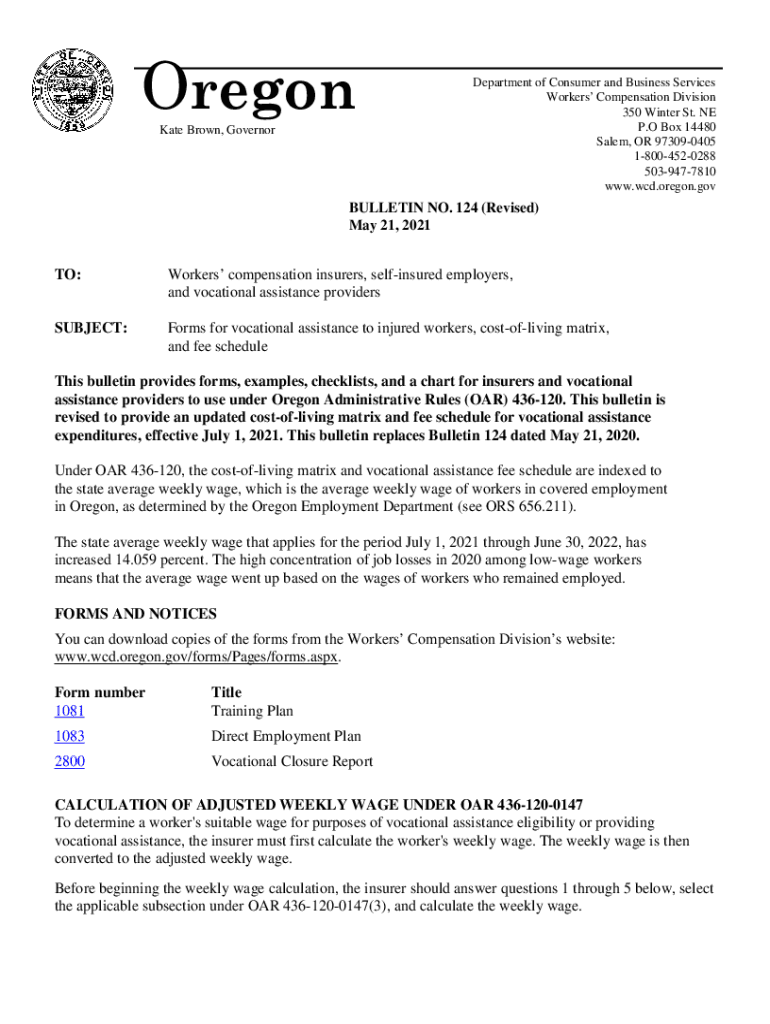
Oregon Workers' Compensation Division Oregon Workers 2021-2026


What is the Oregon Workers' Compensation Division Oregon Workers
The Oregon Workers' Compensation Division is a state agency responsible for overseeing the workers' compensation system in Oregon. This division ensures that employees who are injured on the job receive appropriate medical care and financial support. It also manages the process for employers to comply with workers' compensation laws. The division plays a crucial role in maintaining a fair and efficient system that benefits both workers and employers.
Steps to complete the Oregon Workers' Compensation Division Oregon Workers
Completing the Oregon workers' compensation flowchart involves several key steps. First, the injured worker should report the injury to their employer as soon as possible. Next, the employer must provide the injured worker with a claim form, often referred to as the 801 form. Once the form is filled out, it should be submitted to the insurer. The insurer will then review the claim and determine eligibility for benefits. Throughout this process, it is essential to keep detailed records of all communications and documents related to the claim.
Key elements of the Oregon Workers' Compensation Division Oregon Workers
Understanding the key elements of the Oregon workers' compensation system is vital for both employees and employers. Important components include the types of benefits available, such as medical treatment, wage loss compensation, and vocational rehabilitation. Additionally, the process for appealing a denied claim is a critical aspect that workers should be aware of. Familiarity with these elements can help ensure that all parties understand their rights and responsibilities under the law.
Legal use of the Oregon Workers' Compensation Division Oregon Workers
The legal framework governing the Oregon workers' compensation system is designed to protect both employees and employers. For a claim to be valid, it must comply with specific legal requirements, including timely reporting of injuries and proper documentation. Additionally, the use of electronic signatures for submitting forms is legally recognized, provided that the eSignature meets established standards. This legal backing ensures that the process remains secure and efficient for all involved.
Required Documents
To successfully navigate the Oregon workers' compensation process, certain documents are required. These typically include the completed claim form (801), medical records detailing the injury, and any relevant correspondence with the employer or insurer. Ensuring that all necessary documentation is accurate and submitted in a timely manner is crucial for the approval of benefits.
Form Submission Methods (Online / Mail / In-Person)
Submitting the Oregon workers' compensation forms can be done through various methods. Workers can choose to submit their claims online, which is often the fastest option. Alternatively, forms can be mailed directly to the insurer or submitted in person at designated locations. Each method has its own advantages, and workers should select the one that best suits their needs while ensuring compliance with submission deadlines.
Quick guide on how to complete oregon workers compensation division oregon workers
Effortlessly Prepare Oregon Workers' Compensation Division Oregon Workers on Any Device
Digital document management has surged in popularity among businesses and individuals alike. It offers an ideal environmentally friendly substitute for traditional printed and signed paperwork, allowing you to obtain the correct form and securely store it online. airSlate SignNow equips you with all the necessary tools to swiftly create, modify, and eSign your documents without any hindrances. Manage Oregon Workers' Compensation Division Oregon Workers on any platform with the airSlate SignNow Android or iOS applications and enhance your document-driven processes today.
The Easiest Method to Edit and eSign Oregon Workers' Compensation Division Oregon Workers Without Stress
- Find Oregon Workers' Compensation Division Oregon Workers and click Get Form to begin.
- Use the tools we provide to fill out your form.
- Highlight important sections of the documents or redact sensitive information with tools specifically designed for that purpose by airSlate SignNow.
- Create your eSignature using the Sign feature, which takes just seconds and holds the same legal validity as a conventional wet ink signature.
- Review the information and click on the Done button to save your modifications.
- Select your preferred method of sending your form, whether by email, SMS, invitation link, or download it to your computer.
Eliminate concerns over lost or misplaced documents, tiring form searches, or errors that necessitate printing new copies. airSlate SignNow meets your document management needs with just a few clicks from any device you choose. Alter and eSign Oregon Workers' Compensation Division Oregon Workers to ensure effective communication at every stage of your form preparation with airSlate SignNow.
Create this form in 5 minutes or less
Create this form in 5 minutes!
How to create an eSignature for the oregon workers compensation division oregon workers
How to create an e-signature for a PDF file online
How to create an e-signature for a PDF file in Google Chrome
The best way to create an electronic signature for signing PDFs in Gmail
How to create an electronic signature from your mobile device
How to generate an e-signature for a PDF file on iOS
How to create an electronic signature for a PDF file on Android devices
People also ask
-
What is an Oregon workers' compensation flowchart?
An Oregon workers' compensation flowchart is a visual guide that illustrates the steps involved in the workers' compensation process in Oregon. It helps employers and employees understand the claims process, from reporting injuries to filing claims and receiving benefits.
-
How can airSlate SignNow assist with the Oregon workers' compensation flowchart?
AirSlate SignNow streamlines the documentation process of the Oregon workers' compensation flowchart by allowing users to easily send, receive, and eSign important documents. This means less time managing paperwork and more time focusing on employee welfare and compliance.
-
What features does airSlate SignNow offer that support the Oregon workers' compensation flowchart?
AirSlate SignNow provides features such as customizable templates, advanced eSignature capabilities, and integration with popular platforms. These tools are designed to enhance efficiency when working with the Oregon workers' compensation flowchart.
-
Is airSlate SignNow a cost-effective solution for managing workers' compensation processes?
Yes, airSlate SignNow offers a cost-effective solution for managing the workers' compensation processes associated with the Oregon workers' compensation flowchart. By reducing paperwork and streamlining processes, companies can save on costs related to lost productivity and administrative tasks.
-
Can I integrate airSlate SignNow with other software for managing the Oregon workers' compensation flowchart?
Absolutely, airSlate SignNow integrates seamlessly with various applications, such as HR software and project management tools. This allows users to maintain a smooth workflow while managing their Oregon workers' compensation flowchart more effectively.
-
What are the benefits of using airSlate SignNow for the Oregon workers' compensation flowchart?
Using airSlate SignNow for the Oregon workers' compensation flowchart enables faster processing of claims and improved collaboration between employees and employers. This results in quicker resolution and better compliance with state regulations.
-
Are there any security measures in place when using airSlate SignNow for workers' compensation documents?
Yes, airSlate SignNow prioritizes document security with features like encrypted storage and secure eSigning processes. This ensures that all documents related to the Oregon workers' compensation flowchart are kept safe and confidential.
Get more for Oregon Workers' Compensation Division Oregon Workers
Find out other Oregon Workers' Compensation Division Oregon Workers
- Electronic signature Indiana Construction Business Plan Template Simple
- Electronic signature Wisconsin Charity Lease Agreement Mobile
- Can I Electronic signature Wisconsin Charity Lease Agreement
- Electronic signature Utah Business Operations LLC Operating Agreement Later
- How To Electronic signature Michigan Construction Cease And Desist Letter
- Electronic signature Wisconsin Business Operations LLC Operating Agreement Myself
- Electronic signature Colorado Doctors Emergency Contact Form Secure
- How Do I Electronic signature Georgia Doctors Purchase Order Template
- Electronic signature Doctors PDF Louisiana Now
- How To Electronic signature Massachusetts Doctors Quitclaim Deed
- Electronic signature Minnesota Doctors Last Will And Testament Later
- How To Electronic signature Michigan Doctors LLC Operating Agreement
- How Do I Electronic signature Oregon Construction Business Plan Template
- How Do I Electronic signature Oregon Construction Living Will
- How Can I Electronic signature Oregon Construction LLC Operating Agreement
- How To Electronic signature Oregon Construction Limited Power Of Attorney
- Electronic signature Montana Doctors Last Will And Testament Safe
- Electronic signature New York Doctors Permission Slip Free
- Electronic signature South Dakota Construction Quitclaim Deed Easy
- Electronic signature Texas Construction Claim Safe