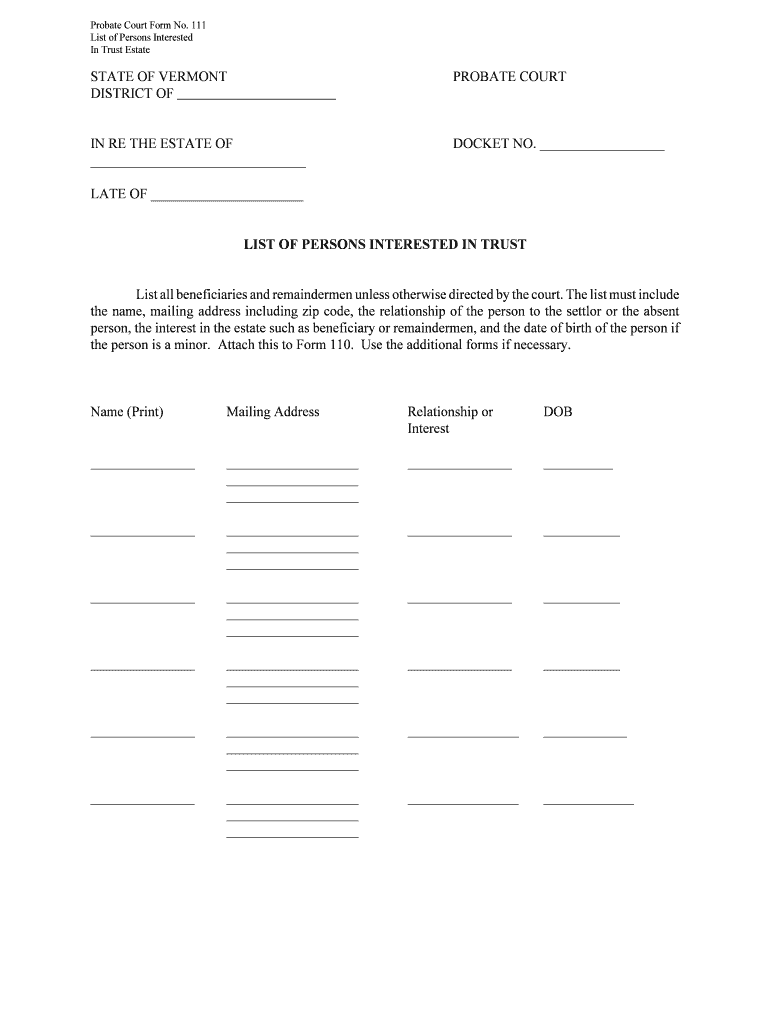
List of Persons Interested Form


What is the List Of Persons Interested
The List Of Persons Interested is a formal document that identifies individuals or entities with a vested interest in a specific matter, often used in legal, real estate, or regulatory contexts. This form serves to disclose relationships and interests that may affect decision-making processes, ensuring transparency and compliance with relevant laws. It is crucial for maintaining ethical standards and avoiding conflicts of interest.
How to use the List Of Persons Interested
Using the List Of Persons Interested involves several steps to ensure accurate and complete information is provided. First, gather all necessary details about the individuals or entities that need to be included. This typically includes names, addresses, and the nature of their interest. Next, fill out the form carefully, ensuring that all information is current and correct. Once completed, the form may need to be submitted to a relevant authority or organization, depending on the specific requirements of your situation.
Steps to complete the List Of Persons Interested
Completing the List Of Persons Interested requires attention to detail. Here are the essential steps:
- Collect all relevant information about the interested parties.
- Fill in the form accurately, including all required fields.
- Review the completed form for any errors or omissions.
- Sign and date the form as required.
- Submit the form to the appropriate authority or organization.
Legal use of the List Of Persons Interested
The legal use of the List Of Persons Interested is vital for ensuring compliance with various regulations. This form may be required in contexts such as real estate transactions, public hearings, or corporate governance. Properly completing and submitting this form can help mitigate legal risks and demonstrate adherence to ethical standards. Failure to disclose relevant interests could lead to penalties or legal challenges.
Key elements of the List Of Persons Interested
Key elements of the List Of Persons Interested typically include:
- Names of all interested parties.
- Contact information for each individual or entity.
- A description of the nature of their interest.
- Signature and date of the person completing the form.
Examples of using the List Of Persons Interested
Examples of when the List Of Persons Interested may be used include:
- In real estate transactions, to disclose parties involved in property dealings.
- During public hearings, to identify stakeholders in community projects.
- In corporate settings, to ensure board members disclose their interests in business decisions.
Quick guide on how to complete list of persons interested
Prepare List Of Persons Interested effortlessly on any gadget
Online document organization has become increasingly popular among companies and individuals. It offers an ideal eco-friendly substitute for conventional printed and signed documents, allowing you to locate the appropriate form and securely store it online. airSlate SignNow equips you with all the tools required to create, edit, and eSign your documents quickly without interruptions. Manage List Of Persons Interested on any device with airSlate SignNow Android or iOS applications and enhance any document-related task today.
The easiest way to modify and eSign List Of Persons Interested with ease
- Locate List Of Persons Interested and click Get Form to begin.
- Utilize the tools at your disposal to complete your document.
- Emphasize pertinent sections of your documents or obscure sensitive information with tools specifically provided by airSlate SignNow for that purpose.
- Generate your signature using the Sign tool, which takes mere seconds and holds the same legal validity as a conventional wet ink signature.
- Review all details and click on the Done button to save your modifications.
- Select your preferred method for sending your form, such as email, text message (SMS), or invite link, or download it to your PC.
Put aside concerns about lost or misplaced documents, tedious form searching, or mistakes that require new document copies to be printed. airSlate SignNow meets your document management needs in just a few clicks from any device you choose. Edit and eSign List Of Persons Interested and ensure excellent communication at every stage of your form preparation process with airSlate SignNow.
Create this form in 5 minutes or less
Create this form in 5 minutes!
People also ask
-
What is the List Of Persons Interested feature in airSlate SignNow?
The List Of Persons Interested feature in airSlate SignNow allows users to easily identify and manage all individuals involved in the signing process. This enhances collaboration by ensuring everyone is on the same page and aware of their roles. By using this feature, you can streamline document workflows and improve overall efficiency.
-
How does airSlate SignNow integrate with other software for managing the List Of Persons Interested?
airSlate SignNow offers seamless integrations with various applications like CRM systems and project management tools to manage your List Of Persons Interested. This capability allows you to automatically populate your document workflows without duplicate data entry. Fortunately, the integration process is simple, enabling you to maintain a unified system.
-
Is there a cost associated with the List Of Persons Interested feature in airSlate SignNow?
For users of airSlate SignNow, the List Of Persons Interested feature is included in various pricing plans, making it a cost-effective choice for businesses. Each plan offers different levels of functionality, so you can choose one that best meets your needs. Overall, this feature adds signNow value to the pricing structure, especially for organizations that regularly manage multiple signers.
-
What benefits does the List Of Persons Interested provide to businesses?
The List Of Persons Interested enhances organizational efficiency by allowing businesses to keep track of all involved parties in a signing process. This reduces confusion and miscommunication, leading to faster document turnaround times. Enhanced visibility and control over who is involved signNowly improve the overall signing experience.
-
Can I customize the List Of Persons Interested in airSlate SignNow?
Yes, airSlate SignNow allows users to customize their List Of Persons Interested to fit specific business needs. You can add or remove contacts, set roles, and manage the order of signers according to your workflow. Customization ensures that your signing process aligns perfectly with your business operations.
-
How secure is the information in my List Of Persons Interested?
Security is a top priority for airSlate SignNow, and information in your List Of Persons Interested is protected with industry-standard encryption. Only authorized users have access to sensitive data, ensuring confidentiality. Additionally, regular security audits are conducted to maintain the highest level of protection.
-
Can I use the List Of Persons Interested feature on mobile devices?
Absolutely! The List Of Persons Interested feature in airSlate SignNow is fully optimized for mobile devices. This means you can access and manage your signing processes on the go, making it easier to collaborate with others anytime, anywhere.
Get more for List Of Persons Interested
- Free kentucky motor vehicle bill of sale form wordpdf
- C k m amount form
- Application for replacement driver license by mail form 21 2000 doj mt
- When applying for issuance or transfer of an emergency vehicle registration plate complete this supplemental application in its form
- Pregnancy verification form this form is intended to be sent by a public assistance office to a health care provider to verify
- Free arkansas medicaid prior rx authorization form pdf
- Arkansas medicaid guidelines and prior authorization form
- Dhcs 1802 form
Find out other List Of Persons Interested
- Electronic signature Colorado Doctors Emergency Contact Form Secure
- How Do I Electronic signature Georgia Doctors Purchase Order Template
- Electronic signature Doctors PDF Louisiana Now
- How To Electronic signature Massachusetts Doctors Quitclaim Deed
- Electronic signature Minnesota Doctors Last Will And Testament Later
- How To Electronic signature Michigan Doctors LLC Operating Agreement
- How Do I Electronic signature Oregon Construction Business Plan Template
- How Do I Electronic signature Oregon Construction Living Will
- How Can I Electronic signature Oregon Construction LLC Operating Agreement
- How To Electronic signature Oregon Construction Limited Power Of Attorney
- Electronic signature Montana Doctors Last Will And Testament Safe
- Electronic signature New York Doctors Permission Slip Free
- Electronic signature South Dakota Construction Quitclaim Deed Easy
- Electronic signature Texas Construction Claim Safe
- Electronic signature Texas Construction Promissory Note Template Online
- How To Electronic signature Oregon Doctors Stock Certificate
- How To Electronic signature Pennsylvania Doctors Quitclaim Deed
- Electronic signature Utah Construction LLC Operating Agreement Computer
- Electronic signature Doctors Word South Dakota Safe
- Electronic signature South Dakota Doctors Confidentiality Agreement Myself