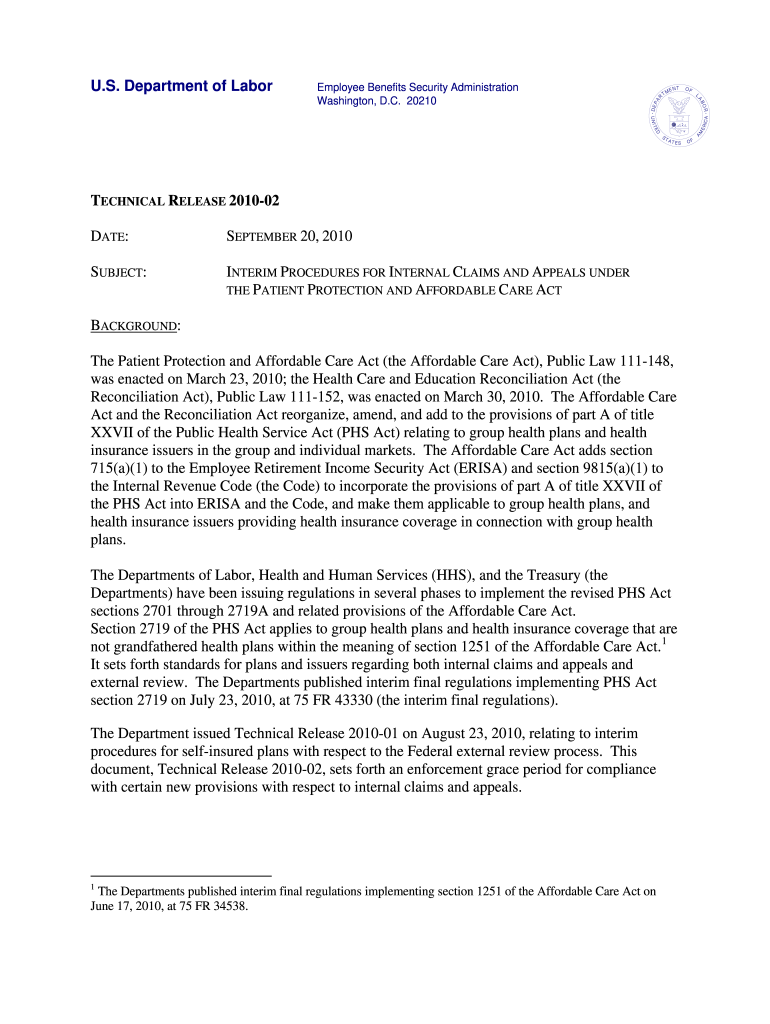
Aetna Tax Forms 2010-2026


Understanding Aetna Tax Forms
Aetna tax forms are essential documents used for reporting income and other tax-related information to the Internal Revenue Service (IRS). These forms include various types, such as the Aetna 1099 form and Aetna 1095 form, which are typically issued to individuals who receive certain types of benefits or payments. Understanding these forms is crucial for accurate tax reporting and compliance with federal regulations.
Steps to Complete Aetna Tax Forms
Completing Aetna tax forms involves several key steps to ensure accuracy and compliance. First, gather all necessary documents, including your Aetna federal ID number and any relevant income statements. Next, carefully fill out the required fields on the form, ensuring that all information is accurate and matches your records. After completing the form, review it for any errors before submitting it to the IRS or your tax advisor. Utilizing digital tools can streamline this process, allowing for easy editing and secure submission.
How to Obtain Aetna Tax Forms
Aetna tax forms can be obtained through various methods. You can download them directly from the Aetna website or request them from your Aetna representative. Additionally, many tax preparation software programs include these forms, making it easier to access and complete them. Ensure that you have the most current versions of the forms to comply with IRS requirements.
Legal Use of Aetna Tax Forms
The legal use of Aetna tax forms is governed by IRS regulations. These forms must be filled out accurately and submitted on time to avoid penalties. It is essential to understand the specific requirements associated with each form, including the information that must be reported and the deadlines for submission. Failure to comply with these legal requirements can result in fines or other penalties.
Filing Deadlines / Important Dates
Filing deadlines for Aetna tax forms are critical to ensure compliance with IRS regulations. Typically, forms such as the Aetna 1099 must be submitted by January thirty-first of the following tax year. It is important to stay informed about any changes to these deadlines, as they can vary based on the type of form and the specific circumstances surrounding your tax situation.
Required Documents for Aetna Tax Forms
When completing Aetna tax forms, certain documents are required to ensure accurate reporting. These may include your Aetna federal ID number, income statements, and any other relevant tax documents. Having these documents readily available can simplify the completion process and help prevent errors that could lead to compliance issues.
Quick guide on how to complete aetna tax forms
Optimize your HR processes with Aetna Tax Forms Template
Every HR expert understands the importance of keeping employee documents tidy and organized. With airSlate SignNow, you gain access to an extensive collection of state-specific labor forms that signNowly enhance the area, oversight, and preservation of all job-related documents in one location. airSlate SignNow enables you to manage Aetna Tax Forms from beginning to end, with powerful editing and eSignature tools available whenever you require them. Boost your accuracy, document security, and eliminate minor manual mistakes in just a few clicks.
The most effective way to modify and eSign Aetna Tax Forms:
- Choose the relevant state and search for the form you need.
- Open the form page and click on Get Form to start working on it.
- Allow Aetna Tax Forms to upload in our editor and follow the prompts that highlight required fields.
- Enter your details or add additional fillable fields to the document.
- Utilize our tools and features to customize your form as needed: annotate, redact sensitive information, and create an eSignature.
- Review your form for mistakes before proceeding to its submission.
- Click Done to save changes and download your form.
- Alternatively, send your document directly to your recipients and collect signatures and information.
- Safely store completed documents in your airSlate SignNow account and retrieve them whenever you wish.
Using a versatile eSignature solution is essential when managing Aetna Tax Forms. Simplify even the most complicated workflow with airSlate SignNow. Begin your free trial today to discover what you can achieve with your department.
Create this form in 5 minutes or less
FAQs
-
How do you fill out tax forms?
I strongly recommend purchasing a tax program, Turbo tax, H&R block etc.These programs will ask you questions and they will fill out the forms for you.You just print it out and mail it in. (with a check, if you owe anything)I used to use an accountant but these programs found more deductions.
-
How do I fill out 2013 tax forms?
I hate when people ask a question, then rather than answer, someone jumps in and tells them they don't need to know--but today, I will be that guy, because this is serious.Why oh why do you think you can do this yourself?Two things to consider:People who get a masters degree in Accounting then go get a CPA then start doing taxes--only then do some of them start specializing in international accounting. I've taught Accounting at the college-level, have taken tax classes beyond that, and wouldn't touch your return.Tax professionals generally either charge by the form or by the hour. Meaning you can sit and do this for 12 hours, or you can pay a CPA by the hour to do it, or you can go to an H&R Block that has flat rates and will do everything but hit Send for free. So why spend 12 hours doing it incorrectly, destined to worry about the IRS putting you in jail, bankrupting you, or deporting you for the next decade when you can get it done professionally for $200-$300?No, just go get it done right.
-
Why don't schools teach children about taxes and bills and things that they will definitely need to know as adults to get by in life?
Departments of education and school districts always have to make decisions about what to include in their curriculum. There are a lot of life skills that people need that aren't taught in school. The question is should those skills be taught in schools?I teach high school, so I'll talk about that. The typical high school curriculum is supposed to give students a broad-based education that prepares them to be citizens in a democracy and to be able to think critically. For a democracy to work, we need educated, discerning citizens with the ability to make good decisions based on evidence and objective thought. In theory, people who are well informed about history, culture, science, mathematics, etc., and are capable of critical, unbiased thinking, will have the tools to participate in a democracy and make good decisions for themselves and for society at large. In addition to that, they should be learning how to be learners, how to do effective, basic research, and collaborate with other people. If that happens, figuring out how to do procedural tasks in real life should not provide much of a challenge. We can't possibly teach every necessary life skill people need, but we can help students become better at knowing how to acquire the skills they need. Should we teach them how to change a tire when they can easily consult a book or search the internet to find step by step instructions for that? Should we teach them how to balance a check book or teach them how to think mathematically and make sense of problems so that the simple task of balancing a check book (which requires simple arithmetic and the ability to enter numbers and words in columns and rows in obvious ways) is easy for them to figure out. If we teach them to be good at critical thinking and have some problem solving skills they will be able to apply those overarching skills to all sorts of every day tasks that shouldn't be difficult for someone with decent cognitive ability to figure out. It's analogous to asking why a culinary school didn't teach its students the steps and ingredients to a specific recipe. The school taught them about more general food preparation and food science skills so that they can figure out how to make a lot of specific recipes without much trouble. They're also able to create their own recipes.So, do we want citizens with very specific skill sets that they need to get through day to day life or do we want citizens with critical thinking, problem solving, and other overarching cognitive skills that will allow them to easily acquire ANY simple, procedural skill they may come to need at any point in their lives?
-
How do I fill taxes online?
you can file taxes online by using different online platforms. by using this online platform you can easily submit the income tax returns, optimize your taxes easily.Tachotax provides the most secure, easy and fast way of tax filing.
-
How do I fill out the income tax for online job payment? Are there any special forms to fill it?
I am answering to your question with the UNDERSTANDING that you are liableas per Income Tax Act 1961 of Republic of IndiaIf you have online source of Income as per agreement as an employer -employee, It will be treated SALARY income and you will file ITR 1 for FY 2017–18If you are rendering professional services outside India with an agreement as professional, in that case you need to prepare Financial Statements ie. Profit and loss Account and Balance sheet for FY 2017–18 , finalize your income and pay taxes accordingly, You will file ITR -3 for FY 2017–1831st Dec.2018 is last due date with minimum penalty, grab that opportunity and file income tax return as earliest
-
What percent of people don't have the intelligence to fill out tax forms?
Recent statistics that I've seen indicate that about 66% of electronically filed returns are filed by paid preparers. This doesn't necessarily mean that these filers don't have the intelligence but it does indicate that they have a level of discomfort and anxiety and prefer the solace of having a paid preparer fill out and transmit the forms. It all depends on the level of complexity of the form. For the young wage earner living at home with his or her parents, who is able to operate a computer and can operate simple tax return software, I would think that 80% should be intelligent enough to fill out tax forms. Especially because the software is designed to prompt and assist (and check the arithmetic).One of America's most respected jurists, Judge Learned Hand, offers a more thoughtful observation on the law of taxation: ‘In my own case the words of such an act as the Income Tax ... merely dance before my eyes in a meaningless procession; cross-reference to cross-reference, exception upon exception—couched in abstract terms that offer no handle to seize hold of—leave in my mind only a confused sense of some vitally important, but successfully concealed, purport, which it is my duty to extract, but which is within my power, if at all, only after the most inordinate expenditure of time. I know that these monsters are the result of fabulous industry and ingenuity, plugging up this hole and casting out that net, against all possible evasion; yet at times I cannot help recalling a saying of William James about certain passages of Hegal [sic]: that they were no doubt written with a passion of rationality; but that one cannot help wondering whether to the reader they have any significance save that the words are strung together with syntactical correctness.’ Ruth Realty Co. v. Horn, 222 Or. 290, 353 P.2d 524, 526 n. 2 (Or. 1960) (citing 57 Yale L.J. 167, 169 (1947)), overruled on other grounds by Parr v. DOR, 276 Or. 113, 553 P.2d 1051 (Or. 1976). The Humorist Dave Barry had this observation "The IRS is working hard to develop a tax form so scary that merely reading it will cause the ordinary taxpayer's brain to explode.” His candidate for the best effort so far is Schedule J Form 1118 "Separate Limitation Loss Allocations and Other Adjustments Necessary to Determine Numerators of Limitations fraction, Year end Recharacterization Balance and Overall Foreign Loss Account Balances"And don’t forget this observation from Albert Einstein “The hardest thing to understand in the world is the income tax. “ So if Al had trouble understanding taxes, I don't see how a mere mortal has any chance.
-
How do you fill out a 1040EZ tax form?
The instructions are available here 1040EZ (2014)
-
How do I fill a W-9 Tax Form out?
Download a blank Form W-9To get started, download the latest Form W-9 from the IRS website at https://www.irs.gov/pub/irs-pdf/.... Check the date in the top left corner of the form as it is updated occasionally by the IRS. The current revision should read (Rev. December 2014). Click anywhere on the form and a menu appears at the top that will allow you to either print or save the document. If the browser you are using doesn’t allow you to type directly into the W-9 then save the form to your desktop and reopen using signNow Reader.General purposeThe general purpose of Form W-9 is to provide your correct taxpayer identification number (TIN) to an individual or entity (typically a company) that is required to submit an “information return” to the IRS to report an amount paid to you, or other reportable amount.U.S. personForm W-9 should only be completed by what the IRS calls a “U.S. person”. Some examples of U.S. persons include an individual who is a U.S. citizen or a U.S. resident alien. Partnerships, corporations, companies, or associations created or organized in the United States or under the laws of the United States are also U.S. persons.If you are not a U.S. person you should not use this form. You will likely need to provide Form W-8.Enter your informationLine 1 – Name: This line should match the name on your income tax return.Line 2 – Business name: This line is optional and would include your business name, trade name, DBA name, or disregarded entity name if you have any of these. You only need to complete this line if your name here is different from the name on line 1. See our related blog, What is a disregarded entity?Line 3 – Federal tax classification: Check ONE box for your U.S. federal tax classification. This should be the tax classification of the person or entity name that is entered on line 1. See our related blog, What is the difference between an individual and a sole proprietor?Limited Liability Company (LLC). If the name on line 1 is an LLC treated as a partnership for U.S. federal tax purposes, check the “Limited liability company” box and enter “P” in the space provided. If the LLC has filed Form 8832 or 2553 to be taxed as a corporation, check the “Limited liability company” box and in the space provided enter “C” for C corporation or “S” for S corporation. If it is a single-member LLC that is a disregarded entity, do not check the “Limited liability company” box; instead check the first box in line 3 “Individual/sole proprietor or single-member LLC.” See our related blog, What tax classification should an LLC select?Other (see instructions) – This line should be used for classifications that are not listed such as nonprofits, governmental entities, etc.Line 4 – Exemptions: If you are exempt from backup withholding enter your exempt payee code in the first space. If you are exempt from FATCA reporting enter your exemption from FATCA reporting code in the second space. Generally, individuals (including sole proprietors) are not exempt from backup withholding. See the “Specific Instructions” for line 4 shown with Form W-9 for more detailed information on exemptions.Line 5 – Address: Enter your address (number, street, and apartment or suite number). This is where the requester of the Form W-9 will mail your information returns.Line 6 – City, state and ZIP: Enter your city, state and ZIP code.Line 7 – Account numbers: This is an optional field to list your account number(s) with the company requesting your W-9 such as a bank, brokerage or vendor. We recommend that you do not list any account numbers as you may have to provide additional W-9 forms for accounts you do not include.Requester’s name and address: This is an optional section you can use to record the requester’s name and address you sent your W-9 to.Part I – Taxpayer Identification Number (TIN): Enter in your taxpayer identification number here. This is typically a social security number for an individual or sole proprietor and an employer identification number for a company. See our blog, What is a TIN number?Part II – Certification: Sign and date your form.For additional information visit w9manager.com.
Create this form in 5 minutes!
How to create an eSignature for the aetna tax forms
How to create an eSignature for the Aetna Tax Forms online
How to make an electronic signature for the Aetna Tax Forms in Chrome
How to make an electronic signature for signing the Aetna Tax Forms in Gmail
How to create an eSignature for the Aetna Tax Forms from your smart phone
How to make an eSignature for the Aetna Tax Forms on iOS devices
How to make an electronic signature for the Aetna Tax Forms on Android OS
People also ask
-
What are Aetna Tax Forms and how can SignNow help?
Aetna Tax Forms are essential documents that relate to health insurance coverage and tax deductions. Using airSlate SignNow, you can easily eSign and manage these forms electronically, streamlining your tax paperwork process. Our platform ensures that your Aetna Tax Forms are signed securely and efficiently, saving you time and hassle.
-
How does airSlate SignNow improve the process of handling Aetna Tax Forms?
AirSlate SignNow simplifies the management of Aetna Tax Forms by providing a user-friendly interface for sending and receiving documents. Our solution allows you to track the status of your forms in real-time, ensuring that all necessary signatures are obtained quickly. This efficiency helps you stay organized and compliant with tax requirements.
-
Are there any costs associated with using SignNow for Aetna Tax Forms?
AirSlate SignNow offers competitive pricing plans tailored for businesses that need to manage Aetna Tax Forms efficiently. Our subscription models are designed to provide cost-effective solutions without compromising on features. You can choose a plan that best fits your organization's needs, ensuring you can handle all your tax forms seamlessly.
-
What features does SignNow offer for managing Aetna Tax Forms?
SignNow provides a variety of features specifically designed for managing Aetna Tax Forms, including customizable templates, automated reminders, and secure cloud storage. These tools help you create and send forms quickly, ensuring that your documents are always accessible. Additionally, eSigning capabilities make it easy to obtain the necessary signatures for your tax forms.
-
Can I integrate SignNow with other software for Aetna Tax Forms?
Yes, airSlate SignNow offers integrations with various software platforms that can enhance the management of your Aetna Tax Forms. Whether you use CRM systems, accounting software, or document management tools, our platform can connect seamlessly to streamline your workflows. This integration allows you to handle tax forms alongside your other business processes.
-
Is SignNow compliant with regulations for Aetna Tax Forms?
AirSlate SignNow is fully compliant with various regulations, ensuring that your Aetna Tax Forms are handled securely and legally. Our platform adheres to industry standards for electronic signatures, providing peace of mind that your documents are valid and protected. You can trust SignNow to keep your sensitive information safe.
-
How can SignNow benefit my business when managing Aetna Tax Forms?
Using airSlate SignNow for your Aetna Tax Forms can signNowly enhance efficiency and reduce administrative overhead for your business. The ability to eSign documents quickly means you can process tax forms faster, leading to improved compliance and less risk of delays. Ultimately, this helps you focus on your core business activities while ensuring your tax documentation is in order.
Get more for Aetna Tax Forms
- Minutes for organizational meeting south dakota south dakota form
- South dakota file form
- Lead based paint disclosure for sales transaction south dakota form
- Lead based paint disclosure for rental transaction south dakota form
- Notice of lease for recording south dakota form
- Sample cover letter for filing of llc articles or certificate with secretary of state south dakota form
- Supplemental residential lease forms package south dakota
- Sd landlord tenant form
Find out other Aetna Tax Forms
- How To Sign Arizona Business Operations PDF
- Help Me With Sign Nebraska Business Operations Presentation
- How To Sign Arizona Car Dealer Form
- How To Sign Arkansas Car Dealer Document
- How Do I Sign Colorado Car Dealer PPT
- Can I Sign Florida Car Dealer PPT
- Help Me With Sign Illinois Car Dealer Presentation
- How Can I Sign Alabama Charity Form
- How Can I Sign Idaho Charity Presentation
- How Do I Sign Nebraska Charity Form
- Help Me With Sign Nevada Charity PDF
- How To Sign North Carolina Charity PPT
- Help Me With Sign Ohio Charity Document
- How To Sign Alabama Construction PDF
- How To Sign Connecticut Construction Document
- How To Sign Iowa Construction Presentation
- How To Sign Arkansas Doctors Document
- How Do I Sign Florida Doctors Word
- Can I Sign Florida Doctors Word
- How Can I Sign Illinois Doctors PPT