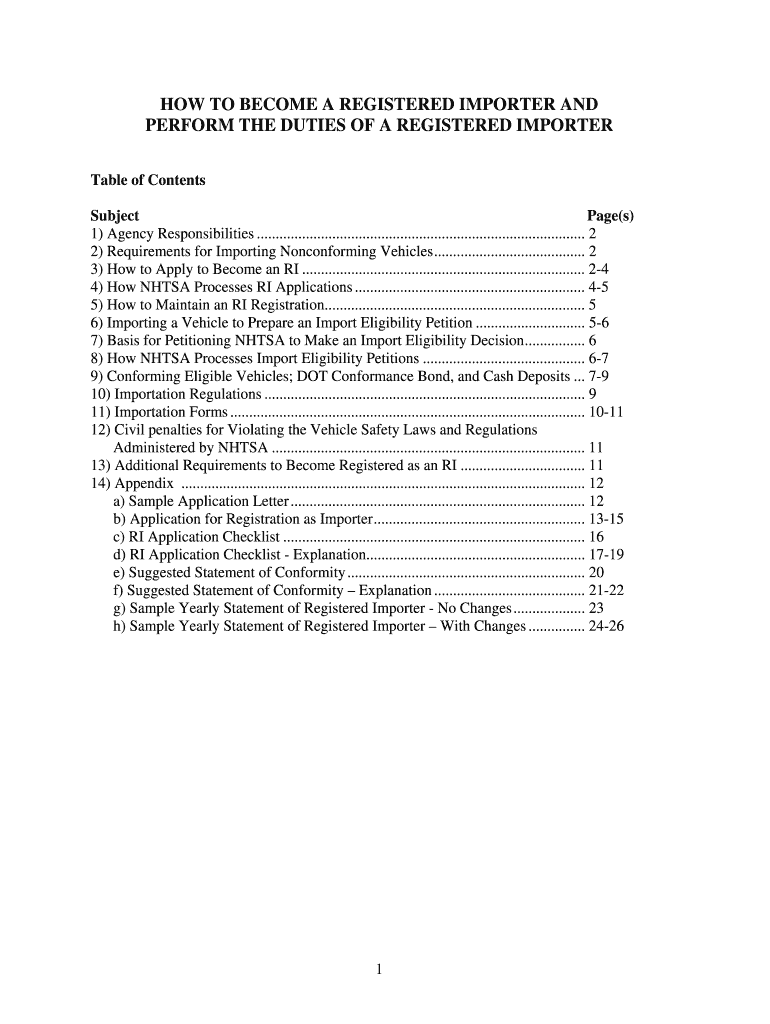
Registered Importer Application Form


What is the Registered Importer Application
The Registered Importer Application is a crucial document for businesses and individuals looking to import vehicles into the United States. This application, regulated by the National Highway Traffic Safety Administration (NHTSA), ensures that imported vehicles comply with U.S. safety, bumper, and emissions standards. By completing this application, importers can legally bring vehicles into the country while adhering to federal regulations.
Steps to Complete the Registered Importer Application
Completing the Registered Importer Application involves several key steps to ensure compliance with NHTSA requirements. First, gather all necessary documentation, including details about the vehicle and proof of compliance with U.S. standards. Next, fill out the application form accurately, providing all requested information. After completing the form, submit it along with any required fees to the NHTSA. It is essential to double-check that all information is correct to avoid delays in processing.
Legal Use of the Registered Importer Application
The legal use of the Registered Importer Application is vital for ensuring that imported vehicles meet U.S. regulations. This application must be completed and submitted in accordance with the guidelines set forth by the NHTSA. An improperly filled application can lead to legal complications, including fines or the inability to import vehicles. Therefore, understanding the legal implications and requirements of this application is crucial for all registered importers.
Required Documents
To successfully complete the Registered Importer Application, several documents are required. These typically include:
- Proof of vehicle compliance with U.S. safety and emissions standards.
- Documentation of the vehicle's origin and ownership.
- Any previous importation records, if applicable.
- Payment information for applicable fees.
Having these documents prepared in advance can streamline the application process and help avoid potential issues.
Eligibility Criteria
Eligibility to submit the Registered Importer Application is generally limited to individuals or businesses that have a valid business license and meet specific requirements set by the NHTSA. Applicants must demonstrate knowledge of U.S. vehicle standards and regulations. Additionally, they should be prepared to provide evidence of their ability to modify vehicles to meet compliance standards if necessary.
Application Process & Approval Time
The application process for becoming a registered importer involves submitting the completed application along with the required documentation and fees to the NHTSA. Once submitted, the processing time can vary. Typically, applicants can expect a response within several weeks, but this may depend on the volume of applications being processed. It is advisable to follow up with the NHTSA if there are delays beyond the expected timeframe.
Quick guide on how to complete registered importer application
Complete Registered Importer Application effortlessly on any device
Digital document management has gained traction among organizations and individuals. It serves as an excellent eco-friendly alternative to conventional printed and signed documents, allowing you to find the right form and securely archive it online. airSlate SignNow equips you with all the necessary tools to create, modify, and electronically sign your documents quickly and without holdups. Handle Registered Importer Application on any device using airSlate SignNow's Android or iOS applications and streamline your document-related tasks today.
How to alter and electronically sign Registered Importer Application effortlessly
- Find Registered Importer Application and then click Get Form to initiate the process.
- Utilize the tools we offer to fill out your document.
- Emphasize essential parts of your documents or conceal sensitive information using the tools provided by airSlate SignNow specifically for this purpose.
- Create your eSignature with the Sign tool, which takes mere seconds and holds the same legal validity as a traditional handwritten signature.
- Review all details and then click on the Done button to save your modifications.
- Choose your preferred delivery method for your form—via email, SMS, shareable link, or download it to your computer.
Say goodbye to lost or misplaced files, tedious document searching, or mistakes that necessitate printing new copies. airSlate SignNow meets all your document management needs in just a few clicks from any device you choose. Modify and eSign Registered Importer Application to ensure excellent communication throughout your document preparation process with airSlate SignNow.
Create this form in 5 minutes or less
Create this form in 5 minutes!
How to create an eSignature for the registered importer application
How to create an electronic signature for a PDF online
How to create an electronic signature for a PDF in Google Chrome
How to create an e-signature for signing PDFs in Gmail
How to create an e-signature right from your smartphone
How to create an e-signature for a PDF on iOS
How to create an e-signature for a PDF on Android
People also ask
-
What is a registered importer?
A registered importer is a business entity that has been authorized to import goods into a country. This designation is crucial for compliance with local regulations and ensures that your imported goods meet all necessary legal requirements. airSlate SignNow helps registered importers streamline their documentation process by enabling efficient eSigning and management of import-related documents.
-
How does airSlate SignNow benefit registered importers?
AirSlate SignNow benefits registered importers by simplifying the document signing process, reducing turnaround times, and increasing efficiency. With features tailored for document management, registered importers can easily handle contracts, agreements, and compliance documents—all in one platform. This enhanced productivity allows businesses to focus more on operations rather than paperwork.
-
What pricing plans are available for registered importers using airSlate SignNow?
AirSlate SignNow offers flexible pricing plans suitable for registered importers of all sizes, from startups to large enterprises. Each plan provides access to essential features, ensuring that users can find a solution that fits their budget. Additionally, potential customers can take advantage of a free trial to evaluate how the platform meets their specific needs.
-
Are there any integrations available for registered importers using airSlate SignNow?
Yes, airSlate SignNow provides numerous integrations with popular business tools that registered importers may already be using. This includes integrations with CRM systems, cloud storage solutions, and project management platforms. These connectors ensure that registered importers can seamlessly orchestrate their document workflow alongside other essential business operations.
-
How does airSlate SignNow ensure compliance for registered importers?
AirSlate SignNow ensures compliance for registered importers by offering robust security features that protect sensitive data and adhere to regulations. The platform also keeps users informed about compliance requirements through its intuitive interface and guidance. This focus on compliance allows registered importers to confidently manage their documentation without the risk of legal complications.
-
Can registered importers access airSlate SignNow from multiple devices?
Absolutely! AirSlate SignNow is a cloud-based solution that allows registered importers to access their documents and sign them from any device—be it a computer, tablet, or smartphone. This flexibility increases productivity, enabling registered importers to complete transactions anytime, anywhere, without being tied to a physical office.
-
Is airSlate SignNow user-friendly for registered importers without technical expertise?
Yes, airSlate SignNow is designed with user-friendliness in mind, making it accessible even for registered importers without technical expertise. The intuitive interface and straightforward setup empower users to quickly learn the system and efficiently manage their eSigning processes. Comprehensive support resources are also available to assist users along the way.
Get more for Registered Importer Application
Find out other Registered Importer Application
- eSignature Hawaii Legal Separation Agreement Now
- How To eSignature Indiana Legal Lease Agreement
- eSignature Kansas Legal Separation Agreement Online
- eSignature Georgia Lawers Cease And Desist Letter Now
- eSignature Maryland Legal Quitclaim Deed Free
- eSignature Maryland Legal Lease Agreement Template Simple
- eSignature North Carolina Legal Cease And Desist Letter Safe
- How Can I eSignature Ohio Legal Stock Certificate
- How To eSignature Pennsylvania Legal Cease And Desist Letter
- eSignature Oregon Legal Lease Agreement Template Later
- Can I eSignature Oregon Legal Limited Power Of Attorney
- eSignature South Dakota Legal Limited Power Of Attorney Now
- eSignature Texas Legal Affidavit Of Heirship Easy
- eSignature Utah Legal Promissory Note Template Free
- eSignature Louisiana Lawers Living Will Free
- eSignature Louisiana Lawers Last Will And Testament Now
- How To eSignature West Virginia Legal Quitclaim Deed
- eSignature West Virginia Legal Lease Agreement Template Online
- eSignature West Virginia Legal Medical History Online
- eSignature Maine Lawers Last Will And Testament Free