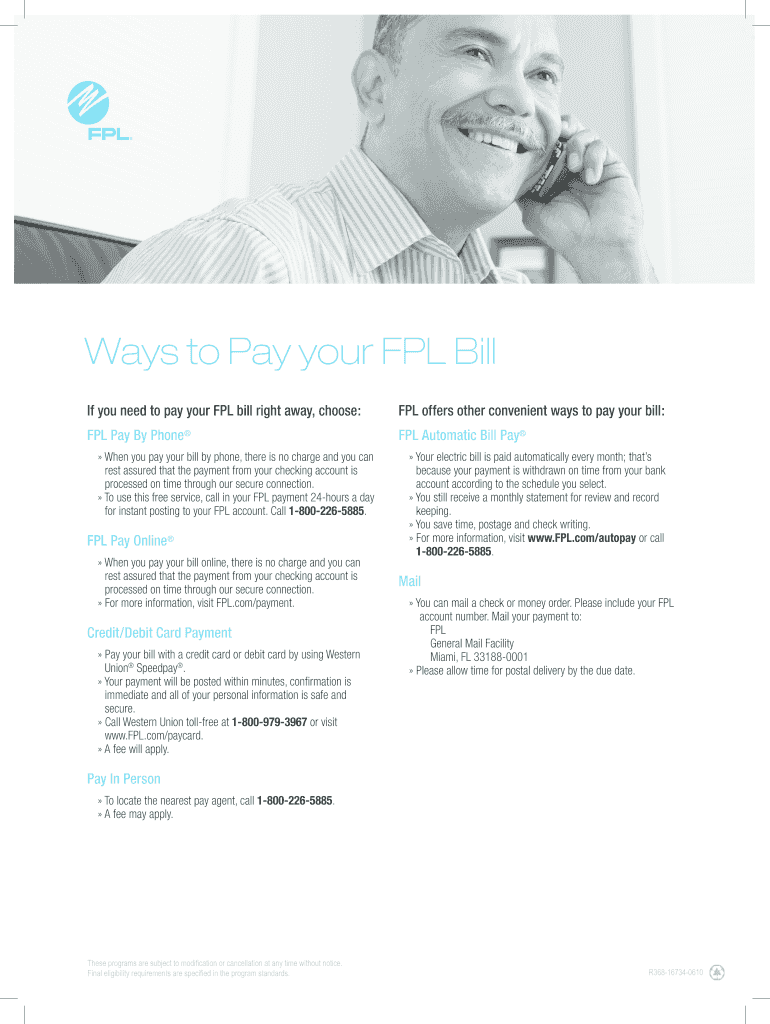
Fpl Pay Online Form


What is the FPL Pay Online?
The FPL Pay Online service allows customers to pay their Florida Power & Light (FPL) bills electronically. This option provides a convenient way to manage energy expenses without the need for paper checks or in-person visits. Customers can use various payment methods, including credit cards and debit cards, to settle their bills securely and efficiently through the FPL website or mobile app.
How to Use the FPL Pay Online
To utilize the FPL Pay Online service, customers need to follow a few simple steps:
- Visit the official FPL website or open the FPL mobile app.
- Log in to your account or create a new account if you are a first-time user.
- Navigate to the billing section and select the option to pay your bill online.
- Choose your preferred payment method, such as credit or debit card.
- Enter the required payment details and confirm the transaction.
Steps to Complete the FPL Pay Online
Completing your payment through FPL Pay Online is straightforward. Here are the detailed steps:
- Access the FPL website or app and log into your account.
- Locate the 'Pay My Bill' section on your dashboard.
- Select the amount you wish to pay and choose your payment method.
- Input your payment information accurately, ensuring all details are correct.
- Review the payment summary and submit your payment.
- Save or print the confirmation for your records.
Legal Use of the FPL Pay Online
The FPL Pay Online service is compliant with electronic payment regulations, ensuring that all transactions are secure and legally binding. Customers should be aware that by using this service, they agree to FPL's terms and conditions regarding electronic payments. This includes the protection of personal information and adherence to privacy laws.
Key Elements of the FPL Pay Online
Several key elements make the FPL Pay Online service user-friendly and secure:
- Multiple Payment Options: Customers can pay using credit cards, debit cards, or bank transfers.
- Secure Transactions: The service employs encryption and security protocols to protect user data.
- Instant Confirmation: Users receive immediate confirmation of their payment, ensuring peace of mind.
- Accessibility: The service is available 24/7, allowing customers to pay their bills at their convenience.
Examples of Using the FPL Pay Online
Customers may use the FPL Pay Online service in various scenarios, such as:
- Paying monthly energy bills quickly without mailing a check.
- Setting up automatic payments to avoid late fees.
- Making a one-time payment when managing a household budget.
- Using the service while traveling to ensure bills are paid on time.
Quick guide on how to complete fpl debit card payment form
Manage Fpl Pay Online effortlessly on any gadget
Digital document management has become increasingly popular among businesses and individuals alike. It offers an ideal environmentally friendly alternative to conventional printed and signed documents, allowing you to access the appropriate form and securely store it online. airSlate SignNow equips you with all the necessary tools to create, alter, and electronically sign your documents quickly without delays. Handle Fpl Pay Online on any device with airSlate SignNow’s Android or iOS applications and enhance any document-related process today.
How to modify and electronically sign Fpl Pay Online easily
- Find Fpl Pay Online and then click Get Form to begin.
- Use the tools we offer to fill out your form.
- Emphasize important parts of the documents or obscure sensitive information with tools that airSlate SignNow provides specifically for that purpose.
- Create your eSignature using the Sign tool, which takes seconds and holds the same legal stature as a conventional wet ink signature.
- Review all the details and then click the Done button to save your changes.
- Choose how you wish to send your form, via email, text message (SMS), or invite link, or download it to your computer.
Eliminate the worries of lost or misplaced documents, tedious form searching, or errors that necessitate printing new document copies. airSlate SignNow meets your document management needs in just a few clicks from any device you prefer. Edit and electronically sign Fpl Pay Online and ensure outstanding communication at any stage of your form preparation process with airSlate SignNow.
Create this form in 5 minutes or less
FAQs
-
How do I fill SBI card auto debit deactivation form?
Your can fill through online banking or the place you can visit and apply for that by confirmation through OTP.
-
Why do payment processors require bank accounts to pay out a customer instead of using a credit/debit card?
Greetings! As you can see from my bio line, I work as a product manager for UniPay Gateway at United Thinkers.In theory, payment processors can actually use payment cards (and not bank accounts) to pay out customers, however, there is a question: how to implement this from technological viewpoint. Plus there is a catch mentioned by Kilian Thalhammer in his answer.Technically, a processor could perform refunds (payouts) to a card specified by the customer (buyer, cardholder). However, at the time the customer’s card is funded, interchange fee is also returned. So, in the extreme case when some merchant account serves only for refunds (and not for sales), this acount will have to be serviced by the processor/acquirer for free, and the processor will get no revenues from interchange payments. Such an account will be unprofitable in the eyes of card network and the acquiring bank.Moreover, processing of refund transactions through Visa and MC networks is associated with signNow cost for the processor.The alternative solution implemented by some processors is usage of prepaid cards. If someone has a prepaid card, there are two options to use it:Some account may be associated with the prepaid card; once the funds are transferred to the account, they automatically get to the card;Prepaid card issuer may have an API allowing to transfer money to the card in real time.In both cases there is no additional cost for the processor in case of refunds. In the first case the cardholder gets the funds transferred to the card instead of the bank account. In the second case it is just the indirect infrastructure (API maintenance-related) cost that should be considered.
-
Passports: I have filled my application form but couldn't pay them because of some debit card problem, so I went back to the home page. Now my filled form is not showing anymore. Would I have to fill that form again or is there another option for the direct payment as I get my ARN?
Once you login...you should see something likeClick on retrieve partially saved/submitted application.Then you will see something like...Select the application number and then click the relevant option. Hope that answers your question.
-
I have just filled gate form and I have made the payment using debit card. It shows the status as 'payment received successfully. Will the status change? Will there be filling of another application form?
The next stage is "Your application is under scrutiny"Then after few days, they will send you a mail telling, your application has been verified to be ok. The duration of these steps may vary from days to weeks.. be patient.
-
Can you combine to forms of payment using cash and debit card?
At Walmart you can. Just tell the cashier you want to pay xxx in cash and the rest on the card. The cashier (if they’re trained properly) will not put the cash transaction through until you hand them the cash. Then they’ll run that in and you’ll see the new total that will come off of your debit card. When someone asks me this I say; “Of Course! I was first in my training class at split payments!” (Pause) “Of course, I WAS the only person being trained that day, still…”
Create this form in 5 minutes!
How to create an eSignature for the fpl debit card payment form
How to make an eSignature for your Fpl Debit Card Payment Form online
How to generate an eSignature for the Fpl Debit Card Payment Form in Chrome
How to make an electronic signature for putting it on the Fpl Debit Card Payment Form in Gmail
How to generate an electronic signature for the Fpl Debit Card Payment Form right from your smartphone
How to create an eSignature for the Fpl Debit Card Payment Form on iOS devices
How to generate an electronic signature for the Fpl Debit Card Payment Form on Android
People also ask
-
What is Fpl Pay Online and how does it work?
Fpl Pay Online is a convenient payment portal that allows customers to pay their Florida Power & Light (FPL) bills quickly and securely. By using airSlate SignNow, you can streamline the payment process, ensuring your transactions are both efficient and easy to manage.
-
How can I set up my Fpl Pay Online account?
To set up your Fpl Pay Online account, visit the official FPL website and follow the prompts to create your profile. Once your account is established, you can easily integrate it with airSlate SignNow for seamless document signing and management.
-
What are the benefits of using Fpl Pay Online with airSlate SignNow?
Using Fpl Pay Online alongside airSlate SignNow offers signNow benefits, such as increased efficiency and reduced paperwork. This integration allows you to manage your payments and documents in one place, minimizing time spent on administrative tasks.
-
Is there a fee for using Fpl Pay Online?
Typically, there is no charge for making payments through the Fpl Pay Online system. However, it's advisable to check with FPL directly for any potential fees or charges associated with specific payment methods.
-
Can I pay my FPL bill through airSlate SignNow?
Yes, you can use airSlate SignNow to manage your documents related to Fpl Pay Online. This means you can easily send and eSign any necessary paperwork related to your payments, making the process smoother and more efficient.
-
What payment methods are accepted for Fpl Pay Online?
Fpl Pay Online accepts various payment methods, including credit cards, debit cards, and bank transfers. With airSlate SignNow, you can securely sign documents that may accompany these transactions, enhancing your overall experience.
-
Is Fpl Pay Online secure for my personal information?
Absolutely! Fpl Pay Online employs robust security measures to protect your personal information. When combined with airSlate SignNow, you can ensure that all your documents are handled securely and your payments are processed safely.
Get more for Fpl Pay Online
Find out other Fpl Pay Online
- Electronic signature Alaska Construction Lease Agreement Template Simple
- Electronic signature Construction Form Arizona Safe
- Electronic signature Kentucky Charity Living Will Safe
- Electronic signature Construction Form California Fast
- Help Me With Electronic signature Colorado Construction Rental Application
- Electronic signature Connecticut Construction Business Plan Template Fast
- Electronic signature Delaware Construction Business Letter Template Safe
- Electronic signature Oklahoma Business Operations Stock Certificate Mobile
- Electronic signature Pennsylvania Business Operations Promissory Note Template Later
- Help Me With Electronic signature North Dakota Charity Resignation Letter
- Electronic signature Indiana Construction Business Plan Template Simple
- Electronic signature Wisconsin Charity Lease Agreement Mobile
- Can I Electronic signature Wisconsin Charity Lease Agreement
- Electronic signature Utah Business Operations LLC Operating Agreement Later
- How To Electronic signature Michigan Construction Cease And Desist Letter
- Electronic signature Wisconsin Business Operations LLC Operating Agreement Myself
- Electronic signature Colorado Doctors Emergency Contact Form Secure
- How Do I Electronic signature Georgia Doctors Purchase Order Template
- Electronic signature Doctors PDF Louisiana Now
- How To Electronic signature Massachusetts Doctors Quitclaim Deed