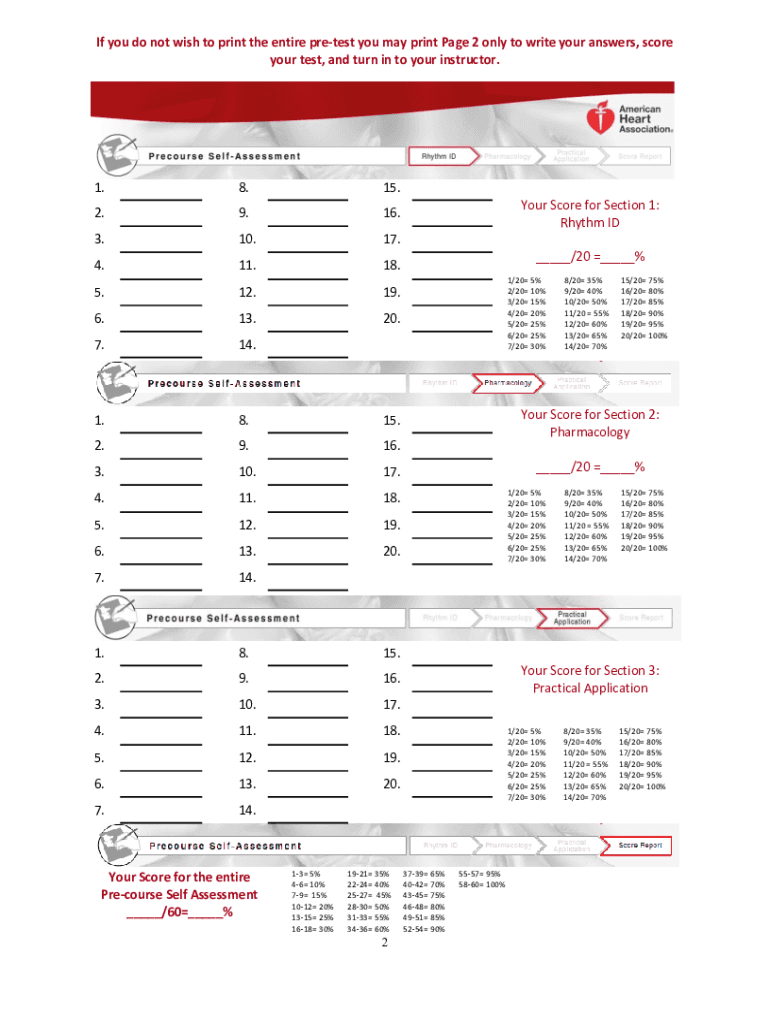
Acls Pretest Form


What is the ACLS Pretest
The ACLS pretest is a preparatory assessment designed for healthcare professionals who are preparing for the Advanced Cardiovascular Life Support (ACLS) certification. This test evaluates knowledge of critical concepts and protocols related to cardiac emergencies, including recognition and management of cardiac arrest, acute coronary syndromes, and stroke. The pretest typically includes multiple-choice questions that cover essential topics to ensure that participants are ready for the full certification exam.
How to Use the ACLS Pretest
Using the ACLS pretest effectively involves several steps. First, familiarize yourself with the format of the questions, which often mirror those found on the actual ACLS exam. Next, take the pretest in a quiet environment to minimize distractions. After completing the test, review your answers thoroughly, focusing on any incorrect responses to identify areas needing improvement. This process not only helps reinforce your knowledge but also builds confidence as you prepare for the certification exam.
Steps to Complete the ACLS Pretest
Completing the ACLS pretest involves a systematic approach. Start by gathering all necessary materials, including study guides and reference books. Follow these steps:
- Access the pretest through a reliable source, ensuring it is up-to-date with current guidelines.
- Set aside a dedicated time to complete the test without interruptions.
- Answer each question to the best of your ability, marking any questions you are unsure about for later review.
- After finishing, review your answers and consult study materials to clarify any misunderstandings.
Legal Use of the ACLS Pretest
The ACLS pretest is legally recognized as a preparatory tool and does not serve as an official certification. It is essential to understand that while the pretest can enhance knowledge and readiness, it does not replace the formal ACLS certification process. Compliance with educational standards and guidelines set by organizations such as the American Heart Association ensures that the pretest is used appropriately in the context of professional development.
Key Elements of the ACLS Pretest
Key elements of the ACLS pretest include various topics crucial for effective emergency response. These elements often encompass:
- Basic life support (BLS) principles
- Advanced airway management techniques
- Pharmacology relevant to cardiac emergencies
- Team dynamics and communication during resuscitation
Focusing on these elements will help ensure comprehensive preparation for the ACLS certification exam.
Examples of Using the ACLS Pretest
Healthcare professionals can utilize the ACLS pretest in several practical scenarios. For instance, a nurse preparing for ACLS certification may take the pretest to identify knowledge gaps before attending a formal training course. Additionally, instructors can use the pretest as a diagnostic tool to assess the readiness of their students, tailoring their teaching strategies to address specific weaknesses. This proactive approach enhances learning outcomes and promotes better patient care in emergency situations.
Quick guide on how to complete acls pre test form
Complete Acls Pretest effortlessly on any device
Online document management has gained popularity among businesses and individuals. It offers an excellent eco-friendly substitute for traditional printed and signed documents, allowing you to obtain the necessary form and securely store it online. airSlate SignNow provides all the tools you need to create, modify, and eSign your documents quickly without delays. Manage Acls Pretest on any device with airSlate SignNow’s Android or iOS applications and enhance any document-centric process today.
How to modify and eSign Acls Pretest without difficulty
- Obtain Acls Pretest and click on Get Form to initiate.
- Use the tools we provide to fill out your form.
- Emphasize pertinent sections of the documents or obscure sensitive information with tools specifically offered by airSlate SignNow for that purpose.
- Create your eSignature using the Sign feature, which takes mere seconds and carries the same legal validity as a traditional wet ink signature.
- Review the information and click on the Done button to save your changes.
- Select your preferred method of sending your form, whether via email, SMS, invite link, or download it to your computer.
Say goodbye to lost or misplaced documents, tedious form searching, or errors that require printing new document copies. airSlate SignNow meets your document management needs with just a few clicks from any device you choose. Edit and eSign Acls Pretest and ensure outstanding communication at every stage of the form preparation process with airSlate SignNow.
Create this form in 5 minutes or less
FAQs
-
Do I need to fill out form 8843 if I'm not exempt but also do not meet the substantial presence test?
It would not be a problem to file 1040-NR without the 8843. After all, the purpose of the 8843 is to exclude days of presence in the USA for the purposes of the Substantial Presence Test. If none of the days during the tax year qualifies for exclusion do not attach the form.
-
How can I fill out the form for the December test in Thapar, Patiala?
http://www.thapar.edu/images/adm...Open the above link and you will get all the information you want.All the best!
-
Do military members have to pay any fee for leave or fiancee forms?
NOOOOOOO. You are talking to a military romance scammer. I received an email from the US Army that directly answers your question that is pasted below please keep reading.I believe you are the victim of a military Romance Scam whereas the person you are talking to is a foreign national posing as an American Soldier claiming to be stationed overseas on a peacekeeping mission. That's the key to the scam they always claim to be on a peacekeeping mission.Part of their scam is saying that they have no access to their money that their mission is highly dangerous.If your boyfriend girlfriend/future husband/wife is asking you to do the following or has exhibited this behavior, it is a most likely a scam:Moves to private messaging site immediately after meeting you on Facebook or SnapChat or Instagram or some dating or social media site. Often times they delete the site you met them on right after they asked you to move to a more private messaging siteProfesses love to you very quickly & seems to quote poems and song lyrics along with using their own sort of broken language, as they profess their love and devotion quickly. They also showed concern for your health and love for your family.Promises marriage as soon as he/she gets to state for leave that they asked you to pay for.They Requests money (wire transfers) and Amazon, iTune ,Verizon, etc gift cards, for medicine, religious practices, and leaves to come home, internet access, complete job assignments, help sick friend, get him out of trouble, or anything that sounds fishy.The military does provide all the soldier needs including food medical Care and transportation for leave. Trust me, I lived it, you are probably being scammed. I am just trying to show you examples that you are most likely being connned.Below is an email response I received after I sent an inquiry to the US government when I discovered I was scammed. I received this wonderful response back with lots of useful links on how to find and report your scammer. And how to learn more about Romance Scams.Right now you can also copy the picture he gave you and do a google image search and you will hopefully see the pictures of the real person he is impersonating. this doesn't always work and take some digging. if you find the real person you can direct message them and alert them that their image is being used for scamming.Good Luck to you and I'm sorry this may be happening to you. please continue reading the government response I received below it's very informative. You have contacted an email that is monitored by the U.S. Army Criminal Investigation Command. Unfortunately, this is a common concern. We assure you there is never any reason to send money to anyone claiming to be a Soldier online. If you have only spoken with this person online, it is likely they are not a U.S. Soldier at all. If this is a suspected imposter social media profile, we urge you to report it to that platform as soon as possible. Please continue reading for more resources and answers to other frequently asked questions: How to report an imposter Facebook profile: Caution-https://www.facebook.com/help/16... < Caution-https://www.facebook.com/help/16... > Answers to frequently asked questions: - Soldiers and their loved ones are not charged money so that the Soldier can go on leave. - Soldiers are not charged money for secure communications or leave. - Soldiers do not need permission to get married. - Soldiers emails are in this format: john.doe.mil@mail.mil < Caution-mailto: john.doe.mil@mail.mil > anything ending in .us or .com is not an official email account. - Soldiers have medical insurance, which pays for their medical costs when treated at civilian health care facilities worldwide – family and friends do not need to pay their medical expenses. - Military aircraft are not used to transport Privately Owned Vehicles. - Army financial offices are not used to help Soldiers buy or sell items of any kind. - Soldiers deployed to Combat Zones do not need to solicit money from the public to feed or house themselves or their troops. - Deployed Soldiers do not find large unclaimed sums of money and need your help to get that money out of the country. Anyone who tells you one of the above-listed conditions/circumstances is true is likely posing as a Soldier and trying to steal money from you. We would urge you to immediately cease all contact with this individual. For more information on avoiding online scams and to report this crime, please see the following sites and articles: This article may help clarify some of the tricks social media scammers try to use to take advantage of people: Caution-https://www.army.mil/article/61432/< Caution-https://www.army.mil/article/61432/> CID advises vigilance against 'romance scams,' scammers impersonating Soldiers Caution-https://www.army.mil/article/180749 < Caution-https://www.army.mil/article/180749 > FBI Internet Crime Complaint Center: Caution-http://www.ic3.gov/default.aspx< Caution-http://www.ic3.gov/default.aspx> U.S. Army investigators warn public against romance scams: Caution-https://www.army.mil/article/130...< Caution-https://www.army.mil/article/130...> DOD warns troops, families to be cybercrime smart -Caution-http://www.army.mil/article/1450...< Caution-http://www.army.mil/article/1450...> Use caution with social networking Caution-https://www.army.mil/article/146...< Caution-https://www.army.mil/article/146...> Please see our frequently asked questions section under scams and legal issues. Caution-http://www.army.mil/faq/ < Caution-http://www.army.mil/faq/ > or visit Caution-http://www.cid.army.mil/ < Caution-http://www.cid.army.mil/ >. The challenge with most scams is determining if an individual is a legitimate member of the US Army. Based on the Privacy Act of 1974, we cannot provide this information. If concerned about a scam you may contact the Better Business Bureau (if it involves a solicitation for money), or local law enforcement. If you're involved in a Facebook or dating site scam, you are free to contact us direct; (571) 305-4056. If you have a social security number, you can find information about Soldiers online at Caution-https://www.dmdc.osd.mil/appj/sc... < Caution-https://www.dmdc.osd.mil/appj/sc... > . While this is a free search, it does not help you locate a retiree, but it can tell you if the Soldier is active duty or not. If more information is needed such as current duty station or location, you can contact the Commander Soldier's Records Data Center (SRDC) by phone or mail and they will help you locate individuals on active duty only, not retirees. There is a fee of $3.50 for businesses to use this service. The check or money order must be made out to the U.S. Treasury. It is not refundable. The address is: Commander Soldier's Records Data Center (SRDC) 8899 East 56th Street Indianapolis, IN 46249-5301 Phone: 1-866-771-6357 In addition, it is not possible to remove social networking site profiles without legitimate proof of identity theft or a scam. If you suspect fraud on this site, take a screenshot of any advances for money or impersonations and report the account on the social networking platform immediately. Please submit all information you have on this incident to Caution-www.ic3.gov < Caution-http://www.ic3.gov > (FBI website, Internet Criminal Complaint Center), immediately stop contact with the scammer (you are potentially providing them more information which can be used to scam you), and learn how to protect yourself against these scams at Caution-http://www.ftc.gov < Caution-http://www.ftc.gov > (Federal Trade Commission's website)
-
Where do we have to fill out the form for a pre-RMO in the Pune region?
go to the official website Homi Bhabha Centre for Science Educationdownload the form from there,get it printed,fill it out, get whatever attestation required done, and submit to nearest centre
-
What are the forms we need to fill out for the pre-joining formalities of Cognizant?
Congratulations on recieving the offer!!!Once you recieve the offer, you will recieve an link /portal from cognizant and asks you to upload all the basic documents like your schooling, +2,graduation certificates and your last company payslips and offer from your previous company.Later on they will clearly guide you whats next.There will be an NPR ID or something like that, which can be filled with six zeroes.Hope this helps.Sanjana
Create this form in 5 minutes!
How to create an eSignature for the acls pre test form
How to create an eSignature for the Acls Pre Test Form online
How to make an eSignature for your Acls Pre Test Form in Chrome
How to make an eSignature for putting it on the Acls Pre Test Form in Gmail
How to create an eSignature for the Acls Pre Test Form right from your smartphone
How to generate an eSignature for the Acls Pre Test Form on iOS
How to create an electronic signature for the Acls Pre Test Form on Android
People also ask
-
What is an Acls Pretest and how does it work?
The Acls Pretest is a critical assessment tool designed to evaluate your knowledge and preparedness for Advanced Cardiovascular Life Support (ACLS) certification. It consists of multiple-choice questions that cover key concepts and protocols in ACLS. By using the Acls Pretest, users can identify their strengths and areas for improvement before taking the official certification exam.
-
How can I access the Acls Pretest?
You can access the Acls Pretest through our user-friendly platform, which is part of the airSlate SignNow suite. Simply sign up for an account, and you will have immediate access to the Acls Pretest along with other valuable resources. This ease of access ensures you can prepare effectively at your own pace.
-
What are the benefits of taking the Acls Pretest?
Taking the Acls Pretest helps you assess your readiness for the ACLS certification exam, giving you a clear understanding of your current knowledge level. This pretest not only boosts your confidence but also highlights specific areas that may need further study. Ultimately, it enhances your chances of passing the certification on the first attempt.
-
Is the Acls Pretest included in my subscription?
Yes, the Acls Pretest is included as part of the comprehensive resources offered by airSlate SignNow. When you subscribe, you gain access to the pretest along with various eSigning and document management features, all designed to support your certification journey and streamline your workflow.
-
What features does the Acls Pretest offer?
The Acls Pretest includes a variety of features such as instant feedback on your answers, detailed explanations for each question, and progress tracking. These features allow you to monitor your learning and adjust your study strategies effectively. With our platform, you can take the pretest multiple times to improve your score.
-
Can I integrate the Acls Pretest with my existing learning management system?
Yes, airSlate SignNow provides integration options that allow the Acls Pretest to be incorporated into your existing learning management system (LMS). This integration makes it easy to manage training and assessment processes within your organization, ensuring a seamless experience for users preparing for ACLS certification.
-
How much does the Acls Pretest cost?
The Acls Pretest is competitively priced as part of airSlate SignNow's subscription plans, which offer a cost-effective solution for all your document signing and educational needs. Specific pricing details may vary, so we recommend visiting our website for the latest offers and subscription options that include access to the Acls Pretest.
Get more for Acls Pretest
Find out other Acls Pretest
- eSignature Georgia Lawers Cease And Desist Letter Now
- eSignature Maryland Legal Quitclaim Deed Free
- eSignature Maryland Legal Lease Agreement Template Simple
- eSignature North Carolina Legal Cease And Desist Letter Safe
- How Can I eSignature Ohio Legal Stock Certificate
- How To eSignature Pennsylvania Legal Cease And Desist Letter
- eSignature Oregon Legal Lease Agreement Template Later
- Can I eSignature Oregon Legal Limited Power Of Attorney
- eSignature South Dakota Legal Limited Power Of Attorney Now
- eSignature Texas Legal Affidavit Of Heirship Easy
- eSignature Utah Legal Promissory Note Template Free
- eSignature Louisiana Lawers Living Will Free
- eSignature Louisiana Lawers Last Will And Testament Now
- How To eSignature West Virginia Legal Quitclaim Deed
- eSignature West Virginia Legal Lease Agreement Template Online
- eSignature West Virginia Legal Medical History Online
- eSignature Maine Lawers Last Will And Testament Free
- eSignature Alabama Non-Profit Living Will Free
- eSignature Wyoming Legal Executive Summary Template Myself
- eSignature Alabama Non-Profit Lease Agreement Template Computer