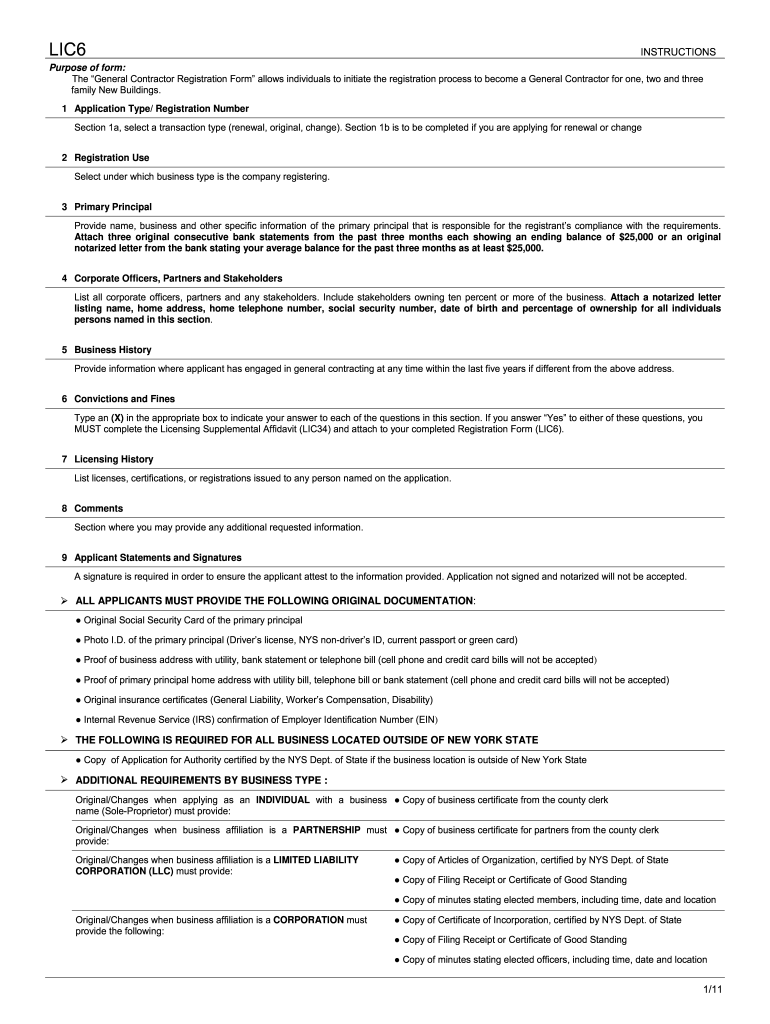
Nyc Department of Buildings Licensing 2011-2026


What is the NYC Department of Buildings Licensing?
The NYC Department of Buildings Licensing is a regulatory body responsible for issuing various licenses related to construction, renovation, and maintenance within New York City. This includes the issuance of welding licenses, which are essential for individuals seeking to perform welding work in compliance with city regulations. The department ensures that all licensed professionals meet specific safety and competency standards, thereby protecting both workers and the public.
How to Obtain the NYC Department of Buildings Licensing
To obtain a welding license from the NYC Department of Buildings, applicants must follow a structured process. This typically involves submitting an application that includes proof of relevant training and experience in welding. Applicants may need to provide documentation such as certificates from accredited training programs, proof of work experience, and identification. It is crucial to ensure that all information is accurate and complete to avoid delays in processing.
Steps to Complete the NYC Department of Buildings Licensing
Completing the licensing process requires several key steps:
- Gather all necessary documentation, including training certificates and work experience records.
- Fill out the appropriate application form, such as the UCS-111 form for welding licenses.
- Submit the application online through the NYC Department of Buildings website or in person at designated locations.
- Pay any applicable fees associated with the licensing process.
- Await confirmation of your application status, which can be checked through the department's online portal.
Required Documents for the NYC Welding License
When applying for a welding license, specific documents are required to verify qualifications and compliance with city regulations. These documents typically include:
- Proof of completion of a welding training program.
- Documentation of relevant work experience in welding.
- Identification, such as a government-issued photo ID.
- Any additional forms specified by the NYC Department of Buildings.
Legal Use of the NYC Department of Buildings Licensing
The licenses issued by the NYC Department of Buildings are legally binding and necessary for compliance with local laws. Engaging in welding without a valid license can lead to penalties, including fines and potential legal action. It is important for licensed welders to adhere to all regulations and maintain their licenses through renewal processes as required by the department.
Eligibility Criteria for the NYC Welding License
Eligibility for obtaining a welding license in New York City generally includes meeting certain criteria. Applicants must typically:
- Be at least eighteen years old.
- Have completed a recognized welding training program.
- Demonstrate relevant work experience in the field.
- Pass any required examinations or assessments related to welding practices and safety.
Quick guide on how to complete nyc department of buildings licensing unit form
Prepare Nyc Department Of Buildings Licensing effortlessly on any gadget
Digital document management has gained traction among companies and individuals alike. It offers an ideal eco-friendly alternative to traditional printed and signed paperwork, allowing you to locate the necessary form and securely save it online. airSlate SignNow equips you with all the resources required to create, edit, and electronically sign your documents promptly without hold-ups. Handle Nyc Department Of Buildings Licensing on any gadget using airSlate SignNow Android or iOS applications and streamline any document-related procedure today.
How to edit and electronically sign Nyc Department Of Buildings Licensing with ease
- Obtain Nyc Department Of Buildings Licensing and select Get Form to begin.
- Utilize the tools we provide to fill out your form.
- Mark important sections of the documents or obscure sensitive information with tools that airSlate SignNow offers specifically for that task.
- Create your electronic signature with the Sign feature, which takes seconds and holds the same legal validity as a conventional wet ink signature.
- Verify the details and click on the Done button to save your modifications.
- Choose how you wish to share your form, via email, SMS, or invitation link, or download it to your computer.
Say goodbye to lost or misplaced files, tedious form searching, or mistakes that necessitate printing new document copies. airSlate SignNow meets all your document management needs in just a few clicks from your chosen device. Edit and electronically sign Nyc Department Of Buildings Licensing and ensure effective communication throughout the form preparation process with airSlate SignNow.
Create this form in 5 minutes or less
FAQs
-
How can I fill out Google's intern host matching form to optimize my chances of receiving a match?
I was selected for a summer internship 2016.I tried to be very open while filling the preference form: I choose many products as my favorite products and I said I'm open about the team I want to join.I even was very open in the location and start date to get host matching interviews (I negotiated the start date in the interview until both me and my host were happy.) You could ask your recruiter to review your form (there are very cool and could help you a lot since they have a bigger experience).Do a search on the potential team.Before the interviews, try to find smart question that you are going to ask for the potential host (do a search on the team to find nice and deep questions to impress your host). Prepare well your resume.You are very likely not going to get algorithm/data structure questions like in the first round. It's going to be just some friendly chat if you are lucky. If your potential team is working on something like machine learning, expect that they are going to ask you questions about machine learning, courses related to machine learning you have and relevant experience (projects, internship). Of course you have to study that before the interview. Take as long time as you need if you feel rusty. It takes some time to get ready for the host matching (it's less than the technical interview) but it's worth it of course.
-
How do I fill out the form of DU CIC? I couldn't find the link to fill out the form.
Just register on the admission portal and during registration you will get an option for the entrance based course. Just register there. There is no separate form for DU CIC.
-
How can I find out which New York City office buildings will be demolished and redeveloped as residential building or hotel? Would the NYC department of buildings have permits filed before this occurred?
That’s not possible.Unless you have a crystal ball, you can’t find out which office buildings will be demolished and redeveloped as residential or hotels; you can only find out which office buildings have been (or are in the process of being) demolished and redeveloped as residential or hotels.Demolition permits do not contain information about the reason(s) for the demolition, or whether the applicant has plans to build something else on the parcel.
Create this form in 5 minutes!
How to create an eSignature for the nyc department of buildings licensing unit form
How to create an eSignature for your Nyc Department Of Buildings Licensing Unit Form online
How to create an eSignature for your Nyc Department Of Buildings Licensing Unit Form in Google Chrome
How to generate an eSignature for signing the Nyc Department Of Buildings Licensing Unit Form in Gmail
How to generate an eSignature for the Nyc Department Of Buildings Licensing Unit Form right from your smartphone
How to generate an electronic signature for the Nyc Department Of Buildings Licensing Unit Form on iOS
How to generate an electronic signature for the Nyc Department Of Buildings Licensing Unit Form on Android OS
People also ask
-
What is airSlate SignNow and how does it relate to NYC Department of Buildings Licensing?
airSlate SignNow is a digital document management solution that empowers businesses to streamline their workflows, including those related to NYC Department of Buildings Licensing. With airSlate SignNow, you can easily send and eSign crucial documents required for obtaining and renewing your NYC Department of Buildings licenses, ensuring compliance and efficiency.
-
How does airSlate SignNow help with NYC Department of Buildings Licensing applications?
Using airSlate SignNow simplifies the application process for NYC Department of Buildings Licensing by allowing users to create, send, and sign documents electronically. This reduces the time spent on paperwork and minimizes the risk of errors, making it easier to manage your licensing applications.
-
What are the pricing options for airSlate SignNow regarding NYC Department of Buildings Licensing?
airSlate SignNow offers flexible pricing plans that cater to various business needs, including those focused on NYC Department of Buildings Licensing. You can choose from individual, business, or enterprise plans, ensuring you find the right fit for your document management and eSignature requirements.
-
Are there features in airSlate SignNow specifically beneficial for NYC Department of Buildings Licensing?
Yes, airSlate SignNow includes features that are particularly beneficial for managing NYC Department of Buildings Licensing. These features include customizable templates for licensing documents, automated workflows, and secure eSigning, all designed to enhance the efficiency of your licensing processes.
-
Can I integrate airSlate SignNow with other tools for NYC Department of Buildings Licensing workflows?
Absolutely! airSlate SignNow offers seamless integrations with various applications commonly used in managing NYC Department of Buildings Licensing workflows. This includes integrations with project management tools, CRMs, and cloud storage services, allowing for a cohesive and efficient document management experience.
-
How secure is airSlate SignNow for handling NYC Department of Buildings Licensing documents?
airSlate SignNow prioritizes security, using advanced encryption protocols to protect your documents related to NYC Department of Buildings Licensing. Our platform complies with industry standards to ensure that all sensitive information remains confidential and secure throughout the eSigning process.
-
What benefits does airSlate SignNow provide for businesses dealing with NYC Department of Buildings Licensing?
airSlate SignNow offers numerous benefits for businesses handling NYC Department of Buildings Licensing, including increased efficiency, reduced paperwork, and faster turnaround times. By digitizing the licensing process, businesses can save time and resources while ensuring compliance with NYC regulations.
Get more for Nyc Department Of Buildings Licensing
- Kentucky warranty deed from two individuals to husband and wife form
- Social security number or your drivers license number form
- The information above is provided in the event this form is to be recorded
- Tennessee being of legal age and of sound and disposing mind and memory and not acting form
- Tn 09a 09pdf form
- Ea 200 proof of personal service judicial council form
- Judicial council form jv 200 courtinfo ca
- Urinalysis consent form
Find out other Nyc Department Of Buildings Licensing
- Electronic signature Oklahoma Business Operations Stock Certificate Mobile
- Electronic signature Pennsylvania Business Operations Promissory Note Template Later
- Help Me With Electronic signature North Dakota Charity Resignation Letter
- Electronic signature Indiana Construction Business Plan Template Simple
- Electronic signature Wisconsin Charity Lease Agreement Mobile
- Can I Electronic signature Wisconsin Charity Lease Agreement
- Electronic signature Utah Business Operations LLC Operating Agreement Later
- How To Electronic signature Michigan Construction Cease And Desist Letter
- Electronic signature Wisconsin Business Operations LLC Operating Agreement Myself
- Electronic signature Colorado Doctors Emergency Contact Form Secure
- How Do I Electronic signature Georgia Doctors Purchase Order Template
- Electronic signature Doctors PDF Louisiana Now
- How To Electronic signature Massachusetts Doctors Quitclaim Deed
- Electronic signature Minnesota Doctors Last Will And Testament Later
- How To Electronic signature Michigan Doctors LLC Operating Agreement
- How Do I Electronic signature Oregon Construction Business Plan Template
- How Do I Electronic signature Oregon Construction Living Will
- How Can I Electronic signature Oregon Construction LLC Operating Agreement
- How To Electronic signature Oregon Construction Limited Power Of Attorney
- Electronic signature Montana Doctors Last Will And Testament Safe