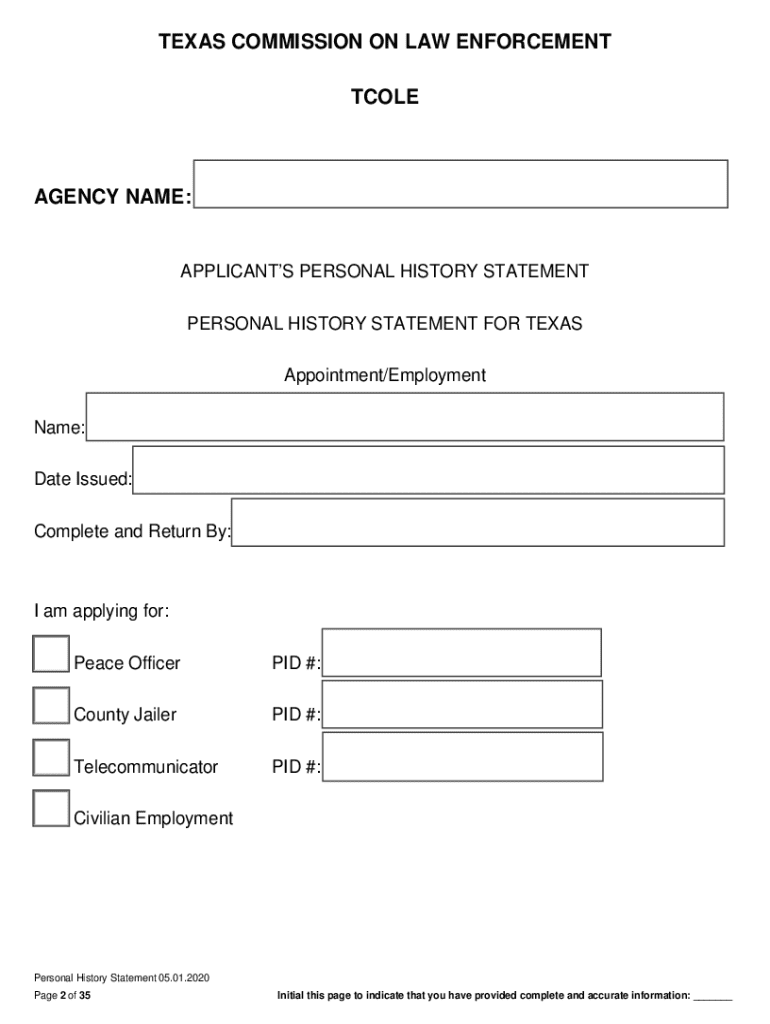
IMPORTANT INFORMATION TCOLE Personal History State 2020-2026


Understanding the TCOLE Personal History Statement
The TCOLE Personal History Statement is a crucial document required for individuals seeking employment in law enforcement in Texas. This statement collects comprehensive personal information, including educational background, employment history, and any criminal records. It ensures that candidates meet the eligibility criteria set forth by the Texas Commission on Law Enforcement (TCOLE). Understanding the importance of this document is essential for applicants, as it plays a significant role in the hiring process.
Steps to Complete the TCOLE Personal History Statement
Completing the TCOLE Personal History Statement involves several important steps:
- Gather necessary documents, such as identification, educational records, and previous employment details.
- Fill out the statement accurately, ensuring all information is truthful and complete.
- Review the completed statement for any errors or omissions before submission.
- Submit the statement to the appropriate law enforcement agency as part of the application process.
Each step is vital to ensure that the application is processed smoothly and efficiently.
Legal Use of the TCOLE Personal History Statement
The TCOLE Personal History Statement serves a legal purpose in the hiring process for law enforcement positions. It is used to verify the background and qualifications of applicants. Misrepresentation or failure to disclose relevant information can lead to disqualification from the hiring process or legal repercussions. Therefore, it is crucial to complete the statement with honesty and integrity.
Eligibility Criteria for the TCOLE Personal History Statement
To be eligible for submission of the TCOLE Personal History Statement, applicants must meet specific criteria set by TCOLE. These typically include:
- Being a U.S. citizen or legal resident.
- Meeting age requirements, usually at least 21 years old.
- Having a high school diploma or equivalent.
- Passing a background check, including a review of any criminal history.
Meeting these criteria is essential for a successful application to law enforcement agencies in Texas.
How to Obtain the TCOLE Personal History Statement
The TCOLE Personal History Statement can be obtained from the Texas Commission on Law Enforcement's official website or directly through the law enforcement agency where the applicant is seeking employment. It is important to ensure that the most current version of the form is used, as updates may occur periodically. Applicants should also check for any specific instructions or additional documentation required by the agency.
Key Elements of the TCOLE Personal History Statement
The TCOLE Personal History Statement includes several key elements that applicants must address:
- Personal identification information, such as name, address, and date of birth.
- Educational history, including schools attended and degrees obtained.
- Employment history, detailing previous jobs and responsibilities.
- Criminal history, if any, requiring full disclosure of arrests and convictions.
Providing complete and accurate information in these sections is critical for the evaluation process.
Handy tips for filling out IMPORTANT INFORMATION TCOLE Personal History State online
Quick steps to complete and e-sign IMPORTANT INFORMATION TCOLE Personal History State online:
- Use Get Form or simply click on the template preview to open it in the editor.
- Start completing the fillable fields and carefully type in required information.
- Use the Cross or Check marks in the top toolbar to select your answers in the list boxes.
- Utilize the Circle icon for other Yes/No questions.
- Look through the document several times and make sure that all fields are completed with the correct information.
- Insert the current Date with the corresponding icon.
- Add a legally-binding e-signature. Go to Sign -> Add New Signature and select the option you prefer: type, draw, or upload an image of your handwritten signature and place it where you need it.
- Finish filling out the form with the Done button.
- Download your copy, save it to the cloud, print it, or share it right from the editor.
- Check the Help section and contact our Support team if you run into any troubles when using the editor.
We understand how straining completing documents can be. Get access to a GDPR and HIPAA compliant service for optimum straightforwardness. Use signNow to e-sign and send out IMPORTANT INFORMATION TCOLE Personal History State for collecting e-signatures.
Create this form in 5 minutes or less
Find and fill out the correct important information tcole personal history state
Create this form in 5 minutes!
How to create an eSignature for the important information tcole personal history state
How to create an electronic signature for a PDF online
How to create an electronic signature for a PDF in Google Chrome
How to create an e-signature for signing PDFs in Gmail
How to create an e-signature right from your smartphone
How to create an e-signature for a PDF on iOS
How to create an e-signature for a PDF on Android
People also ask
-
What is a personal history statement?
A personal history statement is a document that outlines your background, experiences, and motivations. It is often required for applications to educational programs or job positions. This statement helps you convey your unique story and qualifications to potential reviewers.
-
How can airSlate SignNow help with my personal history statement?
airSlate SignNow provides an easy-to-use platform for creating, sending, and eSigning your personal history statement. With its intuitive interface, you can quickly format your document and ensure it meets all necessary requirements. This streamlines the submission process, allowing you to focus on your content.
-
What are the pricing options for airSlate SignNow?
airSlate SignNow offers various pricing plans to suit different needs, including a free trial for new users. The plans are designed to be cost-effective, ensuring you can manage your personal history statement and other documents without breaking the bank. Check the website for the latest pricing details.
-
Is airSlate SignNow secure for handling personal documents?
Yes, airSlate SignNow prioritizes security and compliance, ensuring that your personal history statement and other documents are protected. The platform uses advanced encryption and secure storage solutions to safeguard your information. You can confidently manage sensitive documents with peace of mind.
-
Can I integrate airSlate SignNow with other applications?
Absolutely! airSlate SignNow offers integrations with various applications, enhancing your workflow. You can connect it with tools like Google Drive, Dropbox, and more, making it easier to manage your personal history statement alongside other important documents.
-
What features does airSlate SignNow offer for document management?
airSlate SignNow includes features such as customizable templates, real-time collaboration, and automated reminders. These tools help you efficiently create and manage your personal history statement, ensuring that you meet deadlines and maintain a professional appearance.
-
How can I ensure my personal history statement is well-written?
To write an effective personal history statement, focus on clarity and authenticity. Use airSlate SignNow's collaborative features to get feedback from peers or mentors. Additionally, consider using templates available on the platform to guide your writing process.
Get more for IMPORTANT INFORMATION TCOLE Personal History State
Find out other IMPORTANT INFORMATION TCOLE Personal History State
- How To eSign Arizona Course Evaluation Form
- How To eSign California Course Evaluation Form
- How To eSign Florida Course Evaluation Form
- How To eSign Hawaii Course Evaluation Form
- How To eSign Illinois Course Evaluation Form
- eSign Hawaii Application for University Free
- eSign Hawaii Application for University Secure
- eSign Hawaii Medical Power of Attorney Template Free
- eSign Washington Nanny Contract Template Free
- eSignature Ohio Guaranty Agreement Myself
- eSignature California Bank Loan Proposal Template Now
- Can I eSign Indiana Medical History
- eSign Idaho Emergency Contract Form Myself
- eSign Hawaii General Patient Information Fast
- Help Me With eSign Rhode Island Accident Medical Claim Form
- eSignature Colorado Demand for Payment Letter Mobile
- eSignature Colorado Demand for Payment Letter Secure
- eSign Delaware Shareholder Agreement Template Now
- eSign Wyoming Shareholder Agreement Template Safe
- eSign Kentucky Strategic Alliance Agreement Secure