
Signatures have long been used to execute binding contracts. The hand-written signature, or wet signature, as we know it today, commemorated the creation of a new country called the United States of America back in 1776.
Inking on paper isn’t the only option for authorizing a document or transaction today. There are different forms of signatures, and now we are comparing electronic signature vs. wet signature.
In this article, we will explain how these signature types facilitate business transactions, cover the difference between wet and electronic signatures, and more. Let’s dive right in!
Disclaimer: This article is for informational purposes only and should not be considered legal advice. Electronic signature and wet signature requirements may vary by document type, jurisdiction, local laws, and receiving authority, so consult a qualified legal professional when needed.
What is an electronic signature?
Electronic signatures, also known as eSignatures, allow people to sign documents online. Unlike the traditional pen and paper method, you don’t need to write your eSignature manually every time you sign a PDF or Word document.
Similar to a traditional wet signature, an electronic signature is unique to every individual. Electronic signatures can either be represented by standardized digital signatures, handwritten signatures in an electronic format, or simply by the full name of the signee.
There are several types of electronic signatures, each designed to meet varying requirements and security levels:
1. Simple eSignatures (SES) are typically used for low-risk transactions. This type of electronic signature can include typed names, scanned signatures, or checkboxes indicating approval.
2. Advanced eSignatures (AES) offer enhanced security features, such as biometric data or PIN codes, providing a heightened level of authentication and identity verification. An AES often uses a public key infrastructure (PKI) for added security.
3. Qualified eSignatures (QES) are digital signatures that adhere to strict regulatory standards and use hardware-based cryptographic devices for added security. Using Qualified Electronic Signature is prevalent in industries with rigorous compliance requirements.
Today, electronic signature technology is becoming more commonplace. Many companies and contractors are signing agreements using both wet and digital signatures since they are quick, efficient, and easily verifiable.

What is the purpose of electronic signatures?
Now that you understand the meaning of the term “eSignature”, let’s look at its usage and how it can help businesses across different industries.
Human Resources
Using an electronic signature streamlines different processes for HR departments that involve the signing of onboarding contracts, approvals, exit contracts, NDAs, and more. Further, eSignatures can help your team save countless hours every week and complete a larger number of agreements daily.
The best part is that the top HRMS software comes integrated with an electronic signature generator tool that makes it easy for newcomers to create an account, upload, eSign, and send their first document for signing in minutes. It helps you authenticate signatures faster and more efficiently.
Legal
Legal is another sector where the use of eSignatures can make entire processes run smoother. You can capture client signatures faster and sign loan agreements, rental agreements, promissory notes, and other legal documents remotely in less time.
Besides, when you rely on delivery services or couriers, business holidays or weekends can delay the delivery of important legal notices. Sometimes, this even results in heavy penalties when you are not able to take action in time. This is where eSignatures can speed up the process and help avoid any risks.
Sales
With such stiff competition in the market, every business is trying to close deals faster. You do not want to risk your clients changing their minds while they wait for a paper-based contract to arrive.
You can easily avoid physically sending your paper-based agreement by simply emailing it to them using document management software with an incorporated eSignature solution. Not only does this help save paper, but you also create a seamless onboarding experience for your clients, vendors, or suppliers.
Watch the video below to learn how Sales teams can sign documents faster using SignNow’s electronic signature:
Banking and Finance
Using an electronic signature in banking and finance helps financial institutions to provide a hassle-free experience to their customers. They can easily sign and send documents from their home, open accounts, manage investments, and much more.
On top of that, banks can store customer signatures in their document management system, allowing for an easy authentication process from any location. This helps prevent fraudulent activities in any of their customer’s accounts while delivering a unique banking experience.
Healthcare
The use of eSignatures in the healthcare sector can help reduce paperwork drastically. It makes the process of collecting and signing patient intake and consent forms online hassle-free. This can speed up the process during medical emergencies and even save a patient’s life.
What’s more, electronic signatures also allow you to settle your health insurance claims digitally and remove any roadblocks.
Operations
Even when it comes to operations, electronic signatures can help. It allows you to approve documents related to asset management, budget allocation, and policy management within a few minutes as it removes the need for printing a large number of documents to seek consent for executing any new rules or regulations.
What is a wet signature?
A wet signature is a traditional pen and paper signature that is applied to a physical paper document. Wet signatures are still more common than electronic signatures as people have relied on the traditional pen and paper method to sign contracts, agreements, and approve documents for centuries.
Despite the growing importance of electronic signatures, certain places still require the use of wet signatures. These situations include the signing of wills, property evictions, court orders, insurance benefit claims, approval and issuance of bank loans, and the verification of identity to a notary public. In some scenarios, maintaining copies of the analog pen and ink signatures is more beneficial, particularly for people or organizations that have not adopted newer technologies yet.

What are wet signatures for?
If you are wondering, an electronic signature has the same legal recognition and is just as valid as a traditional handwritten signature. However, in some special cases, a wet ink signature is still a legal requirement. This includes:
- Transfer of Property: Wet signatures are used for signing documents that approve the inheritance or transfer of property or investment between two or more parties.
- Taxation: In some countries, certain documents need to be signed using only traditional wet signatures. For instance, UK tax authorities require that documents filed with the tax authorities or land registry are signed in wet ink.
- Accounting: According to the law in some countries, only the traditional pen and paper signature is accepted on documents such as promissory notes, deeds of trust, notarized documents, mortgage papers, and other collateral documents.
Electronic signature vs. wet signature: what’s the difference?
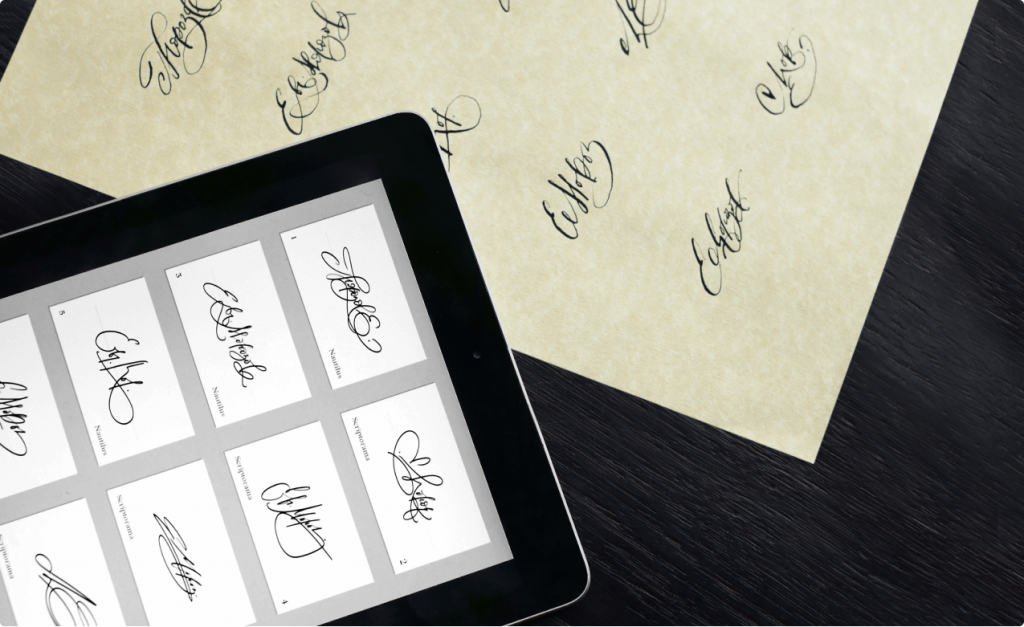
While a wet signature is a physical signature requiring pen and paper, an eSignature is an equally legally-binding acknowledgment of an online document.
Wet ink signatures require a physical mark over a physical document, whereas electronic signatures can be executed online and approved instantly.
Another thing about a wet signature is that it needs to be written out every time someone signs a document. But you can easily access eSignature online in any format for future use. Electronic signatures can be typed out, created online, or saved to your desktop by scanning a written version of your wet signature.
Moreover, electronic signatures are secure, and their authenticity can be verified. On the other hand, it may be difficult to authenticate whether a wet signature is genuine.
Today, many companies are switching to eSignatures to sign business proposals, NDAs, affidavits, contracts and agreements, and issue payments. However, wet signatures are still used in signing documents pertaining to the transfer of property ownership, filing taxes, issuing promissory notes, notarized documents, mortgage papers, and collateral documents.
What are the advantages of eSignatures over wet signatures?
Saves costs
A study has shown that companies can save between 55% and 78% of their average costs related to management, subscriptions, and supplies by switching from wet signatures to electronic signatures.
Electronic signatures offer more cost-efficiency to modern businesses. With this type of signature, signing is a totally digital process. With wet signatures, you need to purchase paper and ink, along with a quality printer to help you print several documents on a daily or weekly basis. With eSignatures, however, this is not the case. All you need to do is create your own signature digitally or scan your handwritten signature, and you are good to go.
Saves time
On average, it takes five or more days to get a document signed and returned using a handwritten signature. By contrast, it takes a mere 37 minutes to get your signed contract or agreement when signing documents electronically. In fact, you don’t even need to sign every time you receive a document online. You can either use an electronic signature software solution or create your own signature template and save it on your desktop for use when necessary.
Enhances security
Unlike traditional pen and paper signatures that can be imitated easily, eSignatures cannot. With the help of electronic signatures, you can easily check and verify signer’s identity. This allows clients and companies to manage documents more effectively and close deals faster.
Centralized storage
Using electronic signing software, you can store all your documents on a single platform. You don’t need to create multiple copies of documents and manually keep track of agreements or contracts that have been signed versus those that have not. With eSignature platforms like SignNow, you can maintain a database and filter documents according to whether they have been signed or not.
Environment-friendly
eSignatures are environment-friendly since they save the need to use paper to write or print documents. With the help of electronic document signing software, all you need to do is share the documents with the necessary parties. The documents can then be signed in real-time and also allow you to track their status.
Why switch to electronic signatures?

While wet signatures were the standard earlier, eSignatures are becoming a necessity. Not only do they help save time and are environment-friendly, but they also ensure authenticity. Since no one can imitate or alter an eSignature, it becomes easier to make sure that the documents have been received and signed by the intended parties.
In addition, an electronic signature can take various forms — typed-out versions or scanned versions of your handwritten signatures. It can also help you track the status of your documents — whether they have been signed or not.
Here’s how you can easily create your electronic signature in five simple steps:
Step #1: Choose an eSignature solution. You can go for SignNow – it has a range of eSignature tools and built-in document templates that help you create and share your files from the platform itself.
Step #2: Once you have signed up, the next step is to upload or create a document that needs to be signed. Most platforms accept Microsoft Word as well as PDF documents.
Step #3: Create and save your signature. You can build your signature by either uploading a handwritten copy or drawing it with your mouse or a trackpad on the document itself.
Step #4: Insert your signature on the document. Once done, invite other signees to sign your document through email or the eSignature platform. Many eSignature apps let you track whether it has been signed or not.
Step #5: Once the documents have been signed, save them online or physically for future use.
Legal compliance of electronic signatures
Under the Electronic Identification, Authentication and Trust Services Regulation (eIDAS) in the European Union and the Uniform Electronic Transactions Act (UETA) in the United States, an electronic signature generally cannot be denied legal effect, validity, enforceability, or admissibility solely because it is in electronic form.
Watch the video below for more information and insights on this topic:
Conclusion
Today, we see more and more businesses moving towards paperless offices, with eSignature adoption being a part of that process and sometimes even electronic signature vs. wet signature preference. Organizations are looking to save costs in terms of physical paper management, and at the same, reduce their dependence on paper to protect the environment.
If you are worried about the legal validity of electronic signatures, they carry the same legal standing as wet signatures. Try SignNow today to switch to electronic signatures and increase your productivity. You will be surprised at how much time you save while drastically improving your customers’ experiences.
Glossary
Wet signature: A handwritten signature you apply with ink on a physical paper document. It may still be required for certain documents depending on local laws, document type, or receiving organization.
Electronic signature: A signature used to show agreement or approval on a digital document. It can take different forms, such as a typed name, scanned handwritten signature, or a signature created through an online signing platform.
eSignature: A common shortened term for electronic signature. In business workflows, an eSignature helps people sign, send, and manage documents without printing them.
Multiple signers: Two or more people who need to sign the same document. An eSignature platform can help organize the signing process when several parties must review and complete a document.
Audit trail: A record of actions collaborators took on a document, such as when it was sent, viewed, or signed. Audit trails can help support transparency and document tracking.
ESIGN Act: A U.S. law that supports the legal use of electronic signatures and electronic records in many transactions. It helps establish that electronic signatures generally cannot be rejected only because they are electronic.
UETA: The Uniform Electronic Transactions Act, a U.S. framework that supports the legal validity of electronic records and signatures in many states. It helps make electronic transactions more consistent across participating jurisdictions.
eIDAS: A European Union regulation covering electronic identification, authentication, and trust services. It provides a legal framework for electronic signatures and related digital trust services in the EU.
FAQ
1. Are electronic signatures legally valid for business documents?
In many cases, electronic signatures are accepted for business agreements and can have the same legal effect as handwritten signatures. Laws such as UETA in the United States and eIDAS in the European Union help support the use of electronic signatures in digital agreements. Still, some document types may be subject to local laws or special legal standards, so it is important to confirm requirements before replacing a wet signature.
2. When might an organization require a wet signature instead of an electronic one?
A wet signature may still be required for certain high-stakes or highly regulated documents. Examples can include wills, some court-related documents, notarized documents, mortgage papers, tax filings, and documents involving property transfers. These cases often involve printing, in-person signing, or additional verification steps before the document is accepted.
3. What are the key differences between a wet signature and an electronic signature?
A wet signature is created by physically signing a paper document, while an electronic signature is applied to a digital version of a document. Wet signing often depends on paper based processes, mailing, scanning, or physical presence, which can make contract completion slower. Electronic signing supports digital workflows by allowing people to review, sign, send, and store documents online.
4. How can SignNow support secure electronic signing?
SignNow helps users prepare documents, add signing fields, and send them to recipients for online completion. Its document workflow features help teams manage signature collection without relying on paper contracts or manual follow-up. For businesses with security concerns, using a dedicated signing platform can make the signing process more organized and easier to track.
5. Can multiple signers complete one document in SignNow?
Yes, SignNow can be used when a document needs signatures from multiple signers. A sender can prepare the document, add the required fields, and send it to other parties for completion. This helps teams handle multi-party approvals without asking everyone to physically sign the same paper contract.
6. Why are electronic signatures useful for modern business?
Electronic signatures help businesses complete agreements faster by reducing the need for printing, mailing, and manual document handling. They can also improve record keeping because signed files can be stored and managed in a digital system. For teams focused on customer experience, electronic signing can make it easier for clients, vendors, employees, and partners to complete documents from wherever they are.
7. Can SignNow replace wet signatures for every document?
Some government agencies, real estate deeds, mortgage documents, notarized documents, or other regulated transactions may still require handwritten signing depending on local laws. Before using an electronic signature for these documents, check the applicable legal standards, ESIGN Act or UETA requirements, and any rules set by the receiving organization.
- What is an electronic signature?
- What is the purpose of electronic signatures?
- What is a wet signature?
- What are wet signatures for?
- Electronic signature vs. wet signature: what’s the difference?
- What are the advantages of eSignatures over wet signatures?
- Why switch to electronic signatures?
- Conclusion
- Glossary
- FAQ
- 1. Are electronic signatures legally valid for business documents?
- 2. When might an organization require a wet signature instead of an electronic one?
- 3. What are the key differences between a wet signature and an electronic signature?
- 4. How can SignNow support secure electronic signing?
- 5. Can multiple signers complete one document in SignNow?
- 6. Why are electronic signatures useful for modern business?
- 7. Can SignNow replace wet signatures for every document?
