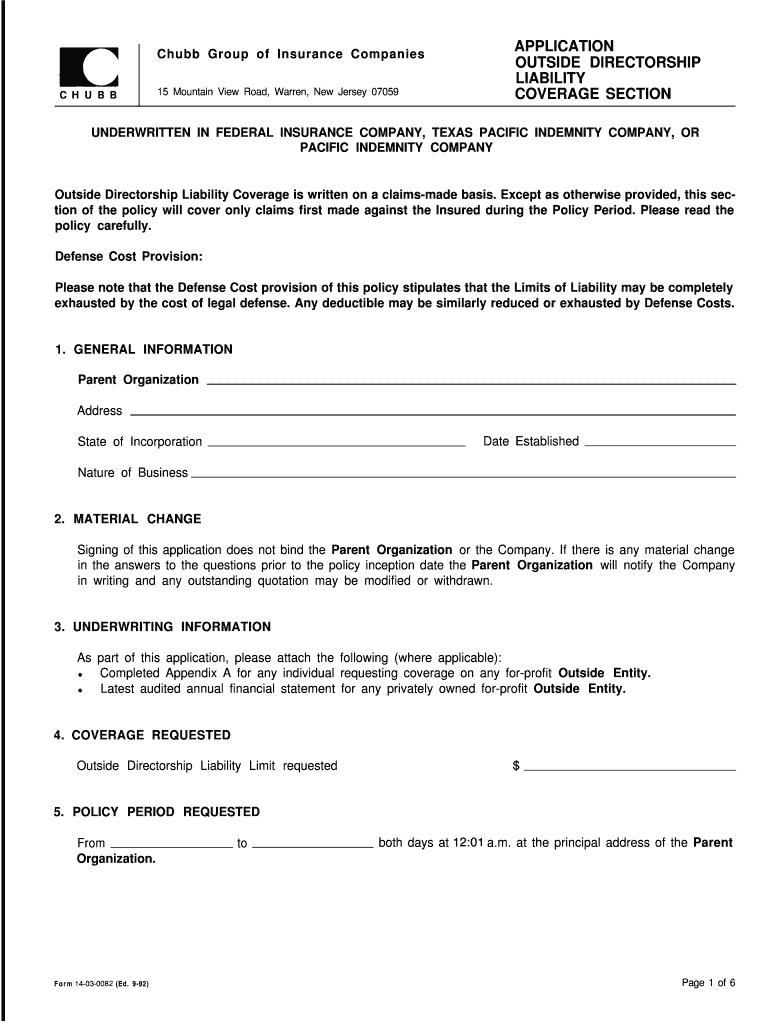
List of Outside Directorship Form


What is the List of Outside Directorship Form
The List of Outside Directorship Form is a critical document used by individuals who serve on the boards of directors for multiple organizations. This form helps in disclosing any outside directorships to ensure compliance with corporate governance standards and regulations. It is particularly relevant for professionals in positions of significant responsibility, as it aids in identifying potential conflicts of interest. By accurately completing this form, individuals can maintain transparency and uphold ethical standards in their professional engagements.
How to use the List of Outside Directorship Form
Using the List of Outside Directorship Form involves several straightforward steps. First, gather all necessary information regarding your directorships, including the names of organizations, your role, and the duration of your service. Next, accurately fill out the form, ensuring that all details are correct and up-to-date. Once completed, review the document for any errors or omissions. Finally, submit the form according to your organization's guidelines, which may include electronic submission or mailing a hard copy. Proper use of this form is essential for maintaining compliance and transparency.
Steps to complete the List of Outside Directorship Form
Completing the List of Outside Directorship Form requires careful attention to detail. Follow these steps for a thorough submission:
- Collect information about all current and past directorships.
- Fill in your personal details, including name and contact information.
- List each organization where you hold or have held a directorship.
- Specify your role and the time frame of your service for each position.
- Review the form for accuracy and completeness.
- Submit the form as per your organization's submission guidelines.
Legal use of the List of Outside Directorship Form
The legal use of the List of Outside Directorship Form is paramount for compliance with corporate governance laws and regulations. This form serves as a formal declaration of your outside directorships, which is essential for preventing conflicts of interest. Adhering to legal requirements ensures that all board members are accountable for their roles and responsibilities. Furthermore, accurate disclosures protect both the individual and the organization from potential legal repercussions related to undisclosed interests.
Key elements of the List of Outside Directorship Form
Several key elements are essential to the List of Outside Directorship Form. These include:
- Personal Information: Your full name, address, and contact details.
- Directorship Details: Names of organizations, your title, and dates of service.
- Conflict of Interest Disclosure: Any potential conflicts that may arise from your directorships.
- Signature: A declaration of accuracy and completeness, typically requiring your signature and date.
Examples of using the List of Outside Directorship Form
Examples of using the List of Outside Directorship Form can vary based on the context of your directorships. For instance, a corporate executive serving on the board of a nonprofit organization would need to disclose this position to ensure transparency. Similarly, a board member of a publicly traded company must report any outside directorships to comply with regulatory requirements. These examples illustrate the importance of the form in maintaining ethical standards and avoiding conflicts of interest in various professional settings.
Quick guide on how to complete list of outside directorship form
Effortlessly Prepare List Of Outside Directorship Form on Any Device
Digital document management has become increasingly popular among businesses and individuals. It offers an ideal eco-friendly substitute for traditional printed and signed documents, as you can easily locate the necessary form and securely store it online. airSlate SignNow equips you with all the tools required to create, edit, and eSign your documents swiftly without any delays. Manage List Of Outside Directorship Form on any device using airSlate SignNow’s Android or iOS applications and enhance any document-centric process today.
The Easiest Way to Modify and eSign List Of Outside Directorship Form Hassle-Free
- Obtain List Of Outside Directorship Form and click Get Form to commence.
- Utilize the tools we provide to complete your form.
- Emphasize signNow sections of your documents or conceal sensitive information with tools that airSlate SignNow specifically provides for that purpose.
- Generate your signature using the Sign feature, which takes moments and carries the same legal validity as a conventional wet ink signature.
- Review all details and click the Done button to save your alterations.
- Select your preferred method of sending your form, whether by email, SMS, invite link, or download it to your computer.
Eliminate the hassle of lost or misplaced files, cumbersome form searches, or errors that necessitate reprinting new document copies. airSlate SignNow caters to all your document management needs with just a few clicks from your preferred device. Modify and eSign List Of Outside Directorship Form and ensure effective communication throughout your form preparation journey with airSlate SignNow.
Create this form in 5 minutes or less
FAQs
-
How can we track our visitors conversion/drop off when the visitor actually fills out fields on a form page outside of our site domain (Visitor finds listing in SERPS, hits our site, jumps to client site to complete form)?
The short answer: You can't unless the client site allows you to do so. A typical way to accomplish measuring external conversions is to use a postback pixels. You can easily google how they work - in short you would require your client to send a http request to your tracking software on the form submit. A good way to do this in practice is to provide an embedable form to your clients that already includes this feature and sends along a clientID with the request, so that you can easily see which client generates how many filled out forms.
-
How can I fill out Google's intern host matching form to optimize my chances of receiving a match?
I was selected for a summer internship 2016.I tried to be very open while filling the preference form: I choose many products as my favorite products and I said I'm open about the team I want to join.I even was very open in the location and start date to get host matching interviews (I negotiated the start date in the interview until both me and my host were happy.) You could ask your recruiter to review your form (there are very cool and could help you a lot since they have a bigger experience).Do a search on the potential team.Before the interviews, try to find smart question that you are going to ask for the potential host (do a search on the team to find nice and deep questions to impress your host). Prepare well your resume.You are very likely not going to get algorithm/data structure questions like in the first round. It's going to be just some friendly chat if you are lucky. If your potential team is working on something like machine learning, expect that they are going to ask you questions about machine learning, courses related to machine learning you have and relevant experience (projects, internship). Of course you have to study that before the interview. Take as long time as you need if you feel rusty. It takes some time to get ready for the host matching (it's less than the technical interview) but it's worth it of course.
-
How is it that when you fill out a form, "Asian" is somehow listed as one race?
It’s worse than that: on most forms that have only a few options (Joseph Boyle is right that the US Census now gets more specific), Asians-and-Pacific-Islanders is all one group. That means from the Maori through Indonesia and Polynesia, then Vietnam, straight up past Mongolia, and east out to Japan and west right out past India — all one “race”. Why?Because racism, that’s why.To be specific, because historically in the US the only racial difference that counted was white/black — that is, white and and not-white. For centuries that was how distinctions of race and (implied) class were made. There were quite a few court cases where light-skinned Japanese (etc) petitioned to be declared white — they usually weren’t — and where dark-skinned South Asians (etc) petitioned to be declared non-black — which sometimes worked. In fact, it worked so well that some American Blacks donned turbans and comic-opera inaccurate “Eastern” garb to perform more widely as an “Indian” musician than they’d ever be allowed to do in their original identity.So in the 1800s, there was white and Black. Period. Well, ok, and Native Americans, but to the people that mattered, they hardly counted (and were all dead, anyhow, right?). As colonialism and rising globalization brought more and more people who were neither white nor black to North America, there became an increasing dilemma about how to classify this cacophonous mob of confusing non-white people.Eventually the terms “Arab” and “Asian” came to be widely used, and some classifiers (see also Why is "Caucasian" a term used to label white people of European descent? ) also separated Pacific islander from the general morass of “Asian”. But in general, everyone from the Mysteeeeerious East was just called one thing, unless you felt you needed to specify a country.So, like I said: racism. And a racist tendency to dismiss as unimportant distinctions between different groups of “unimportant” people.
-
How do I fill out the form of DU CIC? I couldn't find the link to fill out the form.
Just register on the admission portal and during registration you will get an option for the entrance based course. Just register there. There is no separate form for DU CIC.
-
Is there a way to upload a publication list to LinkedIn without filling out the form for each publication?
Rather than asking us in an abstract way, if you could provide us a sample of a list and tell us the outcome you're seeking, perhaps we could come up with alternatives ... ("No" is so boring ... and could be wasteful if we're not sure of what outcome you're seeking...)
Create this form in 5 minutes!
How to create an eSignature for the list of outside directorship form
How to create an electronic signature for the List Of Outside Directorship Form online
How to create an electronic signature for the List Of Outside Directorship Form in Google Chrome
How to create an electronic signature for putting it on the List Of Outside Directorship Form in Gmail
How to make an electronic signature for the List Of Outside Directorship Form straight from your smartphone
How to create an eSignature for the List Of Outside Directorship Form on iOS
How to create an electronic signature for the List Of Outside Directorship Form on Android devices
People also ask
-
What is the List Of Outside Directorship Form in airSlate SignNow?
The List Of Outside Directorship Form in airSlate SignNow is a customizable template that allows businesses to document and manage external directorships held by their executives and board members. This form ensures compliance and transparency within the organization by keeping a detailed record of all outside positions.
-
How can I create a List Of Outside Directorship Form using airSlate SignNow?
Creating a List Of Outside Directorship Form in airSlate SignNow is simple. You can start by selecting a template from our library or create one from scratch, adding fields for signatures, dates, and any necessary information required for your specific needs.
-
What are the pricing options for using the List Of Outside Directorship Form in airSlate SignNow?
airSlate SignNow offers various pricing plans that include access to the List Of Outside Directorship Form feature. With flexible pricing options, you can choose a plan that fits your business size and document signing needs, ensuring you only pay for what you use.
-
What features are included with the List Of Outside Directorship Form?
The List Of Outside Directorship Form comes with several key features, including eSignature capabilities, document tracking, and customizable fields. Additionally, you can easily share the form with team members and clients for seamless collaboration.
-
How does the List Of Outside Directorship Form benefit my organization?
Using the List Of Outside Directorship Form helps your organization maintain compliance and avoid potential conflicts of interest. It streamlines the process of recording outside directorships, thus enhancing transparency and accountability among executives.
-
Can the List Of Outside Directorship Form be integrated with other software?
Yes, the List Of Outside Directorship Form can be integrated with various third-party applications such as CRM systems, cloud storage, and project management tools. This allows for a more efficient workflow and better data management across your business.
-
Is the List Of Outside Directorship Form secure?
Absolutely! The List Of Outside Directorship Form in airSlate SignNow utilizes advanced encryption and security protocols to protect your sensitive information. We prioritize data security to ensure your documents are safe from unauthorized access.
Get more for List Of Outside Directorship Form
Find out other List Of Outside Directorship Form
- How Do I Electronic signature Arizona Legal Warranty Deed
- How To Electronic signature Arizona Legal Lease Termination Letter
- How To Electronic signature Virginia Lawers Promissory Note Template
- Electronic signature Vermont High Tech Contract Safe
- Electronic signature Legal Document Colorado Online
- Electronic signature Washington High Tech Contract Computer
- Can I Electronic signature Wisconsin High Tech Memorandum Of Understanding
- How Do I Electronic signature Wisconsin High Tech Operating Agreement
- How Can I Electronic signature Wisconsin High Tech Operating Agreement
- Electronic signature Delaware Legal Stock Certificate Later
- Electronic signature Legal PDF Georgia Online
- Electronic signature Georgia Legal Last Will And Testament Safe
- Can I Electronic signature Florida Legal Warranty Deed
- Electronic signature Georgia Legal Memorandum Of Understanding Simple
- Electronic signature Legal PDF Hawaii Online
- Electronic signature Legal Document Idaho Online
- How Can I Electronic signature Idaho Legal Rental Lease Agreement
- How Do I Electronic signature Alabama Non-Profit Profit And Loss Statement
- Electronic signature Alabama Non-Profit Lease Termination Letter Easy
- How Can I Electronic signature Arizona Life Sciences Resignation Letter