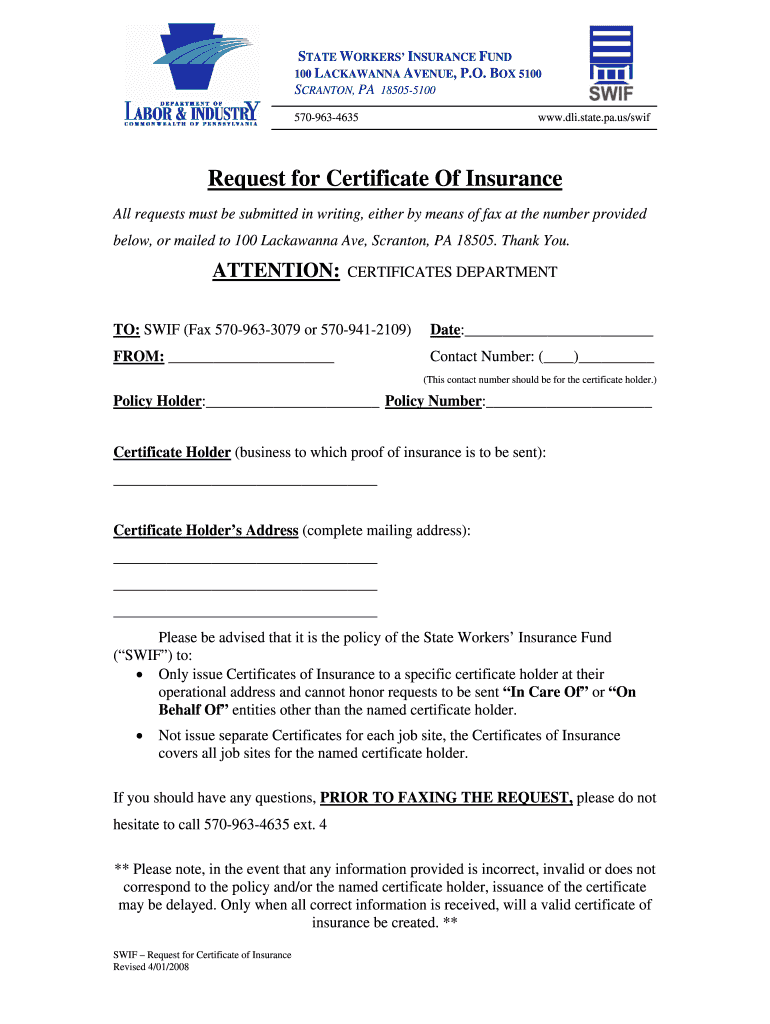
State Workers Insurance Fund Pennsylvania Application 2008-2026


What is the State Workers Insurance Fund Pennsylvania Application
The State Workers Insurance Fund (SWIF) Pennsylvania Application is a crucial document used for securing workers' compensation insurance in Pennsylvania. This application is designed for businesses that wish to obtain coverage for their employees in the event of work-related injuries or illnesses. It ensures that workers receive the necessary medical care and compensation while protecting employers from potential lawsuits related to workplace incidents.
Steps to Complete the State Workers Insurance Fund Pennsylvania Application
Completing the SWIF Pennsylvania Application involves several key steps to ensure accuracy and compliance. Begin by gathering all necessary information about your business, including:
- Business name and address
- Employer Identification Number (EIN)
- Details of employees, including job titles and salaries
- Previous workers' compensation insurance history
Once you have all the required information, follow these steps:
- Fill out the application form accurately, ensuring all sections are completed.
- Review the application for any errors or missing information.
- Submit the application electronically or via mail, depending on your preference.
Legal Use of the State Workers Insurance Fund Pennsylvania Application
The SWIF Pennsylvania Application must be completed in accordance with state regulations to be legally valid. This includes adhering to the requirements set forth by the Pennsylvania Department of Labor and Industry. Ensuring that all information is accurate and that the application is submitted on time is essential for maintaining compliance and avoiding penalties.
Required Documents for the State Workers Insurance Fund Pennsylvania Application
To successfully complete the SWIF Pennsylvania Application, you will need to provide several key documents, including:
- Proof of business registration
- Tax identification number
- Employee payroll records
- Previous workers' compensation insurance policy, if applicable
Having these documents ready will streamline the application process and help ensure that your application is processed without delays.
Eligibility Criteria for the State Workers Insurance Fund Pennsylvania Application
Eligibility for the SWIF Pennsylvania Application is generally open to all businesses operating in Pennsylvania that employ workers. However, specific criteria may apply based on the nature of the business and the number of employees. It is important to review these criteria to determine if your business qualifies for coverage through the State Workers Insurance Fund.
Form Submission Methods for the State Workers Insurance Fund Pennsylvania Application
The SWIF Pennsylvania Application can be submitted through various methods, providing flexibility for businesses. These methods include:
- Online submission through the SWIF website
- Mailing a hard copy of the application to the designated office
- In-person submission at a local SWIF office
Choosing the appropriate submission method can help ensure timely processing of your application.
Quick guide on how to complete state workers insurance fund cybersecurity state pa
Enhance your HR processes with State Workers Insurance Fund Pennsylvania Application Template
Each HR professional recognizes the importance of maintaining employees’ records organized and sorted. With airSlate SignNow, you gain access to an extensive collection of state-specific employment documents that signNowly streamline the organization, management, and storage of all job-related paperwork in one location. airSlate SignNow enables you to oversee State Workers Insurance Fund Pennsylvania Application management from start to finish, with comprehensive editing and eSignature tools available whenever you need them. Improve your accuracy, document safety, and eliminate minor manual mistakes in just a few clicks.
The ideal method to modify and eSign State Workers Insurance Fund Pennsylvania Application:
- Choose the appropriate state and search for the document you require.
- Access the document page and then click Get Form to start working on it.
- Allow State Workers Insurance Fund Pennsylvania Application to load in the editor and follow the prompts that indicate required fields.
- Enter your information or add additional fillable fields to the document.
- Utilize our tools and features to customize your form as needed: annotate, redact sensitive information, and create an eSignature.
- Review your document for errors before proceeding with its submission.
- Click Done to save changes and download your document.
- Alternatively, send your paperwork directly to your recipients and collect signatures and data.
- Securely store completed documents in your airSlate SignNow account and access them whenever you wish.
Employing a versatile eSignature solution is essential when managing State Workers Insurance Fund Pennsylvania Application. Simplify even the most intricate workflow as much as possible with airSlate SignNow. Start your free trial today to discover what you can achieve with your department.
Create this form in 5 minutes or less
FAQs
-
How to decide my bank name city and state if filling out a form, if the bank is a national bank?
Somewhere on that form should be a blank for routing number and account number. Those are available from your check and/or your bank statements. If you can't find them, call the bank and ask or go by their office for help with the form. As long as those numbers are entered correctly, any error you make in spelling, location or naming should not influence the eventual deposit into your proper account.
-
How would it play out if part of a state tried to secede to form another state of the Union?
Article 4, Section 3 of the Constitution states:New States may be admitted by the Congress into this Union; but no new State shall be formed or erected within the Jurisdiction of any other State; nor any State be formed by the Junction of two or more States, or Parts of States, without the Consent of the Legislatures of the States concerned as well as of the Congress.This is really not feasible without direct assent from the state being separated from. Both Maine and Kentucky split based on the assent of Massachusetts and Virginia under the Constitution.West Virginia was a wartime ploy, an act that held up due to the acceptance as fact that enough representatives of the state of Virginia showed up at the Wheeling Conventions to justify a state legislature. Lincoln and Congress accepted it, and in 1863, West Virginia was accepted as a state separate from Virginia. In peacetime, this arrangement would never have worked.To get the obstinate California legislature to go along with the notion of several of their prosperous counties just leave is just impossible.
-
For taxes, does one have to fill out a federal IRS form and a state IRS form?
No, taxes are handled separately between state and federal governments in the United States.The IRS (Internal Revenue Service) is a federal, not state agency.You will be required to fill out the the necessary tax documentation for your federal income annually and submit them to the IRS by April 15th of that year. You can receive extensions for this; but you have to apply for those extensions.As far as state taxes go, 41 states require you to fill out an income tax return annually. They can either mail you those forms or they be downloaded from online. They are also available for free at various locations around the state.Nine states have no tax on personal income, so there is no need to fill out a state tax return unless you are a business owner.Reference:www.irs.gov
-
Do you have to fill out a separate form to avail state quota in NEET?
No..you dont have to fill form..But you have to register yourself in directorate of medical education/DME of your state for state quota counselling process..DME Will issue notice regarding process, date, of 1st round of counsellingCounselling schedule have info regarding date for registration , process of counselling etc.You will have to pay some amount of fee at the time of registration as registration fee..As soon as neet result is out..check for notification regarding counselling on DmE site..Hope this helpBest wishes dear.
Create this form in 5 minutes!
How to create an eSignature for the state workers insurance fund cybersecurity state pa
How to create an eSignature for the State Workers Insurance Fund Cybersecurity State Pa online
How to generate an eSignature for your State Workers Insurance Fund Cybersecurity State Pa in Google Chrome
How to make an eSignature for signing the State Workers Insurance Fund Cybersecurity State Pa in Gmail
How to make an eSignature for the State Workers Insurance Fund Cybersecurity State Pa from your mobile device
How to create an electronic signature for the State Workers Insurance Fund Cybersecurity State Pa on iOS devices
How to make an eSignature for the State Workers Insurance Fund Cybersecurity State Pa on Android devices
People also ask
-
What is swif and how does it benefit my business?
Swif is a cost-effective electronic signature solution that allows businesses to send and eSign documents quickly. By streamlining the signing process, swif helps improve efficiency and reduce turnaround time, meeting the needs of modern businesses.
-
How does swif ensure the security of my documents?
Swif employs advanced encryption protocols and complies with industry standards to keep your documents secure. With swif, you can trust that your sensitive information is protected throughout the signing process.
-
What are the key features of swif?
Swif offers a variety of features, including customizable templates, real-time tracking, and multi-party signing. These tools are designed to enhance your document management capabilities while ensuring a seamless user experience.
-
Can swif integrate with other applications?
Yes, swif can seamlessly integrate with various applications and platforms such as CRMs and document management systems. This flexibility allows businesses to maximize their existing workflows without interruption.
-
Is swif suitable for businesses of all sizes?
Absolutely! Swif is designed to cater to businesses of all sizes, from startups to large enterprises. Its scalability ensures that as your business grows, swif can adapt to your changing signing and document management needs.
-
What pricing plans are available for swif?
Swif offers a range of pricing plans designed to fit different business needs and budgets. This allows you to choose a plan that provides the best value based on your document signing frequency and feature requirements.
-
How can swif improve my team’s productivity?
Swif simplifies the eSigning process, signNowly reducing the time spent on document management. By enabling quick access and streamlined workflows, swif enhances your team's overall productivity and efficiency.
Get more for State Workers Insurance Fund Pennsylvania Application
Find out other State Workers Insurance Fund Pennsylvania Application
- Can I eSign Hawaii Education PDF
- How To eSign Hawaii Education Document
- Can I eSign Hawaii Education Document
- How Can I eSign South Carolina Doctors PPT
- How Can I eSign Kansas Education Word
- How To eSign Kansas Education Document
- How Do I eSign Maine Education PPT
- Can I eSign Maine Education PPT
- How To eSign Massachusetts Education PDF
- How To eSign Minnesota Education PDF
- Can I eSign New Jersey Education Form
- How Can I eSign Oregon Construction Word
- How Do I eSign Rhode Island Construction PPT
- How Do I eSign Idaho Finance & Tax Accounting Form
- Can I eSign Illinois Finance & Tax Accounting Presentation
- How To eSign Wisconsin Education PDF
- Help Me With eSign Nebraska Finance & Tax Accounting PDF
- How To eSign North Carolina Finance & Tax Accounting Presentation
- How To eSign North Dakota Finance & Tax Accounting Presentation
- Help Me With eSign Alabama Healthcare / Medical PDF