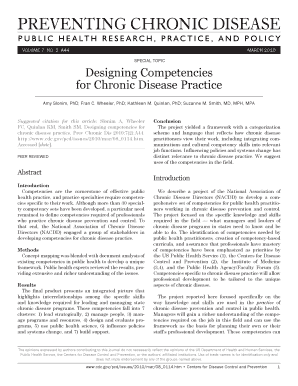
Designing Competencies Form


What is the Designing Competencies
The Designing Competencies form is a structured document used to outline the essential skills and knowledge required for specific roles within an organization. This form helps businesses identify and articulate the competencies necessary for effective job performance. It serves as a foundational tool for recruitment, training, and performance evaluation, ensuring that employees possess the skills needed to meet organizational goals.
How to use the Designing Competencies
To effectively use the Designing Competencies form, organizations should follow a systematic approach. Begin by defining the roles that require competency assessment. Next, outline the specific skills, knowledge, and behaviors that are critical for success in each role. Engage stakeholders, including team leaders and HR professionals, to ensure a comprehensive understanding of the competencies needed. Finally, use the completed form as a reference for hiring, training, and performance management processes.
Steps to complete the Designing Competencies
Completing the Designing Competencies form involves several key steps:
- Identify Roles: Determine which positions within the organization will benefit from competency assessment.
- Define Competencies: List the specific skills and knowledge required for each role, considering both technical and soft skills.
- Engage Stakeholders: Collaborate with managers and employees to gather insights on necessary competencies.
- Draft the Form: Organize the identified competencies into a clear and concise format on the form.
- Review and Revise: Share the draft with stakeholders for feedback and make necessary adjustments.
- Finalize and Implement: Once approved, implement the form in recruitment and training processes.
Key elements of the Designing Competencies
Several key elements are essential to the Designing Competencies form:
- Competency Categories: Group competencies into categories such as technical skills, interpersonal skills, and leadership abilities.
- Behavioral Indicators: Include specific examples of behaviors that demonstrate each competency.
- Proficiency Levels: Define different levels of proficiency for each competency, such as beginner, intermediate, and advanced.
- Assessment Methods: Specify how competencies will be assessed, whether through interviews, performance reviews, or training evaluations.
Legal use of the Designing Competencies
The Designing Competencies form must comply with various legal standards to ensure fair and equitable use in the workplace. Organizations should be aware of anti-discrimination laws and ensure that the competencies outlined do not inadvertently exclude certain groups. Additionally, maintaining confidentiality and proper handling of personal data is crucial. Regular reviews of the form and its application can help organizations stay compliant with evolving legal requirements.
Examples of using the Designing Competencies
Organizations can utilize the Designing Competencies form in various scenarios:
- Recruitment: Use the form to create job descriptions that clearly outline the competencies required for prospective candidates.
- Training Programs: Identify gaps in employee skills and tailor training programs to address these areas based on the competencies listed.
- Performance Evaluations: Incorporate the competencies into performance reviews to assess employee development and areas for improvement.
Quick guide on how to complete designing competencies
Effortlessly Prepare [SKS] on Any Device
Managing documents online has gained popularity among businesses and individuals. It serves as an ideal environmentally friendly alternative to traditional printed and signed documents, allowing you to obtain the necessary form and securely save it online. airSlate SignNow equips you with all the tools needed to create, modify, and eSign your documents swiftly and without holdups. Handle [SKS] on any device with airSlate SignNow's Android or iOS applications and enhance any document-related process today.
How to Edit and eSign [SKS] with Ease
- Find [SKS] and click Get Form to begin.
- Utilize the tools we offer to fill out your document.
- Highlight important sections of the documents or obscure sensitive information using tools that airSlate SignNow provides specifically for that purpose.
- Generate your eSignature with the Sign tool, which takes just seconds and holds the same legal validity as a conventional ink signature.
- Review all the details and click the Done button to save your modifications.
- Choose how you want to send your form, via email, SMS, invite link, or download it to your computer.
Eliminate concerns over lost or misplaced files, tedious form searches, or mistakes that necessitate printing new document copies. airSlate SignNow meets your document management needs in just a few clicks from any device you prefer. Modify and eSign [SKS] and ensure excellent communication at every stage of the form preparation process with airSlate SignNow.
Create this form in 5 minutes or less
Related searches to Designing Competencies
Create this form in 5 minutes!
How to create an eSignature for the designing competencies
How to create an electronic signature for a PDF online
How to create an electronic signature for a PDF in Google Chrome
How to create an e-signature for signing PDFs in Gmail
How to create an e-signature right from your smartphone
How to create an e-signature for a PDF on iOS
How to create an e-signature for a PDF on Android
People also ask
-
What are Designing Competencies in the context of airSlate SignNow?
Designing Competencies refer to the skills and knowledge required to effectively utilize airSlate SignNow for document management. This includes understanding how to create, send, and eSign documents efficiently. By mastering these competencies, users can streamline their workflows and enhance productivity.
-
How does airSlate SignNow support Designing Competencies?
airSlate SignNow provides a user-friendly interface and comprehensive resources to help users develop their Designing Competencies. The platform offers tutorials, webinars, and customer support to ensure that users can maximize their experience. This support is crucial for businesses looking to improve their document management processes.
-
What features of airSlate SignNow enhance Designing Competencies?
Key features of airSlate SignNow that enhance Designing Competencies include customizable templates, automated workflows, and real-time collaboration tools. These features allow users to design and manage documents more effectively. By leveraging these tools, businesses can improve their efficiency and accuracy in document handling.
-
Is airSlate SignNow cost-effective for developing Designing Competencies?
Yes, airSlate SignNow is a cost-effective solution for developing Designing Competencies. The platform offers various pricing plans to suit different business needs, ensuring that organizations can access essential features without overspending. This affordability makes it an attractive option for businesses of all sizes.
-
Can airSlate SignNow integrate with other tools to support Designing Competencies?
Absolutely! airSlate SignNow integrates seamlessly with various third-party applications, enhancing your Designing Competencies. These integrations allow for smoother workflows and better data management, making it easier for users to create and manage documents across different platforms.
-
What benefits can businesses expect from improving their Designing Competencies with airSlate SignNow?
By improving their Designing Competencies with airSlate SignNow, businesses can expect increased efficiency, reduced errors, and faster turnaround times for document processing. Enhanced competencies lead to better collaboration among team members and a more streamlined workflow. Ultimately, this results in improved customer satisfaction and business outcomes.
-
How can I get started with airSlate SignNow to enhance my Designing Competencies?
Getting started with airSlate SignNow is easy! Simply sign up for a free trial to explore the platform's features and resources. During the trial, you can access tutorials and support to help you develop your Designing Competencies effectively.
Get more for Designing Competencies
- Wynnfamilyreunion2017 registration form docx
- Affidavit for initial taxable period form
- West virginia state board of barbers amp cosmetologists form
- 446 west crogan street gwinnettcountyga form
- Craft employee request form
- Oklahoma state board of cosmetology 2401 nw 23rd s form
- Utah code78b 6 1303 lis pendens notice 1 e form
- Tenant lead law notification fillable form
Find out other Designing Competencies
- Help Me With eSignature South Carolina Banking Job Offer
- eSignature Tennessee Banking Affidavit Of Heirship Online
- eSignature Florida Car Dealer Business Plan Template Myself
- Can I eSignature Vermont Banking Rental Application
- eSignature West Virginia Banking Limited Power Of Attorney Fast
- eSignature West Virginia Banking Limited Power Of Attorney Easy
- Can I eSignature Wisconsin Banking Limited Power Of Attorney
- eSignature Kansas Business Operations Promissory Note Template Now
- eSignature Kansas Car Dealer Contract Now
- eSignature Iowa Car Dealer Limited Power Of Attorney Easy
- How Do I eSignature Iowa Car Dealer Limited Power Of Attorney
- eSignature Maine Business Operations Living Will Online
- eSignature Louisiana Car Dealer Profit And Loss Statement Easy
- How To eSignature Maryland Business Operations Business Letter Template
- How Do I eSignature Arizona Charity Rental Application
- How To eSignature Minnesota Car Dealer Bill Of Lading
- eSignature Delaware Charity Quitclaim Deed Computer
- eSignature Colorado Charity LLC Operating Agreement Now
- eSignature Missouri Car Dealer Purchase Order Template Easy
- eSignature Indiana Charity Residential Lease Agreement Simple