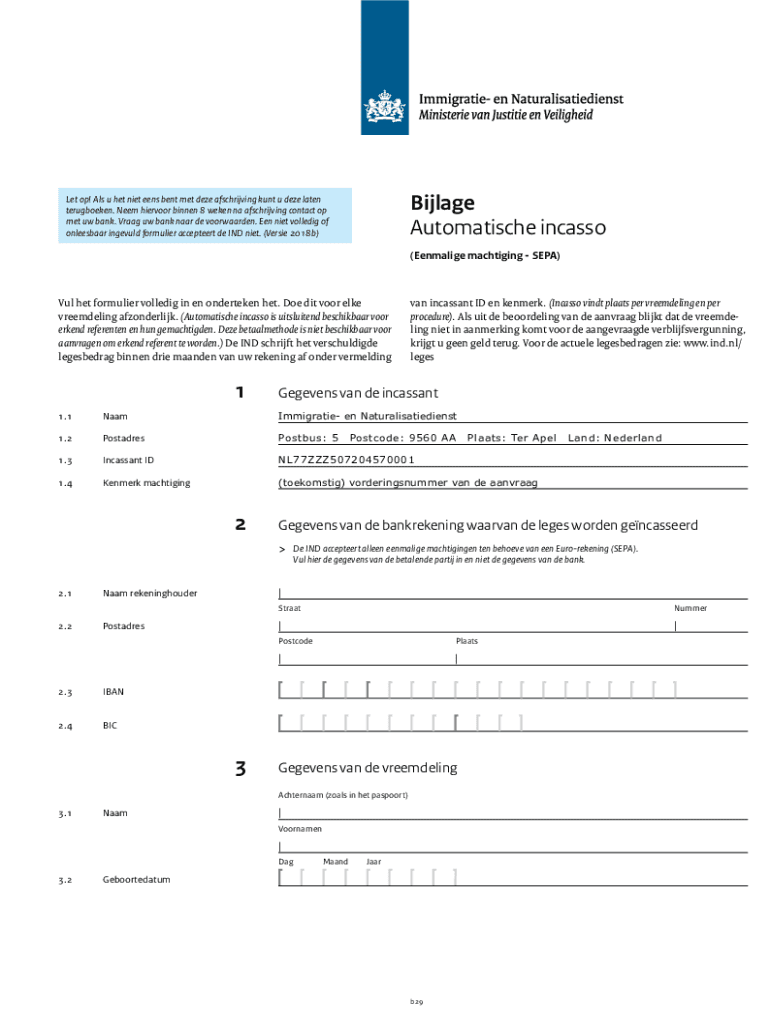
Aanvraag Voor Het Verblijfsdoel 'studie' Erkend Referent IND Form


What is the Aanvraag Voor Het Verblijfsdoel 'studie' erkend Referent IND
The Aanvraag Voor Het Verblijfsdoel 'studie' erkend Referent IND is a formal application submitted to the Dutch Immigration and Naturalization Service (IND) for individuals seeking to study in the Netherlands. This application is specifically for recognized sponsors, such as educational institutions, that can facilitate the visa process for international students. The IND evaluates the application based on various criteria, including the applicant's academic intentions and the legitimacy of the sponsoring institution.
Steps to complete the Aanvraag Voor Het Verblijfsdoel 'studie' erkend Referent IND
Completing the Aanvraag Voor Het Verblijfsdoel 'studie' erkend Referent IND involves several key steps:
- Gather necessary documents, including proof of acceptance from a recognized educational institution.
- Complete the application form accurately, ensuring all information is current and truthful.
- Submit the application along with required documentation to the IND, either online or via mail.
- Pay any applicable fees associated with the application.
- Await confirmation from the IND regarding the status of your application.
Required Documents
When submitting the Aanvraag Voor Het Verblijfsdoel 'studie' erkend Referent IND, several documents are essential:
- A completed application form.
- Proof of enrollment or acceptance from a recognized educational institution.
- Valid passport or identification.
- Evidence of sufficient financial resources to support your studies.
- Health insurance coverage for the duration of your stay.
Eligibility Criteria
To qualify for the Aanvraag Voor Het Verblijfsdoel 'studie' erkend Referent IND, applicants must meet specific eligibility requirements:
- Be accepted into a recognized educational program in the Netherlands.
- Demonstrate adequate financial means to cover living expenses and tuition fees.
- Possess a valid passport or travel document.
- Have health insurance that meets Dutch standards.
Application Process & Approval Time
The application process for the Aanvraag Voor Het Verblijfsdoel 'studie' erkend Referent IND typically takes several weeks. After submission, the IND reviews the application and supporting documents. The approval time can vary based on the completeness of the application and the current processing workload at the IND. It is advisable to apply well in advance of the intended start date of studies to allow sufficient time for processing.
Legal use of the Aanvraag Voor Het Verblijfsdoel 'studie' erkend Referent IND
The Aanvraag Voor Het Verblijfsdoel 'studie' erkend Referent IND must be used in accordance with Dutch immigration laws. It is essential for applicants to ensure that all information provided is accurate and truthful, as any discrepancies can lead to delays or denials of the application. Understanding the legal implications of the application process is crucial for maintaining compliance with immigration regulations.
Create this form in 5 minutes or less
Create this form in 5 minutes!
How to create an eSignature for the aanvraag voor het verblijfsdoel studie erkend referent ind
How to create an electronic signature for a PDF online
How to create an electronic signature for a PDF in Google Chrome
How to create an e-signature for signing PDFs in Gmail
How to create an e-signature right from your smartphone
How to create an e-signature for a PDF on iOS
How to create an e-signature for a PDF on Android
People also ask
-
What is the process for submitting an Aanvraag Voor Het Verblijfsdoel 'studie' erkend Referent IND?
The process for submitting an Aanvraag Voor Het Verblijfsdoel 'studie' erkend Referent IND involves gathering necessary documentation, completing the application form, and submitting it through the appropriate channels. Ensure that all required information is accurate to avoid delays. Utilizing airSlate SignNow can streamline this process by allowing you to eSign and send documents securely.
-
What documents are required for the Aanvraag Voor Het Verblijfsdoel 'studie' erkend Referent IND?
To complete the Aanvraag Voor Het Verblijfsdoel 'studie' erkend Referent IND, you will typically need proof of enrollment, financial statements, and identification documents. It's essential to check the latest requirements from the IND to ensure you have everything needed. airSlate SignNow can help you organize and manage these documents efficiently.
-
How long does it take to process the Aanvraag Voor Het Verblijfsdoel 'studie' erkend Referent IND?
The processing time for the Aanvraag Voor Het Verblijfsdoel 'studie' erkend Referent IND can vary, but it generally takes several weeks. Factors such as the completeness of your application and current workload at the IND can influence this timeline. Using airSlate SignNow can help you track your application status and ensure timely submissions.
-
What are the benefits of using airSlate SignNow for my Aanvraag Voor Het Verblijfsdoel 'studie' erkend Referent IND?
Using airSlate SignNow for your Aanvraag Voor Het Verblijfsdoel 'studie' erkend Referent IND offers several benefits, including ease of use, secure document handling, and the ability to eSign documents from anywhere. This platform simplifies the application process, making it more efficient and less stressful. Additionally, it helps you maintain compliance with legal requirements.
-
Is there a cost associated with using airSlate SignNow for my application?
Yes, there is a cost associated with using airSlate SignNow, but it is designed to be a cost-effective solution for managing your Aanvraag Voor Het Verblijfsdoel 'studie' erkend Referent IND. Pricing plans vary based on features and usage, allowing you to choose an option that fits your needs. The investment can save you time and resources in the long run.
-
Can I integrate airSlate SignNow with other tools for my Aanvraag Voor Het Verblijfsdoel 'studie' erkend Referent IND?
Absolutely! airSlate SignNow offers integrations with various tools and platforms, enhancing your workflow for the Aanvraag Voor Het Verblijfsdoel 'studie' erkend Referent IND. This allows you to connect with CRM systems, cloud storage, and other applications, making document management seamless and efficient.
-
What features does airSlate SignNow offer for managing my application?
airSlate SignNow provides a range of features for managing your Aanvraag Voor Het Verblijfsdoel 'studie' erkend Referent IND, including customizable templates, secure eSigning, and document tracking. These features help you streamline the application process and ensure that all necessary steps are completed efficiently. The user-friendly interface makes it accessible for everyone.
Get more for Aanvraag Voor Het Verblijfsdoel 'studie' erkend Referent IND
Find out other Aanvraag Voor Het Verblijfsdoel 'studie' erkend Referent IND
- How To Sign Wisconsin Plumbing Cease And Desist Letter
- Sign Colorado Real Estate LLC Operating Agreement Simple
- How Do I Sign Connecticut Real Estate Operating Agreement
- Sign Delaware Real Estate Quitclaim Deed Secure
- Sign Georgia Real Estate Business Plan Template Computer
- Sign Georgia Real Estate Last Will And Testament Computer
- How To Sign Georgia Real Estate LLC Operating Agreement
- Sign Georgia Real Estate Residential Lease Agreement Simple
- Sign Colorado Sports Lease Agreement Form Simple
- How To Sign Iowa Real Estate LLC Operating Agreement
- Sign Iowa Real Estate Quitclaim Deed Free
- How To Sign Iowa Real Estate Quitclaim Deed
- Sign Mississippi Orthodontists LLC Operating Agreement Safe
- Sign Delaware Sports Letter Of Intent Online
- How Can I Sign Kansas Real Estate Job Offer
- Sign Florida Sports Arbitration Agreement Secure
- How Can I Sign Kansas Real Estate Residential Lease Agreement
- Sign Hawaii Sports LLC Operating Agreement Free
- Sign Georgia Sports Lease Termination Letter Safe
- Sign Kentucky Real Estate Warranty Deed Myself