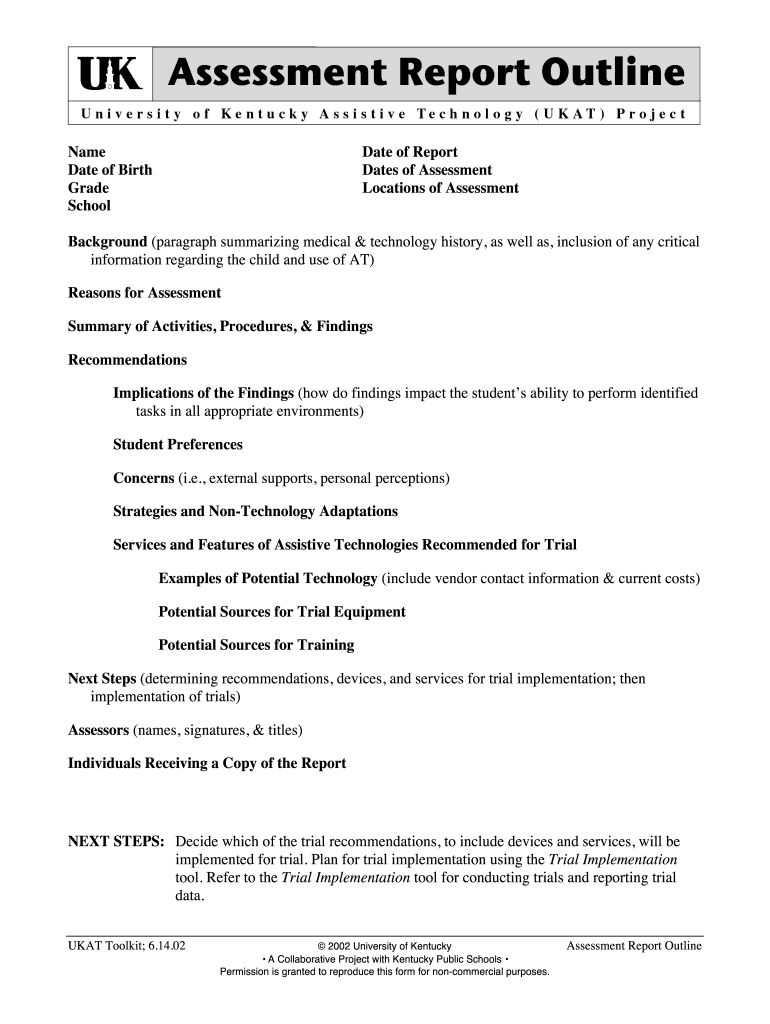
Ukat Assessment Report 2002-2026


Understanding the Universal Cognitive Aptitude Test
The universal cognitive aptitude test is designed to measure an individual's cognitive abilities, including problem-solving skills, logical reasoning, and critical thinking. This assessment is often used in educational and professional settings to evaluate a person's potential for success in various tasks and roles. It provides insights into how well an individual can learn new information and apply it effectively.
Steps to Complete the Universal Cognitive Aptitude Test
Completing the universal cognitive aptitude test involves several key steps to ensure accurate results:
- Familiarize yourself with the test format and types of questions.
- Gather necessary materials, such as a quiet space and a reliable computer.
- Take the practice tests available to understand the timing and question styles.
- Complete the test within the allocated time, ensuring to read each question carefully.
- Review your answers if time permits before submitting the test.
How to Obtain the Universal Cognitive Aptitude Test
The universal cognitive aptitude test can typically be obtained through educational institutions, employers, or online platforms that specialize in cognitive assessments. It is important to ensure that the source is reputable to guarantee the validity and reliability of the test. Some organizations may require registration or payment to access the test.
Legal Use of the Universal Cognitive Aptitude Test
When utilizing the universal cognitive aptitude test, it is essential to adhere to legal guidelines that govern its use. This includes ensuring that the test is administered fairly and that the results are used appropriately in hiring or educational contexts. Organizations must comply with regulations such as the Equal Employment Opportunity Commission (EEOC) guidelines to avoid discrimination and ensure that the assessment is a valid predictor of job performance.
Key Elements of the Universal Cognitive Aptitude Test
Several key elements contribute to the effectiveness of the universal cognitive aptitude test:
- Question Variety: The test includes a range of question types, such as verbal, numerical, and abstract reasoning.
- Timed Conditions: The test is typically administered under timed conditions to assess quick thinking and decision-making abilities.
- Scoring Metrics: Results are often evaluated against standardized benchmarks to determine cognitive ability levels.
- Feedback Mechanism: Many tests provide feedback on performance, highlighting strengths and areas for improvement.
Examples of Using the Universal Cognitive Aptitude Test
The universal cognitive aptitude test can be applied in various scenarios, including:
- Hiring Processes: Employers may use the test to identify candidates with strong cognitive abilities suited for specific roles.
- Educational Settings: Schools might administer the test to assess students' learning capabilities and tailor educational programs accordingly.
- Career Development: Individuals can take the test to gain insights into their cognitive strengths, aiding in personal and professional development.
Quick guide on how to complete ukat assessment report
Effortlessly Prepare Ukat Assessment Report on Any Device
Managing documents online has gained popularity among businesses and individuals alike. It offers an ideal eco-friendly substitute for conventional printed and signed paperwork, as you can locate the right form and securely store it in the cloud. airSlate SignNow equips you with all the tools necessary to create, modify, and electronically sign your documents swiftly without delays. Manage Ukat Assessment Report on any device with the airSlate SignNow applications for Android or iOS and simplify any document-related task today.
The easiest way to modify and electronically sign Ukat Assessment Report effortlessly
- Locate Ukat Assessment Report and click Get Form to begin.
- Utilize the tools we offer to complete your form.
- Emphasize pertinent sections of the documents or redact sensitive information with tools specifically provided by airSlate SignNow for that purpose.
- Create your signature with the Sign tool, which takes mere seconds and holds the same legal validity as a conventional wet ink signature.
- Review all the details and click on the Done button to retain your modifications.
- Select your preferred method for sending your form, whether by email, SMS, invitation link, or download it to your computer.
Eliminate concerns about lost or misplaced files, tedious form searches, or errors that necessitate printing new document copies. airSlate SignNow meets your document management needs with just a few clicks from any preferred device. Edit and electronically sign Ukat Assessment Report and ensure excellent communication at every stage of the form preparation process with airSlate SignNow.
Create this form in 5 minutes or less
Create this form in 5 minutes!
How to create an eSignature for the ukat assessment report
The way to generate an eSignature for your PDF in the online mode
The way to generate an eSignature for your PDF in Chrome
How to generate an electronic signature for putting it on PDFs in Gmail
The way to generate an eSignature straight from your smart phone
The way to create an electronic signature for a PDF on iOS devices
The way to generate an eSignature for a PDF document on Android OS
People also ask
-
What is an Ukat Assessment Report?
An Ukat Assessment Report is a comprehensive evaluation tool that helps organizations assess their performance and identify areas for improvement. This report provides detailed insights and actionable recommendations, making it essential for businesses looking to enhance their operational efficiency.
-
How can I obtain an Ukat Assessment Report using airSlate SignNow?
To obtain an Ukat Assessment Report, simply use airSlate SignNow to create and send the necessary documents for assessment. Once the documents are signed and processed, you will receive your Ukat Assessment Report, complete with all the relevant evaluations and insights.
-
What are the key features of the Ukat Assessment Report?
The Ukat Assessment Report includes various features such as detailed performance metrics, comparative analysis, and customized recommendations tailored to your business needs. With airSlate SignNow, creating and accessing your Ukat Assessment Report is both seamless and efficient.
-
Is the Ukat Assessment Report cost-effective with airSlate SignNow?
Yes, the Ukat Assessment Report is a cost-effective solution offered through airSlate SignNow. Our pricing plans are designed to provide maximum value without compromising on quality, making it an affordable option for businesses of all sizes.
-
What benefits can I expect from the Ukat Assessment Report?
The Ukat Assessment Report offers numerous benefits, including improved decision-making, enhanced team performance, and targeted strategies for growth. By leveraging this report, businesses can gain valuable insights and drive positive change within their organization.
-
Can I integrate the Ukat Assessment Report with other tools?
Absolutely! airSlate SignNow allows for seamless integrations with various business tools and applications. This means you can easily connect your Ukat Assessment Report with CRM systems, project management software, and more to streamline your workflow.
-
How secure is my data when using airSlate SignNow for the Ukat Assessment Report?
Data security is a top priority at airSlate SignNow. When you use our platform for your Ukat Assessment Report, your information is protected with advanced encryption and security measures, ensuring that your data remains confidential and secure.
Get more for Ukat Assessment Report
- Get the general referral form bay view medical clinic
- Sheet metal worker ita bc 502772909 form
- Adi 3l form
- Certificate of renewal and revival of charter for a voided corporation form
- Phone 651 284 5034 form
- Mn cc0515 form
- Additional space is necessary provide on an attached sheet nj form
- Affidavit for termination of suspension how to fill it out form
Find out other Ukat Assessment Report
- eSign North Dakota Award Nomination Form Free
- eSignature Mississippi Demand for Extension of Payment Date Secure
- Can I eSign Oklahoma Online Donation Form
- How Can I Electronic signature North Dakota Claim
- How Do I eSignature Virginia Notice to Stop Credit Charge
- How Do I eSignature Michigan Expense Statement
- How Can I Electronic signature North Dakota Profit Sharing Agreement Template
- Electronic signature Ohio Profit Sharing Agreement Template Fast
- Electronic signature Florida Amendment to an LLC Operating Agreement Secure
- Electronic signature Florida Amendment to an LLC Operating Agreement Fast
- Electronic signature Florida Amendment to an LLC Operating Agreement Simple
- Electronic signature Florida Amendment to an LLC Operating Agreement Safe
- How Can I eSignature South Carolina Exchange of Shares Agreement
- Electronic signature Michigan Amendment to an LLC Operating Agreement Computer
- Can I Electronic signature North Carolina Amendment to an LLC Operating Agreement
- Electronic signature South Carolina Amendment to an LLC Operating Agreement Safe
- Can I Electronic signature Delaware Stock Certificate
- Electronic signature Massachusetts Stock Certificate Simple
- eSignature West Virginia Sale of Shares Agreement Later
- Electronic signature Kentucky Affidavit of Service Mobile