Introducing Docgen API: From data to ready-to-sign in one API call

There’s a step that happens in almost every business, every day, that shouldn’t exist anymore.
A deal closes in Salesforce. Someone opens a contract template, starts typing in the customer’s name, the value, the address, the payment terms. They check the jurisdiction to make sure they’re using the right clauses. They format the table to match the actual number of line items. They forward it to legal. Legal sends it back. Someone re-uploads it to eSignature. And eventually, finally, it goes out for signature.
The data was already there. The template was already there. A person just had to connect the two.
That step ends today.
From your CRM to a signed document – automatically
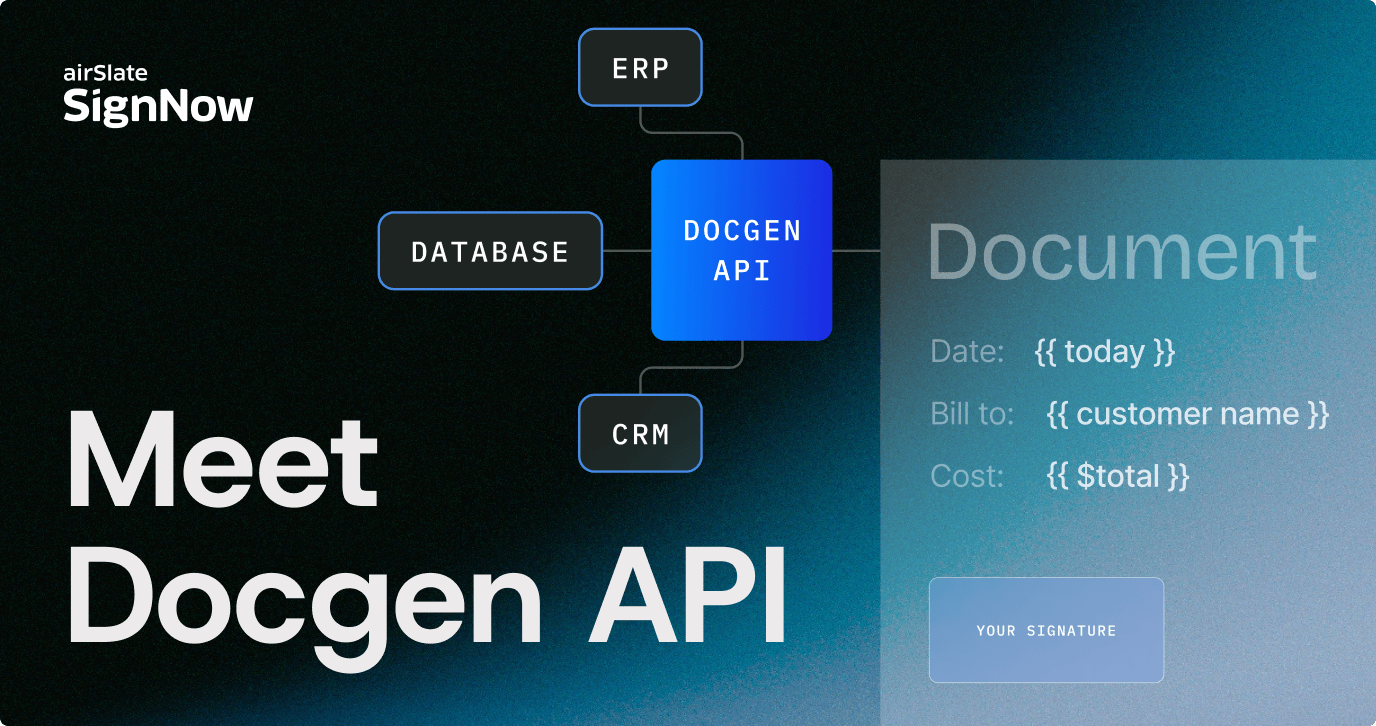
The Docgen API connects your systems of record — CRM, ERP, billing platform, or anything else — directly to your SignNow document templates. Trigger it, and it takes care of everything: pulling live data into the right fields, scaling tables to match actual line items, applying the correct clauses for the right jurisdiction, adding approvers based on your rules, and delivering the finished document straight into the eSignature workflow.
No manual steps. No formatting pass. No re-uploading.
One API call. Document ready to sign.
What it actually does
Here’s what happens under the hood when you trigger a Docgen API call:
- Data prefill. Every field in your document — names, dates, addresses, contract values, product descriptions — gets populated from your live data source. Not from a form someone fills in. From the record that already exists in your system.
- Dynamic tables. Sales quotes, invoices, and order forms don’t have a fixed number of line items. The Docgen API scales table rows up or down to match exactly what’s in the source data. No blank rows. No truncated lists.
- Conditional logic. Not every customer gets the same contract. A transaction in New York needs different clauses than one in Miami. A SaaS contract has different terms than a professional services agreement. You define the rules once – the API applies them every time, automatically.
- Automated approval routing. Set a threshold — say, any contract over $10,000 — and the CFO gets added to the signing workflow automatically. Legal gets looped in for regulated contract types. Compliance for specific geographies. No escalation email. No manual handoff.
- Direct eSignature handoff. The moment a document is generated, it’s live in SignNow. Ready to send, ready to sign. Nothing leaves the pipeline.
Who it’s built for
The Docgen API is designed for teams that generate agreements at volume – and for the developers and ISVs building the products those teams run on.
Sales and RevOps teams use it to generate contracts the moment a deal is marked closed in Salesforce. Financial services teams auto-generating loan agreements and disclosure forms with jurisdiction-specific language already applied. HR teams sending offer letters the instant a hire is approved in their HRIS. Procurement teams building purchase orders and SOWs directly from ERP requisitions.
And for ISVs: if document generation is a feature your product needs, the Docgen API lets you embed it natively – without building the infrastructure yourself.
Why this matters beyond the time saved
The shift is already underway. According to Gartner, by 2027, 50% of organizations will use AI-enabled tools for contract generation and analysis – up from a fraction today. The companies moving fastest aren’t waiting for the technology to mature. They’re building on it now, while the gap between early movers and everyone else is still wide.
The Docgen API is part of SignNow’s broader shift toward becoming the agreement execution infrastructure for modern businesses. The eSignature layer handles the close. MCP Server brings agreement workflows into AI tools. Docgen API connects the beginning — the moment data exists — to the moment a document is ready to sign.
The goal is an agreement lifecycle that runs itself. Data triggers generation. Generation feeds signing. Signing confirms completion. No manual steps anywhere in the chain.
Get started
The Docgen API is available now as a standalone developer API. See the full documentation, API reference, integration guides, and code examples.
