
The SignNow ChatGPT connector is now available — Powering agreements directly in ChatGPT

Work is changing fast.
More and more, people are using AI not just to brainstorm or research, but to actually get things done. They are writing faster, making decisions faster, and moving work forward in the same conversation.
But agreement workflows have often been left behind.
You could ask AI to help you think through a contract. You could draft an email. You could plan your next step. But when it came time to actually send the document, check its status, or move the agreement forward, you still had to leave the conversation and do it somewhere else.
That is exactly why this launch matters.
We are excited to share that the SignNow app is now available in ChatGPT.
With the new SignNow app, you can connect your SignNow account directly in ChatGPT and handle agreement tasks through simple, natural prompts. You can move from conversation to action faster, with less switching between tools and less manual work in the middle.
This is not just a new integration. It is a simpler, more natural way to work.
A better way to move agreements forward
For a long time, digital signing was the big breakthrough.
It solved an important problem. Documents no longer had to be printed, scanned, emailed back, or handled manually just to get signed.
But anyone who works with agreements every day knows that the signature is only one part of the process.
The real friction usually happens around it.
It is finding the right template. Filling in the right details. Sending it to the right person. Checking whether it has been opened. Following up. Going back into the platform to see what changed. Repeating the same steps again and again.
That is the part that slows teams down.
And as more work moves into AI tools, that friction becomes even more obvious. If people are already planning, writing, and acting inside ChatGPT, agreement execution should not feel disconnected from the rest of that workflow.
Now it does not have to.
SignNow, right inside the conversation
With SignNow in ChatGPT, the experience becomes much more direct.
Instead of stopping what you are doing, opening another tool, and clicking through the same workflow, you can simply prompt.
You can ask ChatGPT to surface your templates. You can send a document for signature. You can check where an agreement stands.
That may sound small at first, but in day-to-day work, it changes a lot.
It means less tab switching. Less back and forth. Less time spent on small steps that interrupt momentum.
It means the work keeps moving.
What this looks like in real life
Imagine you have just finished a sales call and the prospect is ready for the next step.
Usually, that means leaving your notes, opening SignNow in another tab, finding the right agreement, filling in the details, sending it out, and then checking back later to see whether it was signed.
Now, much more of that can happen inside ChatGPT.
The same goes for an HR manager sending an offer letter. Or an operations team member trying to move a standard approval process forward. Or a legal or procurement team checking whether an important document is still waiting on someone’s signature.
The point is not that work disappears. The point is that it becomes easier to move through.
And when that happens across dozens or hundreds of agreements, the impact adds up quickly.
Why this launch matters to us
This launch is also part of a bigger shift in how we think about SignNow.
We believe the future of agreement execution is not just digital. It is conversational, connected, and increasingly AI-powered.
That means building SignNow for the way work is actually evolving. Not only as a product people log into, but as a platform that can support work wherever it happens.
Bringing SignNow into ChatGPT is one step in that direction.
It means agreement execution can now live closer to the moment where decisions are made and actions begin.
It also reflects something bigger for us: we are starting to welcome AI agents into SignNow.
Not as a vague future idea, but as a practical next step in making agreement workflows faster, smoother, and more natural for the people using them every day.
Watch how it works
To make getting started easy, we created a short video tutorial that walks through the setup and shows how to start using SignNow in ChatGPT right away.
You will see how to connect your account, authorize access, and begin prompting in just a few steps.
Getting started is simple
To connect SignNow in ChatGPT:
- Open ChatGPT
- Go to Settings
- Apps → Add more
- Search SignNow
- Click Connect
- Authorize access
- Start prompting
From there, the experience is simple and intuitive.
A few prompts to try first
A good place to start is with something familiar. Try asking:
“List all my SignNow templates.”
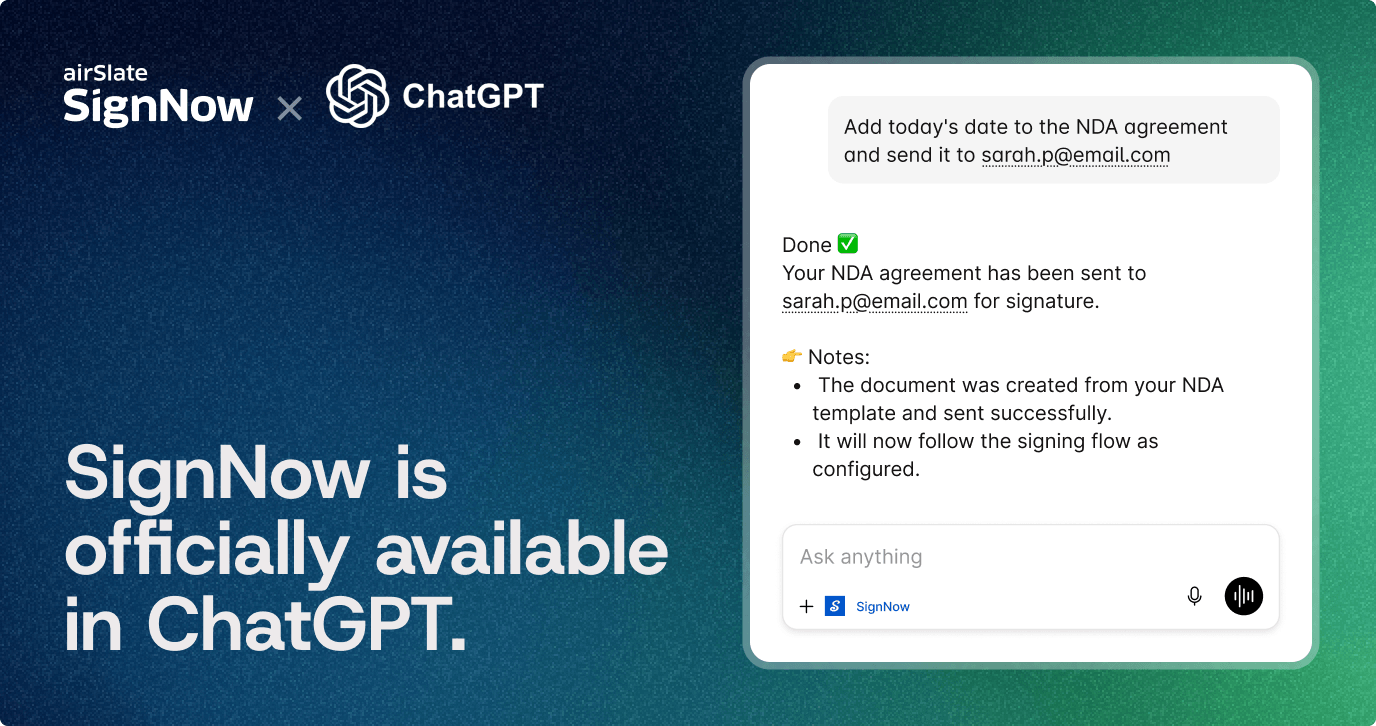
“Add today’s date to the NDA agreement and send it to [email protected].”
“What is the status of the document?”
These are straightforward examples, but they show the bigger value clearly: agreement tasks can now happen in the same place where the work itself is already happening.
Where this can make the biggest difference
For sales teams, it helps keep momentum after a call instead of losing it in admin work.
For HR teams, it makes repeatable document processes feel lighter and faster.
For operations teams, it reduces the small manual steps that tend to slow down execution.
For legal and procurement teams, it can make it easier to stay on top of document progress without chasing updates across systems.
The value is not only speed. It is clarity. Flow. Simplicity.
It is one less break in the way work moves.
Try SignNow in ChatGPT
If you already use SignNow and ChatGPT, this is one of the easiest ways to make your workflow faster and more connected.
Connect your account, start prompting, and see what agreement execution looks like when it happens right inside the conversation. Add SignNow App to your ChatGPT.
