Contract for Sale and Purchase of Real Estate with No Broker for Residential Home Sale Agreement New Jersey Form


What is the contract for sale and purchase of real estate with no broker for residential home sale agreement New Jersey
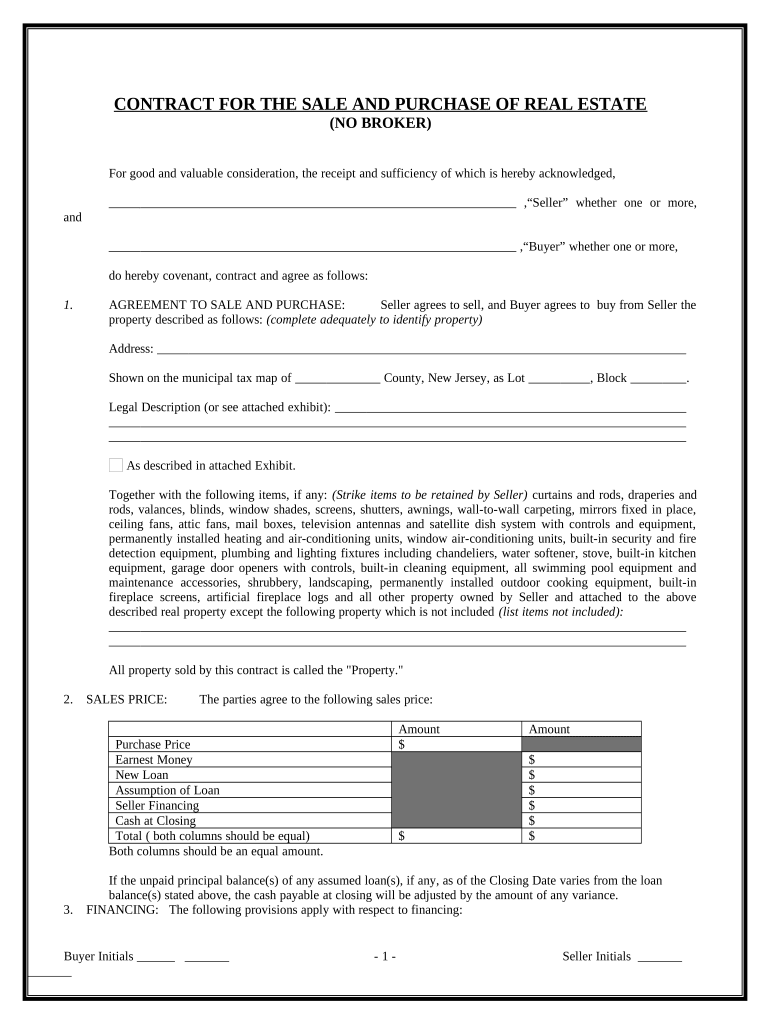
The contract for sale and purchase of real estate with no broker for residential home sale agreement in New Jersey is a legal document that outlines the terms and conditions under which a property is sold directly between the buyer and the seller. This type of contract eliminates the need for a real estate broker, allowing homeowners to negotiate the sale of their property independently. It typically includes essential details such as the purchase price, property description, contingencies, and closing date. Understanding this contract is crucial for both parties to ensure a smooth transaction and to protect their legal rights throughout the process.
Key elements of the contract for sale and purchase of real estate with no broker for residential home sale agreement New Jersey
Several key elements are vital to the contract for sale and purchase of real estate with no broker in New Jersey. These elements include:
- Property Description: A clear and detailed description of the property being sold, including its address and any included fixtures.
- Purchase Price: The agreed-upon amount that the buyer will pay for the property.
- Contingencies: Conditions that must be met for the sale to proceed, such as financing approval or home inspections.
- Closing Date: The date on which the sale will be finalized, and ownership will be transferred.
- Signatures: The contract must be signed by both the buyer and the seller to be legally binding.
Steps to complete the contract for sale and purchase of real estate with no broker for residential home sale agreement New Jersey
Completing the contract for sale and purchase of real estate with no broker involves several important steps:
- Gather Information: Collect all necessary details about the property and the parties involved.
- Draft the Contract: Use a template or create a document that includes all key elements of the agreement.
- Review the Contract: Both parties should carefully review the document to ensure accuracy and clarity.
- Negotiate Terms: Discuss any changes or adjustments to the contract terms before finalizing.
- Sign the Contract: Both the buyer and seller must sign the document to make it legally binding.
How to use the contract for sale and purchase of real estate with no broker for residential home sale agreement New Jersey
Using the contract for sale and purchase of real estate with no broker in New Jersey involves following the outlined terms and conditions during the sale process. Once the contract is signed, it serves as a binding agreement that both parties must adhere to. It is essential to keep a copy of the signed contract for reference throughout the transaction. Additionally, both parties should fulfill any contingencies specified in the contract, such as securing financing or completing inspections, to ensure a successful closing.
Legal use of the contract for sale and purchase of real estate with no broker for residential home sale agreement New Jersey
The legal use of the contract for sale and purchase of real estate with no broker in New Jersey is governed by state laws regarding real estate transactions. To be legally valid, the contract must meet specific requirements, including clarity in terms, mutual consent between the parties, and proper signatures. It is advisable for both parties to consult with a legal professional to ensure that the contract complies with all applicable laws and regulations, thereby minimizing the risk of disputes or legal complications in the future.
How to obtain the contract for sale and purchase of real estate with no broker for residential home sale agreement New Jersey
To obtain the contract for sale and purchase of real estate with no broker in New Jersey, interested parties can access templates through various online legal resources or real estate websites. Many templates are designed to comply with New Jersey laws and can be customized to fit specific transactions. It is important to ensure that any template used includes all necessary elements and complies with state regulations. Alternatively, consulting with a real estate attorney can provide tailored assistance in drafting a contract that meets individual needs.
Quick guide on how to complete contract for sale and purchase of real estate with no broker for residential home sale agreement new jersey
Complete Contract For Sale And Purchase Of Real Estate With No Broker For Residential Home Sale Agreement New Jersey effortlessly on any device
Digital document management has gained popularity among businesses and individuals. It offers an ideal eco-friendly alternative to conventional printed and signed documents, as you can access the correct form and securely store it online. airSlate SignNow equips you with all the necessary tools to create, modify, and eSign your documents swiftly without delays. Manage Contract For Sale And Purchase Of Real Estate With No Broker For Residential Home Sale Agreement New Jersey on any platform using airSlate SignNow Android or iOS applications and enhance any document-centric process today.
How to modify and eSign Contract For Sale And Purchase Of Real Estate With No Broker For Residential Home Sale Agreement New Jersey effortlessly
- Locate Contract For Sale And Purchase Of Real Estate With No Broker For Residential Home Sale Agreement New Jersey and click Get Form to begin.
- Utilize the tools we provide to complete your form.
- Emphasize relevant sections of your documents or obscure sensitive information with tools that airSlate SignNow provides specifically for that purpose.
- Create your eSignature with the Sign feature, which takes mere seconds and carries the same legal validity as a traditional handwritten signature.
- Review the information and click on the Done button to save your changes.
- Choose how you wish to send your form, via email, SMS, or invitation link, or download it to your computer.
Eliminate the hassle of lost or misplaced files, tedious form searches, or errors that require printing new document copies. airSlate SignNow addresses all your document management needs with just a few clicks from any device you prefer. Modify and eSign Contract For Sale And Purchase Of Real Estate With No Broker For Residential Home Sale Agreement New Jersey and ensure excellent communication at every step of your form preparation process with airSlate SignNow.
Create this form in 5 minutes or less
Create this form in 5 minutes!
People also ask
-
What is an NJ real estate contract for sale by owner?
An NJ real estate contract for sale by owner is a legally binding agreement between a property owner and a buyer that outlines the terms of the property sale without involving a real estate agent. This contract includes essential details such as purchase price, property description, and closing date. Using airSlate SignNow makes creating and managing these documents straightforward and efficient.
-
How can airSlate SignNow help with my NJ real estate contract for sale by owner?
airSlate SignNow offers an intuitive platform to create, edit, and eSign your NJ real estate contract for sale by owner securely. With features like templates and document tracking, you can streamline the transaction process, ensuring all parties are on the same page. This cost-effective solution helps eliminate paperwork hassles while maintaining compliance.
-
What features does airSlate SignNow offer for real estate contracts?
airSlate SignNow provides several features tailored for real estate contracts, including customizable templates, electronic signatures, and in-app document sharing. These capabilities simplify the process of managing your NJ real estate contract for sale by owner. Additionally, team collaboration tools enhance communication among stakeholders throughout the transaction.
-
Is airSlate SignNow secure for my NJ real estate contract for sale by owner?
Yes, airSlate SignNow employs state-of-the-art security measures, including encryption and GDPR compliance, to protect your NJ real estate contract for sale by owner. All data is stored securely, ensuring that your documents are safe from unauthorized access. You can confidently eSign and share important contracts knowing that your information is protected.
-
Can I integrate airSlate SignNow with other applications?
Absolutely! airSlate SignNow seamlessly integrates with various applications such as Google Drive, Dropbox, and CRM tools, enhancing your workflow for managing your NJ real estate contract for sale by owner. This integration allows you to easily import and export documents, making it simpler to collaborate and track your transactions.
-
What are the pricing options for airSlate SignNow?
AirSlate SignNow offers flexible pricing plans to accommodate different needs, including options for individual users and businesses handling NJ real estate contracts for sale by owner. The plans are designed to be cost-effective, ensuring you get the most value for your investment. You can choose a plan that meets your volume of transactions and required features.
-
How do I get started with airSlate SignNow for my NJ real estate contract?
Getting started with airSlate SignNow is simple! You can sign up for a free trial to explore the platform and its features for your NJ real estate contract for sale by owner. Once you're ready, you can start creating, sharing, and eSigning documents with ease.
Get more for Contract For Sale And Purchase Of Real Estate With No Broker For Residential Home Sale Agreement New Jersey
- Form 8453 pe internal revenue service irs
- Cpa experience form example
- Annexure nls1 page 1 application for allotment of permanent retirement account number pran under nps lite to be filled by fc form
- Administrative assistant contract template form
- Administration plan contract template form
- Administrative service contract template form
- Fire alarm maintenance contract template form
Find out other Contract For Sale And Purchase Of Real Estate With No Broker For Residential Home Sale Agreement New Jersey
- eSign Hawaii Government Promissory Note Template Now
- eSign Hawaii Government Work Order Online
- eSign Delaware Healthcare / Medical Living Will Now
- eSign Healthcare / Medical Form Florida Secure
- eSign Florida Healthcare / Medical Contract Safe
- Help Me With eSign Hawaii Healthcare / Medical Lease Termination Letter
- eSign Alaska High Tech Warranty Deed Computer
- eSign Alaska High Tech Lease Template Myself
- eSign Colorado High Tech Claim Computer
- eSign Idaho Healthcare / Medical Residential Lease Agreement Simple
- eSign Idaho Healthcare / Medical Arbitration Agreement Later
- How To eSign Colorado High Tech Forbearance Agreement
- eSign Illinois Healthcare / Medical Resignation Letter Mobile
- eSign Illinois Healthcare / Medical Job Offer Easy
- eSign Hawaii High Tech Claim Later
- How To eSign Hawaii High Tech Confidentiality Agreement
- How Do I eSign Hawaii High Tech Business Letter Template
- Can I eSign Hawaii High Tech Memorandum Of Understanding
- Help Me With eSign Kentucky Government Job Offer
- eSign Kentucky Healthcare / Medical Living Will Secure