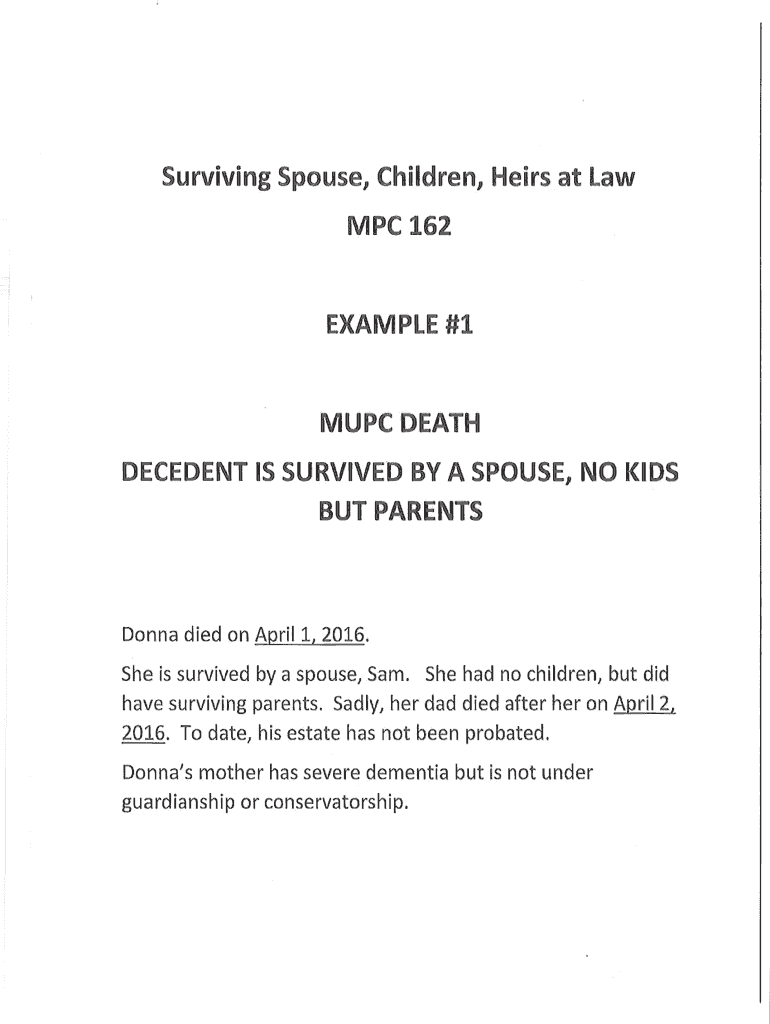
Mpc 162 Form


What is the MPC 162?
The MPC 162 is a Massachusetts probate form used primarily for the administration of estates. It serves as a legal document that outlines the distribution of assets and responsibilities following an individual's passing. This form is essential for ensuring that the wishes of the deceased are respected and that all legal requirements are met during the probate process. The MPC 162 is particularly relevant for surviving spouses and heirs, as it helps clarify their rights and entitlements regarding the estate.
How to Use the MPC 162
Using the MPC 162 involves several steps to ensure proper completion and submission. First, gather all necessary information about the deceased, including their assets, debts, and beneficiaries. Next, fill out the form accurately, ensuring that all required fields are completed. It is crucial to provide detailed information about the surviving spouse and any children or heirs, as this impacts the distribution of the estate. Once completed, the form must be submitted to the appropriate probate court in Massachusetts for processing.
Steps to Complete the MPC 162
Completing the MPC 162 requires careful attention to detail. Follow these steps:
- Collect all relevant documents, including the death certificate and any existing wills.
- Fill out the form with accurate personal information about the deceased and the surviving spouse.
- List all assets and liabilities associated with the estate.
- Ensure that all signatures are obtained where necessary, including that of the surviving spouse.
- Review the completed form for accuracy before submission.
Legal Use of the MPC 162
The MPC 162 is legally binding when completed and submitted in accordance with Massachusetts probate laws. It must adhere to the requirements set forth by the state, including proper signatures and documentation. This form is designed to protect the rights of all parties involved, ensuring that the probate process is conducted fairly and legally. Using a reliable electronic signature solution can enhance the legitimacy of the document, providing an added layer of security and compliance with eSignature laws.
Key Elements of the MPC 162
Several key elements are essential to the MPC 162, including:
- Identification of the deceased and their estate.
- Details about the surviving spouse and any heirs.
- A comprehensive list of assets and liabilities.
- Signatures from all required parties to validate the form.
- Compliance with Massachusetts probate laws and regulations.
Who Issues the Form
The MPC 162 is issued by the Massachusetts probate court system. It is important to obtain the most current version of the form from an official source to ensure compliance with any updates or changes in the law. The court provides guidelines on how to fill out and submit the form, making it accessible for individuals navigating the probate process.
Quick guide on how to complete surviving spouse children heirs at law mpc 162 examples mass
Effortlessly Prepare Mpc 162 on Any Device
Digital document management has become increasingly favored by businesses and individuals. It offers an excellent eco-friendly alternative to traditional printed and signed paperwork, allowing you to access the right form and securely store it online. airSlate SignNow equips you with all the necessary tools to create, modify, and eSign your documents swiftly without complications. Handle Mpc 162 on any device with airSlate SignNow's Android or iOS applications and enhance any document-related task today.
How to Edit and eSign Mpc 162 with Ease
- Locate Mpc 162 and select Get Form to begin.
- Utilize the tools available to complete your form.
- Emphasize important sections of the documents or obscure sensitive details using tools provided specifically for that purpose by airSlate SignNow.
- Create your eSignature using the Sign tool, which takes moments and carries the same legal validity as a conventional wet ink signature.
- Review the information and click on the Done button to save your modifications.
- Select your preferred method to send your form, whether by email, text message (SMS), or a sharing link, or download it to your computer.
Eliminate concerns about lost or misplaced documents, tedious form searches, or mistakes that require printing new copies. airSlate SignNow meets your document management needs in just a few clicks from any device you prefer. Edit and eSign Mpc 162 to ensure exceptional communication at every step of your form preparation journey with airSlate SignNow.
Create this form in 5 minutes or less
Create this form in 5 minutes!
How to create an eSignature for the surviving spouse children heirs at law mpc 162 examples mass
How to make an eSignature for the Surviving Spouse Children Heirs At Law Mpc 162 Examples Mass online
How to generate an electronic signature for your Surviving Spouse Children Heirs At Law Mpc 162 Examples Mass in Chrome
How to make an electronic signature for signing the Surviving Spouse Children Heirs At Law Mpc 162 Examples Mass in Gmail
How to create an electronic signature for the Surviving Spouse Children Heirs At Law Mpc 162 Examples Mass right from your mobile device
How to create an electronic signature for the Surviving Spouse Children Heirs At Law Mpc 162 Examples Mass on iOS
How to make an electronic signature for the Surviving Spouse Children Heirs At Law Mpc 162 Examples Mass on Android devices
People also ask
-
What is the Mpc 162 and how does it work?
The Mpc 162 is a versatile document management tool that integrates seamlessly with airSlate SignNow. It allows users to create, send, and eSign documents effortlessly, ensuring a streamlined workflow. With features designed for ease of use, the Mpc 162 simplifies the process of managing important papers.
-
How much does the Mpc 162 cost?
Pricing for the Mpc 162 varies based on the subscription plan you choose with airSlate SignNow. We offer flexible pricing options to cater to different business needs, ensuring that you only pay for what you use. For detailed pricing information, visit our website or contact our sales team.
-
What features does the Mpc 162 offer?
The Mpc 162 offers a range of features, including customizable templates, secure eSignatures, and document tracking capabilities. These features enhance your document management experience, making it easier to collaborate and finalize agreements. Additionally, the Mpc 162 supports integration with various third-party applications for improved efficiency.
-
Can I integrate the Mpc 162 with other software?
Yes, the Mpc 162 easily integrates with a variety of software solutions. airSlate SignNow supports connections with popular applications like Google Drive, Dropbox, and Salesforce. This integration capability allows for a more cohesive workflow and enhances productivity.
-
What are the benefits of using the Mpc 162 for my business?
Using the Mpc 162 streamlines your document management processes, saving time and resources. It enhances collaboration through shared access and real-time updates, leading to quicker turnaround times. Additionally, the secure eSigning feature ensures compliance and reduces paper waste.
-
Is the Mpc 162 user-friendly for team members?
Absolutely! The Mpc 162 is designed with user experience in mind, making it intuitive for all team members, regardless of their technical skills. With straightforward navigation and helpful tutorials, anyone can quickly learn how to utilize the Mpc 162 effectively.
-
What types of documents can I manage with the Mpc 162?
The Mpc 162 supports a wide range of document types, including contracts, agreements, and invoices. Whether you're managing legal documents or internal forms, the Mpc 162 is equipped to handle them all efficiently. This versatility makes it a valuable tool for businesses across various industries.
Get more for Mpc 162
- Modivcare norton va form
- Cassmosheriff form
- Rajiv gandhi national quality award form
- Standard form of loft lease
- Receipt tax form
- Report to the board of directors of the federal home loan mortgage corporation internal investigation of certain accounting form
- Registered chiropractic assistant form
- Predictedanticipated ib grades form
Find out other Mpc 162
- How To Integrate Sign in Banking
- How To Use Sign in Banking
- Help Me With Use Sign in Banking
- Can I Use Sign in Banking
- How Do I Install Sign in Banking
- How To Add Sign in Banking
- How Do I Add Sign in Banking
- How Can I Add Sign in Banking
- Can I Add Sign in Banking
- Help Me With Set Up Sign in Government
- How To Integrate eSign in Banking
- How To Use eSign in Banking
- How To Install eSign in Banking
- How To Add eSign in Banking
- How To Set Up eSign in Banking
- How To Save eSign in Banking
- How To Implement eSign in Banking
- How To Set Up eSign in Construction
- How To Integrate eSign in Doctors
- How To Use eSign in Doctors