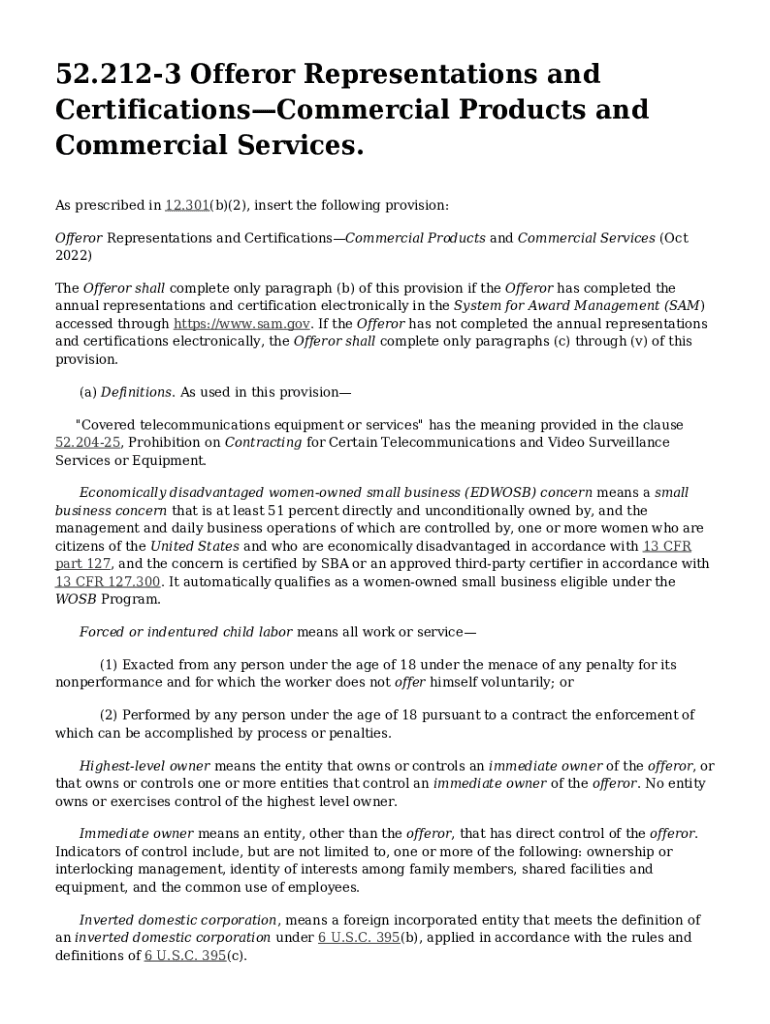
52 212 3 Offeror Representations and CertificationsCommercial Products and Commercial Services 2023


What is the 52 212 3 Offeror Representations And Certifications Commercial Products And Commercial Services
The 52 212 3 Offeror Representations And Certifications Commercial Products And Commercial Services form is a crucial document used by businesses when bidding on government contracts. It serves to gather essential information from offerors regarding their qualifications and compliance with federal regulations. This form includes representations and certifications that address various aspects of business practices, including ethical conduct, compliance with laws, and the status of the offeror as a small business. Understanding this form is vital for any company looking to engage in government contracting.
How to use the 52 212 3 Offeror Representations And Certifications Commercial Products And Commercial Services
Using the 52 212 3 form involves several steps. First, offerors must accurately complete the form, ensuring that all required fields are filled out with truthful and up-to-date information. This includes providing details about the business structure, ownership, and any applicable certifications. Once completed, the form should be submitted alongside the proposal for the government contract. It is important for businesses to review the form thoroughly to avoid any discrepancies that could affect their eligibility for the contract.
Steps to complete the 52 212 3 Offeror Representations And Certifications Commercial Products And Commercial Services
Completing the 52 212 3 form involves a systematic approach:
- Gather necessary information about your business, including ownership details and relevant certifications.
- Access the form and carefully read the instructions provided.
- Fill out all sections of the form, ensuring accuracy and completeness.
- Review the form for any errors or omissions before submission.
- Submit the completed form with your proposal to the contracting officer.
Key elements of the 52 212 3 Offeror Representations And Certifications Commercial Products And Commercial Services
Key elements of the 52 212 3 form include:
- Offeror's business type and size.
- Certifications regarding compliance with federal laws.
- Representations about the offeror's performance history.
- Disclosures related to any criminal convictions or violations.
- Information on affiliations with other businesses.
Legal use of the 52 212 3 Offeror Representations And Certifications Commercial Products And Commercial Services
The legal use of the 52 212 3 form is governed by federal acquisition regulations. Offerors must ensure that the information provided is accurate and truthful, as false statements can lead to severe penalties, including disqualification from the bidding process or legal action. It is essential for businesses to maintain compliance with all federal laws and regulations when completing this form to uphold their eligibility for government contracts.
Examples of using the 52 212 3 Offeror Representations And Certifications Commercial Products And Commercial Services
Examples of scenarios where the 52 212 3 form is utilized include:
- A small business applying for a federal contract to provide IT services.
- A manufacturer submitting a proposal for supplying goods to a government agency.
- A contractor seeking to renew their existing government contract.
Quick guide on how to complete 52 212 3 offeror representations and certificationscommercial products and commercial services
Complete 52 212 3 Offeror Representations And CertificationsCommercial Products And Commercial Services effortlessly on any device
Digital document management has become increasingly popular among businesses and individuals. It offers an excellent environmentally friendly alternative to conventional printed and signed documents, as you can access the necessary form and securely store it online. airSlate SignNow provides you with all the tools required to create, modify, and eSign your documents swiftly without delays. Manage 52 212 3 Offeror Representations And CertificationsCommercial Products And Commercial Services on any device using airSlate SignNow's Android or iOS applications and simplify any document-related task today.
The easiest way to modify and eSign 52 212 3 Offeror Representations And CertificationsCommercial Products And Commercial Services without hassle
- Obtain 52 212 3 Offeror Representations And CertificationsCommercial Products And Commercial Services and then click Get Form to begin.
- Utilize the tools we offer to finish your form.
- Emphasize important sections of the documents or redact sensitive information with tools that airSlate SignNow provides specifically for that purpose.
- Generate your eSignature using the Sign tool, which takes mere seconds and carries the same legal validity as a conventional wet ink signature.
- Review the details and click on the Done button to save your changes.
- Select your preferred method to share your form, via email, SMS, or invitation link, or download it to your computer.
Say goodbye to lost or misfiled documents, tedious form searches, or errors that require printing new document copies. airSlate SignNow meets all your document management needs in just a few clicks from a device of your choice. Modify and eSign 52 212 3 Offeror Representations And CertificationsCommercial Products And Commercial Services and ensure excellent communication at any stage of your form preparation process with airSlate SignNow.
Create this form in 5 minutes or less
Find and fill out the correct 52 212 3 offeror representations and certificationscommercial products and commercial services
Create this form in 5 minutes!
How to create an eSignature for the 52 212 3 offeror representations and certificationscommercial products and commercial services
How to create an electronic signature for a PDF online
How to create an electronic signature for a PDF in Google Chrome
How to create an e-signature for signing PDFs in Gmail
How to create an e-signature right from your smartphone
How to create an e-signature for a PDF on iOS
How to create an e-signature for a PDF on Android
Get more for 52 212 3 Offeror Representations And CertificationsCommercial Products And Commercial Services
- New mexico promissory note in connection with sale of vehicle or automobile form
- Pennsylvania residential rental lease agreement form
- Ga closing statement form
- Executors deed form
- Motorcycle bill of sale oklahoma form
- Idaho revocation of general durable power of attorney form
- Oregon bill of sale for automobile or vehicle including odometer statement and promissory note form
- Rental increase form
Find out other 52 212 3 Offeror Representations And CertificationsCommercial Products And Commercial Services
- How Can I Electronic signature Ohio Real Estate Document
- How To Electronic signature Hawaii Sports Presentation
- How To Electronic signature Massachusetts Police Form
- Can I Electronic signature South Carolina Real Estate Document
- Help Me With Electronic signature Montana Police Word
- How To Electronic signature Tennessee Real Estate Document
- How Do I Electronic signature Utah Real Estate Form
- How To Electronic signature Utah Real Estate PPT
- How Can I Electronic signature Virginia Real Estate PPT
- How Can I Electronic signature Massachusetts Sports Presentation
- How To Electronic signature Colorado Courts PDF
- How To Electronic signature Nebraska Sports Form
- How To Electronic signature Colorado Courts Word
- How To Electronic signature Colorado Courts Form
- How To Electronic signature Colorado Courts Presentation
- Can I Electronic signature Connecticut Courts PPT
- Can I Electronic signature Delaware Courts Document
- How Do I Electronic signature Illinois Courts Document
- How To Electronic signature Missouri Courts Word
- How Can I Electronic signature New Jersey Courts Document