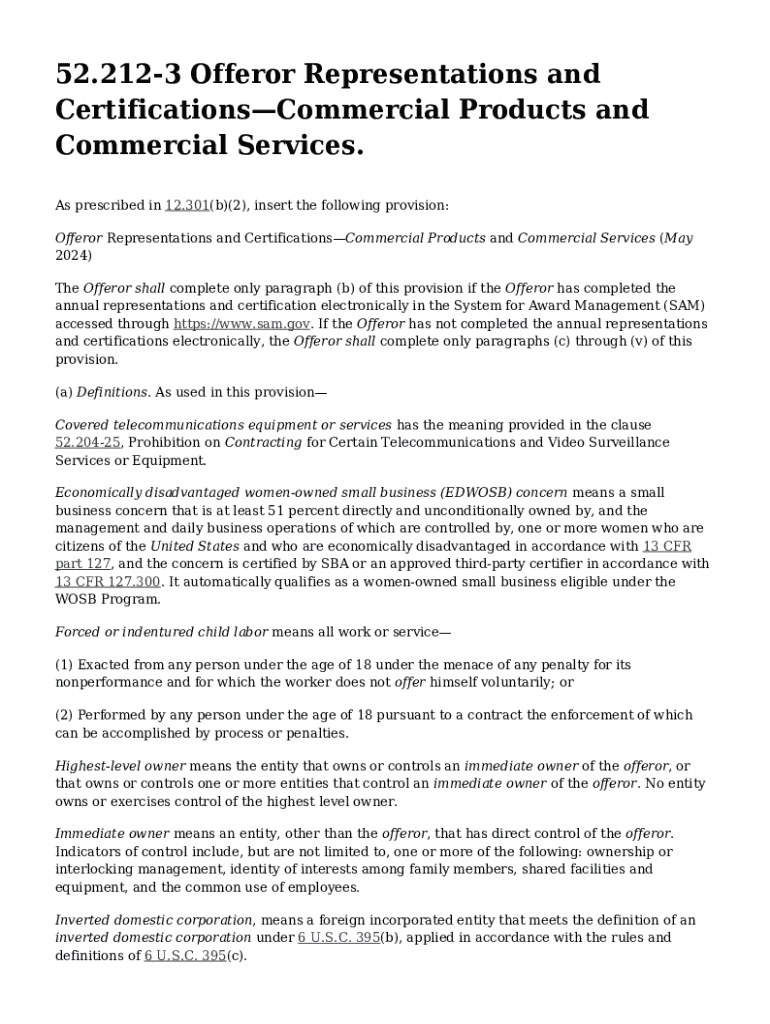
212 3 Offeror Representations and 2024-2026


Understanding the FAR 52.212-3 Offeror Representations and Certifications
The FAR 52.212-3 form, also known as the Offeror Representations and Certifications, is a critical document used in federal procurement processes. This form collects essential information about a business's qualifications and compliance with federal regulations. It is primarily used by offerors when submitting proposals for government contracts, ensuring that all representations made are accurate and truthful. The form includes various certifications that address issues such as debarment, eligibility, and business size standards, which are vital for maintaining integrity in federal contracting.
Steps to Complete the FAR 52.212-3 Form
Completing the FAR 52.212-3 form requires careful attention to detail to ensure compliance with federal regulations. Here are the general steps to follow:
- Gather necessary information about your business, including its legal structure, size, and ownership.
- Review the specific certifications required, such as those related to debarment and eligibility.
- Fill out the form accurately, ensuring all sections are completed as required.
- Double-check your entries for accuracy and completeness before submission.
- Sign and date the form to certify that the information provided is correct.
Legal Use of the FAR 52.212-3 Form
The FAR 52.212-3 form serves a significant legal purpose in the federal procurement process. By submitting this form, businesses affirm their compliance with various federal regulations and laws. This includes adherence to the Federal Acquisition Regulation (FAR) and other relevant statutes. Misrepresentation or failure to provide accurate information can lead to severe penalties, including disqualification from bidding on government contracts and potential legal action. Therefore, it is crucial to approach the completion of this form with diligence and honesty.
Key Elements of the FAR 52.212-3 Form
The FAR 52.212-3 form comprises several key elements that offerors must address. These include:
- Business Information: Details about the business structure, such as whether it is a corporation, partnership, or sole proprietorship.
- Size Status: Information regarding the size of the business, which may impact eligibility for certain contracts.
- Certifications: Affirmations related to debarment, compliance with the Drug-Free Workplace Act, and other relevant certifications.
- Signature: A declaration by the offeror that the information provided is accurate and complete.
Obtaining the FAR 52.212-3 Form
The FAR 52.212-3 form can be obtained through various government resources. It is typically available on official government websites, including the System for Award Management (SAM) and the Federal Acquisition Regulation (FAR) site. Offerors should ensure they are using the most current version of the form to comply with the latest regulations. Additionally, businesses may consult with legal or procurement experts to ensure they understand the requirements associated with the form.
Examples of Using the FAR 52.212-3 Form
Understanding how to use the FAR 52.212-3 form effectively can enhance a business's chances of securing government contracts. For instance, a small business seeking to bid on a federal project must complete this form to demonstrate its eligibility and compliance. Another example includes a contractor who needs to update their representations and certifications when submitting a proposal for a new contract renewal. In both cases, accurate completion of the form is essential for successful participation in the federal procurement process.
Handy tips for filling out 212 3 Offeror Representations And online
Quick steps to complete and e-sign 212 3 Offeror Representations And online:
- Use Get Form or simply click on the template preview to open it in the editor.
- Start completing the fillable fields and carefully type in required information.
- Use the Cross or Check marks in the top toolbar to select your answers in the list boxes.
- Utilize the Circle icon for other Yes/No questions.
- Look through the document several times and make sure that all fields are completed with the correct information.
- Insert the current Date with the corresponding icon.
- Add a legally-binding e-signature. Go to Sign -> Add New Signature and select the option you prefer: type, draw, or upload an image of your handwritten signature and place it where you need it.
- Finish filling out the form with the Done button.
- Download your copy, save it to the cloud, print it, or share it right from the editor.
- Check the Help section and contact our Support team if you run into any troubles when using the editor.
We know how stressing filling out documents could be. Gain access to a HIPAA and GDPR compliant solution for maximum simpleness. Use signNow to e-sign and share 212 3 Offeror Representations And for e-signing.
Create this form in 5 minutes or less
Find and fill out the correct 212 3 offeror representations and
Create this form in 5 minutes!
How to create an eSignature for the 212 3 offeror representations and
How to create an electronic signature for a PDF online
How to create an electronic signature for a PDF in Google Chrome
How to create an e-signature for signing PDFs in Gmail
How to create an e-signature right from your smartphone
How to create an e-signature for a PDF on iOS
How to create an e-signature for a PDF on Android
People also ask
-
What is the far 52 212 3 form and why is it important?
The far 52 212 3 form is a crucial document used in federal contracting that outlines the terms and conditions for proposals. Understanding this form is essential for businesses looking to engage in government contracts, as it ensures compliance with federal regulations and helps streamline the bidding process.
-
How can airSlate SignNow help with the far 52 212 3 form?
airSlate SignNow simplifies the process of completing and signing the far 52 212 3 form by providing an intuitive platform for electronic signatures. This not only speeds up the submission process but also ensures that all documents are securely stored and easily accessible for future reference.
-
What features does airSlate SignNow offer for managing the far 52 212 3 form?
airSlate SignNow offers features such as customizable templates, automated workflows, and real-time tracking for the far 52 212 3 form. These tools enhance efficiency and accuracy, allowing users to manage their documents seamlessly from start to finish.
-
Is airSlate SignNow cost-effective for businesses needing the far 52 212 3 form?
Yes, airSlate SignNow provides a cost-effective solution for businesses that frequently handle the far 52 212 3 form. With various pricing plans available, companies can choose an option that fits their budget while still benefiting from robust features and support.
-
Can I integrate airSlate SignNow with other tools for the far 52 212 3 form?
Absolutely! airSlate SignNow offers integrations with popular business tools such as Google Drive, Salesforce, and Microsoft Office. This allows users to streamline their workflow when managing the far 52 212 3 form and other documents across different platforms.
-
What are the benefits of using airSlate SignNow for the far 52 212 3 form?
Using airSlate SignNow for the far 52 212 3 form provides numerous benefits, including enhanced security, faster turnaround times, and improved collaboration among team members. These advantages help businesses stay competitive in the federal contracting space.
-
Is it easy to get started with airSlate SignNow for the far 52 212 3 form?
Yes, getting started with airSlate SignNow is straightforward. Users can sign up for a free trial, explore the platform, and quickly learn how to create, send, and manage the far 52 212 3 form without any technical expertise.
Get more for 212 3 Offeror Representations And
Find out other 212 3 Offeror Representations And
- How To Integrate Sign in Banking
- How To Use Sign in Banking
- Help Me With Use Sign in Banking
- Can I Use Sign in Banking
- How Do I Install Sign in Banking
- How To Add Sign in Banking
- How Do I Add Sign in Banking
- How Can I Add Sign in Banking
- Can I Add Sign in Banking
- Help Me With Set Up Sign in Government
- How To Integrate eSign in Banking
- How To Use eSign in Banking
- How To Install eSign in Banking
- How To Add eSign in Banking
- How To Set Up eSign in Banking
- How To Save eSign in Banking
- How To Implement eSign in Banking
- How To Set Up eSign in Construction
- How To Integrate eSign in Doctors
- How To Use eSign in Doctors