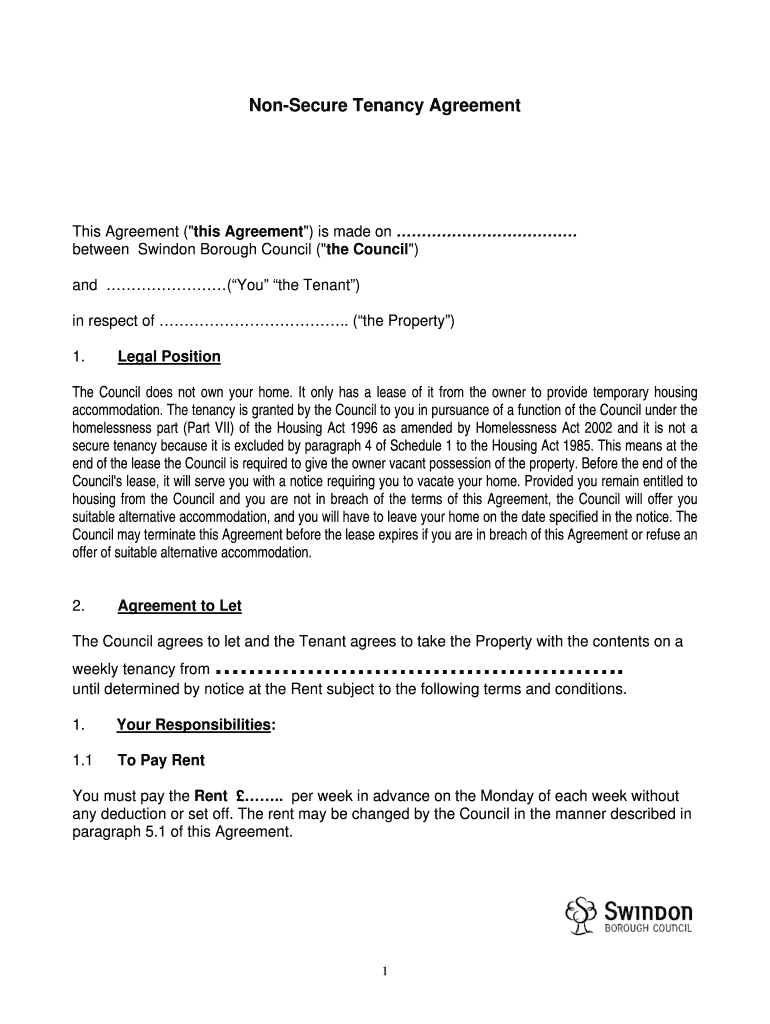
Non Secure Tenancy Agreement Form


What is the Non Secure Tenancy Agreement
A non secure tenancy agreement is a type of rental contract typically used by local authorities or housing associations in the United States. This agreement allows tenants to occupy a property without the same level of security as secure tenancies. In a non secure tenancy, the landlord retains more rights to terminate the agreement, which may lead to less stability for the tenant. This type of tenancy is often used for temporary housing solutions or for individuals who may not qualify for more secure arrangements.
Key elements of the Non Secure Tenancy Agreement
The non secure tenancy agreement includes several important elements that define the relationship between the landlord and tenant. Key components typically include:
- Rental Amount: The agreed-upon monthly rent that the tenant must pay.
- Duration: The length of the tenancy, which may be fixed or periodic.
- Notice Period: The amount of notice the landlord must give before terminating the tenancy.
- Responsibilities: Obligations of both the tenant and landlord regarding maintenance and repairs.
- Use of Property: Restrictions on how the property can be used, including any limitations on subletting.
How to use the Non Secure Tenancy Agreement
To use a non secure tenancy agreement effectively, both parties should thoroughly review the terms before signing. The landlord should ensure that the agreement complies with local housing laws, while the tenant should understand their rights and responsibilities. It is advisable to keep a copy of the signed agreement for future reference. If any disputes arise, having a written record can be crucial in resolving issues amicably.
Steps to complete the Non Secure Tenancy Agreement
Completing a non secure tenancy agreement involves several steps:
- Draft the Agreement: Create a document that outlines all terms and conditions of the tenancy.
- Review the Terms: Both parties should carefully read and understand the agreement.
- Sign the Agreement: Both landlord and tenant should sign the document to make it legally binding.
- Distribute Copies: Provide each party with a signed copy for their records.
Legal use of the Non Secure Tenancy Agreement
The legal use of a non secure tenancy agreement is governed by state and local laws. It is important for landlords to ensure that their agreements comply with housing regulations to avoid legal issues. Tenants should also be aware of their rights under this type of agreement, including the right to fair treatment and protection against unlawful eviction. Consulting with a legal professional can provide clarity on the specific legal implications of a non secure tenancy.
State-specific rules for the Non Secure Tenancy Agreement
Each state in the U.S. may have different regulations regarding non secure tenancy agreements. These rules can affect aspects such as notice periods, eviction processes, and tenant rights. It is essential for both landlords and tenants to familiarize themselves with their state's specific laws to ensure compliance and protect their interests. Resources such as state housing authorities can provide valuable information regarding local tenancy laws.
Quick guide on how to complete non secure tenancy agreement
Effortlessly prepare Non Secure Tenancy Agreement on any gadget
Digital document management has become increasingly favored by companies and individuals. It offers an excellent eco-friendly substitute to conventional printed and signed documents, as you can easily find the right template and securely store it online. airSlate SignNow equips you with all the tools necessary to create, modify, and eSign your documents swiftly without delays. Manage Non Secure Tenancy Agreement on any gadget with airSlate SignNow apps available for Android or iOS and streamline any document-related task today.
How to alter and eSign Non Secure Tenancy Agreement with ease
- Find Non Secure Tenancy Agreement and click on Get Form to begin.
- Utilize the tools we provide to complete your document.
- Emphasize important sections of your documents or redact sensitive details with tools that airSlate SignNow offers specifically for this purpose.
- Create your signature using the Sign tool, which takes mere seconds and carries the same legal validity as a traditional ink signature.
- Review all information and click the Done button to save your updates.
- Choose how you wish to send your form, via email, text message (SMS), or invitation link, or download it to your computer.
Eliminate worries about lost or misplaced documents, tiring form searches, or mistakes that require printing new copies. airSlate SignNow meets your document management needs in just a few clicks from any device of your choosing. Edit and eSign Non Secure Tenancy Agreement and ensure outstanding communication at every step of the document preparation process with airSlate SignNow.
Create this form in 5 minutes or less
Create this form in 5 minutes!
How to create an eSignature for the non secure tenancy agreement
How to create an electronic signature for a PDF online
How to create an electronic signature for a PDF in Google Chrome
How to create an e-signature for signing PDFs in Gmail
How to create an e-signature right from your smartphone
How to create an e-signature for a PDF on iOS
How to create an e-signature for a PDF on Android
People also ask
-
What is a non secure tenancy agreement?
A non secure tenancy agreement is a type of rental contract that does not provide the same level of security as secure tenancies. This means that tenants may have fewer rights and protections compared to those under secure agreements. Understanding the implications of a non secure tenancy agreement is crucial for both landlords and tenants.
-
How can airSlate SignNow help with non secure tenancy agreements?
airSlate SignNow offers a streamlined platform for creating, sending, and eSigning non secure tenancy agreements. Our user-friendly interface ensures that both landlords and tenants can easily manage their agreements without hassle. With airSlate SignNow, you can ensure that your non secure tenancy agreements are legally binding and securely stored.
-
What are the benefits of using airSlate SignNow for non secure tenancy agreements?
Using airSlate SignNow for non secure tenancy agreements provides numerous benefits, including time savings and enhanced security. The platform allows for quick document turnaround, ensuring that agreements are signed promptly. Additionally, our secure cloud storage keeps your non secure tenancy agreements safe and accessible.
-
Is there a cost associated with using airSlate SignNow for non secure tenancy agreements?
Yes, airSlate SignNow offers various pricing plans tailored to meet the needs of businesses handling non secure tenancy agreements. Our plans are designed to be cost-effective, providing excellent value for the features offered. You can choose a plan that fits your budget while ensuring efficient management of your non secure tenancy agreements.
-
Can I integrate airSlate SignNow with other tools for managing non secure tenancy agreements?
Absolutely! airSlate SignNow integrates seamlessly with various tools and platforms, enhancing your workflow for managing non secure tenancy agreements. Whether you use CRM systems, document management software, or other applications, our integrations help streamline the process. This ensures that your non secure tenancy agreements are part of a cohesive system.
-
How secure are the non secure tenancy agreements signed through airSlate SignNow?
While the agreements are termed 'non secure,' airSlate SignNow prioritizes the security of all documents processed through our platform. We utilize advanced encryption and security protocols to protect your non secure tenancy agreements. This means that even though the agreements may lack certain tenant protections, their integrity and confidentiality are maintained.
-
What features does airSlate SignNow offer for non secure tenancy agreements?
airSlate SignNow provides a variety of features specifically designed for managing non secure tenancy agreements. These include customizable templates, automated reminders, and real-time tracking of document status. These features enhance the efficiency of handling non secure tenancy agreements, making the process smoother for all parties involved.
Get more for Non Secure Tenancy Agreement
- Order for dismissal wyoming form
- Correction statement and agreement wyoming form
- Closing statement wyoming form
- Flood zone statement and authorization wyoming form
- Name affidavit of buyer wyoming form
- Name affidavit of seller wyoming form
- Non foreign affidavit under irc 1445 wyoming form
- Owners or sellers affidavit of no liens wyoming form
Find out other Non Secure Tenancy Agreement
- How Can I eSignature Arkansas Insurance LLC Operating Agreement
- Help Me With eSignature Michigan High Tech Emergency Contact Form
- eSignature Louisiana Insurance Rental Application Later
- eSignature Maryland Insurance Contract Safe
- eSignature Massachusetts Insurance Lease Termination Letter Free
- eSignature Nebraska High Tech Rental Application Now
- How Do I eSignature Mississippi Insurance Separation Agreement
- Help Me With eSignature Missouri Insurance Profit And Loss Statement
- eSignature New Hampshire High Tech Lease Agreement Template Mobile
- eSignature Montana Insurance Lease Agreement Template Online
- eSignature New Hampshire High Tech Lease Agreement Template Free
- How To eSignature Montana Insurance Emergency Contact Form
- eSignature New Jersey High Tech Executive Summary Template Free
- eSignature Oklahoma Insurance Warranty Deed Safe
- eSignature Pennsylvania High Tech Bill Of Lading Safe
- eSignature Washington Insurance Work Order Fast
- eSignature Utah High Tech Warranty Deed Free
- How Do I eSignature Utah High Tech Warranty Deed
- eSignature Arkansas Legal Affidavit Of Heirship Fast
- Help Me With eSignature Colorado Legal Cease And Desist Letter