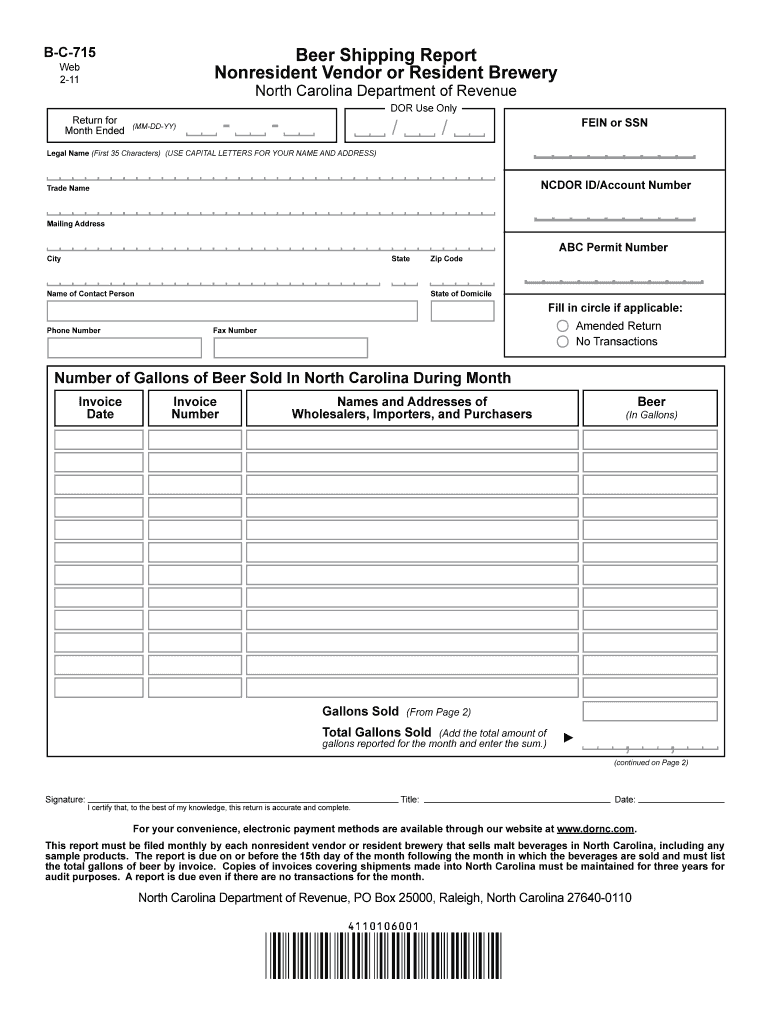
Bc 715 2011-2026


What is the BC 715?
The BC 715 is a form used in North Carolina, primarily for documenting the change of a beneficiary for a life insurance policy or retirement account. This form plays a critical role in ensuring that the intended beneficiary is legally recognized, which can help in avoiding disputes or complications after the policyholder's passing. It is essential for individuals to understand the implications of this form, as it directly affects the distribution of assets.
How to Obtain the BC 715
Obtaining the BC 715 form is a straightforward process. Individuals can typically acquire it through the official North Carolina government website or by contacting the relevant state department that oversees insurance and retirement accounts. Additionally, financial institutions that offer life insurance or retirement products may provide the form directly to their clients. It is advisable to ensure that the most current version of the form is used to avoid any issues during submission.
Steps to Complete the BC 715
Completing the BC 715 form involves several key steps to ensure accuracy and compliance. First, the policyholder must provide their personal information, including full name, address, and policy number. Next, the form requires the identification of the current beneficiary and the new beneficiary's details. It is crucial to ensure that all information is correct and clearly legible. Once completed, the form must be signed and dated by the policyholder, and in some cases, it may require a witness or notarization to be legally binding.
Legal Use of the BC 715
The legal use of the BC 715 is significant, as it must adhere to state laws regarding beneficiary designations. For the form to be considered valid, it must be filled out correctly and submitted according to the guidelines established by North Carolina law. This includes ensuring that the form is signed by the policyholder and, if necessary, witnessed or notarized. Failure to comply with these legal requirements may result in the form being deemed invalid, potentially leading to complications in the distribution of assets.
Key Elements of the BC 715
Several key elements are crucial when filling out the BC 715. These include the policyholder's information, the current beneficiary's details, and the new beneficiary's information. Additionally, the form should include the policy number and any other pertinent details related to the insurance or retirement account. It is also important to check for any specific instructions or requirements that may accompany the form, as these can vary depending on the institution or state regulations.
Form Submission Methods
The BC 715 can typically be submitted through various methods, depending on the requirements of the issuing institution. Common submission methods include mailing the completed form to the insurance company or financial institution, submitting it in person at a local office, or, in some cases, submitting it electronically through a secure online portal. It is essential to verify the preferred submission method to ensure timely processing and acceptance of the form.
Quick guide on how to complete download form b c 715 formupack
Complete Bc 715 effortlessly on any gadget
Web-based document management has gained traction among businesses and individuals alike. It serves as an ideal eco-friendly substitute for traditional printed and signed documents, enabling you to locate the correct form and securely save it online. airSlate SignNow provides you with all the tools you need to create, modify, and electronically sign your documents quickly and without holdups. Manage Bc 715 on any gadget using airSlate SignNow's Android or iOS applications and enhance any document-focused procedure today.
The easiest method to modify and electronically sign Bc 715 seamlessly
- Locate Bc 715 and select Get Form to begin.
- Utilize the tools we offer to complete your form.
- Emphasize important sections of your documents or conceal sensitive details with tools specifically designed by airSlate SignNow for that purpose.
- Generate your eSignature with the Sign feature, which takes moments and carries the same legal validity as a conventional ink signature.
- Review all the information and click the Done button to save your modifications.
- Choose your preferred method for sending your form, whether by email, text message (SMS), or invitation link, or download it to your computer.
Eliminate the hassle of lost or misplaced documents, tedious form searching, or errors that necessitate printing new document copies. airSlate SignNow meets your document management needs in just a few clicks from any device of your choosing. Modify and electronically sign Bc 715 and ensure outstanding communication at every stage of the form preparation process with airSlate SignNow.
Create this form in 5 minutes or less
Create this form in 5 minutes!
How to create an eSignature for the download form b c 715 formupack
How to make an electronic signature for your Download Form B C 715 Formupack online
How to create an eSignature for the Download Form B C 715 Formupack in Google Chrome
How to make an electronic signature for putting it on the Download Form B C 715 Formupack in Gmail
How to create an electronic signature for the Download Form B C 715 Formupack right from your smart phone
How to make an electronic signature for the Download Form B C 715 Formupack on iOS
How to create an electronic signature for the Download Form B C 715 Formupack on Android devices
People also ask
-
What is the bc 715 feature in airSlate SignNow?
The bc 715 feature in airSlate SignNow is designed to provide enhanced security and compliance for your document signing process. By utilizing advanced encryption and authentication methods, bc 715 ensures that your documents remain protected throughout the signing lifecycle. This feature is essential for businesses that prioritize data security.
-
How much does the bc 715 feature cost?
The bc 715 feature is included in airSlate SignNow’s competitive pricing plans. Depending on the plan you choose, pricing can vary, but the value of having robust document security through bc 715 is essential for any business. Contact our sales team for specific pricing tailored to your needs.
-
What are the benefits of using bc 715 for document signing?
Using bc 715 for document signing offers increased security, faster turnaround times, and improved customer trust. By incorporating bc 715 into your workflow, you ensure your documents are not only signed promptly but also protected against unauthorized access. This ultimately enhances your business's credibility.
-
Can I integrate bc 715 with other software tools?
Yes, airSlate SignNow’s bc 715 feature seamlessly integrates with various software applications. This allows businesses to streamline their workflows by connecting their existing systems with our eSigning solutions. Check our integration page for a list of compatible tools that work with bc 715.
-
Is the bc 715 feature suitable for small businesses?
Absolutely! The bc 715 feature is designed to cater to businesses of all sizes, including small businesses. Its user-friendly interface and cost-effective solution make it a great choice for small enterprises looking to enhance their document signing processes while maintaining security.
-
What types of documents can I sign using bc 715?
With bc 715, you can securely sign a wide range of documents, including contracts, agreements, and forms. The flexibility of airSlate SignNow allows you to customize the signing process according to your specific document needs. This versatility makes bc 715 ideal for various industries.
-
Does bc 715 comply with legal standards for eSignatures?
Yes, the bc 715 feature complies with major legal standards governing eSignatures, including the ESIGN Act and UETA. This compliance ensures that your electronically signed documents are legally binding and enforceable. By choosing airSlate SignNow with bc 715, you can confidently manage your eSignature needs.
Get more for Bc 715
- Pwd 309a texas parks amp wildlife department tpwd state tx form
- Texas pwd form
- Pwd 1055 form
- Form affidavit fact
- Affidavit for repossessed vessel texas parks amp wildlife department tpwd state tx form
- Texas certificate insurance form
- Certificate of insurance form texas state board of plumbing
- Texas school gas pipe testing form
Find out other Bc 715
- eSignature North Dakota Healthcare / Medical Medical History Simple
- Help Me With eSignature Arkansas High Tech Arbitration Agreement
- eSignature Ohio Healthcare / Medical Operating Agreement Simple
- eSignature Oregon Healthcare / Medical Limited Power Of Attorney Computer
- eSignature Pennsylvania Healthcare / Medical Warranty Deed Computer
- eSignature Texas Healthcare / Medical Bill Of Lading Simple
- eSignature Virginia Healthcare / Medical Living Will Computer
- eSignature West Virginia Healthcare / Medical Claim Free
- How To eSignature Kansas High Tech Business Plan Template
- eSignature Kansas High Tech Lease Agreement Template Online
- eSignature Alabama Insurance Forbearance Agreement Safe
- How Can I eSignature Arkansas Insurance LLC Operating Agreement
- Help Me With eSignature Michigan High Tech Emergency Contact Form
- eSignature Louisiana Insurance Rental Application Later
- eSignature Maryland Insurance Contract Safe
- eSignature Massachusetts Insurance Lease Termination Letter Free
- eSignature Nebraska High Tech Rental Application Now
- How Do I eSignature Mississippi Insurance Separation Agreement
- Help Me With eSignature Missouri Insurance Profit And Loss Statement
- eSignature New Hampshire High Tech Lease Agreement Template Mobile