If This is the Case, Name the Joint Tenant in Field 31 Form


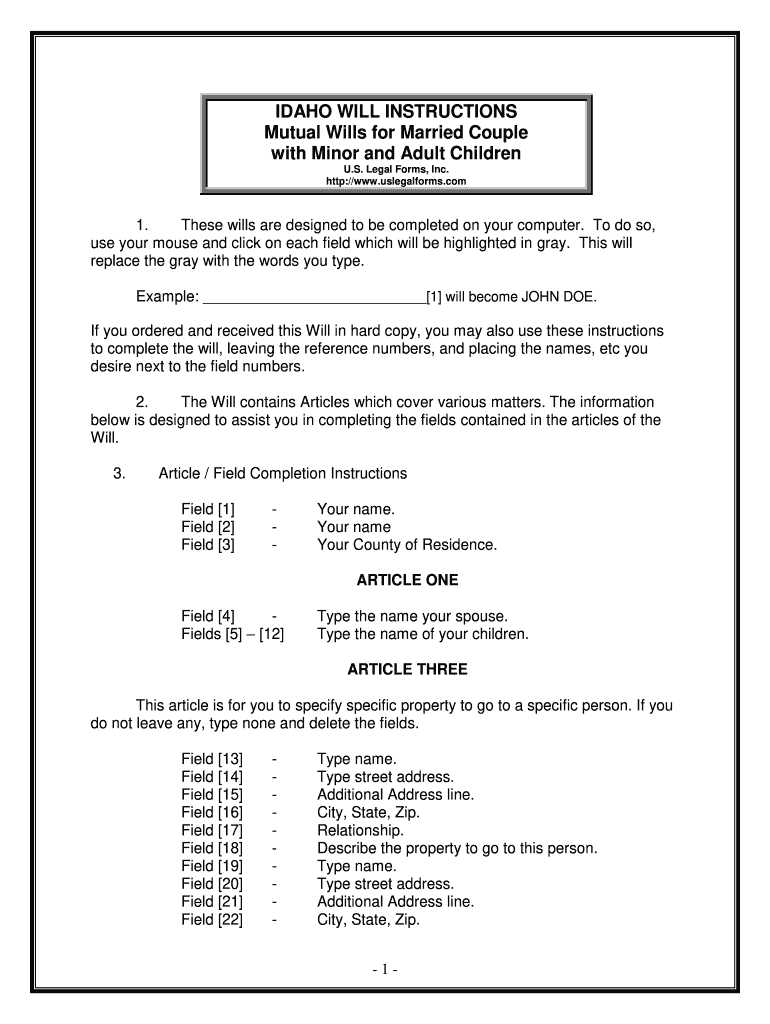
Understanding Idaho Wills
Idaho wills are legal documents that outline how a person's assets and affairs will be managed after their death. They serve to express the individual's wishes regarding the distribution of their property, guardianship of minor children, and other important decisions. In Idaho, a will must meet specific requirements to be considered valid, including being in writing, signed by the testator (the person making the will), and witnessed by at least two individuals. Understanding these requirements is crucial for ensuring that a will is enforceable in a court of law.
Key Elements of an Idaho Will
Several key components are essential for a valid will in Idaho. These include:
- Testator's Information: The will must clearly identify the testator, including their full name and address.
- Declaration: A statement indicating that the document is intended to serve as the last will and testament.
- Asset Distribution: Detailed instructions on how the testator's assets should be distributed among beneficiaries.
- Appointment of Executors: Designation of an executor who will manage the estate and ensure the will's terms are carried out.
- Witness Signatures: Signatures of at least two witnesses who can attest to the testator's identity and mental capacity.
Steps to Create a Valid Will in Idaho
Creating a will in Idaho involves several important steps:
- Determine Your Assets: Make a comprehensive list of all assets, including property, bank accounts, and personal belongings.
- Choose Beneficiaries: Decide who will inherit your assets and in what proportions.
- Select an Executor: Choose a trustworthy individual to manage your estate and execute your wishes.
- Draft the Will: Write the will, ensuring it meets Idaho's legal requirements.
- Sign and Witness: Sign the will in the presence of at least two witnesses, who should also sign the document.
Legal Use of Wills in Idaho
Wills in Idaho are legally binding documents that must adhere to state laws to be enforceable. They can be contested in court if there are claims of undue influence, lack of capacity, or improper execution. It is advisable for individuals to consult with an attorney when drafting a will to ensure compliance with legal standards and to address any specific concerns regarding their estate.
State-Specific Rules for Idaho Wills
Idaho has specific laws governing wills that differ from those in other states. For instance, Idaho recognizes holographic wills, which are handwritten and do not require witnesses, provided they are signed by the testator. Additionally, the state has laws regarding the revocation of wills, which can occur through a subsequent will or by physically destroying the original document. Understanding these state-specific rules is vital for anyone looking to create or update a will in Idaho.
Examples of Common Will Provisions in Idaho
Common provisions found in Idaho wills include:
- Specific Bequests: Designating particular items or sums of money to specific individuals.
- Residuary Clause: Instructions on how to distribute any remaining assets after specific bequests have been made.
- Guardianship Provisions: Appointing guardians for minor children, ensuring their care and upbringing according to the testator's wishes.
Quick guide on how to complete if this is the case name the joint tenant in field 31
Complete If This Is The Case, Name The Joint Tenant In Field 31 effortlessly on any gadget
Digital document management has gained traction among companies and individuals alike. It offers an ideal environmentally friendly alternative to conventional printed and signed documents, allowing you to access the necessary form and securely store it online. airSlate SignNow equips you with all the tools required to create, modify, and electronically sign your documents quickly and without hindrances. Manage If This Is The Case, Name The Joint Tenant In Field 31 on any gadget using the airSlate SignNow Android or iOS applications and streamline any document-related process today.
How to modify and electronically sign If This Is The Case, Name The Joint Tenant In Field 31 with ease
- Find If This Is The Case, Name The Joint Tenant In Field 31 and click Get Form to initiate.
- Utilize the tools we provide to finalize your form.
- Emphasize important sections of your documents or redact sensitive information with tools that airSlate SignNow offers specifically for that purpose.
- Create your signature with the Sign tool, which takes mere seconds and holds the same legal validity as a traditional wet ink signature.
- Review all the details and click on the Done button to save your modifications.
- Choose how you wish to send your form, whether by email, text message (SMS), or invitation link, or download it to your computer.
Eliminate worries about lost or misplaced files, tedious form searches, or errors that necessitate printing new document copies. airSlate SignNow fulfills all your document management needs with just a few clicks from any device of your preference. Edit and electronically sign If This Is The Case, Name The Joint Tenant In Field 31 to ensure seamless communication throughout your form preparation journey with airSlate SignNow.
Create this form in 5 minutes or less
Create this form in 5 minutes!
How to create an eSignature for the if this is the case name the joint tenant in field 31
How to create an eSignature for the If This Is The Case Name The Joint Tenant In Field 31 online
How to generate an electronic signature for your If This Is The Case Name The Joint Tenant In Field 31 in Google Chrome
How to generate an eSignature for signing the If This Is The Case Name The Joint Tenant In Field 31 in Gmail
How to generate an electronic signature for the If This Is The Case Name The Joint Tenant In Field 31 straight from your mobile device
How to create an electronic signature for the If This Is The Case Name The Joint Tenant In Field 31 on iOS devices
How to generate an eSignature for the If This Is The Case Name The Joint Tenant In Field 31 on Android devices
People also ask
-
What should I do if I need to add a joint tenant to my document?
If you need to add a joint tenant to your document, you should use the airSlate SignNow platform to ensure accuracy and compliance. If this is the case, name the joint tenant in Field 31 to clearly identify their role in the agreement. This process is straightforward and helps prevent any legal ambiguities.
-
How does airSlate SignNow ensure document security?
airSlate SignNow prioritizes document security by employing industry-standard encryption protocols. When using the platform, you can be confident that your sensitive information, including details like 'If this is the case, name the joint tenant in Field 31,' is protected at all times.
-
What are the pricing options for airSlate SignNow?
airSlate SignNow offers flexible pricing plans tailored to meet the needs of different businesses. Whether you are a freelancer or a large organization, you can choose a plan that suits your budget and usage requirements. This ensures you get the best value while managing documents efficiently, including naming joint tenants in Field 31.
-
Can I integrate airSlate SignNow with other applications?
Yes, airSlate SignNow supports integration with various applications such as Google Drive, Dropbox, and Salesforce. This allows you to streamline your workflow by easily managing documents and utilizing features like 'If this is the case, name the joint tenant in Field 31' within your existing systems.
-
What are the benefits of using airSlate SignNow for e-signatures?
Using airSlate SignNow for e-signatures offers numerous benefits, including faster turnaround times and reduced paper usage. The platform enables you to manage documents efficiently, ensuring that when the situation arises, you can easily handle requests like 'If this is the case, name the joint tenant in Field 31' without hassle.
-
Is airSlate SignNow user-friendly for non-technical users?
Absolutely! airSlate SignNow is designed with user experience in mind, making it accessible for non-technical users. The intuitive interface allows anyone to navigate the platform easily, ensuring that tasks such as naming a joint tenant in Field 31 can be completed quickly and confidently.
-
How does airSlate SignNow support compliance with legal standards?
airSlate SignNow is built to comply with various legal standards, ensuring that your documents are valid and enforceable. This includes features that guide users through essential steps, such as 'If this is the case, name the joint tenant in Field 31,' to maintain compliance and protect your interests.
Get more for If This Is The Case, Name The Joint Tenant In Field 31
Find out other If This Is The Case, Name The Joint Tenant In Field 31
- Electronic signature Legal Document Colorado Online
- Electronic signature Washington High Tech Contract Computer
- Can I Electronic signature Wisconsin High Tech Memorandum Of Understanding
- How Do I Electronic signature Wisconsin High Tech Operating Agreement
- How Can I Electronic signature Wisconsin High Tech Operating Agreement
- Electronic signature Delaware Legal Stock Certificate Later
- Electronic signature Legal PDF Georgia Online
- Electronic signature Georgia Legal Last Will And Testament Safe
- Can I Electronic signature Florida Legal Warranty Deed
- Electronic signature Georgia Legal Memorandum Of Understanding Simple
- Electronic signature Legal PDF Hawaii Online
- Electronic signature Legal Document Idaho Online
- How Can I Electronic signature Idaho Legal Rental Lease Agreement
- How Do I Electronic signature Alabama Non-Profit Profit And Loss Statement
- Electronic signature Alabama Non-Profit Lease Termination Letter Easy
- How Can I Electronic signature Arizona Life Sciences Resignation Letter
- Electronic signature Legal PDF Illinois Online
- How Can I Electronic signature Colorado Non-Profit Promissory Note Template
- Electronic signature Indiana Legal Contract Fast
- Electronic signature Indiana Legal Rental Application Online