
IRS forms you can’t E-File? How to use electronic signatures and stay compliant

Executive summary
Not every IRS form can be submitted through e-file, but that no longer means printing, wet-signing, and manually managing paperwork.
The IRS now permanently permits IRS electronic signatures on a defined set of paper-filed forms and specific IRS–taxpayer interactions. When electronic signature workflows meet official IRS electronic signature requirements, businesses can legally collect signatures online and submit completed forms by mail, fax, or approved IRS secure portals. You can learn more about the details of using eSignatures on certain forms on the official website.
In this article, we explain:
- What qualifies as an IRS electronic signature
- Which IRS forms accept electronic signatures but still require paper submission
- How to build a compliant electronic signature workflow
- Why Form W-9 is a high-impact use case
- How platforms like airSlate SignNow support compliance at scale
What the IRS means by “electronic signature”
The IRS does not mandate a specific technology or vendor for electronic signatures. Instead, the Internal Revenue Manual (IRM) defines process-based requirements that determine whether an electronic signature is valid.
To meet IRS electronic signature requirements, a workflow must satisfy five criteria:
- Acceptable signature form
Accepted formats include typed names, stylus or mouse-drawn signatures, scanned images of handwritten signatures, and PIN or shared-secret methods. - Clear intent to sign
The signer must explicitly agree to sign the document electronically. - Association with the record
The signature must be logically bound to the specific IRS form being signed. - Signer identity and authentication
The system must reasonably verify the identity of the signer. - Integrity of the signed record
The signed document must be tamper-evident and securely retained.
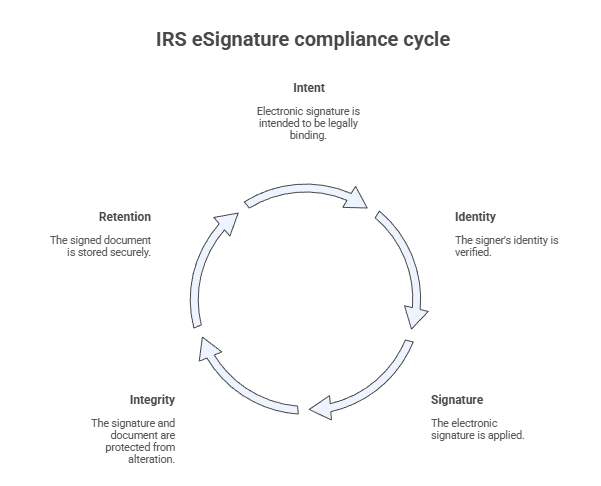
In practice, compliant electronic signature IRS forms include consent language, authentication steps, embedded signatures, timestamps, and a verifiable audit trail.
IRS forms that allow electronic signatures but require paper submission
The IRS publishes a formal list of forms for which the IRS accepts an electronic signature, even though those forms must still be submitted outside of e-file. This list is in IRM Exhibit 10.10.1–2, and eligibility may vary depending on context.
Below are commonly used electronic signature IRS forms for SMBs and mid-market organizations:
Common IRS forms that accept electronic signatures
| Category | IRS Forms that accept electronic signatures |
| Entity and accounting elections | Form 8832, Form 1128, Form 3115 |
| Payroll and agent authorizations | Form 2678 |
| Charitable contribution reporting | Form 8283 |
| Residency and compliance certificates | Form 8802, Form 8973 |
| Estate and gift tax returns | Forms 706 (series), Form 709 |
| Refund claims and bond filings | Form 3911, Forms 8038 (series) |
You must still submit these forms must still by mail, fax, or an IRS-approved secure upload method. The allowance applies only to how you sign the form, not how you deliver it.
Important: Always review the individual form instructions, as submission methods and eligibility may vary.
How the change impacts SMBs
For SMBs and mid-market organizations still relying on manual tax processes, this change enables faster turnaround times, better visibility, and stronger recordkeeping without increasing operational costs or compliance risk.
Special case: Form W-9 electronic signature (IRS official guidance)
Form W-9 is not filed with the IRS; the requesting organization provides it. Because of this distinction, IRS official guidance explicitly permits electronic signatures when specific conditions are met.
An electronic W-9 must:
- Include the required penalties-of-perjury certification language
- Use an authenticating electronic signature
- Verify the identity of the signer
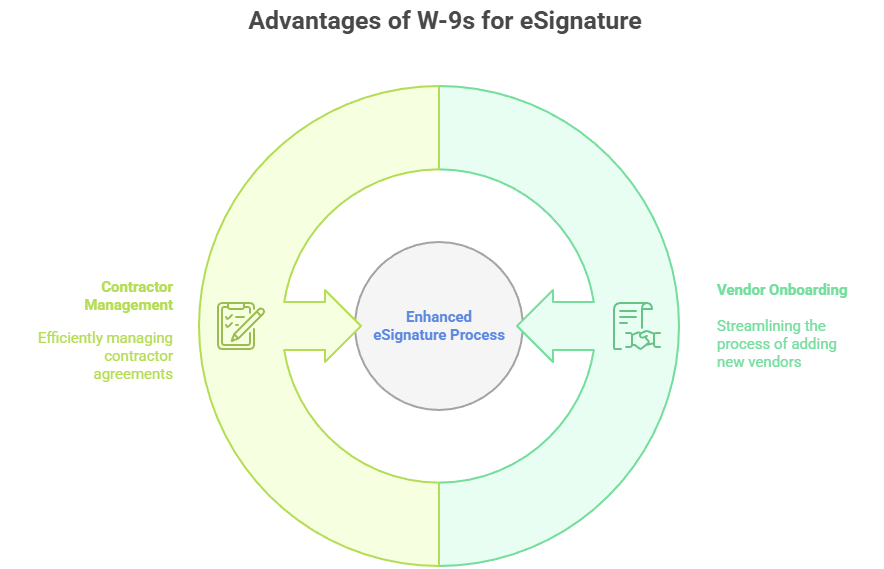
This makes W-9 collection one of the most straightforward and widely adopted electronic signature use cases, particularly for:
- Vendor onboarding
- Independent contractor engagement
- Partner and marketplace programs
For finance, operations, and procurement teams, electronic W-9 workflows significantly reduce delays, errors, and follow-ups.
How to build a compliant electronic signature workflow for IRS forms
A compliant workflow starts with aligning directly to IRS electronic signature requirements. The following framework reflects IRS guidance without adding unnecessary complexity:
- Confirm eligibility
Verify that the specific IRS form permits electronic signatures. - Enable accepted signature methods
Use signature formats IRS guidance and form instructions allow. - Capture intent to sign
Include explicit electronic consent language before signature completion. - Bind the signature to the document
Ensure the final document includes the signature, timestamp, signer data, and audit trail. - Authenticate the signer
Apply email verification, SMS codes, or multi-factor authentication as appropriate. - Preserve document integrity
Store signed documents in tamper-evident formats with controlled access. - Submit through the correct channel
Deliver the signed form via mail, fax, or IRS secure upload, as required.
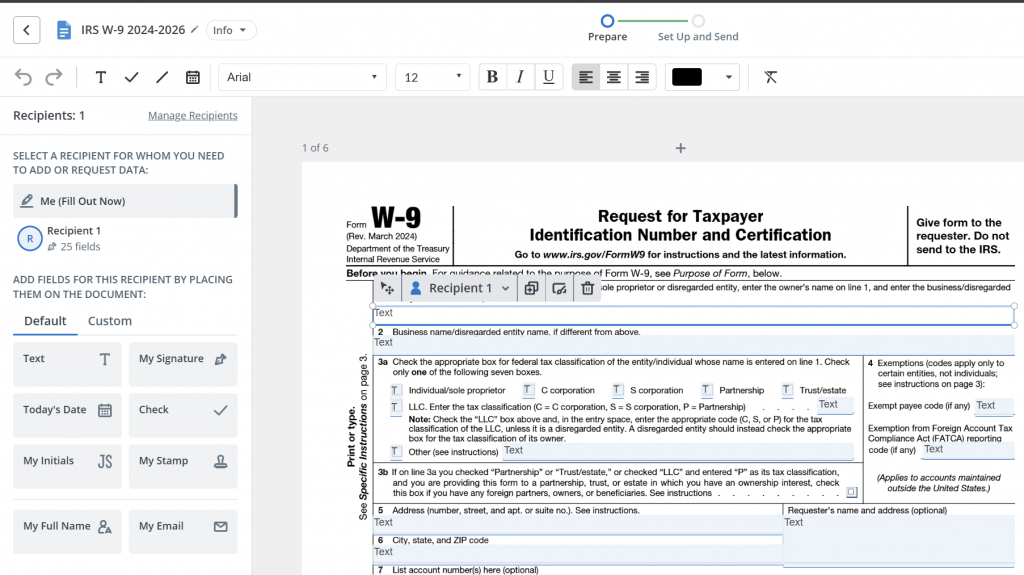
Platforms such as airSlate SignNow support these steps natively, enabling teams to standardize workflows and reduce manual compliance effort.
Why electronic signature platforms simplify IRS compliance
Manual IRS paperwork introduces avoidable risk, including missing signatures, outdated forms, inconsistent records, and limited visibility. A structured electronic signature platform replaces these issues with repeatable, auditable workflows.
With airSlate SignNow, organizations gain:
- Support for IRS-accepted electronic signature types
- Built-in consent and authentication flows
- Automatically generated audit trails
- Tamper-evident documents and secure storage
- Templates, bulk sending, and shared team access
Combined with transparent pricing, unlimited users on paid plans, and 24/7 support, SignNow scales efficiently across tax, finance, HR, operations, and sales teams.
The bottom line
If an IRS form can’t be e-filed, it doesn’t need to remain manual.
The IRS’s permanent electronic signature framework provides a compliant, efficient way to digitize high-impact tax and compliance forms. For organizations managing recurring IRS paperwork, electronic signature IRS forms are no longer a workaround; they are a best practice.
Try airSlate SignNow to discover how teams can move faster, stay compliant, and scale document workflows with confidence.
Frequently asked questions
1. How does SignNow support IRS electronic signature requirements?
SignNow is designed to support IRS electronic signature requirements by capturing signer intent, verifying identity, and preserving document integrity. Each signed IRS form includes timestamps, signer details, and a tamper-evident audit trail. This allows businesses to collect compliant electronic signatures without manually managing IRS controls.
2. Does SignNow support electronic signatures for Form W-9 under IRS official guidance?
Yes. SignNow supports Form W-9 electronic signature workflows that align with IRS official guidance, including identity verification and required certification language. This makes it well-suited for vendor onboarding and recurring W-9 collection.
3. How does SignNow help with signer identity verification for IRS forms?
SignNow offers multiple authentication options, including email verification, access controls, and SMS-based authentication. These methods support reasonable identity verification in line with IRS expectations. All verification steps are documented in the audit trail.
4. Can teams reuse IRS form templates in SignNow?
SignNow allows teams to create and reuse templates for the electronic signature of IRS forms. Templates help standardize compliance language, signature placement, and authentication settings across recurring IRS workflows.
5. How does SignNow help teams track IRS forms during the signing process?
SignNow provides real-time document status tracking and notifications. Teams can see when an IRS form has been viewed, signed, or completed, reducing delays and follow-ups. This visibility is especially useful for multi-signer or time-sensitive tax forms.
- Executive summary
- What the IRS means by “electronic signature”
- IRS forms that allow electronic signatures but require paper submission
- Special case: Form W-9 electronic signature (IRS official guidance)
- How to build a compliant electronic signature workflow for IRS forms
- Why electronic signature platforms simplify IRS compliance
- The bottom line
- Frequently asked questions
