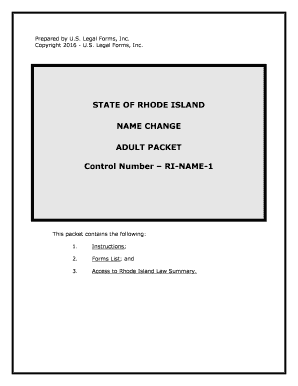
Ri Name Change Form


What is the Ri Name Change
The Ri name change refers to the legal process through which an individual in Rhode Island can officially alter their name. This process is applicable for various reasons, including marriage, divorce, personal preference, or other significant life changes. Understanding the legal implications and requirements of a name change is essential for ensuring that the new name is recognized by governmental and legal entities.
Steps to complete the Ri Name Change
Completing the Ri name change involves several key steps that must be followed to ensure compliance with state laws. The process typically includes:
- Filling out the required Ri change form accurately.
- Gathering necessary documentation, such as identification and proof of the reason for the name change.
- Submitting the form and documents to the appropriate court or agency.
- Attending a hearing if required, where a judge may review the request.
- Obtaining a certified copy of the name change order once approved.
Legal use of the Ri Name Change
Once the Ri name change is legally approved, it is crucial to understand how to use the new name in various contexts. This includes updating identification documents, such as a driver's license or passport, and notifying relevant institutions, including banks, employers, and government agencies. Legal recognition of the name change ensures that individuals can operate under their new name without legal complications.
Required Documents
To successfully complete the Ri name change process, several documents are typically required. These may include:
- A completed Ri change form.
- Proof of identity, such as a birth certificate or government-issued ID.
- Documentation supporting the reason for the name change (e.g., marriage certificate, divorce decree).
- Any additional forms as specified by the court or agency handling the name change.
Form Submission Methods
The Ri change form can be submitted through various methods, depending on the requirements of the local court or agency. Common submission methods include:
- Online submission via the court's official website, if available.
- Mailing the completed form and documents to the appropriate court.
- In-person submission at the local courthouse.
Eligibility Criteria
To be eligible for a Ri name change, individuals must meet certain criteria established by state law. Generally, applicants must be residents of Rhode Island and provide valid reasons for the name change. Additionally, individuals with pending criminal charges or certain legal restrictions may face limitations in their ability to change their name.
Quick guide on how to complete ri name change
Complete Ri Name Change effortlessly on any device
Digital document management has gained traction among businesses and individuals alike. It serves as an ideal eco-friendly alternative to conventional printed and signed paperwork, allowing you to access the necessary form and securely store it online. airSlate SignNow equips you with all the resources needed to create, modify, and eSign your documents quickly without delays. Manage Ri Name Change on any platform using airSlate SignNow's Android or iOS applications and simplify any document-oriented process today.
How to modify and eSign Ri Name Change effortlessly
- Obtain Ri Name Change and click on Get Form to begin.
- Utilize the tools we provide to complete your form.
- Emphasize pertinent sections of your documents or obscure sensitive information with tools that airSlate SignNow specifically offers for that purpose.
- Generate your eSignature using the Sign tool, which takes mere seconds and holds the same legal validity as a traditional handwritten signature.
- Review the information and click on the Done button to save your changes.
- Select your preferred method of sharing your form, be it via email, text message (SMS), or invitation link, or download it to your computer.
Say goodbye to lost or misplaced documents, tedious form searching, or errors that necessitate printing new document copies. airSlate SignNow meets all your document management requirements with just a few clicks from any device you choose. Alter and eSign Ri Name Change while ensuring excellent communication at every stage of the form preparation process with airSlate SignNow.
Create this form in 5 minutes or less
Create this form in 5 minutes!
People also ask
-
What is the ri name feature in airSlate SignNow?
The ri name feature in airSlate SignNow allows users to create and customize electronic signatures easily. This functionality ensures that your documents are signed quickly and securely, enhancing the overall user experience when managing contracts and agreements.
-
How can the ri name benefit my business?
Implementing the ri name feature in airSlate SignNow can streamline your document signing process, saving time and reducing paperwork. It provides a secure and legally binding way to obtain signatures, helping your business operate more efficiently and effectively.
-
What are the pricing plans for using the ri name feature?
airSlate SignNow offers competitive pricing plans that include the ri name feature. You can choose from various options tailored to your business needs, ensuring that you get the best value whether you are a small startup or a large enterprise.
-
Is the ri name feature easy to use?
Yes, the ri name feature in airSlate SignNow is designed for ease of use. The user-friendly interface allows anyone to send documents for eSignature without any prior experience, making it accessible for all members of your team.
-
Can I integrate the ri name feature with other applications?
Absolutely! The ri name feature in airSlate SignNow seamlessly integrates with a variety of applications, including CRM systems and cloud storage services. This connectivity enhances your workflow, allowing for greater efficiency and organization.
-
What security measures does airSlate SignNow implement for the ri name feature?
Security is a priority for airSlate SignNow when it comes to the ri name feature. The platform adheres to industry-standard security protocols, including encryption and secure access controls, to ensure that your documents are safe throughout the signing process.
-
Can I track the status of documents signed with the ri name feature?
Yes, airSlate SignNow provides tracking capabilities for documents signed using the ri name feature. You can easily monitor the status of each document, receive notifications when they are viewed or signed, and maintain complete visibility throughout the signing process.
Get more for Ri Name Change
- Iowa agreement form
- Idaho agreement for payment of unpaid rent form
- Abandoned property 481373389 form
- Indiana residential or rental lease extension agreement form
- Indiana unpaid form
- Kansas letter from tenant to landlord containing notice of failure to return security deposit and demand for return form
- Ks landlord form
- Ky landlord form
Find out other Ri Name Change
- eSignature South Dakota Real Estate Lease Termination Letter Simple
- eSignature Tennessee Real Estate Cease And Desist Letter Myself
- How To eSignature New Mexico Sports Executive Summary Template
- Can I eSignature Utah Real Estate Operating Agreement
- eSignature Vermont Real Estate Warranty Deed Online
- eSignature Vermont Real Estate Operating Agreement Online
- eSignature Utah Real Estate Emergency Contact Form Safe
- eSignature Washington Real Estate Lease Agreement Form Mobile
- How Can I eSignature New York Sports Executive Summary Template
- eSignature Arkansas Courts LLC Operating Agreement Now
- How Do I eSignature Arizona Courts Moving Checklist
- eSignature Wyoming Real Estate Quitclaim Deed Myself
- eSignature Wyoming Real Estate Lease Agreement Template Online
- How Can I eSignature Delaware Courts Stock Certificate
- How Can I eSignature Georgia Courts Quitclaim Deed
- Help Me With eSignature Florida Courts Affidavit Of Heirship
- Electronic signature Alabama Banking RFP Online
- eSignature Iowa Courts Quitclaim Deed Now
- eSignature Kentucky Courts Moving Checklist Online
- eSignature Louisiana Courts Cease And Desist Letter Online