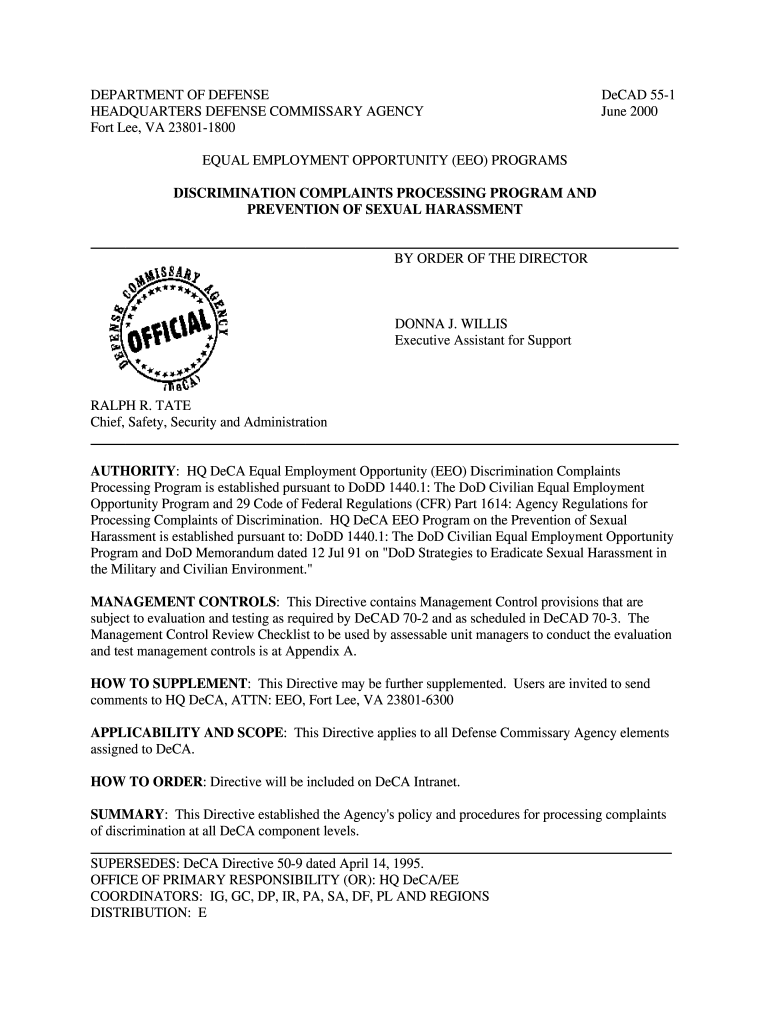
Deca Form 55 1 2000-2026


What is the Deca Form 55 1
The Deca Form 55 1 is a standardized document used for filing customer complaints within the Defense Commissary Agency (DeCA) system. This form is essential for individuals who wish to formally express dissatisfaction regarding services or products received at commissaries. It ensures that complaints are documented and addressed appropriately, allowing for improvements in customer service and product offerings. The form collects relevant information such as the complainant's details, the nature of the complaint, and any supporting documentation necessary for resolution.
How to use the Deca Form 55 1
Using the Deca Form 55 1 involves several straightforward steps. First, obtain the form, which can be accessed as a fillable PDF. After downloading, fill in the required fields, including personal information and details of the complaint. Be specific about the issue, providing as much context as possible to facilitate a thorough review. Once completed, submit the form according to the instructions provided, either electronically or via mail, ensuring that all necessary attachments are included. This process helps ensure that the complaint is processed efficiently.
Steps to complete the Deca Form 55 1
Completing the Deca Form 55 1 requires attention to detail. Follow these steps for accurate submission:
- Download the Deca Form 55 1 from a reliable source.
- Fill in your personal information, including name, contact details, and relationship to the commissary.
- Clearly describe the nature of your complaint, including dates, locations, and any relevant circumstances.
- Attach any supporting documents, such as receipts or photographs, that may help clarify your complaint.
- Review the form for completeness and accuracy before submission.
- Submit the form via the specified method, whether online or by mail.
Legal use of the Deca Form 55 1
The Deca Form 55 1 is legally recognized as a formal means of lodging complaints within the DeCA framework. It provides a structured approach for customers to voice their concerns, ensuring that their grievances are documented and can be addressed in accordance with established procedures. By using this form, customers can expect a systematic response, as it aligns with the legal obligations of the agency to manage customer feedback effectively.
Key elements of the Deca Form 55 1
Key elements of the Deca Form 55 1 include:
- Contact Information: The complainant's name, address, and contact details.
- Complaint Details: A clear description of the issue, including specific incidents and dates.
- Supporting Documentation: Any relevant attachments that provide context or evidence for the complaint.
- Signature: The complainant's signature, affirming the accuracy of the information provided.
Form Submission Methods
The Deca Form 55 1 can be submitted through various methods to accommodate different preferences. Customers may choose to submit the form electronically via designated online platforms or send it via traditional mail. When submitting online, ensure that you are using a secure and reliable service. If opting for mail, consider using certified mail to confirm receipt of your complaint. Each submission method has its own processing times, so be mindful of how quickly you wish to receive a response.
Quick guide on how to complete decad 55 1 commissariescom
Discover the simplest method to complete and endorse your Deca Form 55 1
Are you still spending time preparing your official documents on paper instead of working online? airSlate SignNow offers a superior approach to fill out and endorse your Deca Form 55 1 and related forms for public services. Our intelligent electronic signature solution equips you with all necessary tools to handle documents efficiently and in compliance with official standards - comprehensive PDF editing, management, protection, signing, and sharing features are readily available within an intuitive interface.
Only a few steps are needed to complete and endorse your Deca Form 55 1:
- Insert the fillable template into the editor by clicking the Get Form button.
- Review what information you need to include in your Deca Form 55 1.
- Navigate through the fields using the Next button to avoid missing anything.
- Utilize Text, Check, and Cross tools to fill in the blanks with your details.
- Enhance the content with Text boxes or Images from the upper toolbar.
- Emphasize what is signNow or Remove fields that are no longer relevant.
- Press Sign to generate a legally valid electronic signature using your preferred method.
- Add the Date beside your signature and conclude your task with the Done button.
Store your completed Deca Form 55 1 in the Documents folder within your account, download it, or export it to your preferred cloud storage. Our solution also offers flexible file sharing options. There’s no need to print out your templates when you need to submit them to the appropriate public office - simply send them via email, fax, or request a USPS “snail mail” delivery from your account. Try it today!
Create this form in 5 minutes or less
FAQs
-
How do you know if you need to fill out a 1099 form?
Assuming that you are talking about 1099-MISC. Note that there are other 1099s.check this post - Form 1099 MISC Rules & RegulationsQuick answer - A Form 1099 MISC must be filed for each person to whom payment is made of:$600 or more for services performed for a trade or business by people not treated as employees;Rent or prizes and awards that are not for service ($600 or more) and royalties ($10 or more);any fishing boat proceeds,gross proceeds of $600, or more paid to an attorney during the year, orWithheld any federal income tax under the backup withholding rules regardless of the amount of the payment, etc.
-
How do I fill out adress line 1 on amazon.com?
To tell you the truth, I don’t have an account in amazon.com.First, about the address 1 portion, it can be found online stating that address 1 is where you put you house number and street address. As for address 2, you may or may not have to put additional information such as for apartments/condominiums/studio units and etc of which level.Second, as some have stated that address 2 is optional. Some stated that it is just when your address is too long and cannot fit in address 1, you might continue typing it in address 2.Third, some stated that address 1 and address 2 is where people will write down both of their address and stating that you have to send the package to address 2 instead of address 1.Commonly is the first one. I am not sure it helps. To clarify this, you may ask at its official website support team. Or you may wait for the next person who will answer this question.
-
How do I fill out Address Line 1 on an Online Form?
(street number) (street name) (street suffix)101 Main StreetYou can query the post office on your address, best as you know it, for the “standard” way of presenting your address. USPS.com® - ZIP Code Lookup or whatever service is offered in your country. That will tell you the standard way to fill out address lines.
-
How do we know the eligibility to fill out Form 12 BB?
Every year as a salaried employee many of you must have fill Form 12BB, but did you ever bothered to know its purpose. Don’t know ??It is indispensable for both, you and your employer. With the help of Form 12BB, you will be able to figure out how much income tax is to be deducted from your monthly pay. Further, with the help of Form 12BB, you will be in relief at the time of filing returns as at that time you will not have to pay anything due to correct TDS deduction.So, before filing such important form keep the below listed things in your mind so that you may live a tax hassle free life.For More Information:- 7 key points which must be known before filling Form 12BB
Create this form in 5 minutes!
How to create an eSignature for the decad 55 1 commissariescom
How to generate an eSignature for the Decad 55 1 Commissariescom online
How to create an eSignature for your Decad 55 1 Commissariescom in Chrome
How to generate an electronic signature for signing the Decad 55 1 Commissariescom in Gmail
How to generate an eSignature for the Decad 55 1 Commissariescom right from your smartphone
How to generate an eSignature for the Decad 55 1 Commissariescom on iOS devices
How to make an electronic signature for the Decad 55 1 Commissariescom on Android
People also ask
-
What is Deca Form 55 1 and how does it work?
Deca Form 55 1 is a versatile document that facilitates electronic signatures and efficient document management. With airSlate SignNow, users can seamlessly create, send, and eSign Deca Form 55 1, ensuring a smooth workflow and compliance with legal standards.
-
How much does it cost to use Deca Form 55 1 with airSlate SignNow?
The pricing for using Deca Form 55 1 with airSlate SignNow varies based on the subscription plan chosen. We offer flexible pricing options that cater to businesses of all sizes, ensuring that you can access the features you need without breaking the bank.
-
What features does Deca Form 55 1 offer?
Deca Form 55 1 comes with a range of features including customizable templates, secure electronic signatures, and real-time tracking of document status. These features make managing your documents easier and more efficient, allowing for a streamlined signing process.
-
How can Deca Form 55 1 benefit my business?
Using Deca Form 55 1 can signNowly enhance your business operations by reducing turnaround times for document signing and improving overall efficiency. With airSlate SignNow, you can automate workflows and minimize paper usage, leading to cost savings and a greener approach to business.
-
Can I integrate Deca Form 55 1 with other software?
Yes, Deca Form 55 1 can be easily integrated with various software applications through airSlate SignNow's robust API. This flexibility allows businesses to enhance their existing systems and improve document workflows seamlessly.
-
Is Deca Form 55 1 secure for sensitive documents?
Absolutely! Deca Form 55 1 is designed with security in mind, incorporating advanced encryption and compliance with industry standards. airSlate SignNow ensures that your documents remain confidential and secure throughout the signing process.
-
How do I get started with Deca Form 55 1 on airSlate SignNow?
Getting started with Deca Form 55 1 is simple. Just sign up for an account on airSlate SignNow, choose the Deca Form 55 1 template, and begin customizing it to fit your needs. Our user-friendly interface makes it easy to send and eSign documents in no time.
Get more for Deca Form 55 1
- Hipaa authorization form georgia
- Iso 9001 supplier evaluation template form
- Helping hands application form
- Unum critical illness claim form
- Restraining order ct 101266341 form
- E zwich app form
- Tow trucks operators and vehicle storage tdlr texas gov form
- Form it 2106 estimated income tax payment voucher for fiduciaries tax year 708712262
Find out other Deca Form 55 1
- How Can I Electronic signature Pennsylvania Legal Last Will And Testament
- Electronic signature Rhode Island Legal Last Will And Testament Simple
- Can I Electronic signature Rhode Island Legal Residential Lease Agreement
- How To Electronic signature South Carolina Legal Lease Agreement
- How Can I Electronic signature South Carolina Legal Quitclaim Deed
- Electronic signature South Carolina Legal Rental Lease Agreement Later
- Electronic signature South Carolina Legal Rental Lease Agreement Free
- How To Electronic signature South Dakota Legal Separation Agreement
- How Can I Electronic signature Tennessee Legal Warranty Deed
- Electronic signature Texas Legal Lease Agreement Template Free
- Can I Electronic signature Texas Legal Lease Agreement Template
- How To Electronic signature Texas Legal Stock Certificate
- How Can I Electronic signature Texas Legal POA
- Electronic signature West Virginia Orthodontists Living Will Online
- Electronic signature Legal PDF Vermont Online
- How Can I Electronic signature Utah Legal Separation Agreement
- Electronic signature Arizona Plumbing Rental Lease Agreement Myself
- Electronic signature Alabama Real Estate Quitclaim Deed Free
- Electronic signature Alabama Real Estate Quitclaim Deed Safe
- Electronic signature Colorado Plumbing Business Plan Template Secure