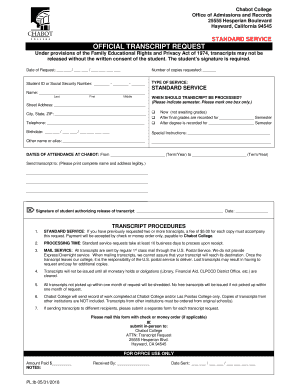
Sf 1034 2018


What is the SF-1034?
The SF-1034, also known as the Public Voucher for Purchases and Services Other Than Personal, is a form used primarily by federal agencies to request reimbursement for expenses incurred during the procurement of goods or services. This form is essential for maintaining transparency and accountability in government spending. It captures detailed information about the transaction, including the vendor, amount, and purpose of the expenditure.
How to Obtain the SF-1034
To obtain the SF-1034 form, individuals or organizations can typically access it through the official government website or directly from the agency that requires it. The form is often available in a downloadable PDF format, making it easy to print and fill out. Additionally, some agencies may provide the form through their internal systems for employees or contractors who need to submit reimbursement requests.
Steps to Complete the SF-1034
Completing the SF-1034 involves several key steps:
- Download the form from the appropriate agency website.
- Fill in the required fields, including the vendor name, invoice number, and amount requested.
- Attach supporting documentation, such as receipts or invoices, to validate the expenses.
- Review the completed form for accuracy and completeness.
- Submit the form according to the agency's submission guidelines, which may include online submission or mailing a hard copy.
Legal Use of the SF-1034
The SF-1034 is legally binding when properly completed and submitted. It serves as an official record of the financial transaction and is subject to audit. Ensuring that all information is accurate and that supporting documents are attached is crucial for compliance with federal regulations. Misuse or inaccuracies in the form can lead to penalties or delays in reimbursement.
Key Elements of the SF-1034
Key elements of the SF-1034 include:
- Vendor Information: Details about the vendor providing goods or services.
- Invoice Number: A unique identifier for the transaction.
- Amount Requested: The total amount being claimed for reimbursement.
- Purpose of Expenditure: A brief description of what the funds were used for.
- Signature: The authorized signature of the individual submitting the form.
Form Submission Methods
The SF-1034 can be submitted through various methods, depending on the agency's requirements. Common submission methods include:
- Online Submission: Many agencies offer electronic submission through their internal systems.
- Mail: Completed forms can often be mailed to the designated office for processing.
- In-Person: Some agencies may allow individuals to submit the form in person at specific locations.
Quick guide on how to complete under provisions of the family educational rights and privacy act of 1974 transcripts may not be
The optimal method to discover and sign Sf 1034
Across the full spectrum of your organization, inefficient workflows related to document authorization can consume signNow working hours. Endorsing documents like Sf 1034 is an inherent aspect of operations in every sector, which is why the effectiveness of each agreement’s lifecycle is critical to the company’s overall productivity. With airSlate SignNow, endorsing your Sf 1034 can be as straightforward and swift as possible. This platform provides you with the latest version of nearly any form. Even better, you can sign it instantly without the need to install additional software on your computer or print any physical copies.
Steps to obtain and endorse your Sf 1034
- Browse our collection by category or use the search bar to find the form you require.
- View the form preview by selecting Learn more to confirm it’s the correct one.
- Press Get form to start editing immediately.
- Fill out your form and input any necessary information using the toolbar.
- Once completed, click the Sign tool to endorse your Sf 1034.
- Select the signature method that suits you best: Draw, Create initials, or upload an image of your handwritten signature.
- Click Done to finalize editing and proceed to document-sharing options as necessary.
With airSlate SignNow, you possess everything necessary to manage your documents efficiently. You can locate, complete, modify, and even send your Sf 1034 within a single tab with ease. Simplify your workflows with a unified, intelligent eSignature solution.
Create this form in 5 minutes or less
Find and fill out the correct under provisions of the family educational rights and privacy act of 1974 transcripts may not be
Create this form in 5 minutes!
How to create an eSignature for the under provisions of the family educational rights and privacy act of 1974 transcripts may not be
How to create an eSignature for your Under Provisions Of The Family Educational Rights And Privacy Act Of 1974 Transcripts May Not Be online
How to create an electronic signature for the Under Provisions Of The Family Educational Rights And Privacy Act Of 1974 Transcripts May Not Be in Chrome
How to create an eSignature for signing the Under Provisions Of The Family Educational Rights And Privacy Act Of 1974 Transcripts May Not Be in Gmail
How to make an electronic signature for the Under Provisions Of The Family Educational Rights And Privacy Act Of 1974 Transcripts May Not Be straight from your smart phone
How to create an eSignature for the Under Provisions Of The Family Educational Rights And Privacy Act Of 1974 Transcripts May Not Be on iOS devices
How to generate an electronic signature for the Under Provisions Of The Family Educational Rights And Privacy Act Of 1974 Transcripts May Not Be on Android devices
People also ask
-
What is the SF 1034 form and how does airSlate SignNow help with it?
The SF 1034 form, also known as the Public Voucher for Purchases and Services Other Than Personal, is a critical document in federal contracting. With airSlate SignNow, you can easily create, send, and eSign your SF 1034 forms, ensuring compliance and efficiency in your documentation process.
-
How can I integrate SF 1034 forms with my existing software using airSlate SignNow?
airSlate SignNow offers numerous integrations with popular software solutions, allowing you to seamlessly incorporate SF 1034 forms into your workflow. Whether you're using CRM, ERP, or project management tools, our platform ensures that your SF 1034 documentation is accessible and manageable within your existing systems.
-
What are the pricing options for using airSlate SignNow for SF 1034 forms?
airSlate SignNow provides various pricing plans tailored to meet the needs of different users, whether you're an individual, a small business, or a large organization. Each plan includes features to facilitate the effective management of SF 1034 forms, making it a cost-effective solution for all your eSigning needs.
-
Can I customize my SF 1034 form templates in airSlate SignNow?
Yes, airSlate SignNow allows you to customize your SF 1034 form templates to suit your specific requirements. You can add your branding, adjust fields, and set up workflows that streamline the signing process while ensuring that all necessary information is captured.
-
Is it secure to use airSlate SignNow for signing SF 1034 forms?
Absolutely! airSlate SignNow prioritizes security by employing industry-standard encryption and authentication protocols to protect your SF 1034 forms and data. Our platform ensures that your documents are safe and compliant with legal standards.
-
What features does airSlate SignNow offer for managing SF 1034 forms?
airSlate SignNow offers a wide array of features for managing SF 1034 forms, including easy document creation, multiple signing options, real-time tracking, and automated reminders. These features enhance your productivity and ensure timely completion of your paperwork.
-
How does airSlate SignNow improve the efficiency of handling SF 1034 forms?
By utilizing airSlate SignNow, businesses can signNowly improve the efficiency of handling SF 1034 forms through automated workflows and easy eSigning capabilities. This reduces turnaround times and minimizes the risk of errors compared to traditional paper methods.
Get more for Sf 1034
- Woodland data form wd 1i
- Ameritas dental group enrollmentchange or waiver form lincoln ne
- Order of operations error analysis pdf form
- Home telemonitoring services prior authorization tmhp com form
- Marquis rebate form
- Third party pick up authorization form sf express
- Standard form for presentation of loss and damage claim to abf freight system inc uhbooks hawaii
- Electrical proposal template form
Find out other Sf 1034
- How Do I eSign Hawaii Insurance Operating Agreement
- eSign Hawaii Insurance Stock Certificate Free
- eSign New Hampshire Lawers Promissory Note Template Computer
- Help Me With eSign Iowa Insurance Living Will
- eSign North Dakota Lawers Quitclaim Deed Easy
- eSign Ohio Lawers Agreement Computer
- eSign North Dakota Lawers Separation Agreement Online
- How To eSign North Dakota Lawers Separation Agreement
- eSign Kansas Insurance Moving Checklist Free
- eSign Louisiana Insurance Promissory Note Template Simple
- eSign Texas Lawers Contract Fast
- eSign Texas Lawers Lease Agreement Free
- eSign Maine Insurance Rental Application Free
- How Can I eSign Maryland Insurance IOU
- eSign Washington Lawers Limited Power Of Attorney Computer
- eSign Wisconsin Lawers LLC Operating Agreement Free
- eSign Alabama Legal Quitclaim Deed Online
- eSign Alaska Legal Contract Safe
- How To eSign Alaska Legal Warranty Deed
- eSign Alaska Legal Cease And Desist Letter Simple