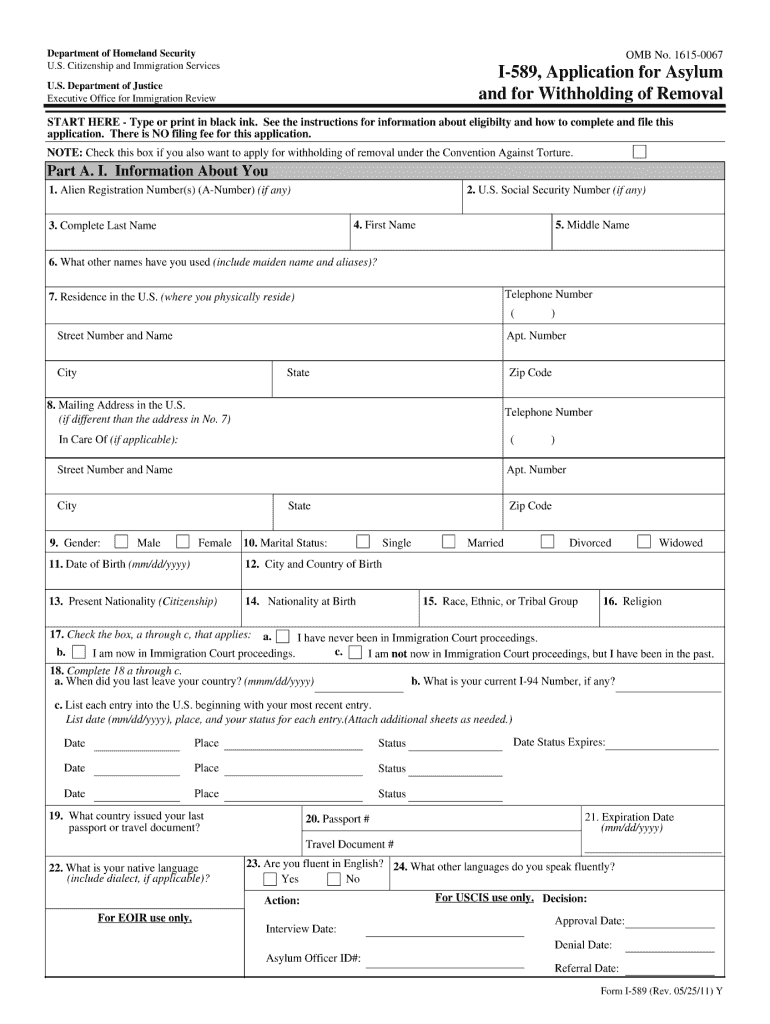
Federal Register Privacy Act; Alien File a File and Central Index 2020


What is the Federal Register Privacy Act; Alien File A File And Central Index
The Federal Register Privacy Act; Alien File A File And Central Index is a crucial document that serves to protect the privacy of individuals while managing records related to immigration and nationality. This form is part of the broader framework established by the Privacy Act of 1974, which aims to safeguard personal information held by federal agencies. The Alien File, often referred to as A-File, contains detailed records about non-citizens, including their immigration history, legal status, and any interactions with U.S. immigration authorities. The Central Index is a compilation of these files, ensuring that information is organized and accessible for authorized personnel while maintaining the confidentiality of the individuals involved.
How to use the Federal Register Privacy Act; Alien File A File And Central Index
Utilizing the Federal Register Privacy Act; Alien File A File And Central Index involves understanding the specific procedures for accessing and managing your A-File. Individuals can request their A-File through the U.S. Citizenship and Immigration Services (USCIS) by submitting a Form G-639, Freedom of Information Act Request. This request must include personal identification details to verify the identity of the requester. Once the request is submitted, individuals can track the status online. It is essential to provide accurate information to ensure timely processing and retrieval of the necessary documents.
Steps to complete the Federal Register Privacy Act; Alien File A File And Central Index
Completing the Federal Register Privacy Act; Alien File A File And Central Index requires careful attention to detail. Here are the steps to follow:
- Gather necessary personal information, including your full name, date of birth, and any relevant immigration details.
- Obtain and fill out Form G-639, ensuring all required fields are completed accurately.
- Submit the form to USCIS via mail or electronically, depending on the chosen submission method.
- Keep a copy of the submitted form for your records.
- Monitor the status of your request through the USCIS online portal.
Legal use of the Federal Register Privacy Act; Alien File A File And Central Index
The legal use of the Federal Register Privacy Act; Alien File A File And Central Index is governed by federal regulations that dictate how personal information can be accessed and utilized. Authorized entities, such as immigration officials and legal representatives, may access A-Files for legitimate purposes, including legal proceedings or immigration status verification. Individuals have the right to request their own A-File to review the information contained within, ensuring transparency and the ability to address any inaccuracies. Compliance with the Privacy Act is crucial for protecting the rights of individuals and maintaining the integrity of personal data.
Required Documents
When requesting access to the Federal Register Privacy Act; Alien File A File And Central Index, specific documents are necessary to verify identity and facilitate the process. The following documents are typically required:
- A completed Form G-639, Freedom of Information Act Request.
- Proof of identity, such as a government-issued photo ID (passport, driver's license).
- Any additional documentation that may support your request, such as previous immigration paperwork.
Eligibility Criteria
Eligibility to access the Federal Register Privacy Act; Alien File A File And Central Index is primarily limited to individuals who are the subjects of the records. To qualify, you must meet the following criteria:
- You must be the individual named in the A-File or have legal authority to request the information on their behalf.
- You must provide sufficient identification to verify your identity.
- Requests from third parties, such as family members or attorneys, must include appropriate consent from the individual concerned.
Quick guide on how to complete federal register privacy act alien file a file and central index
Effortlessly complete Federal Register Privacy Act; Alien File A File And Central Index on any device
Digital document management has gained popularity among companies and individuals. It offers an ideal eco-friendly substitute for conventional printed and signed materials, allowing you to find the right template and securely save it online. airSlate SignNow equips you with all the necessary tools to create, modify, and electronically sign your documents promptly without any holdups. Manage Federal Register Privacy Act; Alien File A File And Central Index on any device using airSlate SignNow's Android or iOS applications and enhance any document-centric workflow today.
How to modify and electronically sign Federal Register Privacy Act; Alien File A File And Central Index with ease
- Obtain Federal Register Privacy Act; Alien File A File And Central Index and click on Get Form to begin.
- Utilize the tools we offer to complete your document.
- Emphasize important sections of your documents or redact sensitive information with features that airSlate SignNow provides specifically for that purpose.
- Generate your electronic signature using the Sign tool, which takes just seconds and holds the same legal validity as a traditional handwritten signature.
- Review all the information and click on the Done button to apply your changes.
- Select your preferred method for delivering your form, whether by email, SMS, invitation link, or download it to your computer.
Eliminate worries about lost or misplaced documents, tedious form searches, or errors that necessitate printing new copies. airSlate SignNow meets your document management needs in just a few clicks from any device of your preference. Modify and electronically sign Federal Register Privacy Act; Alien File A File And Central Index and ensure exceptional communication at every stage of the form preparation process with airSlate SignNow.
Create this form in 5 minutes or less
Find and fill out the correct federal register privacy act alien file a file and central index
Create this form in 5 minutes!
How to create an eSignature for the federal register privacy act alien file a file and central index
How to generate an eSignature for a PDF document online
How to generate an eSignature for a PDF document in Google Chrome
How to generate an eSignature for signing PDFs in Gmail
The best way to make an eSignature from your smart phone
The best way to create an eSignature for a PDF document on iOS
The best way to make an eSignature for a PDF file on Android OS
People also ask
-
What is the Federal Register Privacy Act and how does it relate to the Alien File A File and Central Index?
The Federal Register Privacy Act governs how personal data is handled by federal agencies, including procedures related to the Alien File A File and Central Index. Understanding this act is crucial for maintaining compliance when utilizing tools like airSlate SignNow for document management and e-signatures. airSlate SignNow ensures that your document processes align with these regulations, providing you peace of mind.
-
How does airSlate SignNow help with compliance regarding the Federal Register Privacy Act?
airSlate SignNow helps businesses comply with the Federal Register Privacy Act by implementing stringent data security measures and privacy controls. Our platform is designed to ensure that sensitive information related to the Alien File A File and Central Index is handled appropriately. Additionally, we offer tools for users to manage consent and access, making compliance seamless.
-
What features does airSlate SignNow offer for managing documents related to the Alien File A File and Central Index?
airSlate SignNow offers a variety of features including e-signature capabilities, document templates, and secure storage. These tools are vital for efficiently managing documents associated with the Alien File A File and Central Index while ensuring compliance with the Federal Register Privacy Act. Our platform streamlines document workflows, reducing errors and improving efficiency.
-
Is airSlate SignNow a cost-effective solution for businesses concerned about the Federal Register Privacy Act?
Yes, airSlate SignNow is designed to be a cost-effective solution that caters to businesses of all sizes, especially those needing to navigate the complexities of the Federal Register Privacy Act. With competitive pricing plans, you can manage your documents related to the Alien File A File and Central Index without straining your budget. This affordability makes it an attractive choice for compliance-focused organizations.
-
What integrations does airSlate SignNow support to enhance compliance with the Federal Register Privacy Act?
airSlate SignNow supports a range of integrations with popular applications and platforms that facilitate compliance with the Federal Register Privacy Act. These integrations make it easier to connect your existing workflows with document management solutions for handling the Alien File A File and Central Index. By streamlining your processes, you can maintain compliance and improve efficiency.
-
Can airSlate SignNow assist in tracking access to documents governed by the Federal Register Privacy Act?
Absolutely! airSlate SignNow includes robust tracking features that allow you to monitor access to documents governed by the Federal Register Privacy Act. This is particularly important for files related to the Alien File A File and Central Index, as it ensures that unauthorized access is prevented and compliance is upheld. Enhanced tracking provides valuable insights into document workflows.
-
What benefits do businesses gain from using airSlate SignNow in relation to the Alien File A File and Central Index?
By using airSlate SignNow for managing documents related to the Alien File A File and Central Index, businesses benefit from improved efficiency and compliance with the Federal Register Privacy Act. Our easy-to-use platform enables quick e-signatures and document sharing while ensuring that sensitive information is protected. This not only saves time but also enhances the overall customer experience.
Get more for Federal Register Privacy Act; Alien File A File And Central Index
- Stavros tempus form
- Hoff cutler scholar nomination forms ohio university ohio
- Mca iii test preparation grade 8 my hrw form
- Form number 4535
- Change of address meabf chicago meabf form
- Secondary resource interventions handout farmer 07 23 15 form
- Subcontracting agreement template form
- Termination of independent contractor agreement template form
Find out other Federal Register Privacy Act; Alien File A File And Central Index
- How To Integrate Sign in Banking
- How To Use Sign in Banking
- Help Me With Use Sign in Banking
- Can I Use Sign in Banking
- How Do I Install Sign in Banking
- How To Add Sign in Banking
- How Do I Add Sign in Banking
- How Can I Add Sign in Banking
- Can I Add Sign in Banking
- Help Me With Set Up Sign in Government
- How To Integrate eSign in Banking
- How To Use eSign in Banking
- How To Install eSign in Banking
- How To Add eSign in Banking
- How To Set Up eSign in Banking
- How To Save eSign in Banking
- How To Implement eSign in Banking
- How To Set Up eSign in Construction
- How To Integrate eSign in Doctors
- How To Use eSign in Doctors