
How to sign a digital contract: A practical guide for 2025


Why electronic signatures and digital contract signing matter in 2025
- The electronic signature market hit around USD 12.22 billion by 2025 and is continuously growing. They also support remote teams and mobile workflows that businesses depend on in 2025.
- Digital contract signing improves visibility and reduces delays. It gives teams immediate access to documents and eliminates physical bottlenecks.
- Companies save costs by reducing printing, scanning, and mailing. With SignNow, teams benefit from predictable pricing and scalable workflows.
- Organizations rely on electronic signatures to maintain compliance and track every action. Digital audit trails strengthen internal governance and protect against disputes.

Required tools for signing digital contracts
Digital contract signing requires quite a simple set of tools: a secure eSignature platform like SignNow, access to the contract, and a connected device.
SignNow works on laptops, tablets, and mobile phones, making signing easy anywhere. A stable internet connection helps prevent delays during the signing process.
Organizations can choose the level of verification needed and the authentication methods. Email verification or SMS codes add an extra layer of security.
Preparing your contract for electronic signing: step by step
Thorough contract preparation ensures a seamless digital signing experience. It also helps prevent errors and delays during workflow routing. If you are using SignNow, here’s your instruction to prepare a digital contract for signing.
- Upload the finalized contract to SignNow.

2. Place fields and assign each to the correct signer for accuracy.
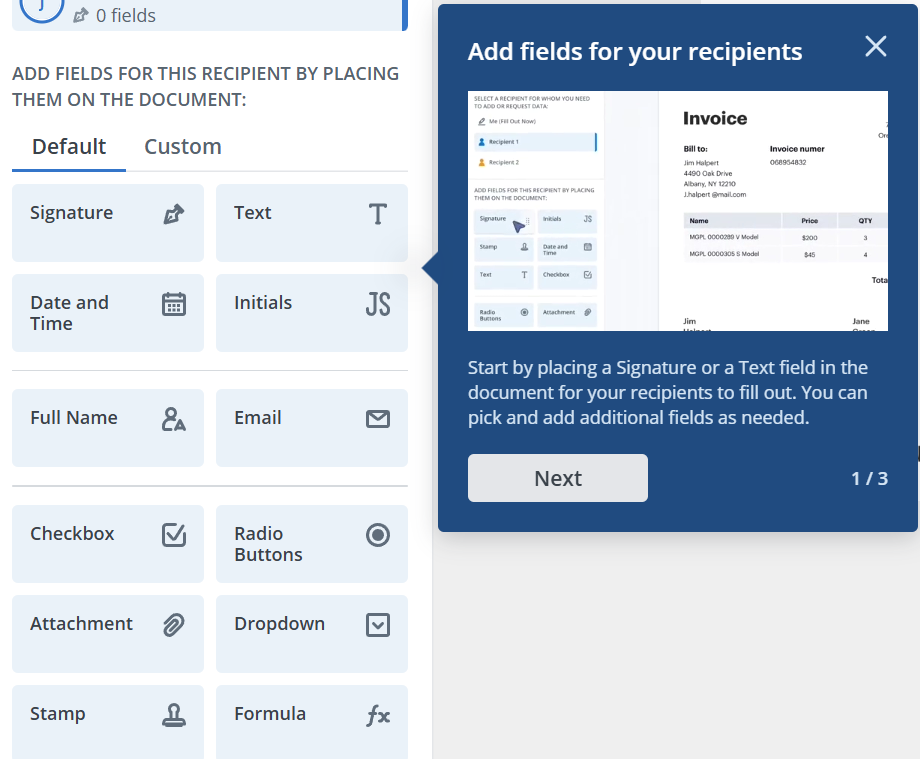
3. Check contract details before sending.
4. Verify assignments, field placement, and signing order.
Contract preparation checklist
Save and keep it for every time you need to check the prepared contract.
- Finalize the contract language
- Upload the document to SignNow
- Add signatures, initials, dates, and required fields
- Assign fields to the right signer
- Choose sequential or parallel signing
- Review and send
Verifying the legitimacy of a digital contract
Legitimate digital contracts require clear identity verification and secure delivery. SignNow supports this through authentication tools and encrypted workflows.
Verifying documents strengthens trust between signers. It also helps companies meet compliance and record-keeping obligations.
Ways to confirm legitimacy:
- Confirm sender identity
- Review the audit trail
- Check for tamper-evident seals
- Verify signature timestamps
- Confirm document integrity
SignNow’s resources contain information about eSignature legality across countries. The enhanced security of the solution makes digital contracts more reliable than paper-based processes.
Step-by-step: How to sign a digital contract with SignNow
Signing a digital contract with SignNow is fast and simple. The platform guides signers through every required field.
Steps to sign a contract:
- Open the email from SignNow and click the secure link.
- Review the contract in the browser or mobile app.
- Follow the highlighted fields and complete the required text or initials.
- Choose a signature style: type, draw, or upload.
- Click Finish to submit the signed contract.
- Download or save a copy for your records.
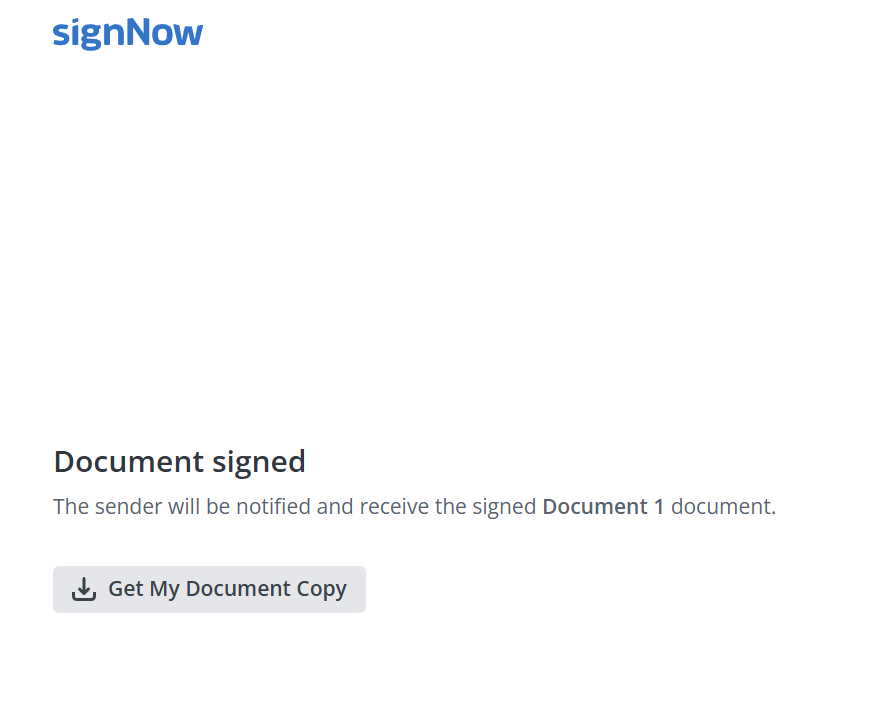
That’s how easy digital signing is for anyone on any device.
Multi-signer and sequential signing workflows
Many contracts require multiple people to sign. SignNow supports both sequential and parallel signing.
Sequential signing routes the document in order. Parallel signing allows multiple people to sign simultaneously.
Organizations use these workflows for approvals, onboarding, and sales agreements. SignNow tracks each signer and maintains visibility.
Common multi-signer scenarios:
- Buyer and seller agreements
- Employee onboarding packets
- Vendor onboarding forms
- Real estate contracts
Authenticating signers and preventing fraud
Identity verification protects both the signer and the business. SignNow offers authentication tools to strengthen access control.
Authentication methods ensure only the intended signer completes the document. Fraud prevention features make digital contracts more secure than paper.
Security measures in modern eSignature platforms
Modern eSignature platforms rely on strong security standards. SignNow uses encrypted storage, secure transmission, and tamper-evident technology.
Audit trails track every action to maintain transparency. Access controls restrict who can view or edit documents.
Key security features:
- TLS and AES-256 encryption
- Role-based permissions
- Multi-factor authentication
- Tamper-evident seals
- Detailed event logs
These measures keep digital contracts protected throughout the entire workflow.
Compliance standards for digital contracts
The compliance standards ensure that digital contracts are legally enforceable. In the United States, ESIGN and UETA provide the legal foundation.
SignNow’s legally valid eSignatures meets these requirements by providing identity verification, consent to sign, and secure record retention. Industries with strict regulations can configure additional security settings.
Compliance considerations:
- ESIGN and UETA requirements
- Industry-specific rules
- Record retention policies
- Authentication standards
- Audit trail requirements
Digital contracts remain legally valid when organizations follow these guidelines.
Mobile and remote contract signing
Mobile and remote contract signing lets people sign documents from anywhere. SignNow provides apps for iOS and Android streamlined mobile interface that works on all major devices.
Users can sign quickly without creating an account. This flexibility reduces delays caused by travel or scheduling conflicts.
Mobile and remote benefits:
- Sign on iOS or Android
- No software installation
- Fast access through email links
- Full field completion on mobile
Remote signing supports modern distributed teams and customer workflows.
Sharing and tracking signed agreements
Once a contract is signed, teams need visibility and easy access. SignNow automatically notifies participants when a document is completed.
Tracking tools help senders see which documents are viewed, signed, or pending. Shared folders and integrations support team-based management.
Sharing and tracking features:
- Completion notifications
- Real-time status tracking
- CC and team visibility
- Secure file downloads
- CRM and storage integrations
These tools help organizations keep signed contracts organized and accessible.
Managing signed contracts and audit trails
Managing signed contracts ensures long-term compliance and organization. SignNow stores documents securely with role-based access controls.
Audit trails record every action, providing teams with a comprehensive record for compliance and legal support. Contract folders help departments maintain structure.
Management tools:
- Secure storage
- Folder organization
- Detailed audit logs
- Access permissions
- Contract duplication for renewals
These features make digital contract management efficient and reliable.
Future trends in electronic contracting
The next decade will likely turn electronic contract signing from a “nice-to-have” into the default way agreements are executed. The global e-signature market generated approximately $2.58 billion in revenue in 2023 and is projected to reach $13.4 billion by 2030, representing a compound annual growth rate (CAGR) of 26.7%. Some digital-signature forecasts are even more aggressive, projecting the market to exceed $100 billion by 2032, driven by identity-verified, cryptographic signing in highly regulated industries.
According to research data, eSignature collection in digital contract signing can reduce administrative costs by 55–78% and decrease overall document-handling expenses by up to 86%, while improving approval speed by over 80%. These impressive numbers explain the importance of implementing eSignature software for your business.
Companies using SignNow are well-positioned for these advancements. Start free trial to streamline your digital contract signing workflows.
FAQ
Are digital signatures legally binding?
Yes, digital signatures are legally binding in the United States under the ESIGN Act and UETA as long as the required conditions are met. These laws ensure that electronic signatures carry the same legal weight as handwritten signatures when properly executed.
Do signers need a SignNow account?
No, recipients do not need a SignNow account to complete a signature. They can simply open the secure link sent by the sender and sign the document instantly.
Can I sign contracts on mobile?
Yes, SignNow allows users to sign documents on any major mobile device, including smartphones and tablets. The mobile interface is optimized for quick navigation, making it easy to review and sign forms on the go.
What if someone refuses to sign?
If a recipient refuses to sign, the sender may need to adjust the document, address any concerns, or clarify unclear terms. SignNow also allows the sender to cancel or resend the document once updates are made.
Is digital signing secure?
Yes, SignNow utilizes advanced encryption, secure storage, and audit trails to safeguard document integrity and ensure signer identity. Additional authentication options help verify participants and prevent unauthorized access.
- Why electronic signatures and digital contract signing matter in 2025
- Required tools for signing digital contracts
- Preparing your contract for electronic signing: step by step
- Verifying the legitimacy of a digital contract
- Step-by-step: How to sign a digital contract with SignNow
- Multi-signer and sequential signing workflows
- Authenticating signers and preventing fraud
- Security measures in modern eSignature platforms
- Compliance standards for digital contracts
- Mobile and remote contract signing
- Sharing and tracking signed agreements
- Managing signed contracts and audit trails
- Future trends in electronic contracting
- FAQ
