

Think about the last time you had to send a contract. You probably switched apps, navigated a dashboard, filled in recipient details manually, and then waited — checking back later to see if anyone had signed.
That’s the old way.
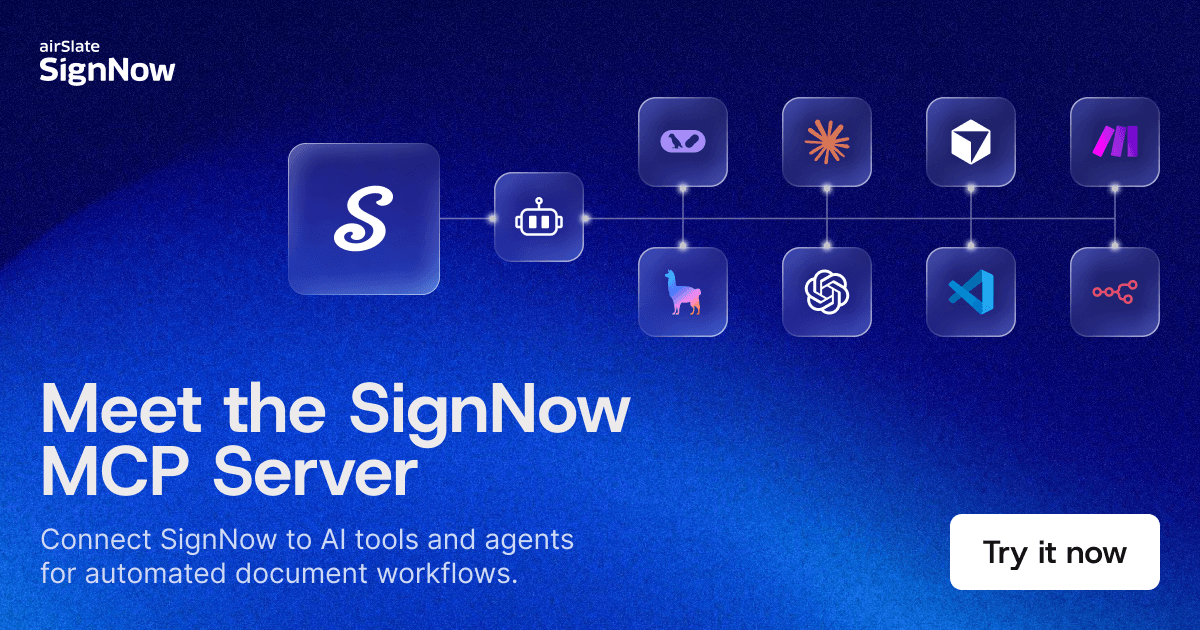
The SignNow MCP Server connects your e-signature workflows directly to the AI tools you already work in. Claude, Cursor, VS Code, n8n, Make.com or any MCP-compatible agent — wherever you’re working, SignNow is now right there with you.
One prompt sends the document, tracks the status, and gets you the signed copy. No tab-switching, no dashboard digging, no repetitive clicks.
If you’re already a paid SignNow subscriber, you can get started with the SignNow MCP Server right away. Access is currently included with existing paid plans, with no separate tier or add-on purchase required.
What is an MCP Server?
An MCP server is a service that connects AI models to external tools, data sources, and enterprise systems using the Model Context Protocol (MCP). It enables AI assistants and agents to retrieve structured data, access enterprise resources, query databases, perform actions inside software tools, and automate workflows.
In practice, an MCP server receives requests from an AI system, translates them into API calls, and returns structured responses. This allows AI-powered applications to interact with real systems — not just generate text.
What is a Model Context Protocol (MCP)?
Model Context Protocol (MCP) is an open standard designed for connecting AI systems to tools, data sources, and external platforms. It acts as a universal integration layer between AI models, software applications, enterprise data, and development tools.
Without MCP, AI applications must rely on manual integrations, limited APIs, and static data. With MCP, AI systems gain structured access to tools and resources through a unified interface — enabling real-time interaction with the systems businesses already run.
How does MCP architecture work?
The Model Context Protocol ecosystem has three core components that work together.
- MCP Host
The MCP host is the environment running the AI agent — the application a user interacts with directly. Examples include Claude, ChatGPT, Cursor, VS Code, and GitHub Copilot. The host provides the interface for AI interactions and manages connections to MCP clients.
- MCP Clients
MCP clients enable communication between AI agents and MCP servers. They allow AI systems to discover available tools, check resource availability, send requests, and connect to multiple MCP servers simultaneously.
- MCP Servers
MCP servers expose capabilities from external systems — databases, APIs, enterprise applications, search engines, and content repositories. This structure lets AI systems connect to many services through a single standardized protocol.
How does an MCP server request flow work?
1. A user sends a natural language request to an AI assistant.
2. The AI agent determines the required task and identifies the right tools.
3. The MCP client forwards the request to the relevant MCP server.
4. The MCP server receives the request and translates it into API calls for the target system.
5. The external system processes the task and returns results.
6. The server returns structured data back to the AI agent, which presents it to the user.
This architecture enables real-time access to enterprise resources through a conversation.
What is the difference between MCP vs. API?
A traditional API requires developers to write specific code for each endpoint — authentication, request formatting, error handling — for every new data source. Every integration is custom work.
MCP is a standard protocol that sits above APIs. The MCP server handles the translation so the AI doesn’t need to know which endpoint to call — it understands what the tool does and when to use it. The difference in practice:
| API | MCP | |
| Integration approach | Custom code per endpoint | Standard protocol |
| AI compatibility | Limited | Built for AI systems |
| Tool discovery | Manual | Automatic |
| Multi-system access | Complex, siloed | Unified interface |
| Natural language support | No | Yes |
| Setup for developers | Days of ramp-up | Hours to connect |
For developers, this means less boilerplate. For business senders, it means less clicking. For AI agents, it means reliable, structured access to real actions — not just information retrieval.
What is the SignNow MCP Server?
The SignNow MCP Server is a Model Context Protocol integration built on top of the SignNow REST API. It gives AI assistants, agents, and developer tools direct access to SignNow’s core document workflows — through natural language commands.
Trusted by over 28 million users worldwide, airSlate SignNow brings enterprise-grade document automation to the MCP ecosystem. The MCP Server requires no additional software installation beyond connecting it to an existing SignNow account — zero-friction setup for teams already inside supported AI applications.
It is compatible with Claude, Cursor, VS Code, n8n, Make.com or any MCP-compatible agent or AI framework.
Key capabilities include:
- Template & document group management: Create, retrieve, list, and organize document assets without opening the SignNow UI.
- Flexible invite dispatch: Send signing and viewing invites for individual documents or groups in a single prompt, with full control over recipient details and signing order enforcement.
- Embedded experience links: Generate embedded signing, sending, and editor links for seamless in-app experiences — surfacing e-signature functionality natively inside custom applications.
- Real-time status retrieval: Retrieve current invite status and document progress on demand — no dashboard required.
- Direct download links: Download direct links for individual documents or merged output for document groups, making it easy to distribute executed agreements programmatically.
- AI framework compatibility: Plug directly into LangChain, LlamaIndex, Flowise, n8n, and Make.com — or connect to any MCP-compatible client.
airSlate SignNow holds SOC 2 Type II, HIPAA, GDPR, ISO/IEC 27001, and ESIGN Act certifications. The MCP Server is built on this same security foundation.
Who is the SignNow MCP Server for?
The SignNow MCP Server is built for two user categories — business teams who need faster, simpler agreement workflows, and developers or tech teams who need extensible, MCP-compatible signing capabilities they can plug into any system.
Run signing workflows directly inside the AI tool you already use
For HR, Sales, Legal, Procurement, and Finance teams:
Agreements sit at the center of every business outcome — hiring, closing deals, onboarding vendors, finalizing contracts. Yet the tools used to manage them are still disconnected from where the work actually happens. The result is slower agreements, more context switching, and avoidable friction at every step.
- Sending the same contracts repeatedly, manually entering recipient data every time
- No real-time visibility into document status — constantly asking “did they sign yet?” across multiple open documents
- Follow-up fatigue from chasing signatures by email, Slack, or phone with no automated tracking
- Scattered workflows requiring constant switching between SignNow, CRM, email, and spreadsheets
Add secure signing workflows to MCP-compatible tools and agent systems
For developers and technical teams:
Integrating e-signature into an application or agentic workflow means dealing with custom API wrappers, authentication logic, and brittle integrations that break when endpoints change. Every new use case adds more glue code and more maintenance overhead.
- Slow API ramp-up — reading documentation, trial-and-error on endpoints, unclear authentication flows
- Constant context-switching between IDE, API docs, and Postman to test and debug calls
- Writing custom wrappers from scratch for every e-signature action, then decoding cryptic error codes
What do you gain from using the SignNow MCP Server?
The SignNow MCP Server does not just remove steps — it changes how signing fits into your work entirely.
- Less manual work: Stop clicking through UIs for repetitive tasks like sending the same contract type or checking status across multiple documents.
- Faster execution: Use natural language with one prompt to do what used to take multiple screens and steps.
- Stay in flow: Run signing workflows where you already work — Claude, Cursor, VS Code — instead of switching between apps.
- Create automated agentic workflows: Automate high-volume signing with AI agents or workflow tools like n8n and Make.com — scale without adding headcount.
- Instant answers: Get document status, download links, and signing confirmations on demand, instead of digging through dashboards.
How does the SignNow MCP Server work?
The SignNow MCP Server uses an LLM-backed architecture to bridge natural language and real document actions. The entire agreement lifecycle — preparation, sending, tracking, and completion — can be driven by a simple conversation with an AI assistant.
Here is what happens under the hood:
- AI agent (pre-built or custom): Uses an LLM-backed architecture to interpret natural language instructions and translate them into actionable SignNow API calls. Works with pre-built agents in Claude, Cursor, or GitHub Copilot, as well as custom agents built on LangChain, LlamaIndex, or Flowise.
- Connects to your SignNow account: Authenticate once using your API key or OAuth credentials, and the agent gains access to your documents, templates, and user workspace — no repeated logins, no UI navigation required.
- Understands high-level tasks: Users give commands like “Send NDA to Alice and Bob” or “List all completed documents,” which are parsed and executed automatically — no manual endpoint selection needed.
- Uses SignNow REST API under the hood: The agent wraps core API endpoints for creating, sending, updating, and managing documents — so developers do not have to write boilerplate code or maintain custom integration logic.
- Ready to plug into automation platforms: Designed to integrate directly into LangChain, LlamaIndex, Flowise, n8n, Make.com, and other frameworks to support broader agentic AI workflows.
What can you build with the SignNow MCP Server?
The MCP Server supports a wide range of document automation use cases across industries:
- Automate end-to-end e-signature workflows using AI agent frameworks such as LangChain and LlamaIndex — from document generation through invite dispatch to signed-document retrieval
- Embed SignNow e-signature functionality into custom web or desktop applications via generated links, without redirecting users to an external signing interface
- Programmatically manage document creation from templates, pre-fill fields, and track the full invite lifecycle — eliminating manual data entry and follow-up entirely
- Connect signing workflows to automation platforms like n8n and Make.com to scale high-volume processes without adding headcount
- Retrieve real-time document status and generate signing links on demand from inside Claude, Cursor, GitHub Copilot, or any MCP-compatible AI application
Is the SignNow MCP Server secure?
Security is a non-negotiable requirement for any AI system handling enterprise data and legally binding documents. The SignNow MCP Server is built on SignNow’s existing API security architecture, which includes OAuth 2.0 authentication, encrypted data transmission, and role-based access controls.
airSlate SignNow holds SOC 2 Type II, HIPAA, GDPR, ISO/IEC 27001, and ESIGN Act certifications — the same standards enterprise legal, HR, and procurement teams rely on for binding agreements.
Human oversight remains available at every step. Agents can surface document status, generate signing links, and initiate workflows — while final review and approval stays in your control. For sensitive workflows, read-only access modes and role-based permissions ensure AI agents operate within defined boundaries.
Final thoughts
AI is no longer just a tool for generating text. It is becoming the interface through which teams execute real business processes — and document signing is no exception.
The airSlate SignNow MCP Server closes the gap between AI conversation and agreement execution. Instead of switching between apps, navigating dashboards, or writing integration code, teams can send contracts, track signatures, and manage document workflows through a single natural language prompt — inside the tools they already use every day.
For developers, it removes weeks of integration overhead. For HR, Legal, Sales, and Procurement teams, it eliminates the repetitive clicks and follow-up fatigue that slow every deal and onboarding down. For IT and Operations, it replaces scattered, disconnected flows with a single, AI-driven workflow layer.
The agreement lifecycle — from preparation to signing to completion — is now fully accessible through a prompt. SignNow does not just become a web app you log into. It becomes a callable capability your AI agent can use on demand, at any scale, in any workflow.
FAQs
- Can AI agents connect to multiple MCP servers at once?
Yes. AI agents can connect to multiple MCP servers simultaneously, enabling them to interact with many tools and data sources — for example, querying a database, retrieving a file from Google Drive, and sending a SignNow document all in the same workflow.
- What data sources can MCP servers connect to?
MCP servers can connect to databases, data warehouses, content repositories, search engines, APIs, file systems, knowledge bases, and enterprise applications. The SignNow MCP Server specifically connects AI agents to e-signature workflows, templates, and document management.
- Does ChatGPT use MCP?
Model Context Protocol is an open standard, which means any MCP-compatible AI application can connect to MCP servers. The SignNow MCP Server is compatible with Claude, ChatGPT tool integrations, Cursor, GitHub Copilot, VS Code, and any other MCP-compatible client.
- Do I need to install additional software to use the SignNow MCP Server?
No. The SignNow MCP Server requires no additional software installation. It operates through the SignNow REST API and is accessible via any MCP-compatible client. Connect it to your SignNow account and configure it inside your preferred AI application to get started.
- Is the SignNow MCP Server included in my existing plan?
Yes. The SignNow MCP Server is available for all airSlate SignNow subscribers and is included with existing paid plans — no separate tier or add-on purchase required.
- What is an MCP Server?
- What is a Model Context Protocol (MCP)?
- How does MCP architecture work?
- How does an MCP server request flow work?
- What is the difference between MCP vs. API?
- What is the SignNow MCP Server?
- Who is the SignNow MCP Server for?
- What do you gain from using the SignNow MCP Server?
- How does the SignNow MCP Server work?
- What can you build with the SignNow MCP Server?
- Is the SignNow MCP Server secure?
- Final thoughts
- FAQs
