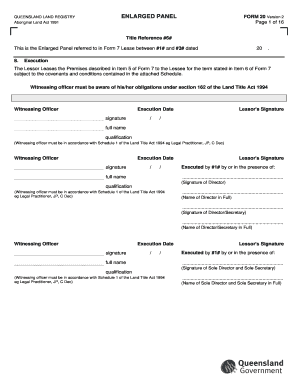
Form 20 Declaration Example


Understanding the Form 20 Declaration Example
The Form 20 Declaration is a crucial document used in various legal and administrative processes. It serves as a declaration of specific information required by authorities, particularly in real estate transactions. This form is commonly utilized in the context of land registration and property transfers, ensuring that all relevant details are accurately captured and submitted for official records. Understanding its purpose and structure is essential for anyone involved in property dealings.
Steps to Complete the Form 20 Declaration Example
Completing the Form 20 Declaration involves several key steps:
- Gather necessary information, including property details, ownership information, and any relevant legal descriptions.
- Carefully fill out each section of the form, ensuring accuracy and clarity in the provided information.
- Review the completed form for any errors or omissions before submission.
- Submit the form to the appropriate authority, following any specific submission guidelines outlined for your jurisdiction.
Legal Use of the Form 20 Declaration Example
The Form 20 Declaration is legally binding and must be completed in accordance with state regulations. It is often required for property transactions, ensuring that all parties involved have a clear understanding of the terms and conditions associated with the property. Failing to accurately complete or submit this form can lead to legal complications, including delays in property transfers or disputes over ownership.
Key Elements of the Form 20 Declaration Example
Several key elements must be included in the Form 20 Declaration to ensure its validity:
- Property Identification: Clear identification of the property, including its address and legal description.
- Owner Information: Details about the current owner(s) of the property, including names and contact information.
- Declaration Statement: A statement confirming the accuracy of the information provided and the intent behind the declaration.
- Signatures: Required signatures from all parties involved to validate the form.
Obtaining the Form 20 Declaration Example
The Form 20 Declaration can typically be obtained from state or local government websites, particularly those related to land registration or property transactions. It is important to ensure that you are using the most current version of the form, as regulations and requirements can change. Additionally, some legal offices or real estate agencies may provide copies of the form upon request.
Examples of Using the Form 20 Declaration Example
The Form 20 Declaration can be utilized in various scenarios, such as:
- Transferring ownership of real estate from one party to another.
- Establishing legal claims over property in disputes.
- Documenting changes in property status, such as inheritance or divorce settlements.
Each of these examples highlights the importance of accurately completing the form to ensure legal compliance and protect the interests of all parties involved.
Quick guide on how to complete form 20 declaration example
Complete Form 20 Declaration Example effortlessly on any device
Digital document management has become increasingly popular among organizations and individuals. It offers an ideal eco-friendly alternative to conventional printed and signed documents, allowing you to find the necessary form and securely save it online. airSlate SignNow provides you with all the tools you need to create, modify, and eSign your documents swiftly without delays. Manage Form 20 Declaration Example on any device using airSlate SignNow’s Android or iOS applications and enhance any document-related process today.
The easiest way to alter and eSign Form 20 Declaration Example without hassle
- Find Form 20 Declaration Example and click Get Form to begin.
- Utilize the tools we offer to complete your document.
- Highlight important sections of the documents or redact sensitive information with tools that airSlate SignNow provides specifically for that purpose.
- Generate your eSignature using the Sign tool, which takes moments and has the same legal validity as a conventional wet ink signature.
- Review the information and click the Done button to save your modifications.
- Choose your preferred method for delivering your form via email, SMS, or an invite link, or download it to your computer.
Eliminate concerns about lost or misplaced files, tedious form searches, or errors that necessitate printing new document copies. airSlate SignNow addresses all your document management needs with just a few clicks from any device you select. Modify and eSign Form 20 Declaration Example to ensure excellent communication at every stage of the form preparation process with airSlate SignNow.
Create this form in 5 minutes or less
Create this form in 5 minutes!
How to create an eSignature for the form 20 declaration example
How to create an electronic signature for a PDF online
How to create an electronic signature for a PDF in Google Chrome
How to create an e-signature for signing PDFs in Gmail
How to create an e-signature right from your smartphone
How to create an e-signature for a PDF on iOS
How to create an e-signature for a PDF on Android
People also ask
-
What is a statutory declaration form Qld?
A statutory declaration is a written statement that is declared to be true in the presence of an authorised witness. In this document, you are referred to as the signatory or declarant.
-
What is a form 20 QLD?
A Form 20 is submitted to Titles Queensland with any Transfer that has Transferees acting as Trustees. This Form is not a separate document in PEXA, but is instead automatically generated as part of the Transfer document.
-
What is a Qld claim fund?
The claim fund may help you recover from a financial loss in some situations. It protects consumers who lose money due to certain types of action (or failures to act) by: •
-
What is the purpose of Form 20-F?
SEC Form 20-F is an annual report filing for non-U.S. and non-Canadian companies that have securities trading in the U.S. SEC Form 20-F helps standardize the reporting requirements of foreign-based companies. The company must also make the report available to shareholders through the company's website.
-
How long after a foreign private issuer's year end is form 20-F required to be filed with the SEC?
Pursuant to the Securities Exchange Act of 1934 (the Exchange Act), the SEC, a foreign private issuer is required to file annual reports with the SEC on Form 20-F and furnish other reports on a Form 6-K. The Form 20-F must be filed within four months after the end of each fiscal year.
-
What is a Form 22 Qld?
Form 22 - Warrant by authorised person for arrest of prisoner unlawfully at large or absent - Queensland Corrective Services forms - Publications | Queensland Government.
-
What is a Form 19 Qld?
Form 19 - Application for a permanent variation of licence - Liquor licensing and compliance forms - Publications | Queensland Government. Liquor licensing and compliance forms.
Get more for Form 20 Declaration Example
- Form w 8eci
- Cfe exam application form
- Au pair medical certificate form
- Property tax appeals when how ampamp why to submit plus a form
- Energy efficiency certificate city of monroe planning monroenc form
- Medical packag statement of work contract template form
- Medical receptionist contract template form
- Fleet management contract template form
Find out other Form 20 Declaration Example
- How To Integrate Sign in Banking
- How To Use Sign in Banking
- Help Me With Use Sign in Banking
- Can I Use Sign in Banking
- How Do I Install Sign in Banking
- How To Add Sign in Banking
- How Do I Add Sign in Banking
- How Can I Add Sign in Banking
- Can I Add Sign in Banking
- Help Me With Set Up Sign in Government
- How To Integrate eSign in Banking
- How To Use eSign in Banking
- How To Install eSign in Banking
- How To Add eSign in Banking
- How To Set Up eSign in Banking
- How To Save eSign in Banking
- How To Implement eSign in Banking
- How To Set Up eSign in Construction
- How To Integrate eSign in Doctors
- How To Use eSign in Doctors