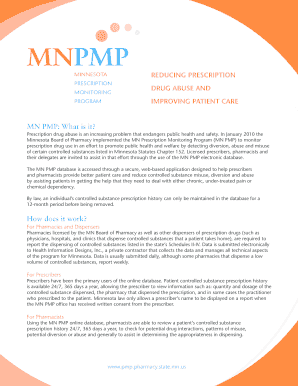
How to Register for a MN PMP Account Form


Understanding the MN PMP Account Registration
The Minnesota Prescription Monitoring Program (MN PMP) account is a vital tool for healthcare providers and pharmacists. It allows them to monitor the prescribing and dispensing of controlled substances, ensuring patient safety and compliance with state regulations. By registering for an MN PMP account, users gain access to a comprehensive database that tracks prescription history, helping to prevent misuse and over-prescribing of medications.
Steps to Complete the MN PMP Account Registration
To register for a MN PMP account, follow these steps:
- Visit the official MN PMP website.
- Locate the registration section and click on the designated link.
- Provide the required personal and professional information, including your name, email address, and professional license number.
- Verify your identity by answering security questions or providing additional documentation as needed.
- Submit your application for review.
- Once approved, you will receive an email confirmation with your login credentials.
Required Documents for MN PMP Registration
When registering for a MN PMP account, certain documents may be required to verify your identity and professional status. Commonly needed documents include:
- State-issued professional license number.
- Government-issued identification (e.g., driver's license or passport).
- Proof of employment or affiliation with a healthcare facility.
Eligibility Criteria for MN PMP Registration
Eligibility to register for a MN PMP account generally includes:
- Healthcare providers licensed in Minnesota, such as physicians, nurse practitioners, and pharmacists.
- Individuals working in a healthcare setting that prescribes or dispenses controlled substances.
- Compliance with state and federal regulations regarding controlled substances.
Legal Use of the MN PMP Account
The MN PMP account is designed for legal use by healthcare professionals to monitor patient prescriptions. Users must adhere to privacy laws and regulations, ensuring that patient information is accessed and utilized strictly for legitimate medical purposes. Unauthorized access or misuse of the MN PMP data can lead to legal consequences and disciplinary actions.
Form Submission Methods for MN PMP Registration
Registration for a MN PMP account can typically be completed online. Users can fill out the registration form directly on the MN PMP website. In some cases, alternative submission methods may be available, such as mailing a printed form or submitting documents in person at designated locations. However, online registration is the most efficient and recommended method.
Quick guide on how to complete how to register for a mn pmp account
Complete [SKS] seamlessly on any device
Digital document management has gained popularity among businesses and individuals. It offers an ideal environmentally-friendly substitute for traditional printed and signed documents, enabling you to obtain the correct form and securely store it online. airSlate SignNow provides all the tools necessary to create, modify, and eSign your documents quickly without delays. Manage [SKS] on any device using airSlate SignNow Android or iOS applications and enhance any document-based workflow today.
How to modify and eSign [SKS] effortlessly
- Locate [SKS] and then click Get Form to begin.
- Use the tools we provide to fill out your document.
- Mark relevant sections of the documents or redact sensitive information with tools that airSlate SignNow offers specifically for that aim.
- Create your signature using the Sign tool, which takes mere seconds and holds the same legal validity as a conventional wet ink signature.
- Verify the details and then click on the Done button to secure your changes.
- Choose your preferred method to send your form, via email, text message (SMS), or invite link, or download it to your computer.
Say goodbye to lost or misplaced documents, tedious form searches, or errors that require new document copies. airSlate SignNow fulfills your document management needs in just a few clicks from any chosen device. Modify and eSign [SKS] and ensure excellent communication at every stage of your form preparation process with airSlate SignNow.
Create this form in 5 minutes or less
Related searches to How To Register For A MN PMP Account
Create this form in 5 minutes!
How to create an eSignature for the how to register for a mn pmp account
How to create an electronic signature for a PDF online
How to create an electronic signature for a PDF in Google Chrome
How to create an e-signature for signing PDFs in Gmail
How to create an e-signature right from your smartphone
How to create an e-signature for a PDF on iOS
How to create an e-signature for a PDF on Android
People also ask
-
What is the process of How To Register For A MN PMP Account?
To register for a MN PMP account, visit the official MN PMP website and click on the registration link. You will need to provide your personal information, including your name, email address, and professional details. After submitting your information, you will receive a confirmation email to complete the registration process.
-
Are there any fees associated with How To Register For A MN PMP Account?
No, registering for a MN PMP account is free of charge. The service is designed to provide healthcare professionals with access to prescription monitoring without any registration fees. This makes it an accessible tool for all eligible users.
-
What features are available once I register for a MN PMP account?
Once you register for a MN PMP account, you gain access to features such as prescription history tracking, patient monitoring, and reporting tools. These features help healthcare providers make informed decisions regarding patient care. Additionally, the platform is user-friendly and designed for efficient navigation.
-
How does a MN PMP account benefit healthcare professionals?
A MN PMP account provides healthcare professionals with critical insights into patient prescription histories, helping to prevent misuse of controlled substances. By understanding a patient's medication history, providers can make better prescribing decisions. This ultimately enhances patient safety and care quality.
-
Can I integrate my MN PMP account with other healthcare systems?
Yes, the MN PMP account can be integrated with various electronic health record (EHR) systems. This integration allows for seamless access to prescription data within your existing workflows. It enhances efficiency and ensures that you have all necessary information at your fingertips.
-
What should I do if I encounter issues while registering for a MN PMP account?
If you encounter issues while registering for a MN PMP account, first check your internet connection and ensure all required fields are filled out correctly. If problems persist, you can contact the MN PMP support team for assistance. They are available to help resolve any registration-related issues you may face.
-
Is there a mobile app for managing my MN PMP account?
Currently, there is no dedicated mobile app for managing a MN PMP account. However, the website is mobile-friendly, allowing you to access your account and manage prescriptions from your smartphone or tablet. This ensures you can stay connected and informed on the go.
Get more for How To Register For A MN PMP Account
- New patient documents medical forms and more gateway
- Phia fee fact sheet nova scotia form
- 71432authorization for release form
- Unless submitting with practitioner enrollment form
- 2017 2018 undergraduate catalog peru state college form
- This application is for term 10 term 20 term 100 and universal life insurance and available benefits and riders form
- Ach authorization for recurring deposittransfer farm bureau bank form
- Place pro sticker here form
Find out other How To Register For A MN PMP Account
- How To Integrate Sign in Banking
- How To Use Sign in Banking
- Help Me With Use Sign in Banking
- Can I Use Sign in Banking
- How Do I Install Sign in Banking
- How To Add Sign in Banking
- How Do I Add Sign in Banking
- How Can I Add Sign in Banking
- Can I Add Sign in Banking
- Help Me With Set Up Sign in Government
- How To Integrate eSign in Banking
- How To Use eSign in Banking
- How To Install eSign in Banking
- How To Add eSign in Banking
- How To Set Up eSign in Banking
- How To Save eSign in Banking
- How To Implement eSign in Banking
- How To Set Up eSign in Construction
- How To Integrate eSign in Doctors
- How To Use eSign in Doctors