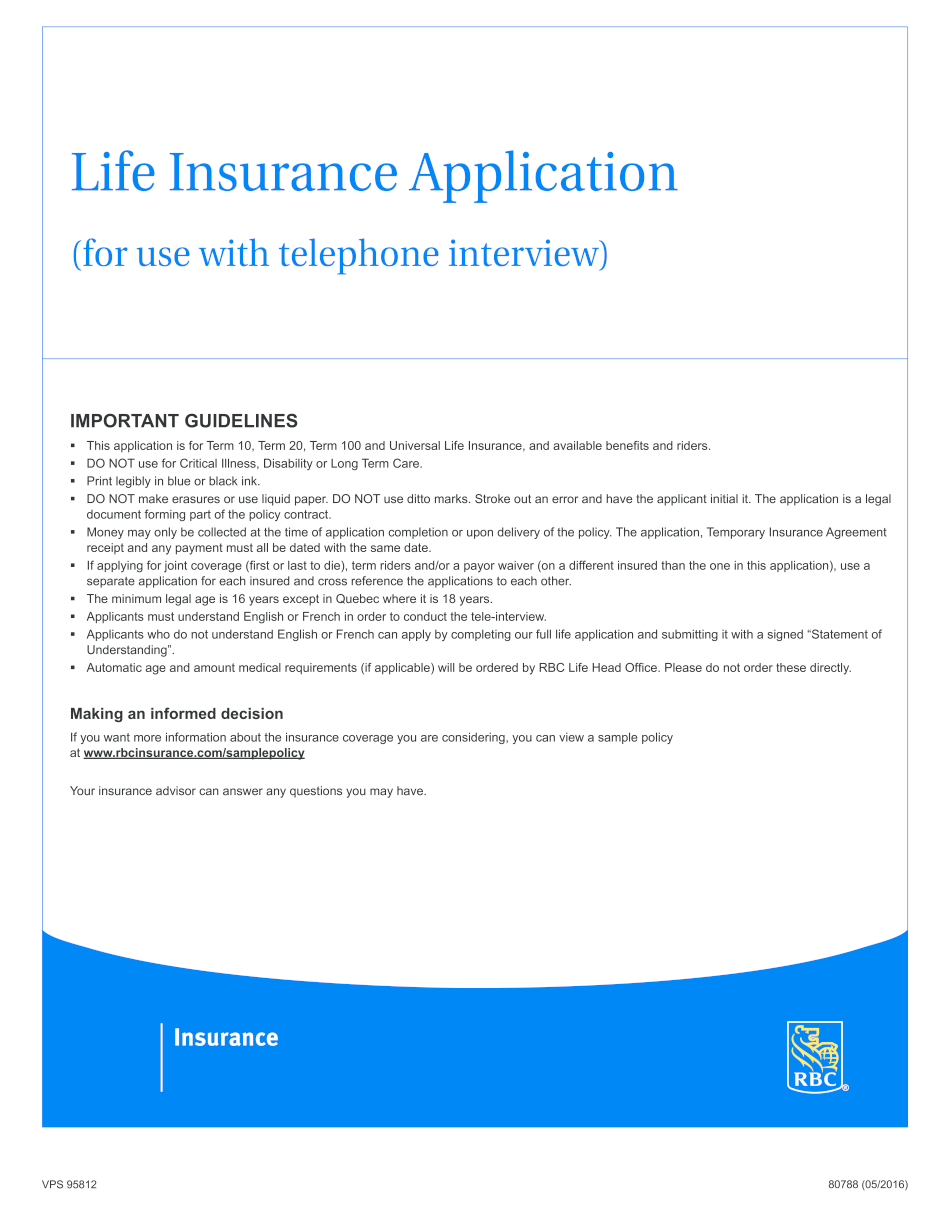
This Application is for Term 10, Term 20, Term 100 and Universal Life Insurance, and Available Benefits and Riders 2016-2026


Understanding the RBC Life Insurance Application
The RBC life insurance application is designed for individuals seeking coverage through various life insurance products, including Term 10, Term 20, Term 100, and Universal Life Insurance. Each of these options offers unique benefits and riders tailored to meet different financial needs and goals. Understanding the purpose of this application is essential for making informed decisions about life insurance coverage.
Steps to Complete the RBC Life Insurance Application
Completing the RBC life insurance application involves several key steps. First, gather necessary personal information, including your name, address, date of birth, and social security number. Next, you will need to provide details about your health history and lifestyle, which may include questions about smoking, medical conditions, and family health history. After filling out the application, review all information for accuracy before submitting it electronically or via mail.
Required Documents for the RBC Life Insurance Application
When applying for RBC life insurance, certain documents may be required to support your application. These typically include identification proof, such as a driver's license or passport, and financial documents that may demonstrate your income or assets. Additionally, if applicable, medical records or reports may be requested to assess your health status. Having these documents ready can streamline the application process.
Eligibility Criteria for RBC Life Insurance
Eligibility for RBC life insurance varies based on the type of policy you are applying for. Generally, applicants must be at least eighteen years old and provide truthful information regarding their health and lifestyle. Certain pre-existing medical conditions may affect eligibility or premiums. It is advisable to review the specific eligibility requirements for each type of insurance product to ensure compliance and increase the chances of approval.
Legal Use of the RBC Life Insurance Application
The RBC life insurance application must be completed in accordance with applicable laws and regulations to ensure its legal validity. Electronic signatures are accepted, provided they comply with the ESIGN and UETA acts, which govern electronic transactions in the United States. Ensuring that all information is accurate and that the application is signed appropriately will help avoid legal complications in the future.
Form Submission Methods for the RBC Life Insurance Application
Applicants can submit the RBC life insurance application through various methods. The most common approach is online submission, which is efficient and allows for quick processing. Alternatively, applicants can choose to print the application and submit it via mail or in-person at a designated RBC office. Each method has its own processing times, so it is beneficial to choose the one that best fits your needs.
Quick guide on how to complete this application is for term 10 term 20 term 100 and universal life insurance and available benefits and riders
Effortlessly Prepare This Application Is For Term 10, Term 20, Term 100 And Universal Life Insurance, And Available Benefits And Riders on Any Device
Digital document management has gained traction among companies and individuals alike. It serves as an ideal eco-friendly alternative to traditional printed and signed documents, enabling you to access the necessary form and securely keep it online. airSlate SignNow provides you with all the tools needed to swiftly create, modify, and electronically sign your documents without delay. Manage This Application Is For Term 10, Term 20, Term 100 And Universal Life Insurance, And Available Benefits And Riders on any device using airSlate SignNow mobile applications for Android or iOS and enhance any document-related task today.
The easiest method to adjust and eSign This Application Is For Term 10, Term 20, Term 100 And Universal Life Insurance, And Available Benefits And Riders with ease
- Locate This Application Is For Term 10, Term 20, Term 100 And Universal Life Insurance, And Available Benefits And Riders and click Get Form to begin.
- Make use of the tools we offer to complete your form.
- Emphasize pertinent sections of the documents or redact confidential details with tools specifically provided by airSlate SignNow for this purpose.
- Generate your eSignature using the Sign tool, which takes mere seconds and holds the same legal validity as a conventional wet ink signature.
- Review all the details and then click the Done button to save your changes.
- Select your preferred method of submitting your form, whether by email, text (SMS), an invitation link, or downloading it to your computer.
Put an end to lost or misplaced documents, tedious form searches, or errors that necessitate printing new copies. airSlate SignNow addresses all your document management requirements in just a few clicks from any device of your choice. Modify and eSign This Application Is For Term 10, Term 20, Term 100 And Universal Life Insurance, And Available Benefits And Riders and ensure exceptional communication at every stage of the form preparation process with airSlate SignNow.
Create this form in 5 minutes or less
Find and fill out the correct this application is for term 10 term 20 term 100 and universal life insurance and available benefits and riders
Create this form in 5 minutes!
How to create an eSignature for the this application is for term 10 term 20 term 100 and universal life insurance and available benefits and riders
The best way to create an eSignature for a PDF file in the online mode
The best way to create an eSignature for a PDF file in Chrome
The best way to create an electronic signature for putting it on PDFs in Gmail
The best way to generate an electronic signature straight from your smartphone
The way to generate an eSignature for a PDF file on iOS devices
The best way to generate an electronic signature for a PDF document on Android
People also ask
-
What types of life insurance does this application support?
This application is for Term 10, Term 20, Term 100 and Universal Life Insurance, and available benefits and riders. It provides a comprehensive platform to compare different life insurance options, ensuring you can find the right coverage to meet your needs.
-
What are the available riders for the life insurance policies?
With this application, you can explore various available benefits and riders for Term 10, Term 20, Term 100 and Universal Life Insurance. These riders may include options like accidental death benefit, waiver of premium, and more, enhancing your policy's value.
-
How does pricing work for the insurance options offered?
Pricing for life insurance varies based on multiple factors, but this application is for Term 10, Term 20, Term 100 and Universal Life Insurance, and available benefits and riders. Users can request quotes directly through the application to find competitive pricing tailored to their circumstances.
-
Can I integrate this application with other tools?
Yes, this application is for Term 10, Term 20, Term 100 and Universal Life Insurance, and available benefits and riders, and it offers various integrations with popular tools. This allows you to streamline your workflow and manage your insurance documents more efficiently.
-
What features does this application offer for managing life insurance policies?
This application includes features specifically designed for Term 10, Term 20, Term 100 and Universal Life Insurance, and available benefits and riders management. Users can easily eSign documents, track policy details, and access customer support, making the process straightforward.
-
How can I ensure I select the right type of insurance?
When using this application, remember that it is for Term 10, Term 20, Term 100 and Universal Life Insurance, and available benefits and riders. By comparing different policies and consulting with experts through the platform, you can make informed decisions suitable for your financial goals.
-
Is there a trial period for using this application?
Yes, this application is for Term 10, Term 20, Term 100 and Universal Life Insurance, and available benefits and riders, and often includes a trial period for new users. This allows potential customers to explore the features and benefits before committing to a subscription.
Get more for This Application Is For Term 10, Term 20, Term 100 And Universal Life Insurance, And Available Benefits And Riders
Find out other This Application Is For Term 10, Term 20, Term 100 And Universal Life Insurance, And Available Benefits And Riders
- eSign Idaho Construction Arbitration Agreement Easy
- eSign Iowa Construction Quitclaim Deed Now
- How Do I eSign Iowa Construction Quitclaim Deed
- eSign Louisiana Doctors Letter Of Intent Fast
- eSign Maine Doctors Promissory Note Template Easy
- eSign Kentucky Construction Claim Online
- How Can I eSign Maine Construction Quitclaim Deed
- eSign Colorado Education Promissory Note Template Easy
- eSign North Dakota Doctors Affidavit Of Heirship Now
- eSign Oklahoma Doctors Arbitration Agreement Online
- eSign Oklahoma Doctors Forbearance Agreement Online
- eSign Oregon Doctors LLC Operating Agreement Mobile
- eSign Hawaii Education Claim Myself
- eSign Hawaii Education Claim Simple
- eSign Hawaii Education Contract Simple
- eSign Hawaii Education NDA Later
- How To eSign Hawaii Education NDA
- How Do I eSign Hawaii Education NDA
- eSign Hawaii Education Arbitration Agreement Fast
- eSign Minnesota Construction Purchase Order Template Safe