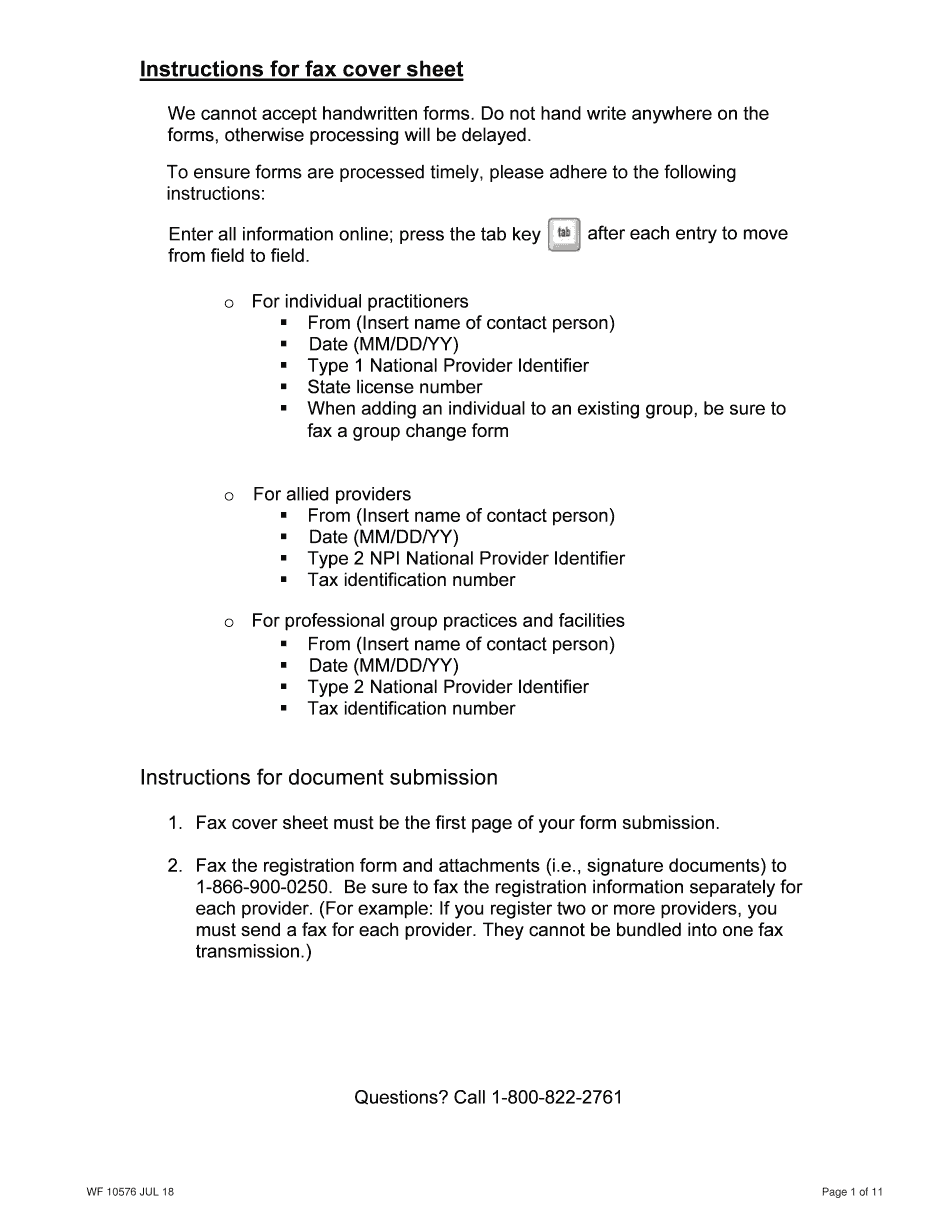
Navmc 10576 2018


What is the New York State Medicaid Enrollment Form for Practitioners?
The New York State Medicaid Enrollment Form for Practitioners is a crucial document that allows healthcare providers to enroll in the Medicaid program. This form is specifically designed for practitioners who wish to provide services to Medicaid beneficiaries. By completing this form, practitioners can gain access to a wide range of resources and support to enhance their practice and serve their patients effectively.
Steps to Complete the New York State Medicaid Enrollment Form
Completing the New York State Medicaid Enrollment Form involves several key steps to ensure accuracy and compliance. First, practitioners should gather all necessary personal and professional information, including their National Provider Identifier (NPI) and any relevant licenses. Next, they should fill out the form carefully, ensuring that all sections are completed and that the information is accurate. After completing the form, practitioners must sign and date it before submitting it to the appropriate Medicaid office.
Required Documents for Enrollment
When submitting the New York State Medicaid Enrollment Form, practitioners must include specific documents to support their application. These typically include a copy of the practitioner's NPI, proof of identity, and any state-specific licenses or certifications. Additionally, practitioners may need to provide documentation of their professional qualifications and any relevant training or experience in their field.
Eligibility Criteria for Medicaid Enrollment
To be eligible for enrollment in the New York State Medicaid program, practitioners must meet certain criteria. This includes holding a valid license to practice in New York and being in good standing with the state licensing board. Practitioners must also demonstrate their ability to provide quality care to Medicaid beneficiaries and comply with all program requirements. Understanding these eligibility criteria is essential for a successful enrollment process.
Form Submission Methods
Practitioners can submit the New York State Medicaid Enrollment Form through various methods. The most common submission methods include online submission via the Medicaid website, mailing the completed form to the designated Medicaid office, or delivering it in person. Each method has specific guidelines and timelines, so practitioners should choose the option that best suits their needs and ensures timely processing of their application.
Legal Use of the New York State Medicaid Enrollment Form
The legal use of the New York State Medicaid Enrollment Form is governed by state and federal regulations. This form must be completed accurately and submitted in compliance with all relevant laws to ensure that the enrollment is valid. Practitioners should be aware of the legal implications of submitting false information, as this can lead to penalties or disqualification from the Medicaid program. Ensuring compliance with legal standards is crucial for maintaining the integrity of the enrollment process.
Quick guide on how to complete new practitioner enrollment wf 10576 jul 13 new practitioner enrollment wf 10576 jul 13
Complete Navmc 10576 effortlessly on any device
Online document management has become increasingly popular with organizations and individuals. It offers an excellent environmentally friendly alternative to traditional printed and signed paperwork, as you can obtain the necessary form and securely store it online. airSlate SignNow provides you with all the tools you need to create, modify, and eSign your documents quickly without delays. Handle Navmc 10576 on any platform using airSlate SignNow Android or iOS applications and streamline your document-related tasks today.
The simplest way to adjust and eSign Navmc 10576 with ease
- Locate Navmc 10576 and click on Get Form to begin.
- Utilize the tools we offer to fill out your document.
- Emphasize pertinent sections of the documents or redact sensitive information with the tools that airSlate SignNow provides specifically for that purpose.
- Create your eSignature with the Sign feature, which takes seconds and carries the same legal significance as a conventional handwritten signature.
- Review the information and click on the Done button to save your modifications.
- Choose your preferred method to send your form, via email, text message (SMS), invite link, or download it to your computer.
Eliminate worries about lost or misplaced documents, tedious form searches, or mistakes that require printing new document copies. airSlate SignNow fulfills all your document management requirements in just a few clicks from any device of your choice. Edit and eSign Navmc 10576 and ensure excellent communication at every stage of your form preparation process with airSlate SignNow.
Create this form in 5 minutes or less
Find and fill out the correct new practitioner enrollment wf 10576 jul 13 new practitioner enrollment wf 10576 jul 13
Create this form in 5 minutes!
How to create an eSignature for the new practitioner enrollment wf 10576 jul 13 new practitioner enrollment wf 10576 jul 13
How to make an electronic signature for the New Practitioner Enrollment Wf 10576 Jul 13 New Practitioner Enrollment Wf 10576 Jul 13 in the online mode
How to create an eSignature for the New Practitioner Enrollment Wf 10576 Jul 13 New Practitioner Enrollment Wf 10576 Jul 13 in Google Chrome
How to make an electronic signature for signing the New Practitioner Enrollment Wf 10576 Jul 13 New Practitioner Enrollment Wf 10576 Jul 13 in Gmail
How to make an eSignature for the New Practitioner Enrollment Wf 10576 Jul 13 New Practitioner Enrollment Wf 10576 Jul 13 right from your smart phone
How to make an eSignature for the New Practitioner Enrollment Wf 10576 Jul 13 New Practitioner Enrollment Wf 10576 Jul 13 on iOS
How to create an eSignature for the New Practitioner Enrollment Wf 10576 Jul 13 New Practitioner Enrollment Wf 10576 Jul 13 on Android OS
People also ask
-
What is Navmc 10576 and how does it relate to airSlate SignNow?
Navmc 10576 is a specific document used within the Marine Corps for various administrative tasks. airSlate SignNow allows users to easily upload, eSign, and manage Navmc 10576 documents digitally, streamlining the process and ensuring compliance with military standards.
-
How can I eSign the Navmc 10576 using airSlate SignNow?
To eSign the Navmc 10576 using airSlate SignNow, simply upload the document to our platform, add the necessary recipients, and use the intuitive eSignature feature. This process ensures that your signatures are legally binding and securely stored.
-
What are the pricing options for airSlate SignNow when handling documents like Navmc 10576?
airSlate SignNow offers flexible pricing plans that cater to different business needs, including options for individual users and teams. Each plan provides access to essential features for managing documents like Navmc 10576 efficiently and cost-effectively.
-
What features does airSlate SignNow provide for managing Navmc 10576 documents?
airSlate SignNow includes features such as customizable templates, automatic reminders, and document tracking, making it easier to handle Navmc 10576 documents. These tools help ensure that every step of the signing process is streamlined and efficient.
-
Are there integrations available for airSlate SignNow that support Navmc 10576 processing?
Yes, airSlate SignNow offers integrations with various business applications such as Google Drive, Dropbox, and CRM systems. This allows you to import and manage Navmc 10576 documents seamlessly across different platforms.
-
What are the benefits of using airSlate SignNow for Navmc 10576 documents?
Using airSlate SignNow for Navmc 10576 documents offers numerous benefits, including enhanced security, reduced processing time, and improved compliance. Our platform ensures that your documents are handled efficiently while maintaining the integrity of your signatures.
-
Can airSlate SignNow help with tracking the status of Navmc 10576 documents?
Absolutely! airSlate SignNow provides real-time tracking for your Navmc 10576 documents, allowing you to see when they are viewed, signed, or completed. This feature enhances accountability and ensures that no document is left unattended.
Get more for Navmc 10576
- Creative arts grade 6 exam papers form
- Lj hooker canberra city tenancy application form
- Venous insufficiency worksheet form
- Application for dialup isdn pstn internet access email account nagpur nic form
- Download file yap state government yapstategov form
- Auto repair cost estimate form
- Business of sale contract template form
- Business ownership contract template form
Find out other Navmc 10576
- Can I Sign Kentucky Performance Contract
- How Do I Sign Florida Investment Contract
- Sign Colorado General Power of Attorney Template Simple
- How Do I Sign Florida General Power of Attorney Template
- Sign South Dakota Sponsorship Proposal Template Safe
- Sign West Virginia Sponsorship Proposal Template Free
- Sign Tennessee Investment Contract Safe
- Sign Maryland Consulting Agreement Template Fast
- Sign California Distributor Agreement Template Myself
- How Do I Sign Louisiana Startup Business Plan Template
- Can I Sign Nevada Startup Business Plan Template
- Sign Rhode Island Startup Business Plan Template Now
- How Can I Sign Connecticut Business Letter Template
- Sign Georgia Business Letter Template Easy
- Sign Massachusetts Business Letter Template Fast
- Can I Sign Virginia Business Letter Template
- Can I Sign Ohio Startup Costs Budget Worksheet
- How Do I Sign Maryland 12 Month Sales Forecast
- How Do I Sign Maine Profit and Loss Statement
- How To Sign Wisconsin Operational Budget Template