Electronic signature: Construction workflows management and approvals on site

With an electronic signature, construction firms get a faster way to prepare, send, sign, and store important documents. Instead of moving physical documents between job sites, offices, design teams, subcontractors, and owners, teams can manage contract documents electronically and maintain a detailed audit trail for each signed document.
Key takeaways
- Construction management software was used by 43% of businesses, and mobile apps by 40% (Deloitte)
- 43% of construction firms report full integration with advanced technologies; one-third have achieved real-time, automated decision-making; among firms with more than $250M in annual revenue, only 12% still rely on mostly manual reporting.
- UNCITRAL states that legislation based on or influenced by its Model Law on Electronic Signatures has been adopted in 40 states and 42 jurisdictions.
This guide explains how to use electronic signature construction workflows to reduce manual work, protect contract data, and help project managers keep documents signed across multiple projects and multiple sites.
Electronic signature: Construction best practices
When choosing a platform for electronic signature construction teams can use on-site, there are five practical requirements to consider:
- Use a mobile-first eSignature platform with offline signing
- Connect electronic signatures to your construction management and project management tools
- Build reusable templates for high-volume document preparation
- Confirm legal compliance for the ESIGN Act, UETA, and other relevant laws
- Enable audit trails and signer authentication for high-value contracts
1. Mobile-first electronic signature tools for field teams
Construction work doesn’t just happen at a desk. Project managers, subcontractors, and supervisors often need to sign documents from a job site, vehicle, or other remote location. That’s why mobile access should be a top priority for any construction company choosing an electronic signature solution.
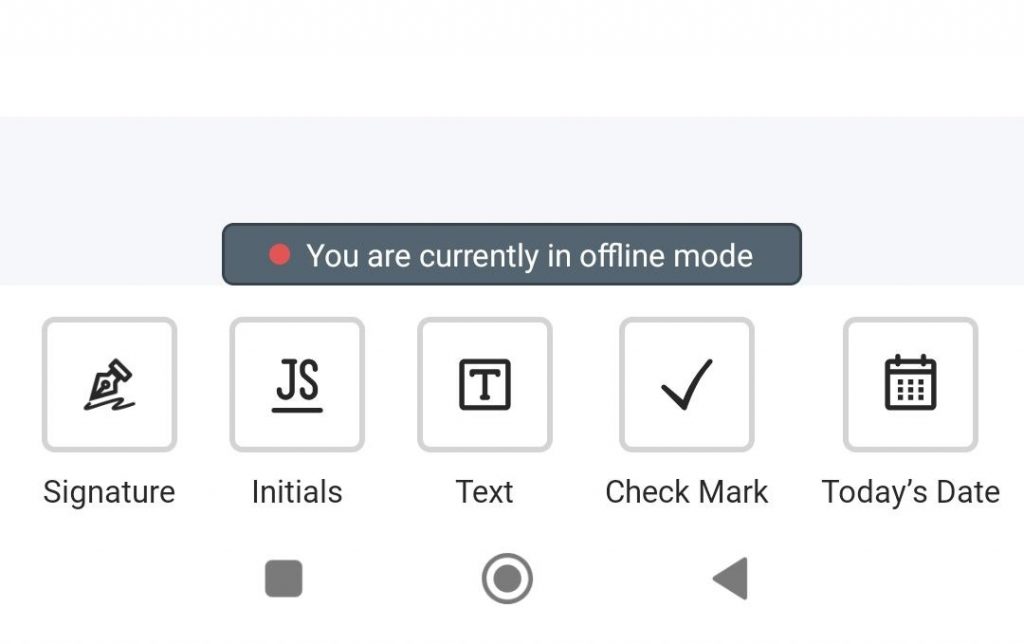
SignNow offers mobile apps for iOS and Android. An internet connection is required to access your account dashboard and open a document. However, you can continue working on your document if your connection is interrupted. In offline mode, users can prepare documents, prepare signature requests, view audit trails, and check document status as of the moment before the connection was interrupted. Completed documents sync automatically once the device reconnects to the internet.
How to sign a contract in the SignNow mobile app
Construction teams can use the SignNow mobile app to sign contracts, change orders, purchase orders, and other job site documents from an iOS or Android device.
- Open the SignNow mobile app and log in to your account in a few clicks using your email credentials.
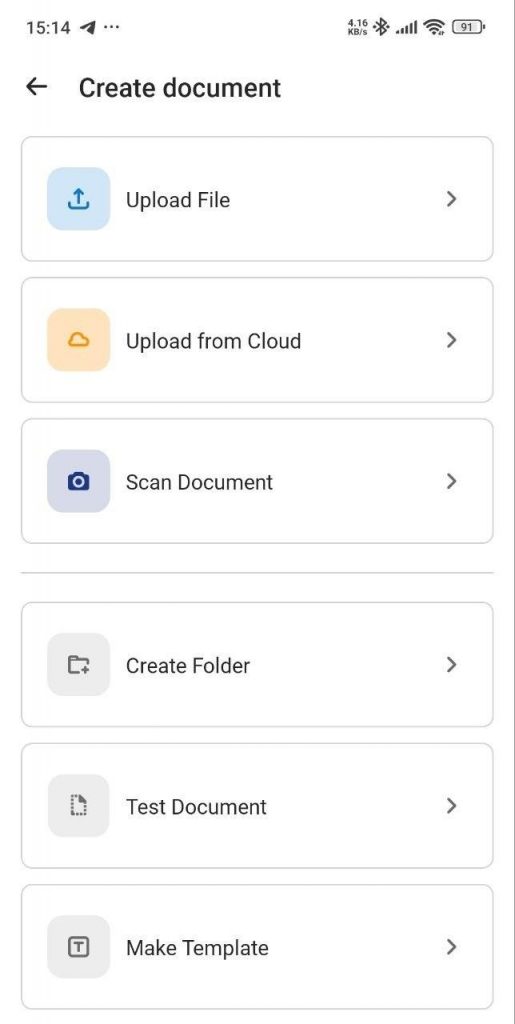
- Upload the contract from your device, email, cloud storage, or document folder.
- Open the document and review all pages before adding your signature.
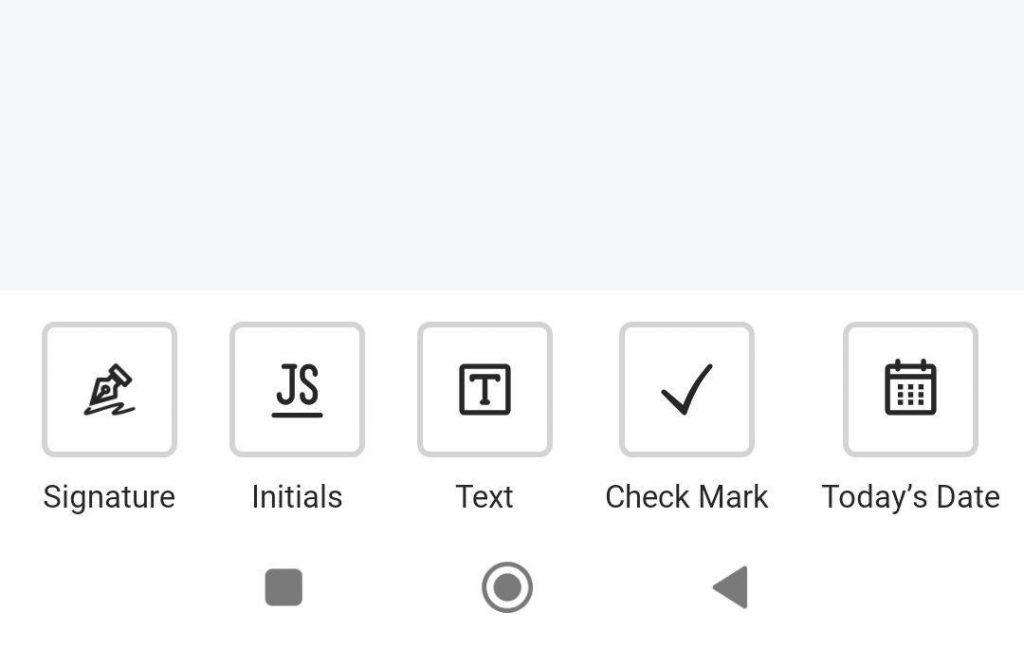
- Tap the required signature, initials, date, or text fields and complete each one.
- If you are preparing the contract for other parties, add fillable fields, assign recipients, and set the signing order.
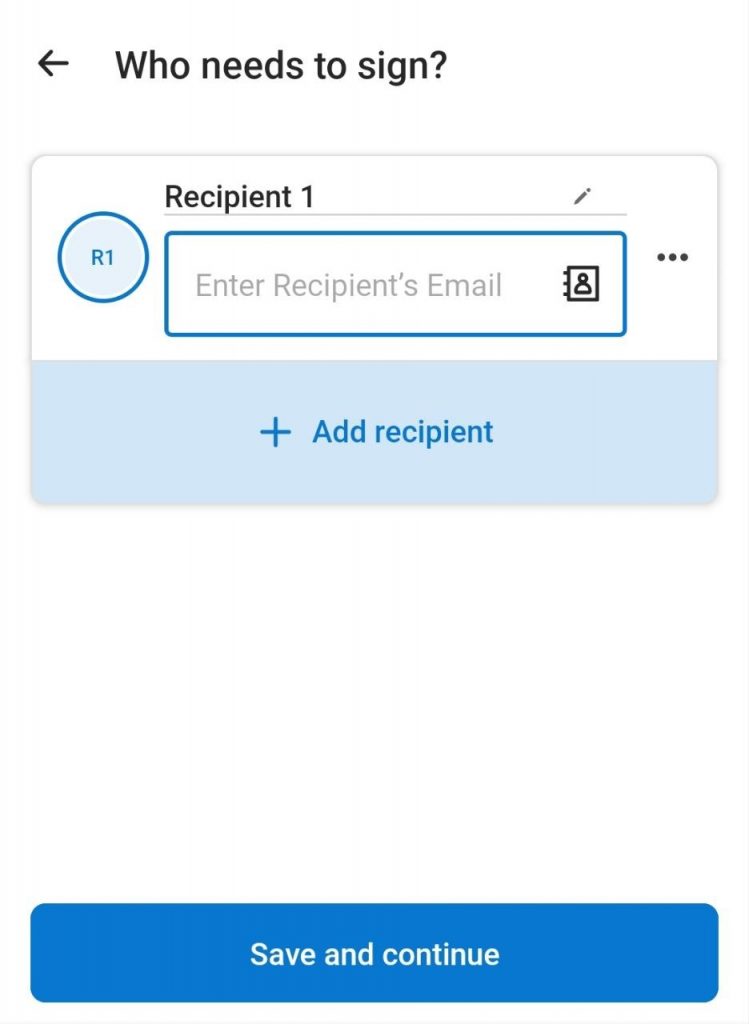
6. Send the contract for signature, or finish signing it yourself if you are the only signer.
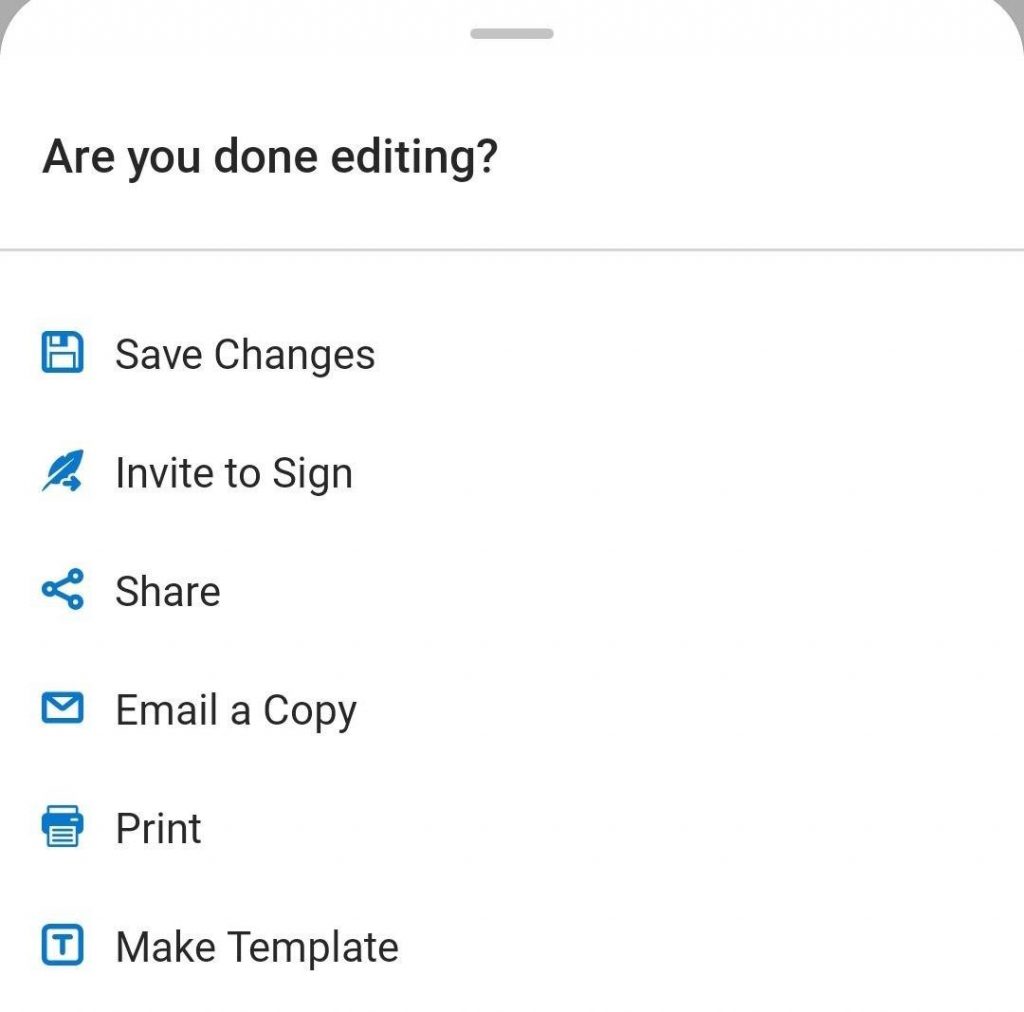
- Check the document status from the mobile app and store the signed contract with its audit trail for future reference.
SignNow’s mobile app supports signing, sending, and managing documents from iOS and Android devices, and offline signing with automatic sync once the device reconnects to the internet. This helps construction teams keep approvals moving even when project managers or subcontractors are working away from the office.
For more information about contract signing, see our blog: How to sign contracts online and cut document turnaround time by 80%.
2. Connecting electronic signature: construction project management workflows
An electronic signature tool should not become another disconnected system. If signed contracts live in one platform while project records live elsewhere, the company still has to manage manual work, duplicate uploads, and version-control risks.
SignNow offers integrations with platforms such as Salesforce, NetSuite, Oracle, Microsoft Dynamics CRM, Google Workspace, Dropbox, and more.
How to integrate electronic signatures into the workflows seamlessly
- Map every point where parties involved need to sign construction contracts, purchase orders, change orders, lien waivers, safety forms, or subcontractor agreements.
- Identify which project management or storage system owns each electronic document.
- Use integrations, where available, to connect signed contracts to the relevant project record.
- Send related contract documents together when they belong to the same approval package.
- Standardize naming conventions so signed documents are easily searchable by project, vendor, date, and document type.
This helps project managers avoid redundant data entry while making it easier to find agreements, plans, and approvals across multiple projects.
3. Document preparation standardization with reusable templates
High-volume construction workflows often rely on the same documents: change orders, purchase orders, RFIs, subcontractor agreements, safety acknowledgments, lien waivers, and project initiation forms. Rebuilding these documents from scratch increases the risk of missing a required field or sending the wrong version.
Reusable templates help construction firms lock in the correct signature fields, signing order, date fields, and standard language. SignNow supports reusable templates, and its mobile help center states that templates can be created in the iOS and Android app for forms that need to be sent or signed multiple times.
Key points for document template implementation
- Identify the five highest-volume document types in your construction business.
- Build a template for each document type with assigned roles and required signature fields.
- Use a consistent signing order when documents need approvals from subcontractors, general contractors, owners, or the design team.
- Review templates at the start of each contract year or when legal requirements change.
- Store templates in shared folders so project managers use approved versions instead of local copies.
Templates improve efficiency by allowing users to spend less time preparing documents and more time moving projects forward.
4. Legal validity and compliance confirmation before rollout
In construction, legal validity is not optional. A signed document may need to support payment, protect the company in a dispute, or confirm approval from multiple parties. The signing process should show clear intent to sign, consent to use electronic records, signer identity details, and a reliable record of the transaction.
The regulations regarding electronic signatures
The ESIGN Act gives legal effect to electronic records and signatures in interstate and foreign commerce, and UETA provides a state-level framework for electronic records and signatures in most US states. For many construction contracts, electronic signatures can carry the same legal weight as handwritten signatures when the workflow meets applicable legal requirements.
SignNow’s approach to security and compliance
SignNow supports SOC 2 Type II, PCI DSS, HIPAA, eIDAS, 21 CFR Part 11, and GDPR, and provides security features such as two-factor authentication, eSignature timestamps, digital certificates, document history retention, and access management settings. For U.S. and EU eSignature workflows, businesses should also review how their use of SignNow aligns with ESIGN Act, UETA, and eIDAS requirements.
Disclaimer: This article is for general informational purposes only and does not provide legal advice; organizations should consult qualified legal or compliance professionals for their specific requirements.
Your checklist for compliance confirmation
- Confirm ESIGN Act and UETA support for US projects.
- Confirm eIDAS requirements if the construction company works with EU-based parties.
- Review whether HIPAA, GDPR, SOC 2, or 21 CFR Part 11 requirements apply to your business.
- Keep a record of vendor security and compliance documentation.
- Ask legal counsel to review workflows for high-value construction contracts, public-sector work, or agreements in many jurisdictions.
Electronic signatures are legally valid for many business agreements, but some documents or jurisdictions may still require a wet signature or additional formalities.
5. Audit trails and signer authentication
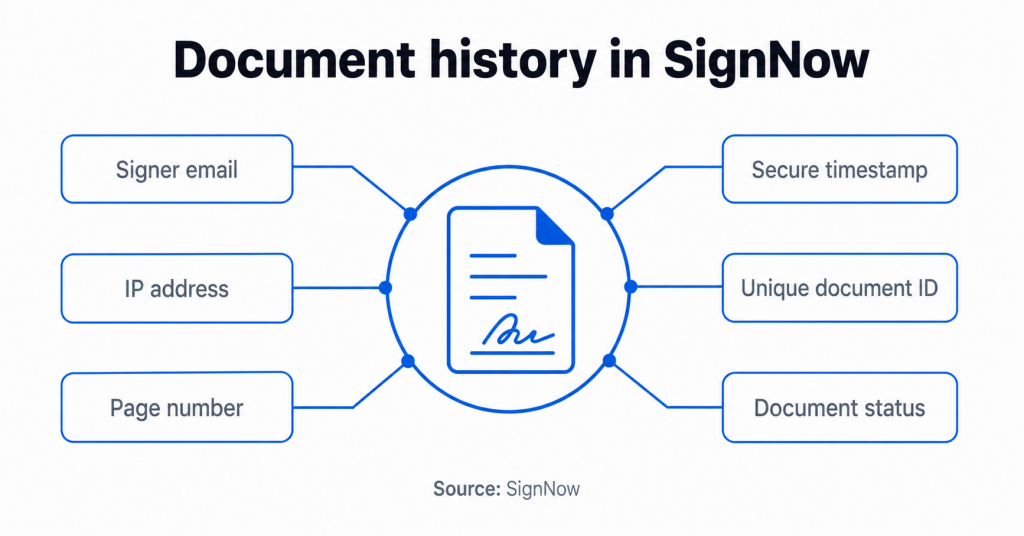
A signature alone does not tell the whole story. Construction firms also need to know who signed, when they signed, what document was signed, and whether the document changed after signing.
A strong audit trail should record key signing events, timestamps, signer details, and document history. To learn more about the importance of audit trails and how SignNow approaches them, see our blog: eSignature audit trail: What it is, how it works, and why it protects your business.
Instructions for secure signing and storage
- Enable audit trail tracking for every signed document.
- Use two-factor authentication for high-value contracts, lien waivers, and sensitive agreements.
- Use role-based signing order when approvals must happen in sequence.
- Store signed documents and audit trail records together.
Assign consistent document IDs so signed contracts are easy to trace.
Common mistakes to avoid when implementing electronic signatures for the construction workflows.
When implementing eSignatures in construction, it’s crucial to avoid common pitfalls. Here are five mistakes to steer clear of:
Treating eSignatures as scanned images: A proper e-signature workflow should link the signature to the document, signer activity, and an audit trail, unlike a simple scanned image.
Assuming high-value contracts need paper: Many construction agreements can be signed electronically, depending on the jurisdiction and document type. Defaulting to paper can increase costs and cause delays.
Skipping mobile testing: Field teams need systems that work on job sites. Test mobile apps, offline modes, and the full signing process before rollout.
Forgetting required fields: Missing signatures, dates, or project data creates delays. Use required fields to ensure documents are complete.
Ignoring the signing order: Construction documents often require a specific approval sequence. Configure the signing process to ensure parties sign in the correct order.
Avoiding these errors will help you create a more efficient, secure, and user-friendly e-signature process for your construction projects.
Electronic signature construction checklist
- Choose a mobile-first electronic signature platform
- Confirm iOS and Android app support
- Test offline signing before launch
- Use reusable templates for high-volume documents
- Add required fields to reduce incomplete forms
- Configure signing order for multi-party approvals
- Connect signing workflows to project management or cloud storage systems
- Enable audit trails for every document
- Use two-factor authentication for high-value agreements
- Store signed documents and audit trails together
- Confirm ESIGN Act, UETA, eIDAS, GDPR, HIPAA, or SOC 2 requirements where relevant
- Review workflows with legal counsel for high-risk projects
How to measure the success of eSignature solution implementation
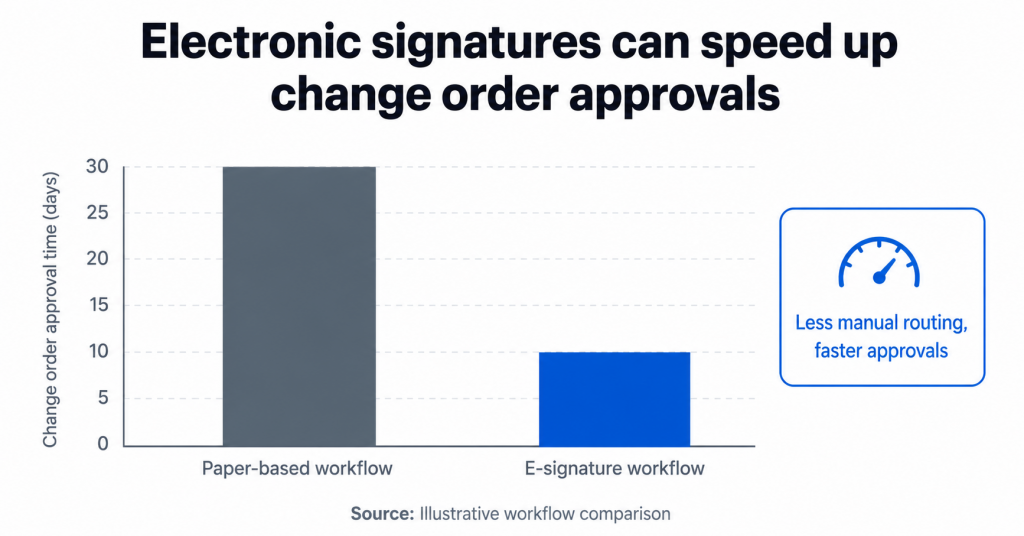
Track eSignature performance by measuring how approvals affect real construction work, from change orders and purchase orders to subcontractor agreements and project closeout documents.
Document turnaround time
Measure how long it takes each document to move from preparation to final signature. For construction teams, this is especially important for change orders, purchase orders, RFIs, lien waivers, subcontractor agreements, and safety forms because delayed signatures can hold up crews, materials, billing, or project initiation.
Completion rate
Track how many documents are signed without automated reminders, correction rounds, or manual follow-ups from project managers. A low completion rate may indicate that subcontractors, owners, or field teams are missing required fields, receiving unclear signing instructions, or struggling to complete documents from a mobile device.
Administrative time
Measure how much time project managers, coordinators, and office staff spend preparing, routing, scanning, uploading, and filing construction documents before and after implementation. This helps show whether the e-signature process is actually reducing manual work across active projects and multiple job sites.
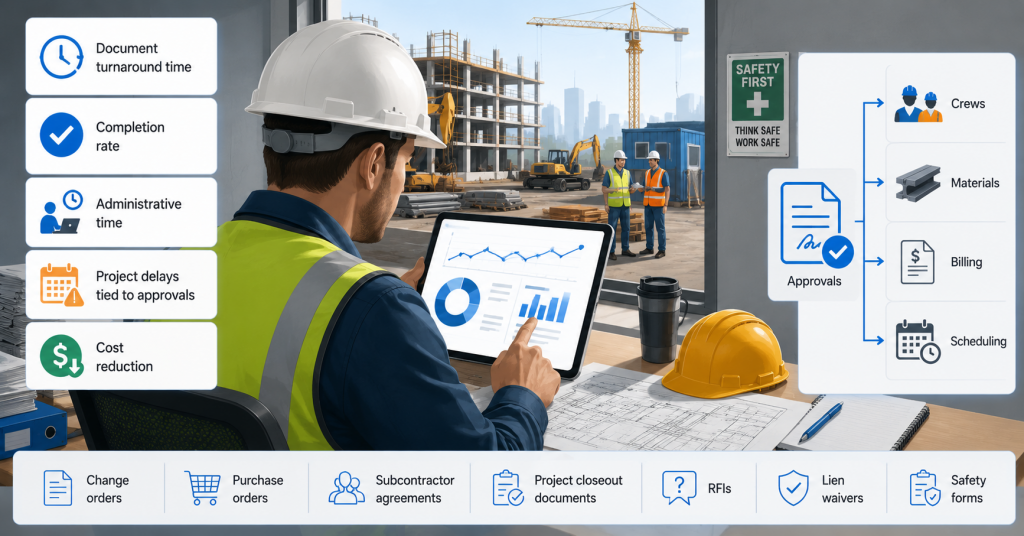
Project delays tied to approvals
Review whether late signatures are contributing to stalled change orders, delayed purchase approvals, missed subcontractor start dates, payment delays, or slow project closeout. This metric connects the signing process directly to construction schedule risk instead of treating signatures as a back-office task.
Cost reduction
Compare printing, scanning, courier, storage, and manual processing costs before and after moving to electronic signatures. Construction firms should also consider indirect savings from faster approvals, fewer document errors, reduced rework, and less time spent tracking down parties involved in the signing process.
Together, these metrics show whether electronic signatures are improving construction document workflows in ways that matter most: faster approvals, less administrative work, lower costs, and fewer project delays.
Final thoughts
Electronic signature construction workflows help construction firms reduce manual work, keep signed contracts organized, and support faster approvals across multiple projects and multiple sites. The biggest gains come from choosing a mobile-first tool, standardizing document preparation with reusable templates, connecting signed documents to project records, and protecting each signed document with audit trail data.
Try SignNow today to streamline your construction workflows and stay ahead in a rapidly digitizing industry.
Glossary
Audit trail: A record of actions taken on an electronic document, including signing events, timestamps, signer details, and document history.
Change order: A contract document that changes the original scope, cost, schedule, or terms of a construction project.
Digital certificate: A credential used in digital signature workflows to help verify signer identity and support cryptographic validation.
Digital signature: A type of electronic signature that uses public key infrastructure and cryptographic methods to bind a signature to a document.
Electronic signature: An electronic sound, symbol, or process used by a person to show intent to sign a document.
ESIGN Act: The Electronic Signatures in Global and National Commerce Act, the US federal law that supports the legal validity of electronic signatures and electronic records in interstate and foreign commerce.
Public key infrastructure: A system of digital certificates, public keys, and private keys used to support secure digital signatures.
Required field: A fillable field that must be completed before a signer can finish the signing process.
UETA: The Uniform Electronic Transactions Act, a state-level framework for electronic records and signatures adopted by most US states.
Wet signature: A traditional handwritten signature placed on physical documents.
FAQ
Are electronic signatures legally binding for construction contracts?
In many cases, yes. In the United States, the ESIGN Act and state-level electronic transaction laws help give electronic signatures legal validity when requirements such as intent, consent, and record retention are met. Some documents or jurisdictions may still have special rules, so construction firms should confirm requirements for each contract type.
What is the difference between an electronic signature and a digital signature?
An electronic signature is a broad legal concept: an electronic sound, symbol, or process used to show intent to sign. A digital signature is a more specific technical method that uses cryptographic methods, often through public key infrastructure and a digital certificate, to connect the signature to the document and help detect changes.
Can construction documents be signed on mobile?
Yes, if the platform supports mobile signing. SignNow provides iOS and Android apps, and its help center states that users can sign in offline mode and sync completed documents when the device reconnects.
What documents can construction teams sign electronically?
Common examples include change orders, purchase orders, subcontractor agreements, project initiation forms, safety acknowledgments, RFIs, and internal approvals. Whether a document can be signed electronically depends on the applicable laws, contract terms, and parties involved.
What is the best electronic signature app mobile construction teams should look for?
The best electronic signature app mobile teams can use should support field-friendly signing, required fields, reusable templates, audit trails, signer authentication, and offline access. Construction teams should also check integrations with their project management and document storage tools.
Sources:
State of digital adoption in construction, Deloitte 2024
Status: UNCITRAL Model Law on Electronic Signatures, United Nations Commission on International Trade Law
Wipfli News, 2025
ESIGN Act, Federal Trade Commission
UETA Uniform Law Commission
- Key takeaways
- Electronic signature: Construction best practices
- 1. Mobile-first electronic signature tools for field teams
- 2. Connecting electronic signature: construction project management workflows
- 3. Document preparation standardization with reusable templates
- 4. Legal validity and compliance confirmation before rollout
- 5. Audit trails and signer authentication
- Common mistakes to avoid when implementing electronic signatures for the construction workflows.
- Electronic signature construction checklist
- How to measure the success of eSignature solution implementation
- Final thoughts
- Glossary
- FAQ
- Are electronic signatures legally binding for construction contracts?
- What is the difference between an electronic signature and a digital signature?
- Can construction documents be signed on mobile?
- What documents can construction teams sign electronically?
- What is the best electronic signature app mobile construction teams should look for?
- Sources:
