
A complete overview of eSignature forms: Types, use cases, and setup best practices

- eSignature forms are legally valid in the U.S. under the ESIGN Act and UETA, and are widely accepted for commercial, HR, finance, and many regulated workflows.
- There’s no single “best” type of eSignature. The right approach depends on risk. Everyday forms can use click-to-sign, while higher-impact documents benefit from stronger authentication like MFA.
- The biggest business gains come from standardization, not just signing: reusable templates, automated routing, reminders, and audit trails dramatically reduce cycle time.
- Regulatory expectations are increasing, especially around identity verification and vendor oversight in healthcare and other regulated industries.
- SignNow makes it easy to scale eSignature forms, offering secure signing, built-in audit trails, and workflow automation without adding complexity.
For SMB and mid-market organizations, the opportunity is clear: implement eSignature forms strategically now, with controls that scale as regulatory and security requirements evolve.
Why eSignature forms are now foundational
eSignature forms have moved from edge cases to everyday business tools because they solve a fundamental problem: friction. Paper processes slow deals, delay onboarding, introduce errors, and create compliance gaps.
From a legal standpoint, the foundation is solid:
- The ESIGN Act ensures that electronic signatures and records cannot be denied legal effect simply because they’re electronic.
- UETA, adopted by nearly every U.S. state, aligns state law with the same principle.
- Federal agencies increasingly encourage or explicitly permit electronic signing when identity assurance and auditability are appropriate to the risk.
Just as importantly, buyers and employees now expect digital-first experiences. Asking someone to print, sign, scan, and email a document feels outdated and often results in lost time or abandoned workflows.
Types of eSignature forms
In practice, eSignature forms fall into several common categories based on how the signer interacts with the document and the level of assurance the business requires. Rather than thinking in legal terms alone, organizations should choose form types that balance speed, user experience, and evidentiary strength.
| eSignature form type | How it works | Typical use cases | When to use it |
| Click-to-sign eSignature forms | The signer confirms intent by clicking a button, checking a box, or adding a typed or drawn signature. The action is recorded with timestamps and basic metadata. | NDAs, HR acknowledgments, offer letters, standard commercial contracts | When speed, simplicity, and clear consent are the primary goals |
| Authenticated eSignature forms | Adds identity verification, such as email confirmation, SMS passcodes, SSO, or multi-factor authentication to link the signer more securely to the document. | Finance approvals, procurement workflows, and agreements involving sensitive or financial data | When the document carries a higher risk or requires stronger identity assurance |
| Certificate-based (digital signature) forms | Uses cryptographic certificates to bind the signer’s identity to the document and detect any tampering after signing. | High-risk agreements, regulated workflows, cross-border transactions | When strong non-repudiation or regulatory-level assurance is required |
Selecting the right eSignature form type is ultimately a risk-based decision: the higher the potential impact of the document, the stronger the identity assurance and audit evidence should be.
The current landscape: acceptance is high, expectations are higher
Two forces define the current state of eSignature forms in the U.S.
1. Broad legal acceptance
Most commercial agreements, HR documents, and internal approvals can be executed electronically without issue, as long as intent, consent, and record integrity are preserved.
Many regulated filings now allow eSignatures as well:
- The IRS has permanently approved electronic signatures for certain forms and compliance interactions.
- The TTB allows electronic signatures and submissions for specific regulated documents.
The practical implication: paper is no longer the default—even in government-adjacent workflows.
2. Rising security and identity standards
While legality is well established, regulators and auditors are paying closer attention to how people sign.
Frameworks like NIST Digital Identity Guidelines (SP 800-63) encourage organizations to match authentication strength to risk. In plain terms, the higher the impact of a document, the stronger the identity verification and authentication should be.
This trend is especially visible in healthcare. Proposed updates to the HIPAA Security Rule point toward stricter requirements for MFA, risk assessments, and vendor oversight—affecting any workflow that includes electronic signatures tied to protected health information.
Common U.S. use cases for eSignature forms
Across industries, several patterns consistently deliver value:
- Sales and legal teams use eSignature forms to accelerate contracts and NDAs, reducing deal cycle times.
- HR teams rely on them for onboarding, policy acknowledgments, and change requests—especially when integrated with SSO.
- Finance and procurement teams apply layered authentication for approvals tied to spend or vendor changes.
- Healthcare organizations use eSignature forms for patient consents and authorizations, paired with strong safeguards.
- Tax and regulated filings increasingly support electronic signatures, provided the specific form is approved.
The common thread: success depends on aligning the signing experience with both business risk and regulatory expectations.
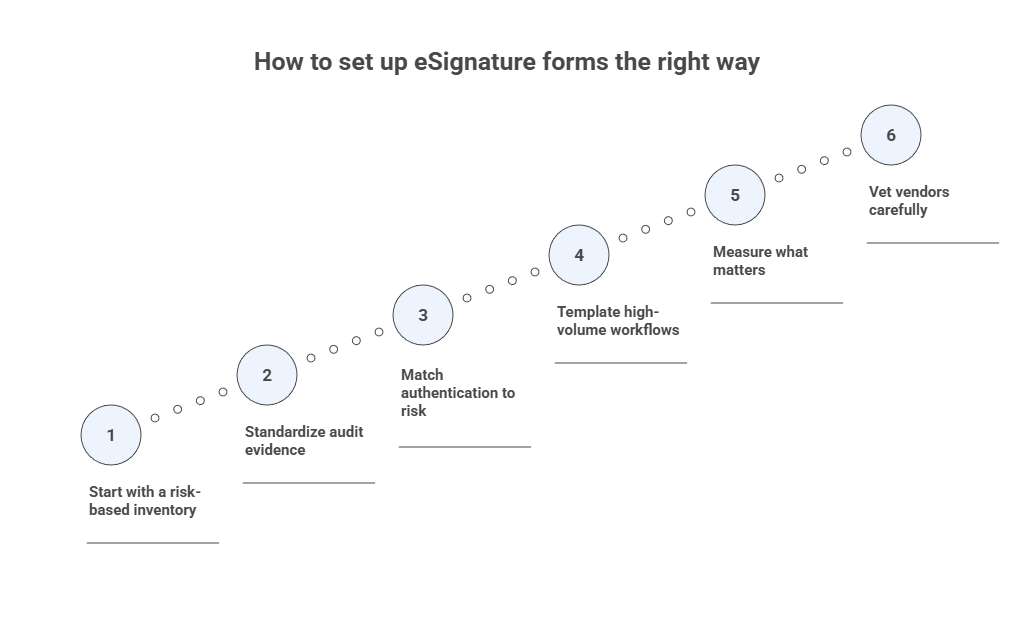
Start with a risk-based inventory
List your common forms and identify:
- Who signs them
- What data they contain
- Whether any regulators or special rules apply
This step determines how much authentication and evidence you need.
Standardize audit evidence
Every eSignature form should generate a clear, defensible audit trail: timestamps, signer details, document integrity checks, and completion history. This is often more reliable than paper.
Match authentication to risk
Use SSO for employees. Add MFA for external signers when documents involve money, sensitive data, or regulatory exposure.
Template high-volume workflows
Reusable templates with predefined roles, fields, and routing eliminate manual setup and reduce errors. This is where teams typically see the fastest ROI.
Measure what matters
Track completion time, drop-off rates, and rework. Many organizations discover that pairing eSignature forms with automated document generation or CLM multiplies the impact.
Vet vendors carefully
Security certifications, encryption, access controls, data retention, and (where applicable) HIPAA BAAs are no longer optional—they’re baseline requirements.
How to sign an online form with eSignature using SignNow
Signing an online form with SignNow is designed to be fast, intuitive, and compliant with legal requirements. Whether you’re signing a contract, HR form, or approval document, the process typically takes just a few minutes.
Step 1: Open the document
You’ll receive the form via email, a secure link, or directly inside SignNow if you’re a registered user. Click the link to open the document in your browser; no downloads are required.
Step 2: Review the form carefully
Before signing, review the document carefully to ensure you understand all fields, terms, and attachments. Required fields are clearly marked, allowing you to easily identify where action is needed.

Step 3: Complete required fields
Fill in any additional required information, such as dates, initials, checkboxes, or text fields. The platform prevents submission until all mandatory fields are completed, reducing errors and rework.
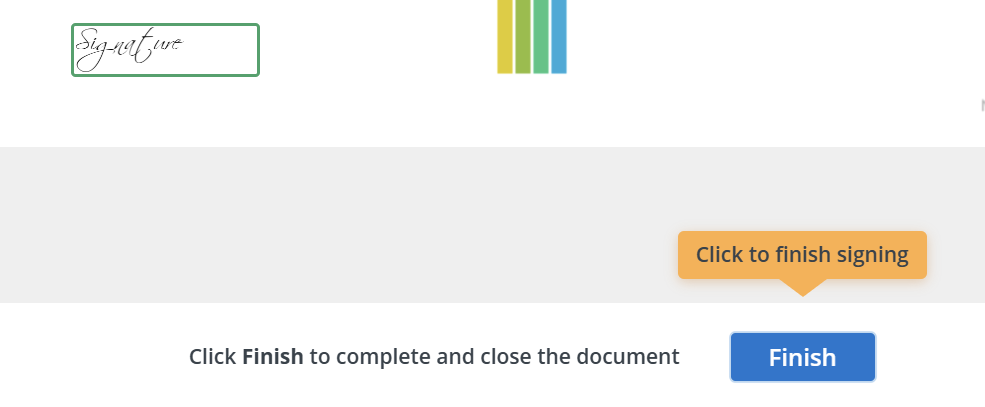
Step 4: Add your eSignature
When prompted, select the signature field and choose how you want to sign:
- Type your name
- Draw your signature using a mouse or touchscreen
- Upload an image of your signature
SignNow automatically applies the signature in a compliant format and associates it with the document’s audit trail.

Step 5: Submit the signed form
Once everything is complete, click Finish to submit the document. All parties automatically receive access to the finalized version, along with a detailed audit trail showing who signed, when, and how.
Step 6: Access or download your copy
After signing, you will receive the document in your email, ready for download as a PDF. You can also access it anytime through SignNow. The signed form is securely stored and protected against tampering.
Result: The document is legally signed, time-stamped, and ready for use without printing, scanning, or manual follow-up.
Final takeaway
eSignature forms are legally sound, operationally efficient, and increasingly expected in U.S. business. The organizations that get the most value don’t just “turn on eSign” they implement it thoughtfully. Start your free trial with SignNow and see how eSignature forms implementation streamlines your operations.
FAQs
Are electronic signatures legal in all U.S. states?
Yes. Federal law covers interstate commerce, and nearly all states have adopted UETA.
Do I need digital certificates for every document?
No. Most everyday business forms don’t require them. Use stronger methods when risk or regulation demands it.
What’s the difference between an eSignature and a digital signature?
“eSignature” is the broad category. “Digital signature” refers to cryptographic methods that provide stronger technical assurance.
