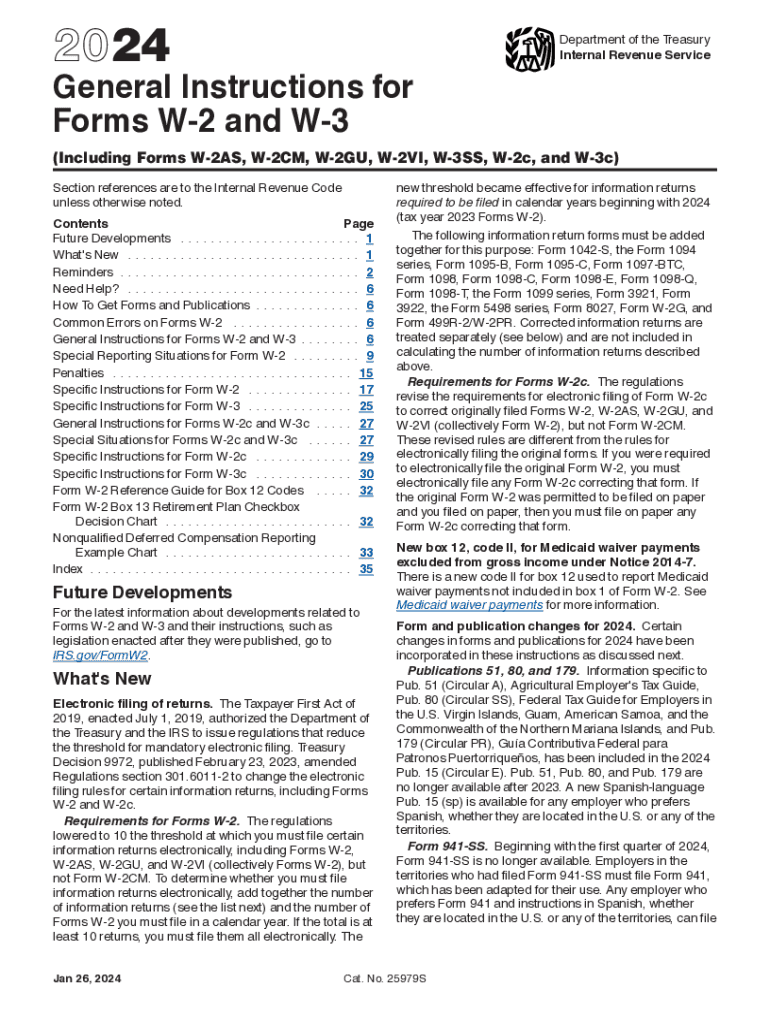
Proposed Collection; Requesting Comments on Forms W 2 2024


Understanding Box 12 on Form W-2
Box 12 on Form W-2 is used to report various types of compensation or benefits that are not included in the employee's regular wages. This box can contain several codes that indicate specific types of payments or deductions. Each code corresponds to a different type of income or benefit, which may affect your tax return. It is important to review the codes carefully, as they can impact your overall tax liability.
Common Codes Found in Box 12
Box 12 may include a variety of codes, each representing a different type of compensation or benefit. Some common codes include:
- D: Elective deferrals to a 401(k) plan.
- DD: Cost of employer-sponsored health coverage.
- W: Employer contributions to a health savings account (HSA).
- J: Sick pay.
Each code provides important information regarding your tax situation, and it is essential to understand what each code signifies when preparing your tax return.
How to Report Information from Box 12
When completing your tax return, the information from Box 12 must be accurately reported. Depending on the codes present, you may need to include additional forms or schedules. For instance, if you have contributions to a retirement plan reported in Box 12, you may need to complete Form 8880 to claim the Retirement Savings Contributions Credit. Ensure that you follow the IRS guidelines for reporting these amounts to avoid any discrepancies.
Implications of Box 12 Codes on Your Taxes
The codes in Box 12 can have various implications for your tax return. Some codes may indicate amounts that are subject to taxation, while others may represent tax-free benefits. Understanding these implications is crucial for accurate tax filing. For example, contributions to a 401(k) plan (code D) are typically pre-tax, reducing your taxable income for the year. Conversely, the cost of employer-sponsored health coverage (code DD) is reported for informational purposes and does not affect your taxable income.
IRS Guidelines for Box 12 Reporting
The IRS provides specific guidelines regarding the reporting of Box 12 on Form W-2. Employers are required to use the correct codes to ensure accurate reporting. It is advisable for employees to review their W-2 forms carefully and consult IRS publications or a tax professional if they have questions about the information reported in Box 12. Staying informed about IRS requirements helps ensure compliance and minimizes the risk of errors on your tax return.
Create this form in 5 minutes or less
Find and fill out the correct proposed collection requesting comments on forms w 2
Create this form in 5 minutes!
How to create an eSignature for the proposed collection requesting comments on forms w 2
How to create an electronic signature for a PDF online
How to create an electronic signature for a PDF in Google Chrome
How to create an e-signature for signing PDFs in Gmail
How to create an e-signature right from your smartphone
How to create an e-signature for a PDF on iOS
How to create an e-signature for a PDF on Android
People also ask
-
What are the w2 instructions box 12 for reporting employee benefits?
The w2 instructions box 12 provide guidance on how to report various types of compensation and benefits provided to employees. This includes items like retirement plan contributions and other deductions. Understanding these instructions is crucial for accurate tax reporting and compliance.
-
How can airSlate SignNow help with w2 instructions box 12?
airSlate SignNow simplifies the process of preparing and sending W-2 forms, including the necessary w2 instructions box 12. Our platform allows you to easily fill out and eSign documents, ensuring that all required information is accurately captured and submitted on time.
-
Are there any costs associated with using airSlate SignNow for W-2 forms?
Yes, airSlate SignNow offers various pricing plans that cater to different business needs. Each plan includes features that facilitate the completion of W-2 forms, including the w2 instructions box 12. You can choose a plan that best fits your budget and requirements.
-
What features does airSlate SignNow offer for W-2 form management?
airSlate SignNow provides features such as document templates, eSignature capabilities, and secure storage for W-2 forms. These features streamline the process of managing W-2 forms and ensure that you can easily reference the w2 instructions box 12 when needed.
-
Can I integrate airSlate SignNow with other accounting software for W-2 processing?
Yes, airSlate SignNow offers integrations with various accounting software solutions. This allows you to seamlessly manage your W-2 forms and access the w2 instructions box 12 directly from your preferred accounting platform, enhancing your workflow efficiency.
-
What benefits does airSlate SignNow provide for businesses handling W-2 forms?
Using airSlate SignNow for W-2 forms offers numerous benefits, including time savings, improved accuracy, and enhanced compliance. By following the w2 instructions box 12 through our platform, businesses can ensure that their tax documents are correctly filled out and submitted without hassle.
-
Is airSlate SignNow user-friendly for those unfamiliar with W-2 forms?
Absolutely! airSlate SignNow is designed to be user-friendly, even for those who may not be familiar with W-2 forms or the w2 instructions box 12. Our intuitive interface guides users through the process, making it easy to complete and eSign documents.
Get more for Proposed Collection; Requesting Comments On Forms W 2
Find out other Proposed Collection; Requesting Comments On Forms W 2
- eSignature Tennessee Banking Affidavit Of Heirship Online
- eSignature Florida Car Dealer Business Plan Template Myself
- Can I eSignature Vermont Banking Rental Application
- eSignature West Virginia Banking Limited Power Of Attorney Fast
- eSignature West Virginia Banking Limited Power Of Attorney Easy
- Can I eSignature Wisconsin Banking Limited Power Of Attorney
- eSignature Kansas Business Operations Promissory Note Template Now
- eSignature Kansas Car Dealer Contract Now
- eSignature Iowa Car Dealer Limited Power Of Attorney Easy
- How Do I eSignature Iowa Car Dealer Limited Power Of Attorney
- eSignature Maine Business Operations Living Will Online
- eSignature Louisiana Car Dealer Profit And Loss Statement Easy
- How To eSignature Maryland Business Operations Business Letter Template
- How Do I eSignature Arizona Charity Rental Application
- How To eSignature Minnesota Car Dealer Bill Of Lading
- eSignature Delaware Charity Quitclaim Deed Computer
- eSignature Colorado Charity LLC Operating Agreement Now
- eSignature Missouri Car Dealer Purchase Order Template Easy
- eSignature Indiana Charity Residential Lease Agreement Simple
- How Can I eSignature Maine Charity Quitclaim Deed