Rev 1500 2019-2026


What is the Rev 1500?
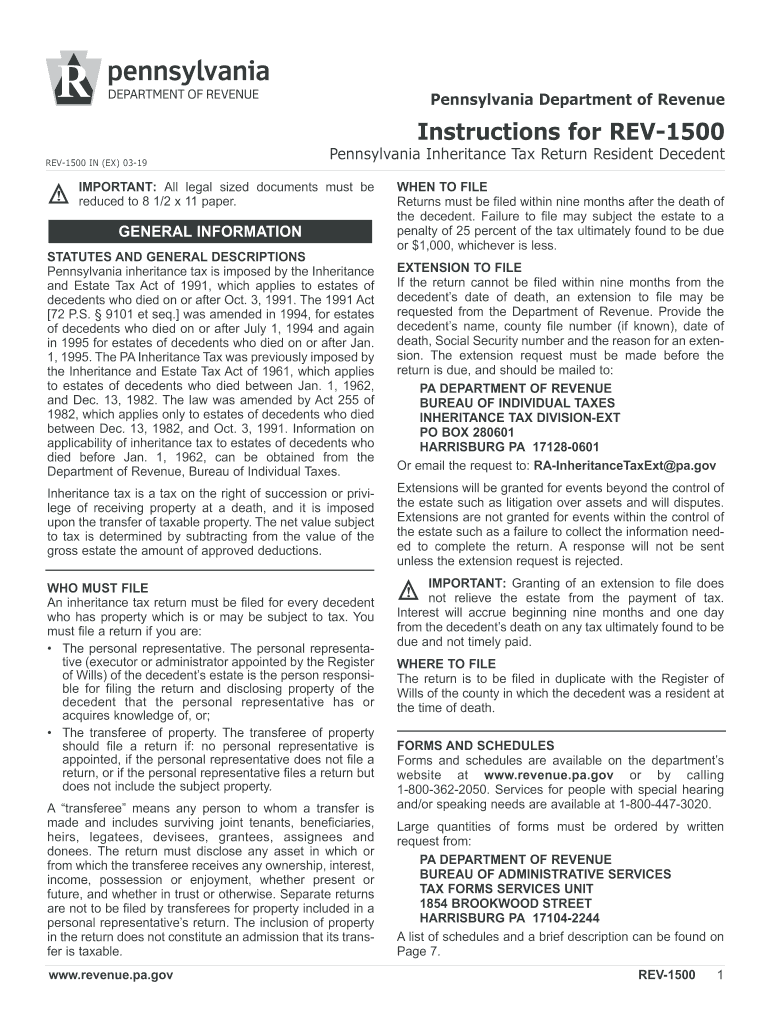
The Rev 1500 is a specific form used in Pennsylvania for reporting inheritance tax. It serves as a vital document for individuals or estates that need to declare the transfer of assets following a person's death. The form is essential for ensuring compliance with state tax laws and provides a structured way to report the value of inherited assets.
Steps to complete the Rev 1500
Completing the Rev 1500 involves several key steps to ensure accuracy and compliance. Begin by gathering all necessary documentation related to the estate, including the decedent's will, asset valuations, and any relevant financial records. Next, fill out the form with precise details regarding the deceased's assets, beneficiaries, and the calculated inheritance tax. Be sure to double-check all entries for accuracy before submission.
Legal use of the Rev 1500
The Rev 1500 must be used in accordance with Pennsylvania state laws regarding inheritance tax. This includes adhering to specific guidelines on how to report assets and the applicable tax rates. Failure to comply with these legal requirements can result in penalties or delays in the processing of the inheritance tax return.
Required Documents
To properly complete the Rev 1500, several documents are required. These typically include the decedent's death certificate, a copy of the will, and valuations of all assets being inherited. Additional documentation may be necessary depending on the complexity of the estate, such as property appraisals or financial statements.
Filing Deadlines / Important Dates
It is crucial to be aware of the filing deadlines associated with the Rev 1500. Generally, the form must be submitted within nine months of the decedent's date of death to avoid penalties. Understanding these timelines helps ensure that all tax obligations are met promptly and accurately.
Form Submission Methods (Online / Mail / In-Person)
The Rev 1500 can be submitted through various methods, including online filing, mailing a physical copy, or delivering it in person to the appropriate state office. Each method has its own requirements and processing times, so it is advisable to choose the one that best suits your situation for timely submission.
Quick guide on how to complete rev 1500
Complete Rev 1500 seamlessly on any device
Digital document management has gained signNow traction among organizations and individuals. It serves as a viable eco-friendly alternative to traditional printed and signed documents, allowing you to access the necessary form and store it securely online. airSlate SignNow provides all the tools required to create, edit, and eSign your documents quickly without interruptions. Handle Rev 1500 on any device using airSlate SignNow's Android or iOS applications and enhance any document-driven process today.
The easiest way to edit and eSign Rev 1500 without hassle
- Find Rev 1500 and click Get Form to initiate the process.
- Use the tools we provide to fill out your form.
- Highlight pertinent sections of the documents or redact sensitive information using tools specifically designed by airSlate SignNow for that purpose.
- Create your signature employing the Sign feature, which takes just seconds and holds the same legal validity as a conventional wet ink signature.
- Verify all the information and click on the Done button to save your changes.
- Choose your preferred method for sending your form, whether it be via email, text message (SMS), invitation link, or download it to your computer.
Say goodbye to lost or misplaced documents, tedious form navigation, or errors that require new document copies to be printed. airSlate SignNow addresses all your document management needs in just a few clicks from any device of your choosing. Modify and eSign Rev 1500 and ensure excellent communication at every stage of your form preparation with airSlate SignNow.
Create this form in 5 minutes or less
Find and fill out the correct rev 1500
Create this form in 5 minutes!
How to create an eSignature for the rev 1500
How to make an eSignature for the Rev 1500 online
How to make an eSignature for your Rev 1500 in Chrome
How to make an eSignature for signing the Rev 1500 in Gmail
How to make an eSignature for the Rev 1500 from your mobile device
How to generate an eSignature for the Rev 1500 on iOS
How to make an electronic signature for the Rev 1500 on Android OS
People also ask
-
What is the Rev 1500 from airSlate SignNow?
The Rev 1500 is a powerful solution from airSlate SignNow designed to streamline document signing and management. This tool empowers businesses to easily send, sign, and manage documents electronically, signNowly enhancing workflow efficiency.
-
How much does the Rev 1500 cost?
The Rev 1500 pricing is competitive and designed to fit various business budgets. By choosing the Rev 1500 plan, businesses can access advanced eSigning features at a cost-effective price, making it an excellent choice for companies looking to optimize their document processes.
-
What features are included in the Rev 1500 plan?
The Rev 1500 plan includes a range of robust features such as unlimited eSigning, document templates, and integration options with various applications. With these capabilities, businesses can maximize productivity and ensure a seamless signing experience.
-
How can the Rev 1500 benefit my business?
The Rev 1500 benefits businesses by simplifying the document signing process, reducing turnaround times, and improving overall efficiency. Its user-friendly interface and automation features help organizations save time and reduce errors in document management.
-
Does the Rev 1500 offer integration with other software?
Yes, the Rev 1500 offers seamless integration with various software applications, including CRM and project management tools. This flexibility enables businesses to incorporate the Rev 1500 into their existing workflows, enhancing overall productivity.
-
Is the Rev 1500 secure for sensitive documents?
Absolutely, the Rev 1500 prioritizes security and compliance. It utilizes advanced encryption standards and meets industry regulations to ensure that all sensitive documents are securely signed and stored.
-
Can I customize documents with the Rev 1500?
Yes, the Rev 1500 allows users to customize documents easily. You can create templates, add fields for signatures, and include personalized branding elements, making it ideal for businesses looking to maintain their unique identity.
Get more for Rev 1500
Find out other Rev 1500
- How To Integrate Sign in Banking
- How To Use Sign in Banking
- Help Me With Use Sign in Banking
- Can I Use Sign in Banking
- How Do I Install Sign in Banking
- How To Add Sign in Banking
- How Do I Add Sign in Banking
- How Can I Add Sign in Banking
- Can I Add Sign in Banking
- Help Me With Set Up Sign in Government
- How To Integrate eSign in Banking
- How To Use eSign in Banking
- How To Install eSign in Banking
- How To Add eSign in Banking
- How To Set Up eSign in Banking
- How To Save eSign in Banking
- How To Implement eSign in Banking
- How To Set Up eSign in Construction
- How To Integrate eSign in Doctors
- How To Use eSign in Doctors