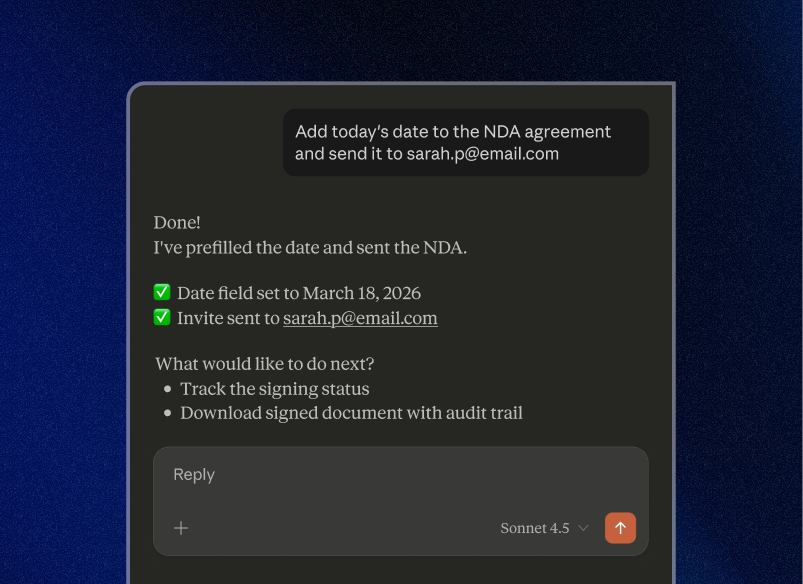
Run your signing flows directly from Claude

Maintain global compliance






We spread the word about digital transformation
80%
completion rate of sent documents
80% completed

1h
average number of signature invites sent in a week
20+
out-of-the-box integrations




96k
average number of signature invites sent in a week
28.9k
users in Education industry


2
clicks minimum to sign a document

14.3m
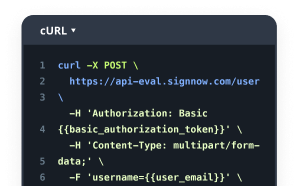
API calls a week

signNow regularly wins awards for ease of use and setup




FAQs
- What can I do with SignNow in Claude?
You can prepare, send, manage and track documents using simple prompts—along with pre-filling templates, checking signing status, and downloading completed documents, all directly from Claude.
- Do I need a SignNow account?
Yes. You’ll need an active SignNow account to connect and start using it with Claude.
- Is this available on all SignNow plans?
Yes. The Claude integration is available on all SignNow plans at no extra cost.
- How do I connect SignNow to Claude?
Open Claude, go to Customize → Connect your apps, search for SignNow, and authorize your account. Once connected, you can start using it right away.
- Can I use my existing templates?
Yes. You can access and use your existing SignNow templates, including pre-filling fields before sending them.
- Is my data secure?
Yes. SignNow uses enterprise-grade security, including encryption, audit trails, and compliance with standards like GDPR and SOC 2.
- Do I need technical skills to use this?
No. If you can describe what you want in a prompt, you can use it—no setup, coding, or integrations required.
- Can I automate tasks with Claude Cowork?
Yes. With Claude Cowork, you can automate repetitive tasks like checking for pending signatures, generating weekly reports of signed contracts, or tracking agreement status—so your workflows keep moving without manual follow-up.
- Who is this best for?
Anyone who regularly sends documents—sales, HR, operations, legal, or founders who want to move faster and reduce repetitive work.
LET’S GET IT SIGNED