Establishing secure connection…Loading editor…Preparing document…

Musicians Agreement

This template is fully customizable. Edit the text, fill out the fields, and send it for signature. Give it a try!
Musicians Agreement

What a Musicians Agreement Covers

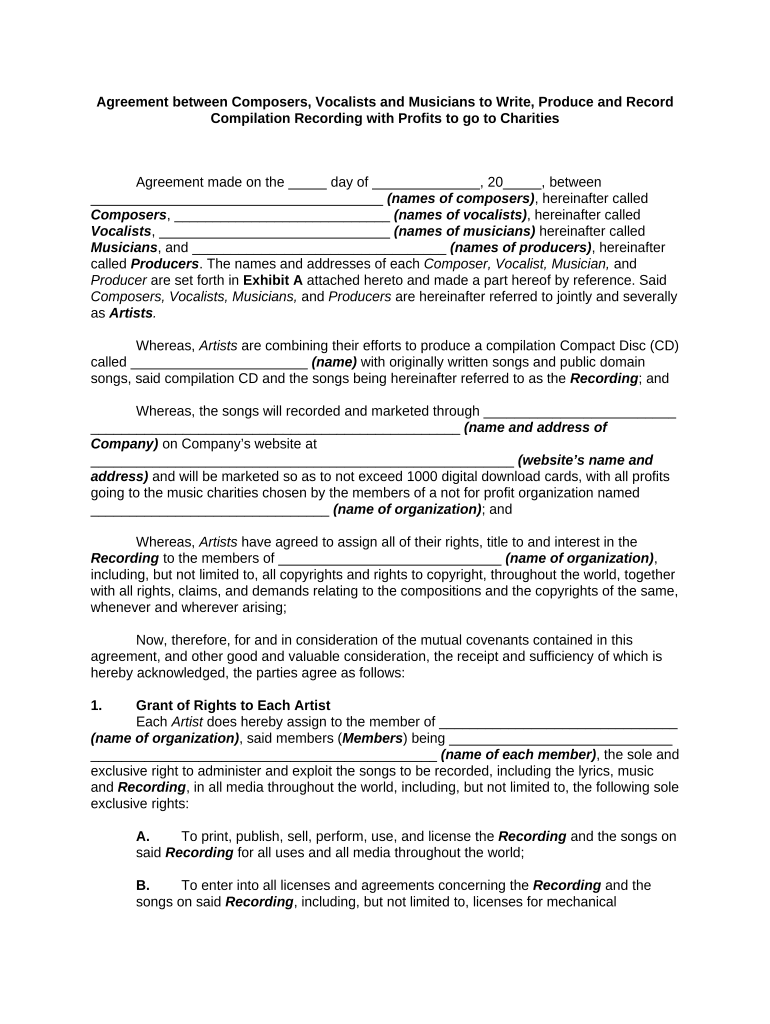
A Musicians Agreement is a written contract between a performer (solo artist, band, session musician) and an engager (venue, promoter, producer or recording client) that sets out the scope of services, compensation, schedules, rights in recordings and compositions, technical and hospitality riders, cancellation and force majeure terms, insurance and indemnity, and dispute-resolution procedures. In the United States this document functions as an enforceable contract under state contract law and relevant federal statutes when duly executed by the parties.

Why a Written Agreement Matters

A clear Musicians Agreement reduces misunderstandings about payment, performance obligations, intellectual property ownership and liability, and it provides a documented basis for enforcement or dispute resolution under U.S. contract law.

Why a Written Agreement Matters

Who Typically Uses a Musicians Agreement

Different parties rely on a Musicians Agreement to protect expectations and payments before a performance or recording engagement.

  • Solo artists and bands — contract covers fee, set length, technical rider, and cancellation terms.
  • Venues, promoters, and event organizers — secures deposit, liability coverage, and time slots for performances.
  • Session musicians and recording studios — documents scope of work, payment, and intellectual property assignment.

Typical Signatories and Their Roles

Musician — Lead Artist

An individual performer or band leader who provides the musical services and, where applicable, assigns recording or performance rights. The musician should confirm legal name, tax status (independent contractor vs. employee), and any exclusivity or merchandising arrangements in the agreement.

Promoter — Venue Manager

The venue, promoter, or production company that engages the musician, handles payment and logistical arrangements, and often requires proof of insurance and rider accommodations. This signer is responsible for deposits, final payment, and compliance with venue rules described in the contract.

Key Sections to Include in a Professional Agreement

A complete Musicians Agreement organizes rights and duties so both parties understand expectations for the engagement.

Parties & Scope

Identify each party by full legal name and describe the services: performance length, number of sets, rehearsal time, and any deliverables such as recordings or mixes.
Compensation

Specify deposit amount, balance due, payment method, timing, and any bonuses, per diem or expense reimbursement to avoid disputes over money.

Performance Details

Include venue address, load-in/load-out times, soundcheck, equipment responsibilities, curfew and acceptable setlist expectations to ensure operational clarity.

Intellectual Property

State whether the performer assigns recording rights, grants a license for live or recorded use, and who owns masters and publishing, including payment splits for royalties.

Cancellation & Force Majeure

Define notice periods for cancellation, refund or forfeiture of deposits, rescheduling procedures, and force majeure events that excuse nonperformance.

Indemnity & Insurance

Allocate liability for property damage and injury, require general liability insurance where appropriate, and specify limits and certificate-of-insurance delivery.

How to Complete a Musicians Agreement — Step by Step

Follow these core steps to prepare and finalize a Musicians Agreement efficiently.

  • 01
    Gather Details: Collect legal names, dates, fees, and rider requirements.
  • 02
    Populate the Template: Complete fields with precise language and amounts.
  • 03
    Review and Verify: Confirm insurance, venue rules, and payment schedules.
  • 04
    Sign and Distribute: Execute by all parties and provide copies to each signer.

Configure an Online Signing Workflow

Set up an eSigning workflow that matches the agreement’s approval and distribution needs.

Field Configuration Settings Table Header Configuration | Typical value
Signer Order Sequential or parallel depending on negotiation
Authentication Method Email link; add SMS or ID check as needed
Auto-fill Party Data Populate names, addresses, and fee amounts automatically
Final Distribution Send signed copy to all parties and upload to storage

Where to Send and Store the Signed Agreement

Decide distribution targets and storage locations so executed contracts are available for bookkeeping, tax, and legal use.

  • Deliver to Venue: Provide a signed copy to the venue or promoter.
  • Provide to Musician: Send the performer a final signed agreement.
  • Store in Cloud: Upload to secure cloud storage for records.
  • Share with Accountant: Provide a copy for tax reporting or payroll.

Technical Requirements for Digital Completion and Signing

Ensure the signing platform and document format support the fields, attachments, and authentication your workflow requires.

  • Supported Formats: PDF and DOCX recommended
  • Integrations: Salesforce, Google Workspace, NetSuite, Box
  • Authentication Options: Email link, SMS code, or ID verification

Select a platform that preserves an audit trail, supports required authentication, and permits secure export and long-term storage of executed agreements.

Common Timelines and Deadlines to Set in the Contract

Include explicit timing for deposits, final deliverables, and statutory reporting to keep obligations clear.

Deposit Due:

Deposit typically due on signing; often 25–50% of fee.

Technical Rider Deadline:

Final rider and stage plot due 7–14 days before event.

Final Payment:

Balance due on arrival or immediately after performance.

Cancellation Notice:

Require 30 days’ notice to avoid full forfeiture.

Tax Reporting Reminder:

Issue 1099-NEC to nonemployees by Jan 31 each year.

Key Contract Stages from Agreement to Performance

Track milestones so obligations, payments and logistics are completed on schedule.

01

Contract Signed

Agreement executed and deposit paid to secure the date.

02

Rider Finalized

Technical and hospitality rider confirmed with venue and technician.

03

Final Payment

Balance received and confirmation sent to performer.

04

Performance Day

Load-in, soundcheck, performance, and load-out per contract.

Authentication, Notarization, and Witness Actions (When Required)

Most Musicians Agreements do not need notarization, but certain addenda or rights assignments sometimes do; follow the steps below when notarization or witnesses are required.

01

Determine Need for Notary

Confirm whether a venue or rights assignment requires notarization.

02

Choose Notarization Type

In-person notarization or RON if state law and parties permit.

03

Identity Verification

Provide government ID and any required credential checks.

04

Execute Document

Sign in notary presence or as instructed for RON sessions.

05

Record Journal Entry

Notary records the act in the official journal where required.

06

Provide Certificate

Attach notary certificate or RON evidence to the agreement.

07

Distribute Notarized Copy

Send the notarized version to all parties for their records.

08

Retain Evidence

Keep notarization or RON recording with the agreement.

Common Mistakes to Avoid When Preparing the Agreement

  • Vague scope of services leading to disputes over set length or encore obligations and resulting in extra payment conflicts.
  • Unclear payment schedule that omits deposit amounts, due dates, or late fee terms, delaying settlement or causing chargebacks.
  • Missing or incomplete technical rider that leaves venue staff unsure about required equipment, causing performance delays.
  • Using informal or stage names instead of legal names on tax-related fields, which can prevent correct 1099 reporting.

Penalties and Risks from Incomplete or Incorrect Agreements

Missed Payment: Loss of deposit and potential breach damages
Cancellation Liability: Obligation to pay cancellation fees or replacement costs
IP Ownership Dispute: Unclear assignment can lead to royalty disputes
Tax Reporting Errors: Incorrect names or TINs may trigger IRS penalties
Insurance Gaps: Venue or performer liable for uninsured losses
Contract Breach: Claims for specific performance or damages

Security and Compliance Considerations for Stored Agreements

Encryption: TLS 1.2/1.3 in transit; AES-256 at rest
Audit Trail: Timestamps, IP addresses, and action history
Access Controls: Role-based permissions and SSO where available
HIPAA Considerations: BAA required if health information included
ESIGN / UETA: Compliant e-signature frameworks
Record Retention: Secure backups and immutable storage options

eSignature Platform Comparison for Signing Musicians Agreements

Compare starting price, trial availability, bulk-send capability, audit trails, HIPAA support, and envelope caps when selecting an eSignature provider.

signNow DocuSign Adobe Sign PandaDoc HelloSign
Starting Price $8/user/mo $15/user/mo $14/user/mo $19/user/mo $15/user/mo
Free Trial 7-day free trial Varies by plan Varies by plan Varies by plan Varies by plan
Bulk Send Yes Yes Yes Yes No
Audit Trail Yes Yes Yes Yes Yes
HIPAA Compliant Yes Yes Yes No No
Envelope Cap No cap 100 envelopes/user/year Varies Varies Varies

Practical Examples of Musicians Agreement Use

Realistic scenarios illustrate how clauses apply in practice and why specific fields matter.

Small Venue Booking

A local venue hires a three-piece band for a Saturday night gig

  • Deposit equals 30% to secure date
  • The agreement clarified load-in times, soundcheck expectations, and split of door receipts, preventing last-minute payment disputes.

Session Recording Contract

A producer engages a session player for studio tracks

  • Flat fee plus credit on release
  • The contract specified work-for-hire terms and a recording delivery schedule, ensuring ownership and timely mixing.

Best Practices to Reduce Risk and Speed Execution

Follow these recommendations to make agreements clear, enforceable, and quick to execute.

Use Clear Payment Milestones
Define deposit, balance and payment method precisely; include remedies for late payment and any withholding for taxes to avoid misunderstandings.
Attach a Detailed Rider
Include a separate technical and hospitality rider with stage plot and equipment lists to prevent day-of performance conflicts.
Specify IP Rights Explicitly
State whether recordings are work-for-hire or licensed, and include royalty or split terms where applicable to avoid later ownership disputes.
Confirm Insurance and Indemnity
Require certificates of insurance for large events and include indemnity language allocating responsibility for property damage and personal injury.

Frequently Asked Questions About Musicians Agreements

Answers to common legal and practical questions to help you prepare, sign, and store a Musicians Agreement correctly.


Need help? Contact support

be ready to get more
Join over 28 million airSlate SignNow users