Establishing secure connection…Loading editor…Preparing document…

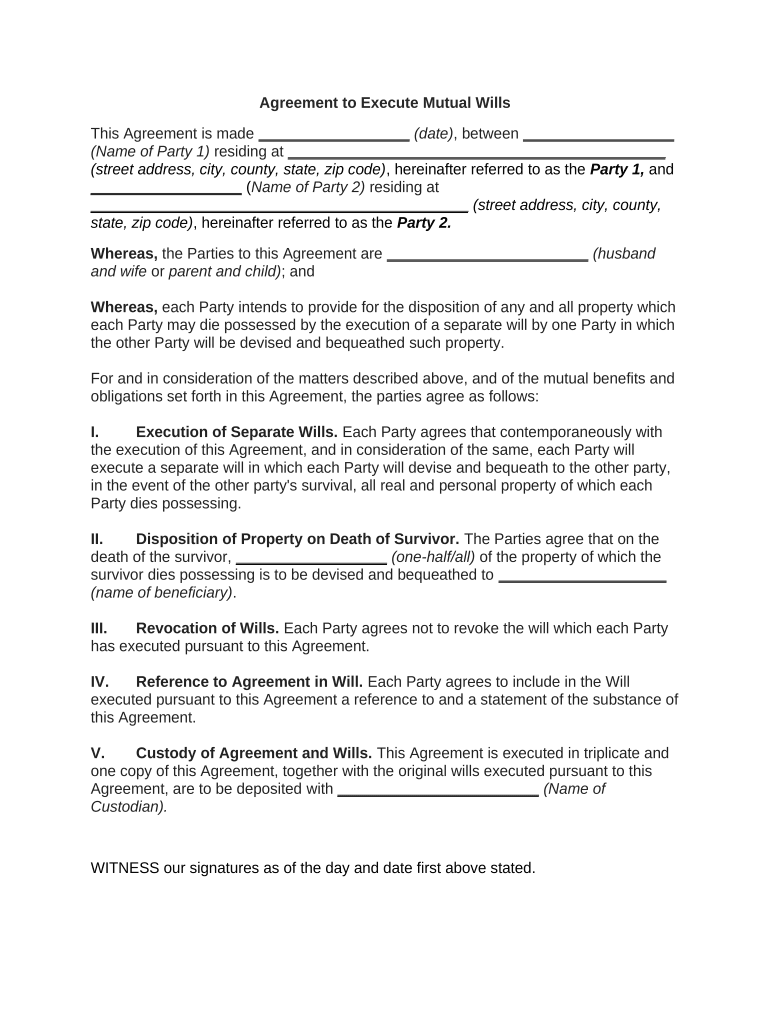
Mutual Agreement

This template is fully customizable. Edit the text, fill out the fields, and send it for signature. Give it a try!
Mutual Agreement

What a Mutual Agreement Is and When It Applies

A Mutual Agreement is a written contract between two or more parties that records reciprocal obligations, rights, or promises and establishes the terms for a specific relationship or transaction. Typical mutual agreements cover deliverables, payment, term and termination, confidentiality, dispute resolution, and governing law. These documents can be customized for commercial contracts, service arrangements, collaboration terms, and settlements. Properly executed, a Mutual Agreement creates enforceable duties that define performance expectations and remedies for breach while facilitating clear recordkeeping for regulatory or audit purposes.

Why a Clear Mutual Agreement Matters

A well-drafted Mutual Agreement reduces ambiguity, allocates risk, and documents consent so both parties understand obligations and remedies. It supports enforceability, simplifies dispute resolution, and provides a single record for compliance, audits, and future amendments.

Why a Clear Mutual Agreement Matters

Who Typically Executes a Mutual Agreement

Organizations and individuals use Mutual Agreements across commercial, professional, and institutional settings when reciprocal promises are exchanged.

  • Small and mid-size businesses managing supplier or service relationships with standard terms and timelines.
  • Enterprises and legal teams negotiating bespoke commercial arrangements that require careful risk allocation and audit trails.
  • Professional services and partnerships documenting shared responsibilities, fees, and confidentiality obligations.

Roles and Typical Signers

Authorized Officer

A corporate officer or person with delegated authority should sign on behalf of an entity. Confirm signing authority in corporate records and attach evidence of authorization when necessary to avoid later challenges to enforceability.

Individual Party

When a natural person is a party, that individual signs and dates personally. Verify identity and capacity, and consider additional witness or notarization steps if state law or the agreement terms require them.

Core Elements to Include in a Professional Mutual Agreement

A comprehensive Mutual Agreement includes clauses that define the relationship, specify obligations, and set remedies; clarity here reduces disputes and supports enforcement.

Parties

Full legal names and entity types for all signatories, including business addresses and a statement identifying the signing capacity (e.g., 'authorized officer').
Scope

Clear description of goods, services, or obligations with measurable deliverables, milestones, and acceptance criteria where applicable.

Consideration

Monetary amounts, fee schedules, or non‑monetary exchanges that constitute the contract's consideration, including payment terms and invoicing procedures.

Term & Termination

Effective date, duration, renewal mechanics, termination rights, notice periods, and consequences of termination such as wind‑down obligations.

Liability & Indemnity

Limitations of liability, consequential damages carve‑outs, and indemnity responsibilities tailored to the parties' negotiated risk allocation.

Dispute Resolution

Choice of law, forum selection, and dispute resolution path (mediation, arbitration, litigation) with any special remedies or injunction language.

Step-by-Step: How to Complete a Mutual Agreement

Follow these steps to prepare, review, sign, and distribute the Mutual Agreement in a controlled and auditable process.

  • 01
    Draft: Prepare a clear draft with required clauses and exhibits.
  • 02
    Review: Legal and business teams confirm terms and redlines.
  • 03
    Authorize: Obtain internal approval and confirm signer authority.
  • 04
    Execute: Collect signatures, apply notarization if required, and distribute copies.

How to Configure an Online Signing Workflow

Set up consistent workflow settings to ensure correct signing order, authentication strength, and audit trail capture for the Mutual Agreement.

Field Configuration
Authentication Email link or SMS code; choose stronger methods for sensitive agreements
Signing Order Sequential or parallel per negotiated order
Templates Use standardized templates for repeatable agreements
Notifications Automatic reminders and final signed document delivery

Where to Send or File the Executed Mutual Agreement

After execution, route the signed agreement to internal and external stakeholders and, where applicable, file with the appropriate registry or contract repository.

  • Counterpart Delivery: Provide each party a fully executed copy in PDF format.
  • Internal Repository: Store in contracts management or document storage systems for retention and reporting.
  • Regulatory Filing: File with relevant government body only when statute or industry rule requires it.
  • Accounting Records: Send payment and contract terms to finance for onboarding and invoicing.

Digital Signing and eSubmission Considerations

Use electronic signing solutions that capture intent, attribution, and an auditable trail while meeting any industry authentication requirements.

  • Authentication Options: Email, SMS, or advanced methods like multi‑factor authentication
  • Audit Trail: Timestamps, IP addresses, and action history retained
  • Document Formats: PDF and DOCX with tamper-evident signed copies

Common Preparation and Execution Mistakes

  • Using imprecise parties or abbreviations that create ambiguity about who is bound.
  • Failing to confirm signing authority for corporate entities before execution.
  • Omitting essential dates or using inconsistent date formats across counterparts.
  • Neglecting required consents, regulatory notices, or consumer disclosures for specific industries.

Potential Risks and Financial Consequences

Contract Unenforceable: Missing signatures or defective execution
Tax Penalties: 1099 penalties: $60–$330 per form
I-9 Fines: I-9 paperwork violations: $281–$2,789
HIPAA Violations: Breaches can trigger fines and corrective action
Delay Costs: Performance delays leading to lost revenue
Reputational Risk: Contract disputes affecting business relationships

Typical Dates and Deadlines to Track

Define and record critical dates in the agreement and in your contract-management system to prevent missed notices or automatic renewals.

Effective Date:

Date when obligations commence

Execution Date:

Date when last party signs

Notice Deadlines:

Timeframes for cure or termination notices

Renewal Window:

Period for opting into automatic renewal

Record Retention:

Retention start tied to effective or termination date

Key Milestones from Draft to Archive

Track these sequential milestones to ensure timely approvals, execution, and proper archival of the Mutual Agreement.

01

Draft Completed

Initial terms finalized and internal draft stored

02

Legal Review

Legal approves or issues redlines

03

Execution

Signatures collected from all required parties

04

Distribution & Archive

Fully executed copies delivered and archived

Real-World Examples of Mutual Agreement Use

These examples show how Mutual Agreements are used across different workflows and why attention to execution details matters.

Case Study 1

A mid‑market vendor adopted a standardized Mutual Agreement to reduce negotiation time by centralizing terms and signatures.

  • The vendor used sequential signing to control approvals.
  • The result was clearer responsibility allocation and faster onboarding, with fewer billing disputes and a single source of truth for contract obligations.

Case Study 2

A healthcare practice attached a HIPAA addendum to its Mutual Agreement when sharing patient data with a vendor.

  • Stronger authentication and a BAA were required.
  • This approach ensured compliance with privacy obligations, preserved patient trust, and provided documented safeguards for audits.

Security and Compliance: What to Confirm

Encryption: TLS 1.2/1.3 in transit; AES-256 at rest
Audit Trail: Timestamped events with signer attribution
HIPAA: BAA required for protected health data
ESIGN / UETA: Supports legal framework for e-signatures
21 CFR Part 11: Available controls for FDA-regulated records
Certifications: SOC 2 Type II and ISO 27001 available

Pricing and Feature Snapshot for eSignature Providers

Comparison of basic pricing and common features to consider when selecting an eSignature provider for Mutual Agreement workflows. Pricing shown is plan-level starting points and may vary by billing frequency and add‑ons.

signNow DocuSign Adobe Sign PandaDoc HelloSign
Starting Price $8/user/mo $15/user/mo $14/user/mo $19/user/mo $15/user/mo
Free Trial 7-day free trial Varies Varies Varies Varies
Bulk Send Yes Yes Yes Yes No
Audit Trail Yes Yes Yes Yes Yes
HIPAA Compliant Yes Varies Varies Varies Varies

Frequently Asked Questions About Mutual Agreements

Answers to common execution, validity, and storage questions for Mutual Agreements prepared for U.S. use.


Need help? Contact support

be ready to get more
Join over 28 million airSlate SignNow users