Clear Identification
Child and proposed name fields placed prominently, with date of birth and any ID numbers to avoid ambiguity.
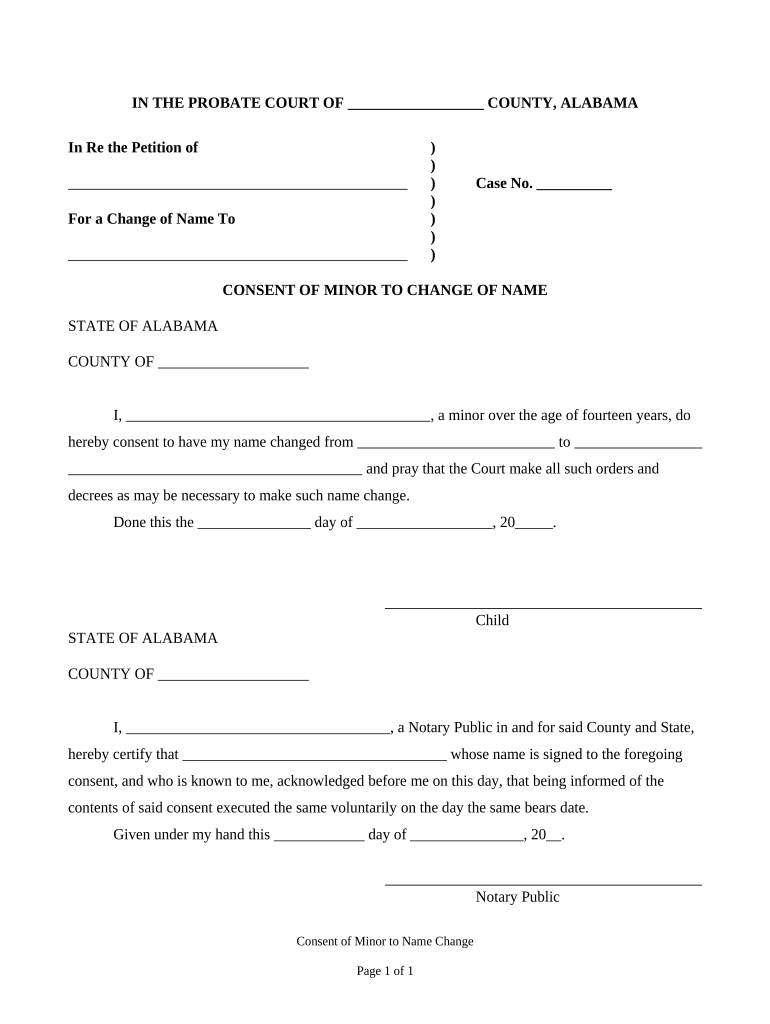
A properly completed Alabama Consent of Minor to Change of Name clarifies parental intent, supports the court record, and reduces the chance of contested proceedings by recording who consents, when, and under what relationship.

Typical users include parents, guardians, attorneys, and court clerks preparing a minor name-change petition.
| Field | Configuration |
|---|---|
| Signature | Require typed or drawn signature with timestamp and signer name |
| Authentication | Use email link or SMS code; increase strength for guardianship disputes |
| Notarization | Enable RON or in-person notarization option where accepted |
| Retention | Enable PDF/A export and audit log retention |
Child and proposed name fields placed prominently, with date of birth and any ID numbers to avoid ambiguity.
Full name, address, relationship, and contact information for the consenting parent or guardian to support verifiability.
A plain-language clause stating consent to the name change and acknowledgment of the legal effect of the change.
Signature block for the consenting adult and date; include space for notarization or witness if required.
A formatted acknowledgement area for a notary public or witness signature and official seal when authentication is required.
Space to list attachments such as birth certificate, custody orders, or prior court decrees that affect the petition.
1–7 days to gather documents and complete consent
Same-day to a few days depending on clerk availability and submission method
2–12 weeks in many jurisdictions if a hearing is required
Decree issued same day or within weeks after hearing, depending on court backlog
Allow additional time for agency updates to IDs or records
Complete consent, assemble birth certificate and custody documents
Authenticate signatures per court or state notary rules
Submit petition and consent to the appropriate probate or family court
Attend hearing if required; obtain court order changing the minor’s name
| Criteria | Alabama Consent Form | Power of Attorney |
|---|---|---|
| Purpose | record parental consent | authorize decision-making |
| Typical Authentication | notary or court | notary or witness |
| When Used | with name-change petition | for ongoing authority |
| Revocation | court or written revocation | revocable per poa terms |
| signNow | DocuSign | Adobe Sign | PandaDoc | HelloSign | |
|---|---|---|---|---|---|
| Starting Price | $8/user/mo | $15/user/mo | $14/user/mo | $19/user/mo | $15/user/mo |
| Free Trial | 7-day free trial | Free trial available | Free trial available | Free trial available | Free trial available |
| Bulk Send | Yes | Yes | Yes | Yes | No |
| Audit Trail | Yes | Yes | Yes | Yes | Yes |
| HIPAA Compliant | Yes | Yes | Yes | Yes | No |
Verify that your eSignature platform supports required authentication, notarization, and secure export formats before digital submission.