Establishing secure connection…Loading editor…Preparing document…

Articles of Association for Social Club

This template is fully customizable. Edit the text, fill out the fields, and send it for signature. Give it a try!
Articles of Association for Social Club

What the Articles of Association for Social Club Are and why they matter

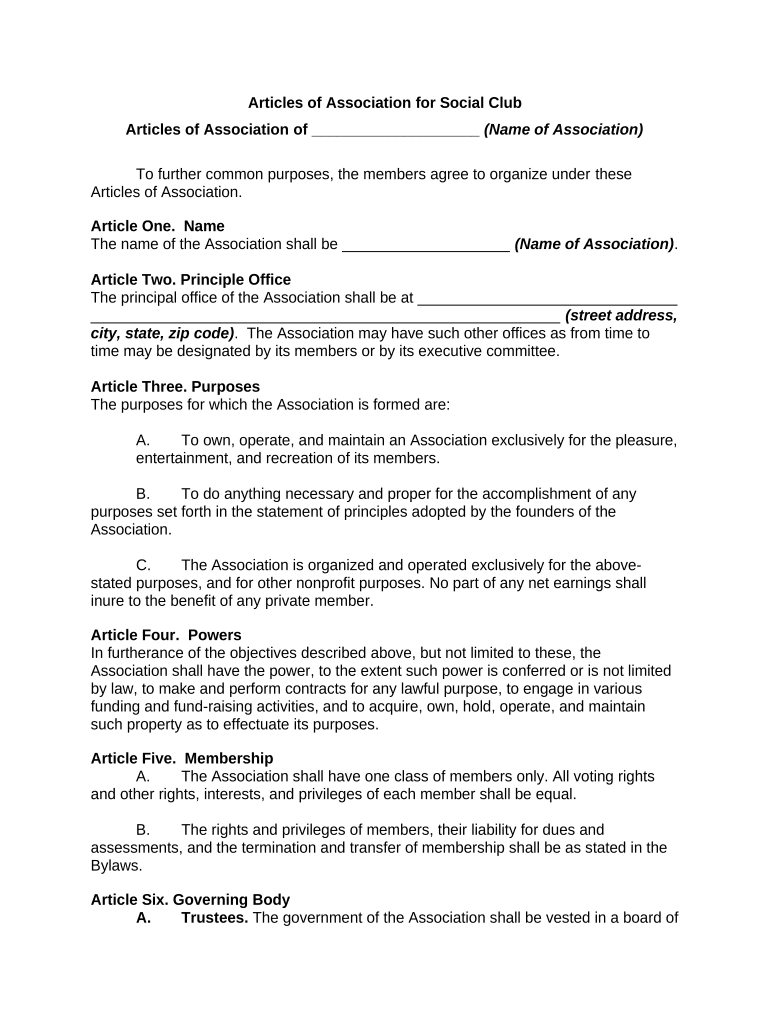
The Articles of Association for Social Club are a formal governing document that sets out a club’s name, purpose, membership criteria, internal governance, officer roles, meeting rules, and procedures for amendment and dissolution. For nonprofit or member-run social clubs, these articles establish the legal and operational framework that protects members’ expectations and clarifies authority. Well-drafted articles reduce disputes by defining voting thresholds, quorum requirements, officer duties, and financial oversight. They may be required for state registration, tax-exempt status, bank accounts, or to obtain liability protections under state association law.

Why formal Articles are useful for a social club

Clear Articles of Association create predictable governance, preserve member rights, support legal compliance, and document the club’s purpose and decision-making rules in a single reference.

Why formal Articles are useful for a social club

Who prepares and relies on the Articles of Association

Organizations and individuals who draft, file, or rely on Articles of Association typically include founding members, volunteer boards, club treasurers, and attorneys advising membership groups.

  • Founders and incorporators who formalize the club and define membership eligibility
  • Board members and officers responsible for governance, meetings, and financial oversight
  • Third parties requiring proof of authority such as banks, insurance carriers, or grant administrators

Core provisions to include in Articles of Association for Social Club

A complete Articles of Association package addresses identity, purpose, membership, governance, financial controls, amendment procedures, and dissolution to reduce ambiguity and support legal compliance.

Name

Legal club name and any DBA used for operations; accurate naming ensures correct state registration and banking relationships.
Purpose

Concise statement of the club’s objectives and activities to guide decisions and support qualification for tax or nonprofit registrations if applicable.

Membership

Eligibility criteria, classes of membership, admission process, voting rights, dues structure, and termination procedures for consistent member administration.

Officers

Titles, responsibilities, election or appointment methods, term lengths, and removal procedures for officers and directors to define authority.

Meetings

Regular and special meeting notice requirements, quorum thresholds, proxy rules if allowed, and voting methods to ensure valid corporate action.

Amendments

Process and voting thresholds required to amend the articles, including notice periods and any supermajority requirements for fundamental changes.

Step-by-step: preparing and adopting Articles of Association

Follow these sequential steps to draft, review, adopt, and preserve the Articles of Association so they are legally effective and practical for club operations.

  • 01
    Draft Core Provisions: Prepare name, purpose, membership, officers, meetings, amendment and dissolution clauses.
  • 02
    Legal Review: Have counsel review for state compliance and tax implications where necessary.
  • 03
    Member Approval: Present to founding members or board and adopt per the club’s formation rules.
  • 04
    File and Archive: File with the state if required; keep originals and distribute copies to officers.

How to configure an online completion workflow

Set up a simple digital workflow to collect signatures, timestamps, and preserve an audit trail for the Articles of Association.

Field Configuration
Signature Block Place signature, printed name, and date fields for each required signer.
Order Define signing order if approvals must be sequential.
Authentication Choose email verification or SMS code for signer identity confirmation.
Retention Enable document retention and export of audit trail PDF after signing.

Where to file, submit, and who should receive copies

Know the typical destinations and recipients after adoption so the Articles are legally effective and available to stakeholders.

  • State Filing: If state requires articles for an association, file with the Secretary of State or appropriate agency.
  • Members: Provide an executed copy to all members and retain a signed copy with corporate records.
  • Banking: Deliver certified copies to banks when opening accounts to confirm authorized signers.
  • Insurance & Grants: Share with insurers or grantors upon request to verify governance and authority.

Digital signing and eSubmission considerations

When adopting the Articles electronically, choose platform features that support signer identity, audit trails, and long-term retention.

  • Authentication: Email, SMS, or stronger multi-factor methods; select based on risk and internal policy.
  • Audit Trail: Platform must capture timestamp, IP, and signer actions for enforceability.
  • Storage: Secure, tamper-evident storage with exportable signed PDFs and certificates.

Consequences of incorrect or incomplete Articles

Invalid Actions: Improperly adopted provisions can void votes or contracts and expose officers to liability.
Registration Refusal: State agencies may reject filings with naming or statutory noncompliance.
Banking Delays: Banks may refuse accounts without properly executed or certified articles.
Tax Risk: Inaccurate purpose or governance may jeopardize tax-exempt filings or create audit risk.
Member Disputes: Ambiguous membership or voting rules increase litigation and governance conflicts.
Recordkeeping Penalties: Failure to retain records may hinder responses to regulatory inquiries or claims.

Common mistakes to avoid when preparing Articles

  • Using vague purpose language that complicates tax or grant applications
  • Mismatched legal names between state filing and bank documents
  • Omitting amendment procedures or quorum thresholds
  • Failing to document member adoption votes and signed copies

Practical tips for accurate and efficient completion

Apply practical drafting and administrative steps to reduce rework and legal risk when adopting Articles.

Standardize Names
Use the exact legal entity name across all documents, registration forms, bank accounts, and insurer records to avoid mismatches.
Document Approval
Record minutes and retain signed copies of member votes and resolutions authorizing adoption or amendments.
Use Clear Thresholds
Specify quorum and vote percentages in plain language; avoid undefined terms like 'majority' without clarification.
Preserve Audit Trails
When using electronic signing, preserve the platform audit trail showing identity verification, timestamp, and signer actions.

Typical signatories and their roles

President

Often signs to certify adoption and represent the club. The President’s signature normally confirms that a board or members approved the Articles per procedures.

Secretary

Signs to attest to the accuracy of minutes and preserved records. The Secretary typically keeps executed copies and files necessary state paperwork.

Representative examples of Articles usage

These short examples show practical scenarios where clear Articles avoided administrative problems or clarified governance.

Local Sports Club

A community sports club drafted clear membership and dues rules to prevent disputes over voting eligibility.

  • The clear rules prevented a contested board election.
  • As a result, the club maintained uninterrupted league participation and a clean audit trail for its bank and insurance requirements.

Alumni Association

An alumni association specified officer terms and succession to avoid a vacancy crisis.

  • Succession language enabled a swift interim appointment.
  • That clarity allowed continued access to campus facilities and uninterrupted grant reporting without legal review delays.

Comparing eSignature vendor pricing and features for executing Articles

Select an eSignature provider that meets legal, security, and budget needs; the table shows starting prices and common feature availability with signNow listed first.

signNow DocuSign Adobe Sign PandaDoc HelloSign
Starting Price $8/user/mo $15/user/mo $14/user/mo $19/user/mo $15/user/mo
Free Trial 7-day free trial No No Yes, limited Yes, limited
Bulk Send Yes Yes Yes Yes No
Audit Trail Yes Yes Yes Yes Yes
HIPAA Compliant Yes Yes Yes No No

Timelines and processing expectations for adoption and filing

Typical timing steps and any statutory deadlines to consider when adopting and submitting Articles of Association.

Drafting Period:

Allow 1–3 weeks for drafting, internal review, and member feedback for a standard club.

Legal Review:

Counsel review commonly takes 3–7 business days depending on complexity.

Member Vote:

Provide any required notice period specified in draft articles or bylaws before voting.

State Filing Time:

State processing varies: same-day to several weeks; expedited options may be available.

Record Distribution:

Distribute executed copies to members and banks immediately after adoption to avoid operational delays.

Frequently asked questions about Articles of Association for Social Club

Common questions and practical answers to help you avoid adoption and filing pitfalls.


Need help? Contact support

be ready to get more
Join over 28 million airSlate SignNow users