Establishing secure connection…Loading editor…Preparing document…

Assignment Trust Form

This template is fully customizable. Edit the text, fill out the fields, and send it for signature. Give it a try!
Assignment Trust Form

What an Assignment Trust Form is and when it applies

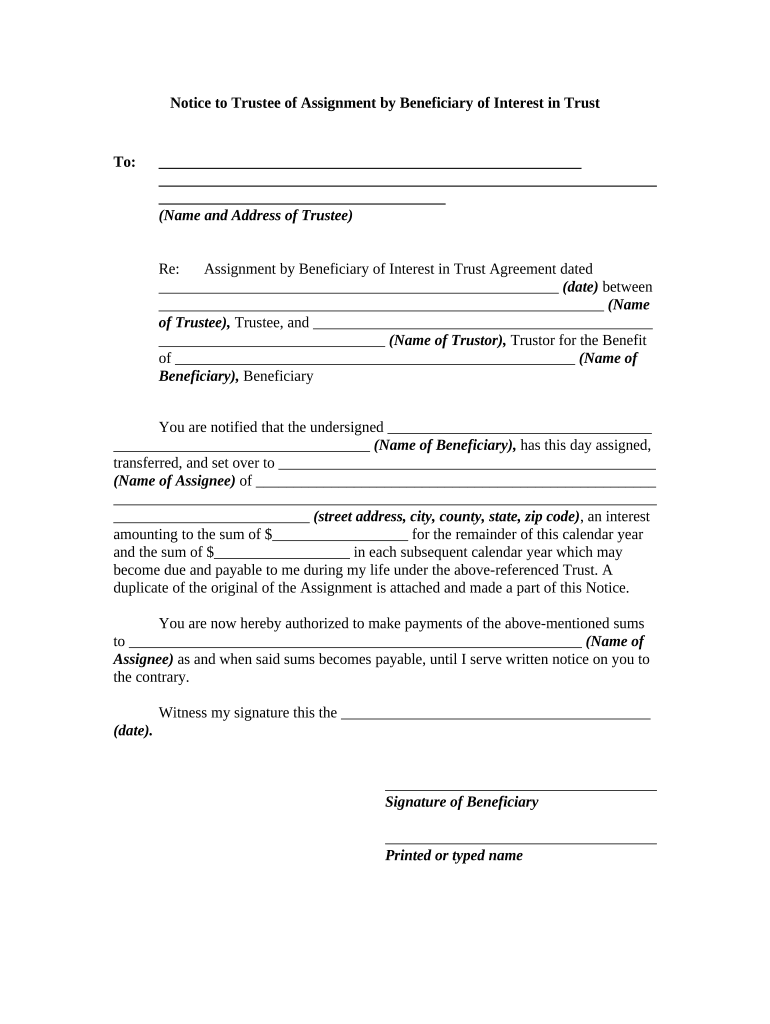
An Assignment Trust Form is a legal instrument used to transfer beneficial interests, obligations, or ownership rights in a trust from one party to another. The document identifies the assigning party, assignee, trust name, effective date, description of the interest transferred, and any conditions or consideration. It is commonly used in real estate, estate planning, and financial transactions to preserve chain-of-title, clarify tax reporting responsibilities, and record consent or restrictions. Execution requirements—signatures, witnesses, or notarial acknowledgements—depend on the trust instrument and state law.

Why a clear Assignment Trust Form matters

A well-drafted Assignment Trust Form reduces dispute risk, records the parties’ intent, and clarifies tax and reporting obligations. When executed correctly the form aligns with ESIGN and UETA norms for electronic records and signatures where those laws apply.

Why a clear Assignment Trust Form matters

Who typically prepares or signs an Assignment Trust Form

Typical users preparing or signing an Assignment Trust Form include trustees, beneficiaries, corporate assignees, and real estate professionals involved in title transfers.

  • Trustees and trust administrators responsible for reallocating trust assets and updating trust records and beneficiary lists.
  • Assignees acquiring beneficial interests, including corporations, private investors, and institutional buyers.
  • Title companies and real estate attorneys ensuring chain-of-title and recording compliance.

Typical signers and their roles

Corporate Trustee

A corporate trustee often executes assignments for institutional clients, coordinates recording at county offices, updates trust ledgers, and liaises with tax counsel to ensure reporting and withholding obligations are met.

Individual Beneficiary

An individual beneficiary signing an assignment must confirm identity, verify consent requirements in the trust instrument, understand tax consequences, and often obtain legal review when assignments affect distributions or creditor claims.

Essential data fields to include

Trust Name: Full trust title
Assignor: Legal name of the assigning party
Assignee: Legal name of the receiving party
Interest Description: Precise interest transferred
Effective Date: MM/DD/YYYY format
Consideration: Monetary or nonmonetary terms

Key legal risks and potential penalties

Tax Reporting Risk: Incorrect 1099 reporting
Invalid Transfer: Assignment may be void
Recording Errors: Title defects persist
Withholding Exposure: Backup withholding triggered
Notary Noncompliance: Recording rejection possible
Litigation Costs: Quiet title or breach suits

Common mistakes when preparing an Assignment Trust Form

  • Using informal or ambiguous language that fails to describe the precise interest being transferred, which can create gaps in title and cause future disputes.
  • Omitting required consent from co-trustees or beneficiaries when the trust instrument requires collective approval before assignments are effective.
  • Failing to notarize or witness the assignment where recording rules or the trust instrument require an acknowledgement, resulting in rejection by title or recorder offices.
  • Neglecting tax reporting obligations or TIN verification, increasing the risk of backup withholding or IRC penalties for incorrect information returns.

Real-world examples of Assignment Trust Form use

These examples show how different organizations implement assignments to move trust interests while maintaining compliance and operational efficiency.

Optica Ventures — Operational use

A venture firm needed streamlined assignment processing to transfer beneficial interests between entities after a portfolio reorganization.

  • The team used a standard assignment template to track parties and dates.
  • The process reduced manual follow-up and ensured assignments were recorded with county recorders, preserving chain-of-title and simplifying downstream tax reporting.

Martin Properties — Field execution

A real estate operator assigned trust interests during property sales involving multiple buyers.

  • Quick electronic completion improved turnaround on signing.
  • The workflow combined clear assignment language with notarized acknowledgements where required, enabling title insurance issuance and faster closings without in-person signings.

How to complete an Assignment Trust Form step by step

Follow these sequential steps to prepare, execute, and record an Assignment Trust Form while addressing legal and tax obligations.

  • 01
    Identify Parties: Confirm full legal names and contact information for assignor and assignee.
  • 02
    Describe Interest: Specify the trust interest type, percentage, or numbered unit being transferred.
  • 03
    State Consideration: Record the amount or description of value exchanged or declared.
  • 04
    Execute Properly: Sign, date, and obtain required notarization or witness attestations before recording.

Where to send, file, or submit the completed form

After execution, route the Assignment Trust Form to the parties and any offices required for recording or tax purposes.

  • Trustee File Copy: Deliver an executed copy to the trustee for trust records.
  • Assignee Delivery: Provide the assignee with a signed, dated copy and contact details.
  • County Recorder: Record with the county recorder when assignment affects real property title.
  • Tax Reporting: Share relevant details with tax preparers for 1099 or information returns.

Key sections to include in a professional Assignment Trust Form

Include clear, standardized sections to reduce ambiguity and support recording, tax reporting, and enforceability.

Heading and Recitals

Identify the trust, date, and background facts; recitals explain why the assignment is executed and reference the governing trust instrument and relevant authority.
Assignment Clause

Use precise language transferring a defined beneficial interest, including units, percentages, rights to income, or principal and any exclusions or retained rights.

Consideration Clause

State the exact consideration (dollar amount or description of value) or note if the transfer is gratuitous; avoid vague phrases like 'fair value.'

Representations and Warranties

Include brief assurances by the assignor such as authority to assign, absence of conflicting encumbrances, and accuracy of disclosed information.

Signature and Attestation

Provide signature blocks for assignor and assignee, printed names, dates, and any required witness attestation or notarial acknowledgement fields.

Recording Instructions

State whether the assignment should be recorded, the county and parcel identifiers where applicable, and who will bear recording costs.

Timing and processing expectations for assignments

Plan for execution, recording, and any related tax reporting to avoid delays and potential penalties.

Effective Date:

Date in form dictates when rights transfer and tax treatment begins

Recording Window:

Record promptly after execution to protect priority against third parties

Tax Reporting:

Provide necessary information to preparers for 1099 reporting where applicable

Notary/RON Timing:

Schedule notarization or RON session before recording to prevent rejections

Processing Time:

County recorder and title review times vary; expect days to weeks

Select eSignature vendors for executing Assignment Trust Forms

Pricing and features vary; signNow is listed first for vendor comparison across common feature criteria.

signNow DocuSign Adobe Sign PandaDoc HelloSign
Starting Price $8/user/mo $15/user/mo $14/user/mo $19/user/mo $15/user/mo
Free Trial 7-day trial Varies Varies Varies Varies
Bulk Send Yes Yes Yes Yes No
Audit Trail Yes Yes Yes Yes Yes
HIPAA Compliant Yes Yes Yes No No
Envelope Cap No cap 100 envelopes/user/year Varies Varies Varies

Frequently asked questions about Assignment Trust Forms

Answers to common questions on e-signing, notarization, authority, corrections, and retention when using Assignment Trust Forms.


Need help? Contact support

be ready to get more
Join over 28 million airSlate SignNow users