Establishing secure connection…Loading editor…Preparing document…

Breeding Contract

This template is fully customizable. Edit the text, fill out the fields, and send it for signature. Give it a try!
Breeding Contract

What a Breeding Contract Is and When It Applies

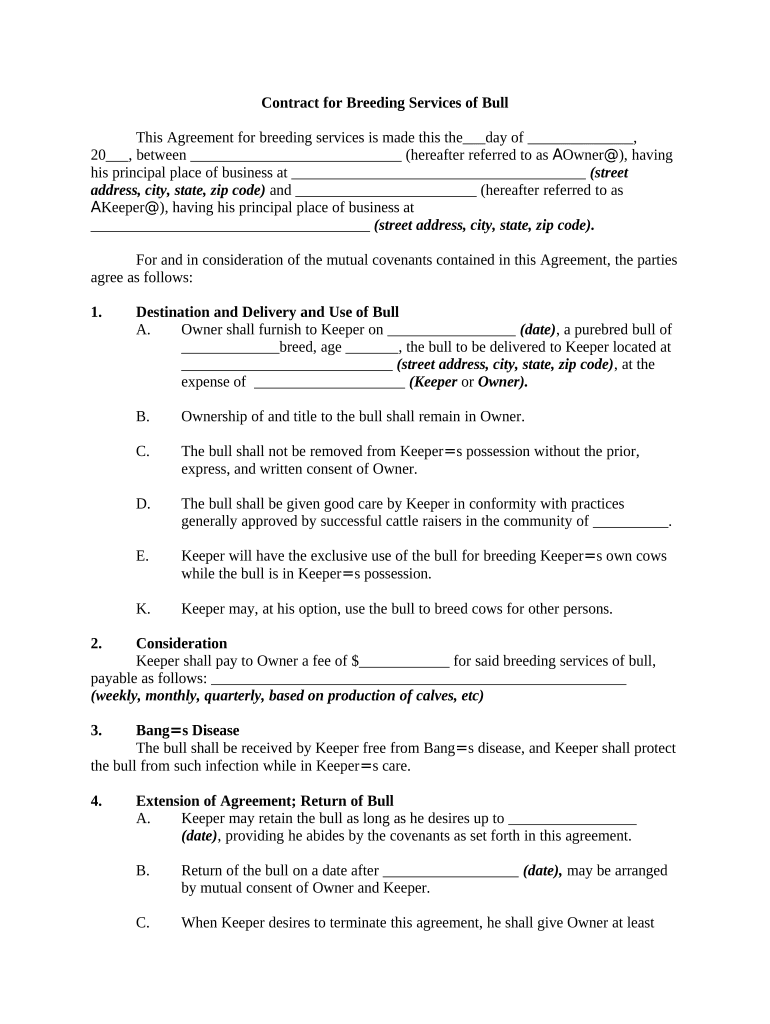
A Breeding Contract is a written agreement that sets the terms for mating one animal to another, allocating responsibilities such as fees, health requirements, breeding schedule, ownership of offspring, and dispute resolution. It formalizes obligations for both the owner of the dam and the owner or operator of the stud or service provider. The contract protects parties by documenting expectations, required veterinary clearances, compensation structure (stud fee, live foal guarantee, return services), and transfer or registration plans for any offspring.

Why a Written Breeding Contract Matters

A written Breeding Contract reduces ambiguity, records agreed health and payment terms, and creates enforceable obligations that can prevent disputes. Clear terms protect breeders, buyers, and service providers by documenting expectations and remedies.

Why a Written Breeding Contract Matters

Common Parties Who Use a Breeding Contract

These agreements are used by individual breeders, commercial studs, veterinarians, and buyers who plan to register offspring or transfer ownership after birth.

  • Individual breeder — Owner of the female animal contracting a service; needs clear payment and foal ownership clauses.
  • Stud owner / service provider — Owner or operator providing breeding services; needs payment structure, liability limits, and health warranties.
  • Veterinarian / clinic — Often provides health certificates, insemination services, and may require indemnity and payment terms.

Identify roles and decision-makers before signing to ensure the correct legal entities and authorized signers are recorded for enforceability.

Core Components Every Professional Breeding Contract Should Include

A comprehensive Breeding Contract addresses identity, animal details, service expectations, payments, health guarantees, and dispute handling to create a clear legal relationship.

Parties

Full legal names and business entity details for the dam owner and stud/service provider, including contact information and authorized signatory details for enforceability and notice delivery.
Animal Identification

Precise identification of the dam and sire: registered name, registration number, breed, color, microchip or tattoo, age, and any prior reproductive history that affects performance expectations.

Service and Timing

Detailed service terms such as live cover or artificial insemination, season dates, number of attempts, booking deposit, and scheduling or cancellation rules for missed cycles.

Payment Terms

Stud fee structure, due dates, deposits, reimbursement for veterinary services, conditions for return services or refunds, and whether stud fee includes registration or transfer costs.

Health and Warranties

Required pre-service health screenings, mandatory vaccinations, negative infectious disease tests, warranty periods (e.g., live foal guarantee), and obligations on veterinary follow-up.

Liability & Dispute Resolution

Limitations of liability, indemnity clauses, governing law, and dispute resolution methods including mediation, arbitration, or court jurisdiction for contract interpretation and enforcement.

Step-by-Step: How to Complete a Breeding Contract

Follow a consistent sequence to collect identification, health clearances, and agreed financial terms before signatures to avoid delays or disputes.

  • 01
    Gather Documents: Collect registration, microchip details, and veterinary records.
  • 02
    Draft Terms: Document service type, fees, and guarantees in clear language.
  • 03
    Review & Negotiate: Confirm veterinary and payment terms with both parties.
  • 04
    Sign and Exchange: Execute signatures, provide copies, and retain originals.

How to Configure an Online Breeding Contract Workflow

Set up fields, signer order, authentication, and storage to match business processes and compliance needs for veterinary records and payments.

Field | Configuration Field name | Expected value
Signature Fields Require signature, date, and printed name fields
Authentication Method Email link or SMS code for signer verification
Template Use Save as template for repeat matings and standard terms
Storage Location Save signed PDF to cloud storage for records

Digital Signing and File Requirements for eSubmission

When using an eSignature platform, confirm supported file types, authentication options, and integration endpoints before sending.

  • Integrations: Salesforce, NetSuite, Google Workspace
  • File Formats: PDF, DOCX, HTML
  • Authentication: Email link, SMS code, KBA options

Configure notifications, audit trail capture, and secure storage to ensure signed contracts and associated health documents are retrievable and tamper-evident.

Sending and Completing the Contract Online

A typical online workflow reduces turnaround time: upload, assign fields, send to signers, verify identity, and archive the executed document.

  • Upload Document: Add the contract file to the platform
  • Place Fields: Insert signature, date, and initial fields
  • Send to Signer: Deliver via email or secure link
  • Capture Audit Trail: Record timestamp, IP, and actions

Common Operational Deadlines and Expectations

While statutes rarely set specific deadlines for private Breeding Contracts, parties commonly use clear timing rules to align veterinary, payment, and registration tasks.

Deposit Due:

Deposit typically due on booking or prior to service

Health Documents:

Vet certificates often required within 7–30 days prior to service

Payment Balance:

Balance due on service date or within agreed window

Offspring Registration:

Registration generally completed within 30–90 days post-birth

Notification of Failure:

Notify stud owner within 48–72 hours after failed birth event per contract terms

Common Mistakes to Avoid When Preparing a Breeding Contract

  • Vague identification — failing to include registration numbers or microchip IDs leads to disputes over which animal was serviced.
  • Unclear payment triggers — not specifying when fees are due or refundable causes collection disputes and missed services.
  • Missing health criteria — omitting required tests or acceptable windows increases disease transmission and voids warranties.
  • Weak signature blocks — not naming authorized signers or omitting dates can make enforcement difficult if names differ on IDs.

Penalties, Liabilities, and Practical Risks

Financial Loss: Lost fees or refund obligations
Health Risk: Disease transmission liability
Breach Claims: Contract damages or specific performance
Registration Issues: Offspring not accepted by registry
Reputational Harm: Damage to breeder or stud reputation
Legal Costs: Attorney fees and dispute expenses

eSignature Pricing Comparison for Executing the Breeding Contract

Compare typical vendor starting prices and core capabilities relevant to signing, storing, and securing Breeding Contracts and attached veterinary documents.

signNow DocuSign Adobe Sign PandaDoc HelloSign
Starting Price $8/user/mo $15/user/mo $14/user/mo $19/user/mo $15/user/mo
Free Trial 7-day free trial, no credit card Varies by plan Varies by plan Varies by plan Varies by plan
Bulk Send Yes (Business Premium) Varies by plan Varies by plan Varies by plan Varies by plan
Audit Trail Yes Yes Yes Yes Yes
HIPAA Compliant Yes Yes Yes No No
Envelope Cap No cap 100 envelopes/user/year Varies by plan Varies by plan Varies by plan

Practical Tips for Accurate and Efficient Completion

Adopt standard templates, consistent ID fields, and a checklist for veterinary requirements to reduce errors and speed execution.

Standardize Identification
Use registration numbers and microchip IDs in a consistent field format so that registry submissions and dispute resolution rely on a single source of truth.
Attach Health Records
Attach scanned veterinary certificates and lab reports to the executed contract; explicitly reference attached documents in the contract to avoid later ambiguity.
Clarify Financial Terms
Spell out deposits, deadlines, and refund mechanics. Include who pays for additional veterinary costs or transport to prevent post-birth disputes.
Document Communications
Keep email threads and messages that modify terms; reference any changes in a signed amendment to preserve enforceability and show consent.

Practical Use Cases and Outcomes

Below are representative scenarios that illustrate how a Breeding Contract clarifies expectations and reduces downstream disputes.

Small Farm Agreement

A backyard breeder used a written contract to set a stud fee and live foal guarantee

  • The contract required a negative disease test within 14 days
  • When complications arose, the contract’s warranty and veterinary payment allocation avoided a costly court dispute by setting clear remedies and responsibilities.

Commercial Stud Operation

A commercial stud standardized a template with required health attachments

  • Bulk sending templates saved repetitive setup time for repeat clients
  • Standardized terms reduced billing disputes, ensured timely registration of offspring, and improved recordkeeping for insurance and tax purposes.

Who Typically Signs a Breeding Contract

Individual Breeder

An individual breeder is usually the dam owner or purchaser who must provide accurate identification, authorize veterinary releases when required, and sign as the legal owner to make payment and registration commitments enforceable.

Service Provider / Stud Owner

The stud owner or service facility signs to accept payment terms, specify service windows and guarantees, and assume limited liability; where an entity signs, include officer name and title to show signing authority.

Frequently Asked Questions About Breeding Contracts

Answers to common practical and legal questions about completing, signing, and enforcing Breeding Contracts.


Need help? Contact support

be ready to get more
Join over 28 million airSlate SignNow users