Title
A clear document title identifying it as a renunciation and disclaimer of property, referencing applicable estate or probate matter.
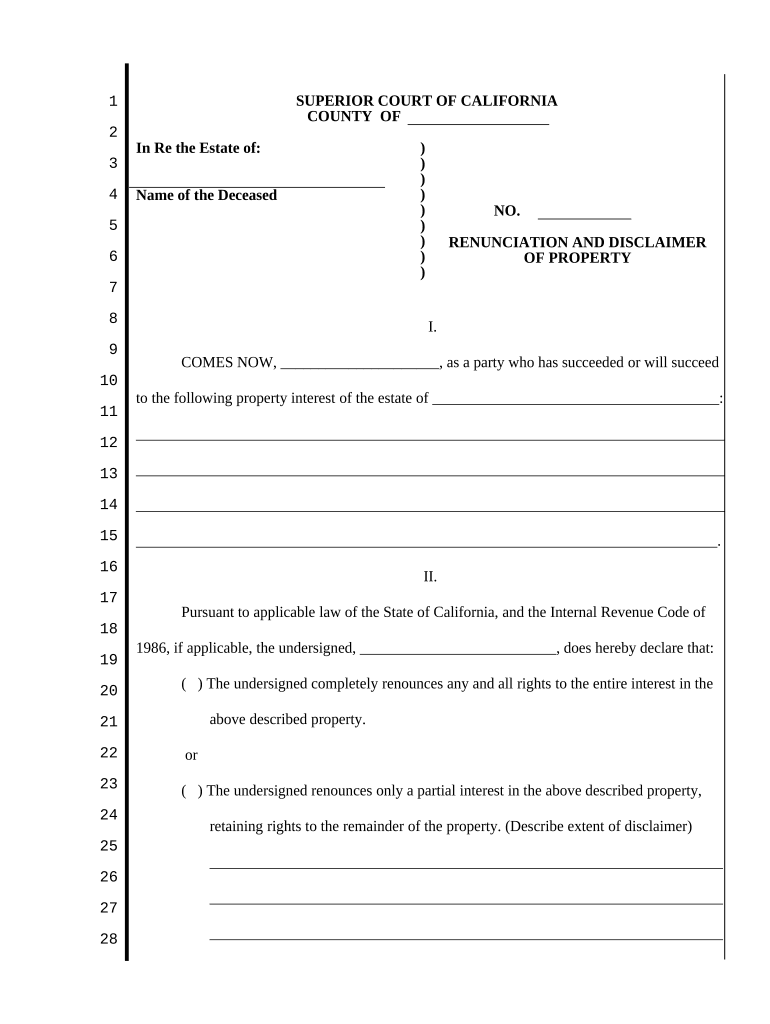
A formal renunciation clarifies succession paths, avoids unintended ownership, and preserves estate planning choices. It creates a clear record for probate courts and parties handling distribution.

Professionals often recommend legal review to confirm the renunciation achieves the desired succession and tax effects under California law.
A clear document title identifying it as a renunciation and disclaimer of property, referencing applicable estate or probate matter.
Full legal names and contact details for the disclaimant, decedent, and any representative or trustee involved in the sequence of distribution.
A precise description of the interest being disclaimed including legal description, parcel number, account identifier, or other unique descriptors.
An explicit statement of irrevocable disclaimer, the scope of renunciation, and any limitations or conditions attached to the disclaimer.
Signature lines, dates, printed names, and spaces for witness or notary acknowledgement formatted to satisfy local recording requirements.
A concise clause describing how the disclaimed interest will pass under the governing instrument or intestacy rules.
| Field | Configuration |
|---|---|
| Signer Identity | Email plus ID verification where required |
| Signature Type | Electronic signature or wet notarization checkbox |
| Notary Section | Reserved area for acknowledgment and seal |
| Audit Trail | Enable IP, timestamp, and certificate capture |
Ensure the chosen solution complies with ESIGN and UETA requirements and can produce durable records acceptable to California probate and recording offices.
Date determines tax year and distribution sequence.
Provide the disclaimer promptly to the estate representative when possible.
For tax treatment check relevant IRS guidance and consult a tax advisor.
Deliver prior to final distribution to simplify court accounting.
Complete acknowledgements at signing to avoid later re-execution needs.
| signNow | DocuSign | Adobe Sign | PandaDoc | HelloSign | |
|---|---|---|---|---|---|
| Starting Price | $8/user/mo | $15/user/mo | $14/user/mo | $19/user/mo | $15/user/mo |
| Free Trial | Yes, 7-day free trial, no credit card required | Varies by plan | Varies by plan | Varies by plan | Varies by plan |
| Bulk Send | Yes (Business Premium) | Yes | Yes | Yes | Varies by plan |
| Audit Trail | Yes | Yes | Yes | Yes | Yes |
| HIPAA Compliant | Yes | Yes | Yes | No | No |
| Envelope Cap | No cap | 100 envelopes/user/year | Varies by plan | Varies by plan | Varies by plan |