Establishing secure connection…Loading editor…Preparing document…

Claim Against Estate

This template is fully customizable. Edit the text, fill out the fields, and send it for signature. Give it a try!
Claim Against Estate

What a Claim Against Estate Is and When It Applies

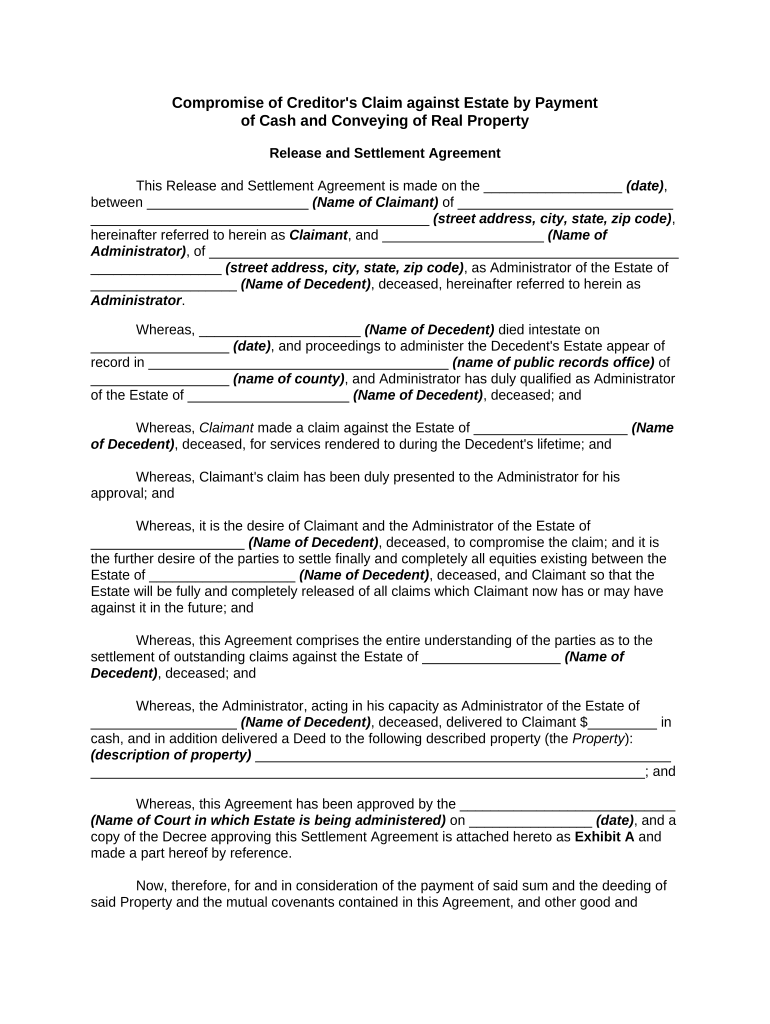
A Claim Against Estate is a formal written request by a creditor or claimant seeking payment from a deceased person’s probate estate. The claim identifies the debt or obligation, provides supporting documentation, and asks the personal representative or probate court to recognize and satisfy the claim from estate assets. Procedures, required forms, and time limits vary by jurisdiction and by the estate’s administration method. This guide covers typical content, filing steps, eSignature options, and retention considerations for U.S. probate practice.

Why Preparing a Clear Claim Matters

A correctly completed Claim Against Estate preserves legal rights, improves the chance of being paid from estate assets, and reduces the risk of dismissal or delay. Clear documentation helps the personal representative evaluate claims quickly and supports priority treatment under probate rules.

Why Preparing a Clear Claim Matters

Who Typically Prepares and Submits These Claims

Common filers include unsecured creditors, service providers, landlords, and family members asserting repayment rights.

  • Banks and lenders seeking repayment for outstanding loans, judgments, or overdrafts; they typically attach account statements and loan documents.
  • Vendors and service providers submitting invoices and delivery records to establish the amount and basis of the claim.
  • Private individuals or heirs asserting reimbursement or contractual charges backed by agreements, receipts, or written correspondence.

Core Elements of a Professional Claim Against Estate

A professional claim is concise, authenticated, and supported by documents. It clearly states the claimant, the estate, the amount, grounds for the claim, and how payment should be made or prioritized. Attachments and a clear signature block reduce follow-up and support quicker resolution.

Claimant ID

Full legal name, entity type, and contact information used for service and payment.
Estate ID

Decedent’s full name, date of death, and probate case number if available for precise docketing.

Amount Claimed

Total sum claimed with itemized breakdown and relevant dates for each charge or invoice.

Statement of Basis

Concise legal or contractual basis for the claim, e.g., unpaid invoice, judgment, or contract provision.

Supporting Documents

Attach invoices, contracts, court judgments, or delivery receipts that substantiate the claim amount.

Signature & Date

Dated signature of claimant or authorized agent; include printed name and title where appropriate.

Step-by-Step: Prepare and Submit a Claim Against Estate

Follow these sequential steps to assemble, verify, and file a claim with the estate representative or probate clerk.

  • 01
    Verify Estate: Confirm the estate’s probate case number and the personal representative’s contact details.
  • 02
    Assemble Proof: Gather invoices, contracts, judgments, and delivery receipts that support the amount claimed.
  • 03
    Complete Claim: Fill every required field accurately and attach numbered exhibits matching the itemized amounts.
  • 04
    File and Serve: File per local court rules and serve the personal representative following jurisdictional service requirements.

How to Configure an Online Claim Workflow

Configure your eSignature workflow to collect evidence, enforce signer authentication, and route the claim for review efficiently.

Field | Configuration Setup shortcut for common form fields | Required settings
Signer authentication and verification method Use email + SMS code or KBA for stronger identity assurance.
Automatic field population and mapping settings Map invoices to itemized rows to reduce manual errors and speed completion.
Conditional display rules for fields Show additional document upload fields when claim type equals 'contract' or 'judgment'.
Template naming and reuse policies Create versioned templates for different claim types to ensure consistency and auditability.

Where to File and How the Submission Flows

Claims are usually submitted to the personal representative and may also be filed with the probate court per local rules. Electronic workflows can both serve the representative and create a court-ready PDF for filing.

  • Prepare claim packet: Combine completed claim form and labeled supporting documents into a single PDF.
  • Serve the representative: Send via the method required by local rules — certified mail, personal service, or electronic delivery if allowed.
  • File with probate clerk: Submit the claim to the court if required by statute or if personal representative requests docket entry.
  • Track and follow up: Record filing dates, service receipts, and any court deadlines for objections or hearings.

Digital Delivery and eSigning Essentials

Use an eSignature platform that supports secure uploads, signer authentication, audit trails, and common file formats.

  • File formats: PDF, DOCX supported for court-ready output.
  • Authentication: Email + SMS, KBA, or SSO as needed.
  • Audit trail: Capture timestamps, IP, and signer actions.

Typical Timeframes and Deadlines to Watch

Time limits for filing claims in probate vary widely by state and by whether public notice is required. Start checking immediately after learning of the decedent’s death.

Typical statutory claim filing deadline:

Many jurisdictions require filing within three to six months after notice or appointment of a personal representative; local law controls.

Notice period after probate administrator appointment:

Courts often require publication or mailed notice to creditors; deadlines run from the date of that notice.

Proof and service deadlines for creditors:

You may need to serve a copy on the personal representative within the same statutory period; verify court rules.

Tax reporting and withholding deadlines:

Report any tax-related payments timely; IRS retention and reporting rules may also apply.

Estate closing and distribution timeline:

Distributions typically occur after claim resolution; unresolved claims can delay final distribution.

Platform Integrations and File Handling

Choose a platform that integrates with your document repositories and practice management tools to streamline filing and recordkeeping.

  • Cloud integrations: Salesforce, NetSuite, Google Drive, Box supported
  • File formats supported: PDF, DOCX, HTML accepted
  • Authentication integrations: SSO and SAML available for enterprise setups

Common Mistakes to Avoid When Preparing a Claim

  • Submitting unsigned or undated claims which may be rejected by the personal representative or court and require resubmission.
  • Failing to attach or mislabel supporting documents that prove the debt, causing delays or denial of the claim.
  • Missing statutory filing deadlines that can result in a barred claim or loss of priority in distribution.
  • Providing incomplete creditor contact information that prevents the estate from responding or arranging payment.

Risks and Potential Consequences of Incorrect Claims

Claim Dismissal: Court or representative may reject improperly supported claims.
Statute Bar: Late claims may be barred under state probate rules.
Perjury Exposure: False sworn claims can carry criminal penalties.
Priority Loss: Unsecured claims may lose priority for payment.
Tax Penalties: IRS penalties may apply for incorrect reporting (IRC §6721).
Increased Costs: Additional attorney and court costs if disputes arise.

Practical Tips for Accurate and Efficient Claims

Adopt consistent document practices to speed processing and reduce follow-up requests from the estate or court.

Standardize your template and attachments
Use a consistent claim template with numbered exhibits and cross-references so the personal representative can easily verify each item. Numbered exhibits reduce confusion and speed the review.
Use secure eSignature with authentication
Collect signatures with email plus SMS or knowledge-based authentication for stronger attribution and to create a robust audit trail for later disputes or court review.
Attach clear provenance for invoices
Include order confirmations, delivery receipts, and signed contracts linked to each invoice line to show how charges arose and why they remain unpaid.
Confirm service method and proof
Always obtain and preserve service receipts, certified mail tracking, or electronic delivery confirmations to establish compliance with notice requirements.

Real-World Use Cases for Claims Against Estates

These example scenarios show common claim types and how properly prepared claims resolved efficiently.

Vendor Invoice Claim

A small supplier submitted an itemized invoice packet with delivery proofs and a signed purchase order.

  • The personal representative verified dates and paid the prioritized unsecured claim within the distribution cycle.
  • Clear attachments and matching invoice numbers prevented requests for more information and accelerated payment without court intervention.

Medical Billing Claim

A healthcare provider filed a patient balance claim with a HIPAA-compliant cover sheet and authorization redactions.

  • The estate requested only verified outstanding balances and promptly resolved the claim.
  • Using a compliant eSignature workflow and retaining HIPAA-required records reduced administrative back-and-forth and supported timely resolution.

eSignature Vendor Pricing and Feature Comparison

Key vendor pricing and feature differences relevant to signing and submitting claims. signNow is shown first per platform comparison conventions.

signNow DocuSign Adobe Sign PandaDoc HelloSign
Starting Price $8/user/mo $15/user/mo $14/user/mo $19/user/mo $15/user/mo
Free Trial Yes, 7-day free trial Varies by vendor Varies by vendor Varies by vendor Varies by vendor
Bulk Send Yes Yes Yes Yes No
Audit Trail Yes Yes Yes Yes Yes
HIPAA Compliant Yes Yes Yes No No

Frequently Asked Questions About Claims Against Estates

Answers to common questions about filing, signatures, deadlines, and electronic submission of claims.


Need help? Contact support

be ready to get more
Join over 28 million airSlate SignNow users