Title
A clear heading identifying the document as a codicil to the will, including the testator's name and reference to the original will's date to avoid confusion.
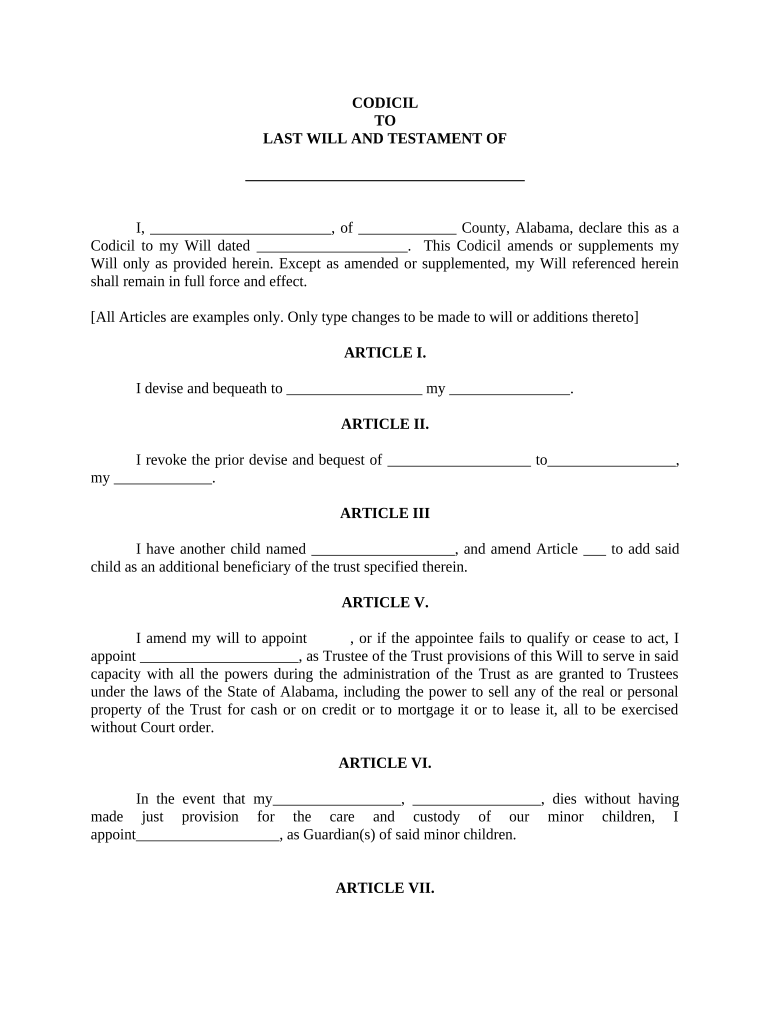
A codicil lets you make targeted updates while preserving the original will, often saving time and expense when changes are limited. It reduces the need to reissue or re-notarize an entire estate plan when only specific clauses require revision.

Typical users include individuals updating specific bequests, executors coordinating estate documents, and attorneys preparing limited amendments to a will.
Choose a codicil when changes are limited and execution formalities can be met; otherwise consider drafting a new will to avoid ambiguity.
The person who created the will and must have testamentary capacity when signing the codicil. Proper capacity and lack of undue influence are central to enforceability during probate.
Individual or institution appointed to administer the estate. Executors should receive originals of the will and any codicils, maintain custody, and present documents to the probate court as needed.
A clear heading identifying the document as a codicil to the will, including the testator's name and reference to the original will's date to avoid confusion.
An explicit statement naming the original will (by date and place) and declaring the codicil is intended to amend that specific document rather than replace it entirely.
Precise language that identifies the clause or provision being changed, with the new wording or directions written in full to eliminate interpretive gaps.
A designated area for the testator's signature and printed name, plus a date line showing when the codicil was executed for clarity in probate.
Witness lines showing printed names, signatures, addresses, and a statement that witnesses observed the testator sign and believed them to be of sound mind.
Optional notarization or a self-proving affidavit that, where available, reduces the need for witness testimony during probate and streamlines court processing.
| Field | Configuration |
|---|---|
| Document Upload | PDF preferred; preserve original pagination. |
| Signature Type | Allow wet or e-signature per state rules. |
| Witness Fields | Include two witness name/signature blocks. |
| Notary Option | Add notarization section when required. |
When executing a codicil electronically, confirm platform capabilities, signer authentication, and retention policies to meet legal requirements.
Ensure the chosen solution supports ESIGN (15 U.S.C. ch. 96) and applicable state law or UETA. For sensitive health or beneficiary data, verify HIPAA protections and retain auditable records to produce in probate if needed.
| signNow | DocuSign | Adobe Sign | PandaDoc | HelloSign | |
|---|---|---|---|---|---|
| Starting Price | $8/user/mo | $15/user/mo | $14/user/mo | $19/user/mo | $15/user/mo |
| Free Trial | Yes, 7-day trial | Varies by plan | Varies by plan | Varies by plan | Varies by plan |
| Bulk Send | Yes | Yes | Yes | Yes | No |
| Audit Trail | Yes | Yes | Yes | Yes | Yes |
| HIPAA Compliant | Yes | Yes | Yes | No | No |
Must be signed while the testator is alive and has capacity.
Provide originals to the executor immediately after signing.
Execute at signing to reduce witness testimony later.
Submit original will and codicils when opening probate after death.
Probate deadlines and notice requirements vary by state; consult local rules.
Complete text and reference the original will.
Read changes aloud and confirm intent.
Witnesses observe the testator sign in person.
Witnesses print names, addresses, and sign.
If required, notarize or complete self-proving affidavit.
Attach codicil to original will and note order.
Give certified copies to executor and attorney.
Place originals in secure, accessible location.
A testator needs to change a single bequest to a relative
An appointed executor becomes unable to serve