Establishing secure connection…Loading editor…Preparing document…

Colorado Affidavit Form

This template is fully customizable. Edit the text, fill out the fields, and send it for signature. Give it a try!
Colorado Affidavit Form

What the Colorado Affidavit Form Is and When it’s Used

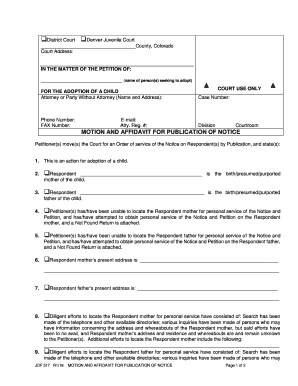
The Colorado Affidavit Form is a sworn written statement executed under oath by an individual in Colorado to attest to facts, identity, or events for legal, administrative, or transactional purposes. Affidavits are used in court filings, real estate matters, title claims, lost-document declarations, and many administrative processes where an attestation of truth is required. The form typically includes the affiant’s identifying information, a clear statement of facts, a signature block, and a notary or official acknowledgment. Proper completion and notarization affect admissibility and enforceability under Colorado law.

Why a Proper Colorado Affidavit Form Matters

A correctly completed affidavit creates a sworn record that can be used in court and administrative proceedings, helps resolve title and property issues, and provides a verifiable statement when originals are unavailable.

Why a Proper Colorado Affidavit Form Matters

Who Typically Prepares and Signs This Affidavit

The signer should have personal knowledge of the facts and be prepared to swear to them before a notary or other authorized official.

  • Homeowners and buyers for real estate title or lost-deed situations.
  • Attorneys and paralegals preparing sworn statements for court filings.
  • Company officers and agents attesting to corporate facts or records.

Essential Parts of a Professional Colorado Affidavit Form

A professional affidavit is clear, concise, and organized so each factual assertion is separately numbered. It includes identity, statement of facts, exhibits list, signature, and the notary acknowledgment to support admissibility.

Caption

Court or matter identification at the top to tie the affidavit to a proceeding or transaction.
Affiant Identity

Full legal name, address, and relationship to the facts being stated for clear attribution.

Statement of Facts

Numbered paragraphs describing facts the affiant knows personally; avoid hearsay unless identified as such.

Exhibits

List and attach supporting documents with exhibit labels and reference points in the text.

Signature Block

Affiant signs and dates; signature must match ID shown to the notary for verification.

Notary Acknowledgment

Notary block with venue, date, signature, and seal for Colorado notarization compliance.

Step-by-Step: How to Complete a Colorado Affidavit Form

Follow these sequential steps to prepare a compliant affidavit that will be accepted by Colorado authorities and courts.

  • 01
    Draft Facts: Write clear, numbered factual statements based on personal knowledge.
  • 02
    Attach Evidence: Include exhibits and label each one for reference in the text.
  • 03
    Review for Accuracy: Check names, dates, and addresses against IDs and records.
  • 04
    Sign Before Notary: Execute affidavit in presence of a Colorado notary or authorized official; complete acknowledgment block.

Where the Completed Form Goes Next

After execution and notarization, route the affidavit to the appropriate recipient or file as required by the matter.

  • Court Filing: Filed with the clerk when attached to pleadings or motions.
  • Title Company: Sent to title or escrow for property record corrections or claims.
  • Administrative Agency: Submitted to an agency as part of licensing or benefits documentation.
  • Counterparty: Delivered to the other party or their counsel when agreement-related.

Configuring an Online Workflow for the Colorado Affidavit Form

Map each step of an electronic workflow to ensure proper sequence, identity checks, and notarization when using e-signature tools.

Field Configuration
Signature Field Require signer signature and date field tied to signer identity.
Attachment Field Allow exhibit uploads with filename validation.
Authentication Use email + SMS code or stronger KBA for identity proofing.
Notary Step Insert notary acknowledgment or remote-notary session step when applicable.

Digital Signing and eSubmission Considerations

Ensure the selected digital platform supports record export, tamper-evident PDFs, and retention capabilities consistent with legal and organizational policies.

  • Authentication: Choose email+SMS, knowledge-based authentication, or identity-provider verification.
  • Audit Trail: Capture IP, timestamp, and action history for evidentiary value.
  • Notary Support: Use a platform that supports RON or integrates live remote notary sessions where allowed.

Required Data Elements and Record Integrity for Affidavits

Affiant Name: Full legal name
Affiant Address: Street, city, state, ZIP
Statement Date: MM/DD/YYYY
Signature: Wet or compliant e-signature
Notary Block: Venue, date, notary signature
Exhibits: Clearly labeled attachments

Common Risks and Consequences of an Incorrect Affidavit

Perjury Risk: Criminal exposure for false sworn statements
Admissibility: Improper form or missing notarization can make affidavit inadmissible
Title Delay: Incomplete affidavit can stall real estate transactions
Administrative Rejection: Agencies may reject unsigned or unsigned-before-notary documents
Identity Discrepancy: Mismatched names can trigger extra verification
Retention Failure: Insufficient recordkeeping weakens future evidentiary value

eSignature Pricing and Feature Comparison for Colorado Affidavit Workflows

Compare baseline pricing and key capabilities for common eSignature vendors when digitizing affidavit collection. signNow is listed first per vendor-comparison convention.

signNow DocuSign Adobe Sign PandaDoc HelloSign
Starting Price $8/user/mo $15/user/mo $14/user/mo $19/user/mo $15/user/mo
Free Trial 7-day free trial Varies by vendor Varies by vendor Varies by vendor Varies by vendor
Bulk Send Yes Yes Yes Yes Varies
Audit Trail Yes Yes Yes Yes Yes
HIPAA Compliant Yes Yes Yes No No

Real-World Examples of Colorado Affidavit Use

These brief examples illustrate typical scenarios where an affidavit resolves a specific legal or administrative need.

Title Correction Example

A homeowner discovers a missing deed in the chain of title and prepares an affidavit describing chain-of-possession and supporting documents

  • Exhibits A–C reference closing statements
  • The affidavit, notarized and submitted to the title company, enabled the insurer to issue a corrected policy and cleared the transaction for closing without litigation delays.

Lost Instrument Claim

A lender needs a sworn statement after a borrower reports a lost security agreement and provides transaction details

  • Affidavit lists loan number, dates, and supporting account statements
  • With the notarized affidavit attached, the lender executed replacement paperwork and recorded the replacement instrument with the county recorder to protect lien priority.

Practical Tips for Accurate and Efficient Completion

Follow these best practices to reduce defects, rework, and legal exposure when preparing affidavits.

Use Clear Language
Write factual, dated, and numbered paragraphs to improve clarity and admissibility.
Verify Identity
Confirm the affiant’s government ID and match the name exactly on the form.
Attach Evidence
Label and reference exhibits so reviewers can easily verify assertions.
Retain Originals
Keep executed originals and export tamper-evident PDFs for secure long-term storage.

Avoid These Common Preparation Pitfalls

  • Unnumbered paragraphs that mix multiple facts and impede review.
  • Missing or mismatched notarization venue or date fields.
  • Using vague or speculative language instead of firsthand facts.
  • Failing to attach or properly label supporting exhibits.

Frequently Asked Questions About the Colorado Affidavit Form

Answers to frequent procedural and legal questions about completing, notarizing, and submitting affidavits in Colorado.


Need help? Contact support

be ready to get more
Join over 28 million airSlate SignNow users