Establishing secure connection…Loading editor…Preparing document…

Colorado Easement

This template is fully customizable. Edit the text, fill out the fields, and send it for signature. Give it a try!
Colorado Easement

What a Colorado Easement Is and how it functions

A Colorado Easement is a written legal instrument that grants a nonpossessory right to use, access, or restrict the use of real property located in Colorado. Typical easements include access, utility, conservation, and parking rights. The easement document identifies the grantor and grantee, describes the servient and dominant estates, and sets the scope, duration, and conditions. Once signed and acknowledged as required, the easement is usually recorded with the county recorder to provide public notice and bind subsequent title holders.

Why a recorded easement matters in Colorado property transactions

A formal easement clarifies permitted uses, reduces disputes, protects access or utility corridors, and preserves clear title for buyers and lenders. Recording the easement creates constructive notice and makes it enforceable against subsequent purchasers under Colorado recording principles.

Why a recorded easement matters in Colorado property transactions

Who commonly prepares, reviews, or signs a Colorado Easement

Parties involved in easement arrangements vary by context, but a predictable set of stakeholders participates in most transactions.

  • Private landowners granting limited rights over all or part of their property to utilities, neighbors, or municipalities for defined uses.
  • Public entities, utility companies, and municipalities obtaining access or infrastructure rights across private land for public service delivery.
  • Title companies, lenders, surveyors, and attorneys who prepare surveys, clear title issues, and confirm recording language for closing.

Each party has distinct responsibilities: grantors execute acknowledgements, grantees accept conditions, and title professionals verify recording and priority.

Typical signatories and their roles

Jane Martinez, Landowner

A private grantor who conveys an access or utility easement. Jane must sign the document as owner, have the signature acknowledged before a notary, and ensure the legal description matches the recorded deed to avoid title objections.

City Public Works, Representative

A municipal grantee accepting a public access or utility right. The representative must have authority to bind the entity, follow municipal ordinance approvals, and supply any required insurance or maintenance commitments in the easement.

Essential elements to include in a professional Colorado Easement

A complete easement contains precise legal language and attachments that establish rights, obligations, and enforceability; omitting essential elements creates recording or enforcement risks.

Parties & Recitals

Identify grantor and grantee by full legal names and include recitals that explain the purpose and background of the easement agreement for clarity and future interpretation.
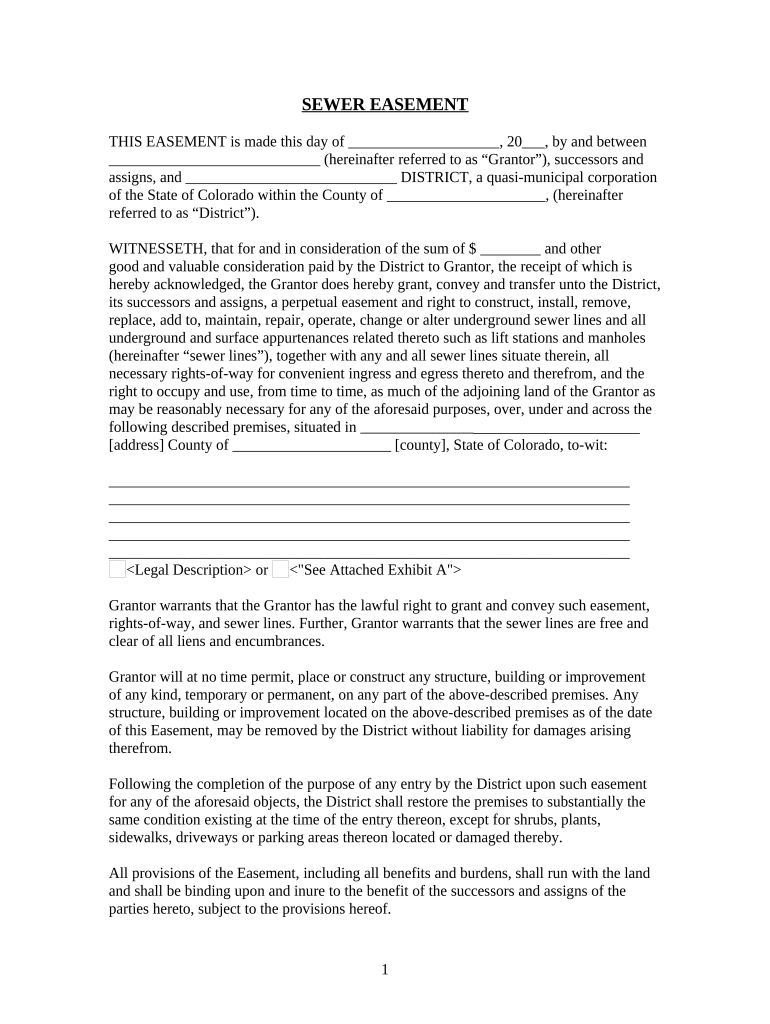
Legal Description

Provide an accurate metes-and-bounds or recorded-lot legal description and reference any recorded plat or instrument numbers to precisely locate the easement area.

Easement Rights

Define permitted activities (access, utilities, maintenance), any exclusive or nonexclusive rights, and any restrictions such as hours, vehicle types, or use limitations.

Duration & Termination

Specify whether the easement is perpetual, for a fixed term, or conditional, and describe termination events, abandonment procedures, or reversion mechanics.

Consideration

State monetary payment, covenant, or public purpose that constitutes consideration; a nominal amount can support enforceability when required by contract law.

Recording & Acknowledgement

Include a notary acknowledgment, signature blocks for authorized signers, and instructions for recording with the appropriate county recorder to create public notice.

Step-by-step: preparing and executing a Colorado Easement

Follow these core steps to draft, approve, sign, notarize, and record an enforceable easement in Colorado.

  • 01
    Draft the Agreement: Create complete language and attach legal description and exhibits.
  • 02
    Obtain Approvals: Secure internal, municipal, or lender approvals as required.
  • 03
    Execute and Notarize: All grantors sign before a notary; provide entity authorizations if needed.
  • 04
    Record the Document: File with the county recorder and retain the recorded instrument number.

Recommended digital workflow settings for easement execution

Configure your e-signature workflow to capture required approvals, authentication, and recording copies when routing an easement for signature.

Field Configuration
Signature Order Sequential signer order to ensure proper execution routing
Authentication Email link + SMS code or ID verification for corporate signers
Notifications Enable signer reminders and final signed copy distribution
Recording Package Attach cover letter, recording fee payment, and plat exhibits

Digital signing and submission: typical process flow

A standard electronic easement workflow includes preparing the package, collecting signatures, and forwarding for county recording and title updates.

  • Upload Document: Upload the easement PDF or DOCX to the signing platform
  • Place Fields: Insert signature, date, and notarization acknowledgement fields
  • Send to Signers: Route via ordered signing or provide secure signing links
  • Record and Distribute: Submit recorded copy to county and send copies to title parties

Platform features to support lawful electronic easements

Choose a platform that supports document formats, authentication, and a tamper-evident audit trail for legal defensibility.

  • File Formats: PDF and DOCX support for exhibits and legal descriptions
  • Integrations: Connectors for title systems, Google Drive, NetSuite, or Box
  • Authentication: Email, SMS, KBA, or advanced signer verification options

Ensure the vendor supports secure storage, audit trails, and export of a recording-ready PDF; verify HIPAA or industry compliance only if relevant to the specific use case.

Typical timelines and expectations for completing a Colorado Easement

Timelines depend on approvals, title review, and county recorder processing; plan for internal and external lead times when scheduling closings.

Draft Completion:

1–7 business days depending on attorney and survey availability

Approval Period:

1–4 weeks for municipal or lender approvals if required

Execution and Notarization:

Same day to one week depending on signer availability

County Recording:

Processing typically 1–10 business days; expedited services vary

Title Update:

Title company posts the recorded instrument within 1–14 days

Notarization and witness authentication steps for recording

Follow these authentication steps to satisfy county recording and title company requirements for an easement instrument.

01

Prepare Originals

Print final document with all exhibits and signature blocks

02

Signer ID

Signer presents government-issued ID to the notary

03

Sign Before Notary

Grantor signs in notary's physical presence unless RON allowed

04

Notary Acknowledgement

Notary completes acknowledgment and affixes seal or certificate

05

Witness Signatures

Collect witness signatures if required by local law

06

RON Compliance

For remote notarization, retain audio-video and identity proofing

07

Record Submission

Submit original or recording-ready copy to county recorder

08

Secure Copies

Distribute recorded copies to title, parties, and lenders

Security and compliance features to verify for electronic easements

In-transit Encryption: TLS 1.2/1.3
At-rest Encryption: AES-256
Certifications: SOC 2 Type II, ISO 27001
ESIGN & UETA: Compliant
HIPAA Support: BAA available
Audit Trail: Detailed signer metadata

Common legal risks and penalties for incorrect easement documents

Title Disputes: Cloud title issues
Recording Rejection: Incorrect descriptions rejected
Invalid Instrument: Missing acknowledgements void enforceability
Civil Liability: Damages for overreach
Tax Implications: Incorrect consideration reporting
Fraud Exposure: Criminal penalties if fraudulent conveyance

Frequent preparation errors to avoid when drafting Colorado Easements

  • Vague legal descriptions that refer to 'rear parcel' or dimensions without recorded references often cause recorder rejection and title objections, requiring corrective instruments and additional costs.
  • Using initials or partial names instead of full legal names for corporate or individual parties can create ambiguities that lenders and title companies will not accept at closing.
  • Failing to attach referenced exhibits, plats, or surveys results in incomplete records and may prevent the county from accepting the document for recording without resubmission.
  • Omitting explicit termination or maintenance provisions can lead to long-term disputes about obligation allocation, maintenance responsibility, and whether abandonment has occurred.

Real-world examples of digital signing applied to property documents

The following examples show how organizations used digital workflows to manage property-related documents similar to easements.

Tim Martin, Founder

Small property manager moved workflows online to avoid in-person closings and delays.

  • He processed documents on mobile and offline when needed.
  • I can process and execute all of these documents online with 100% compliance and built-in security. Whether on mobile or working offline, I can get forms back to their necessary parties efficiently.

Brian Fitzgibbons, COO

Real estate operator simplified signature collection across remote properties.

  • The interface is easy for internal and external users.
  • The interface is simple and easy-to-use for our team; more importantly, it is just as easy for our customers.

eSignature vendor pricing and feature snapshot for easement workflows

A concise comparison of starting prices and basic capabilities that matter for high-volume, legally sensitive documents; vendor column order lists signNow first as shown.

signNow DocuSign Adobe Sign PandaDoc HelloSign
Starting Price $8/user/mo $15/user/mo $14/user/mo $19/user/mo $15/user/mo
Free Trial 7-day free trial Varies Varies Varies Varies
Bulk Send Yes Yes Yes Yes No
Audit Trail Yes Yes Yes Yes Yes
HIPAA Compliant Yes Yes Yes No No

Frequently asked questions about Colorado Easements, signing, and recording

Answers to common practical and legal questions when preparing, e-signing, notarizing, or recording an easement in Colorado.


Need help? Contact support

be ready to get more
Join over 28 million airSlate SignNow users